
In this guide
- The small category play, honestly bounded
- BISAC in practice
- FAQ
- Can I put Kindle Unlimited or free in my keywords to get more downloads?
- Should I separate phrases with commas inside one keyword box?
- Should one of my categories be a small niche category even if it sells less?
- Where do I find the full BISAC subject list for my genre?
Keywords are an indexing system, not an advertising slot, and the distinction decides all four of these questions. Amazon reads your seven backend boxes to know what the book is about and which searches it may match; it does not reward promotional claims, and putting Kindle Unlimited or free in a keyword box does two kinds of harm at once. It wastes a slot on words that describe your offer, not your book, and it brushes against Amazon’s rules against misleading metadata: a book is either enrolled in KDP Select or not, and shoppers filter for Kindle Unlimited on the store itself, so the keyword adds no discoverability while risking a metadata quality flag. The same logic covers bestseller, sale, and discount language: offers live in the store’s machinery, content words live in keywords:
Key takeaways:
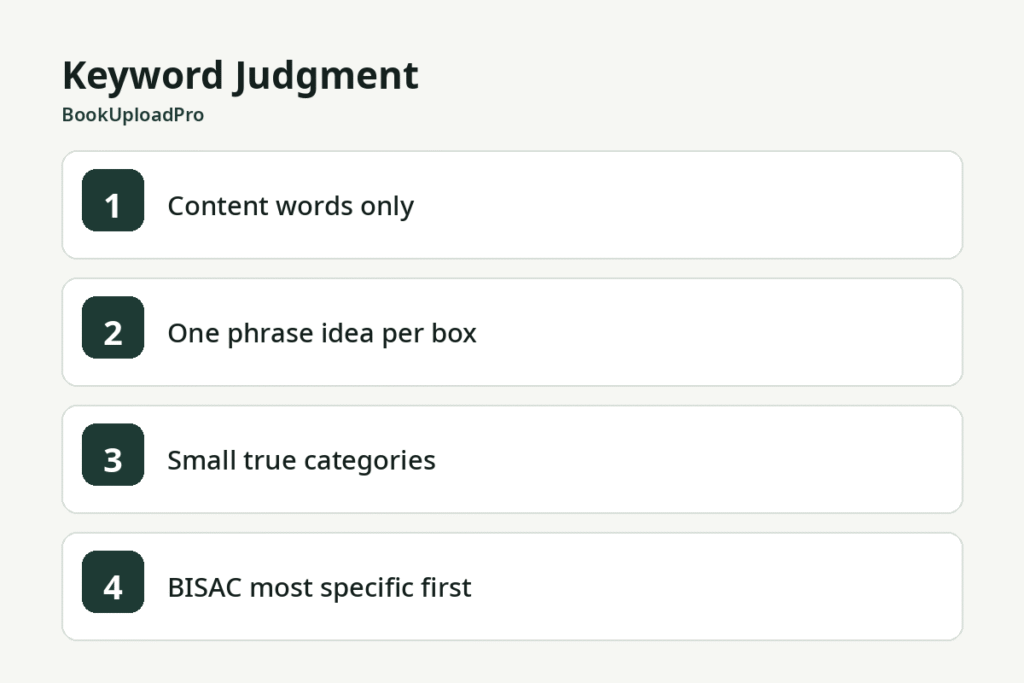
- Commas inside one box neither help nor hurt indexing: Amazon indexes the individual words and their combinations, so separate phrases gain nothing from commas. Use each box for one coherent phrase idea, up to 50 characters, without repeating words from your title or author name:
- A small niche category can be a deliberate strategy: ranking near the top of a small, accurate category earns visibility, social proof, and also bought momentum that a rank of 4,000 in a giant category never gives. Accuracy is the limit; a category the book does not belong in invites returns and metadata trouble.
- The full BISAC list is published by the Book Industry Study Group (BISG), sold as a licensed document and updated annually; free partial views exist through IngramSpark, Draft2Digital, and library resources, which is where most self publishers actually pick their codes:
The small category play, honestly bounded
Choose your categories in layers: one or two where your buyers actually browse, chosen for fit first; then, if a smaller adjacent category genuinely fits the book, take the visibility. What you may not do is stretch: a thriller in a cozy category to chase a badge misleads the exact readers whose reviews decide the book’s fate. Amazon assigns some categories from your BISAC choices and keywords and lets you request changes through Author Central or support, so think of categories as partly chosen, partly earned by the metadata’s coherence:
BISAC in practice
BISAC is the trade’s subject language, used by IngramSpark, Draft2Digital, bookstores, and libraries; Amazon categories are a related but separate system. Pick two or three codes, most specific first: the code should describe the book a bookseller would shelve, not the reader’s problem in marketing language. When the free pickers in your distributor’s dashboard show only top level codes, drill into their subcategories rather than settling, because specificity is what routes a book to the right shelf and the right also boughts:
FAQ
Can I put Kindle Unlimited or free in my keywords to get more downloads?
No. It adds nothing (shoppers filter for Kindle Unlimited in the store, and Amazon indexes content, not offers), wastes one of seven slots, and risks reading as misleading metadata. Keywords describe the book; the store describes the offer.
Should I separate phrases with commas inside one keyword box?
It makes no difference to indexing; Amazon indexes words and their combinations either way. Put one coherent phrase idea per box, do not repeat title words, and spend the characters on terms the title and subtitle do not already carry.
Should one of my categories be a small niche category even if it sells less?
Yes, if it genuinely fits: top visibility in a small accurate category beats invisibility in a huge one. Fit is the non negotiable limit, since miscategorizing misleads readers and invites bad reviews and metadata corrections.
Where do I find the full BISAC subject list for my genre?
The complete list is published and licensed by BISG. In practice, most self publishers work from the free BISAC pickers inside IngramSpark and Draft2Digital and from BISG’s published subject headings overviews; pick two or three codes, most specific first.