
In this guide

Self publishing a book costs nothing to start: every major store lets you upload a finished book for free and only takes its share when a copy sells. A realistic budget for a book you want to sell well runs from about $300 to $2,000, and most of that is craft, editing and cover design, not store fees. The honest answer is a range, because the price depends on how much of the work you do yourself and how much you hire out: https://blog.bookuploadpro.com/self-publishing-store-fees-compared/
Key takeaways:
- The zero dollar launch is real: KDP, Kobo, Apple Books, IngramSpark, and Draft2Digital all charge nothing to set up a title, and print on demand means you pay nothing to print a copy until a reader orders one.
- The two line items that move the budget are editing and cover design. Everything else, formatting, ISBN, and distribution, is either free or a small fixed cost.
- Print cost is not a setup fee. It comes out of each sale: a 300 page 6 by 9 black and white paperback costs about $4.60 to print through KDP and about $5.71 through IngramSpark on their 2026 rate cards.
The budget, line by line
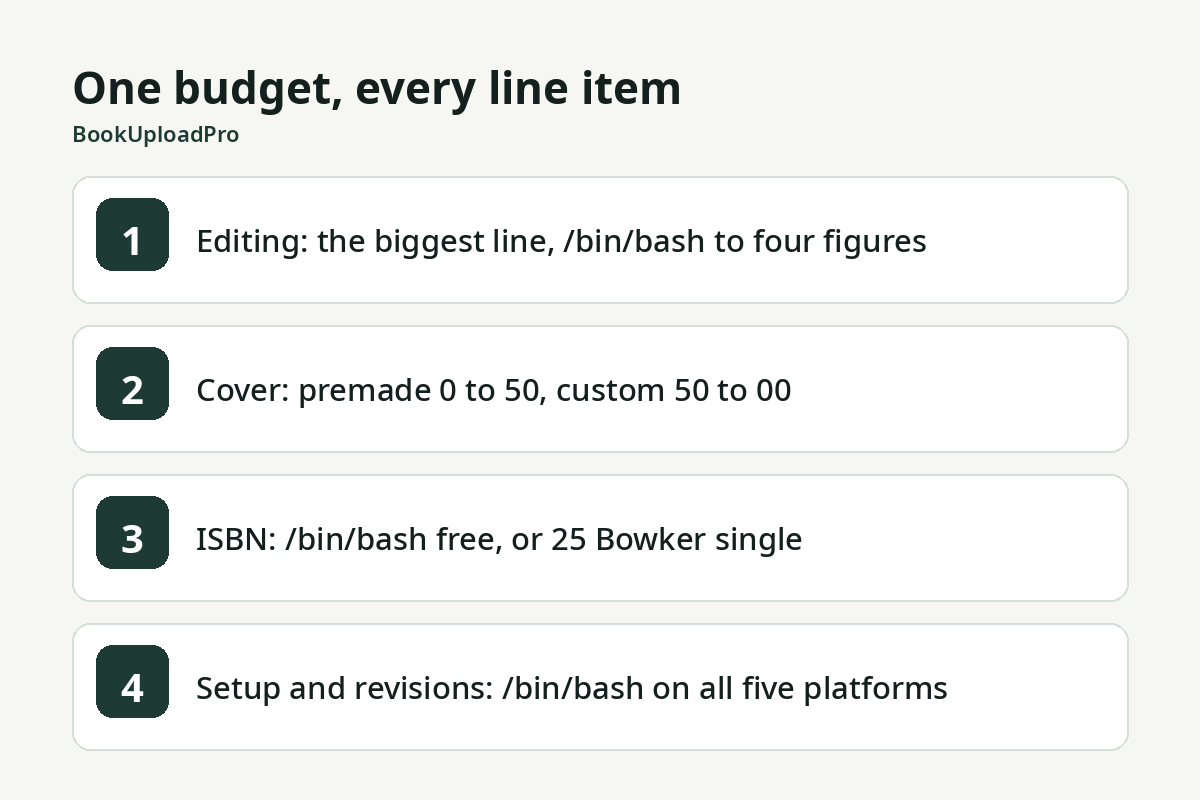
Editing is the biggest line. A developmental edit or a full copyedit from a professional typically runs from a few hundred dollars for a short book into four figures for a long one, and rates vary by word count and editor experience. A proofread alone is the cheapest edit, and a beta reader round plus a careful self edit is the free version. Cover design is next: a professional custom cover typically costs $150 to $500, a premade cover $50 to $150, and a cover you design yourself in a free tool costs nothing but your time. Interior formatting costs $0 if you do it in Word, Vellum, or Atticus yourself, or $100 to $300 if you hire it out. An ISBN costs $0 if you take a free one from a store, or $125 for one and $295 for ten from Bowker in the US, at Bowker’s 2026 list prices. Copyright registration in the US is a separate small fee if you choose to file. Distribution costs nothing upfront on any of the five main platforms: https://blog.bookuploadpro.com/ingramspark-paperback-distribution-cost/
Three budgets for the same book
The zero dollar budget: you write, edit, design, and format the book yourself, take a free ISBN from KDP for print, and publish the ebook and paperback through KDP and Draft2Digital. Total out of pocket: $0, plus your time. The lean budget, about $300 to $600: a proofread, a premade cover, your own ISBN from Bowker’s 10 pack at $29.50 per number, and your own formatting. The professional budget, about $1,500 to $2,500: a full copyedit, a custom cover, professional formatting, and ISBNs in your own name. All three budgets publish the same book; they differ in polish and in how fast the book earns back its cost. A book priced at $4.99 as an ebook at a 70 percent royalty earns about $3.49 a sale before delivery fees, so the lean budget needs roughly 100 to 170 ebook sales to break even, and the professional budget needs far more: https://blog.bookuploadpro.com/royalty-mechanics-explained/
The costs people forget
Print author copies are the most common surprise: ordering ten copies of your own paperback for events costs the print price plus shipping, about $5 a copy plus postage on the 2026 IngramSpark card. Revision fees are gone on the main platforms: IngramSpark made revisions free on 1 February 2026, and KDP and Draft2Digital do not charge to update files. The other forgotten cost is time: preparing metadata, uploading to five stores, and fixing each store’s errors is hours of work per book, which is why authors who publish wide prepare one master metadata sheet and fill each store’s form from it. BookUploadPro works the same way, filling each retailer’s own upload form in your own browser from a CSV you prepare, and saving each book as a draft for your review: https://blog.bookuploadpro.com/upload-tool-review-and-drafts/
FAQ
How much does it cost to self publish a book in 2026?
Nothing to start, and about $300 to $2,000 for a book with professional editing and cover design. Store setup is free on every major platform; the money goes to craft, not to listing fees.
Can I self publish a book for free?
Yes. Upload a finished book to KDP, Kobo, Apple Books, IngramSpark, or Draft2Digital for free, take a free ISBN where offered, and print on demand means no printing bill until a copy sells.
What does editing cost for a self published book?
From $0 if you self edit with beta readers, to a few hundred dollars for a proofread, into four figures for a full developmental edit or copyedit of a long book. Price depends on word count, edit depth, and the editor’s rates.
What does a book cover cost?
A premade cover runs about $50 to $150, a custom professional cover about $150 to $500, and a cover you design yourself in a free tool costs nothing. The cover is the second biggest budget line after editing.
Do I need to buy an ISBN?
Not to publish: KDP, Draft2Digital, and IngramSpark all offer a free ISBN for print. Buy your own from Bowker, $125 for one or $295 for ten in the US at 2026 list prices, if you want your name as publisher of record and an ISBN that works everywhere.