
In this guide
- Fix the PDF/X error on IngramSpark
- A title stuck in processing for over a week
- What Kobo checks when it rejects a file
- FAQ
- IngramSpark says my interior PDF is not PDF/X compliant, what do I do?
- My IngramSpark title is stuck in processing for over a week, is that normal?
- Kobo Writing Life rejected my ebook file, what file problems does Kobo check for?
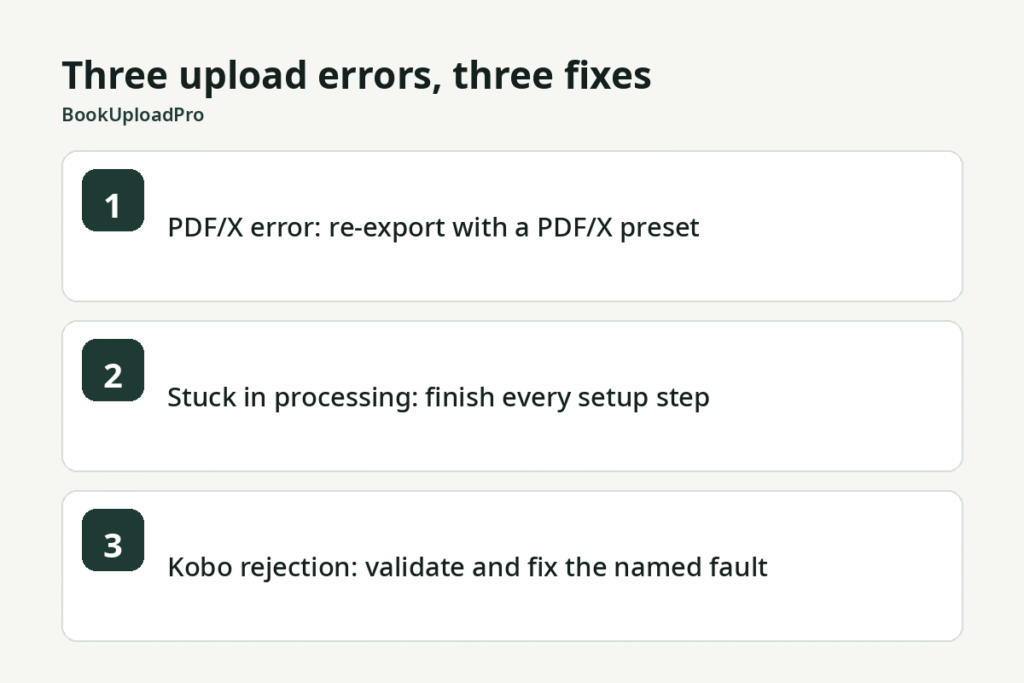
These three errors look unrelated, but they share one cause: the file or the setup is not finished, and each platform tells you in its own dialect. A PDF/X complaint is about how the PDF was made, a title stuck in processing is usually a missing setup step or a file quietly waiting for review, and a Kobo rejection is Kobo’s validator finding a fault your other stores tolerated. Fix each at the source, in the file or the setup, rather than re-uploading the same thing and hoping.
Key takeaways:
- PDF/X is a print standard, not a quality judgment. Export with a PDF/X preset, embed every font, and flatten transparencies, and the error usually goes away.
- Processing that runs past a week on IngramSpark usually means an incomplete setup step or a file under manual review. Check the title’s status messages before assuming the worst.
- Kobo runs real validation. A file that passed elsewhere can still fail at Kobo, so validate locally and fix the named problem.
Fix the PDF/X error on IngramSpark
IngramSpark’s printers need PDFs built to the PDF/X standard, which locks down fonts, color, and page boxes so a file prints the same way every time. Most rejections come from ordinary PDFs exported with default settings. Re-export the interior with a PDF/X preset, in InDesign or Acrobat use the PDF/X-1a or PDF/X-3 job options, embed all fonts, flatten any transparencies, remove annotations and form fields, turn off security and passwords, and make sure the page size in the file is exactly your trim size with bleed where the book needs it. Then run the file through a preflight check before uploading, because a PDF can look perfect on screen and still not be PDF/X. Our checklist post covers the print file checks that pair with this.
A title stuck in processing for over a week
A few business days in processing is normal at IngramSpark, especially for new titles. Past a week, check the setup before you panic: every step of the title setup must be complete, including metadata, pricing, and distribution settings, and a missing step can hold a finished file in limbo. Read the title’s status messages in the dashboard, because a file that failed a check often sits in processing with the reason attached. If the setup is complete and there is no message, contact IngramSpark support with the ISBN and the date you uploaded, and ask what the title is waiting on. Re-uploading blindly resets your place and rarely helps.
What Kobo checks when it rejects a file
Kobo Writing Life validates the EPUB itself: structure and specification errors of the kind EPUBCheck reports, missing or mismatched metadata between the file and your listing, cover image problems, and files that are corrupt or built in ways its reader cannot render. The pattern to copy is the one in our guide to a file that passes on one store and fails on another: validate the exact file locally, fix the named error at the source, and re-export rather than patching. If the rejection names metadata, compare the record inside the file against your Kobo listing field by field, because that mismatch is silent everywhere else.
FAQ
IngramSpark says my interior PDF is not PDF/X compliant, what do I do?
Re-export the PDF using a PDF/X preset such as PDF/X-1a or PDF/X-3, embed all fonts, flatten transparencies, remove annotations and security, and confirm the page size matches your trim. Preflight the result, then upload the new file.
My IngramSpark title is stuck in processing for over a week, is that normal?
A few business days is normal; over a week usually means an incomplete setup step or a file held for review. Check that metadata, pricing, and distribution are all complete, read the status messages on the title, and then contact support with the ISBN and upload date.
Kobo Writing Life rejected my ebook file, what file problems does Kobo check for?
Kobo validates the EPUB’s structure against the specification, compares the metadata inside the file with your listing, and checks the cover and the file’s integrity. Run EPUBCheck locally, fix what it names at the source, re-export, and upload again.