
In this guide
- What ignoring the notice actually does
- Live, but unavailable in the US store
- The minimum price is arithmetic, not opinion
- FAQ
- What happens if I ignore a Kindle quality notification?
- Why is my paperback showing as unavailable in the US store after it went live?
- My price was rejected because it does not meet the store minimum for my page count, how do I fix pricing errors?
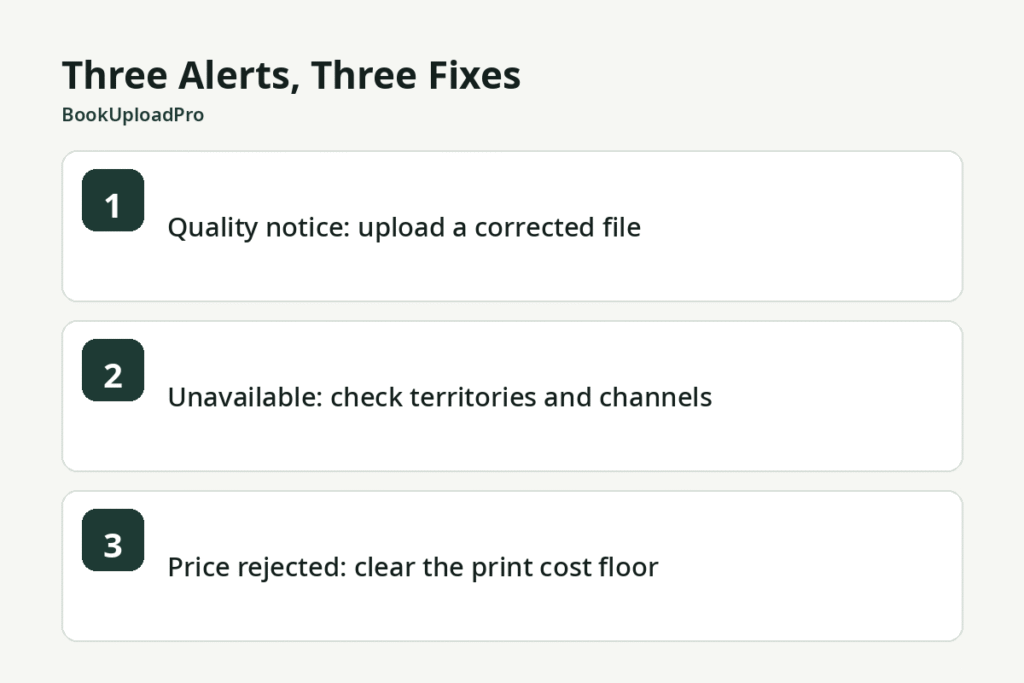
Ignoring a Kindle quality notification does not make it age away. KDP grades the problems it finds: critical issues take the book off sale until they are fixed, and a moderate pile of lesser issues puts a temporary quality warning on your book’s Amazon page, visible to every reader, while an excessive pile can remove the book outright. The notice sits in your Quality Notifications Dashboard, KDP emails you when it arrives and reminds you monthly, and the only way it closes is you uploading a corrected file. Treat the email as a task with your name on it, not as spam from the store.
Key takeaways:
- KDP quality issues come in three grades. Critical means removed from sale until fixed. Destructive and distracting issues, in number, mean a public quality warning on the detail page, and possibly removal if they are excessive.
- A paperback showing unavailable in the US after going live is usually a distribution, territory, or pricing settings problem, or the listing is still propagating, not a banned book.
- Print has a minimum list price set by printing cost. A price under the floor is rejected; raise the price, or lower the printing cost with page count, trim, or ink choices.
What ignoring the notice actually does
The Quality Notifications Dashboard is where KDP lists problems found by its checks or reported by readers: typos, formatting faults, missing content, image problems. For each issue you respond in the dashboard and upload a corrected file through your book’s content tab, and KDP reviews the revision, in its guidance within about three days. Leave it, and three things compound: the warning label stays on the page where readers decide, monthly reminder emails keep arriving because the issue is open, and if the issues are graded critical or pile up excessively, the book comes off sale entirely until corrected. There is no version of events where the notice quietly expires in your favor. Our guide to fixing a book in place, without losing reviews, is the workflow the fix uses.
Live, but unavailable in the US store
Work the causes in order. First, time: a newly live paperback can show as unavailable on its own storefront while the listing finishes propagating, so give it a day and check again before changing anything. Second, your settings: confirm the book’s territories include the United States and that the US marketplace price is set and above the minimum for the book’s printing cost. Third, distribution conflicts: if the same ISBN edition is also distributed through another channel, for example IngramSpark, Amazon can end up pointing at a feed it cannot fulfill and show unavailable, which is the duplicate channel problem in another costume. Fourth, the detail page itself: if the paperback listing is not linked to the book’s main page, the format can look missing or unavailable from the page readers land on. If all four check out and it persists, that is a KDP support case, with the ISBN and the live date in hand.
The minimum price is arithmetic, not opinion
A print book cannot be priced below the cost of printing it plus the retailer’s share, so every print platform computes a floor from your trim size, page count, and ink choice, and rejects prices under it. That is why the rejection names your page count: more pages cost more to print. Your levers, in the order authors actually use them: raise the list price above the floor, reduce the printing cost by trimming pages, choosing a smaller trim, or moving a color interior to black and white where the book allows it, or accept a lower royalty rate option where the platform offers one, since a lower royalty percentage lowers the floor. Set prices per marketplace too, because a price that clears the US floor converted carelessly can fail in another currency. Our royalty tracking guide covers how these prices surface in your reports afterward.
FAQ
What happens if I ignore a Kindle quality notification?
Nothing good and nothing neutral. Critical issues keep or take the book off sale until fixed. Lesser issues in number put a temporary quality warning on your Amazon detail page, KDP keeps reminding you monthly, and an excessive count can lead to removal. The notice closes only when you respond in the Quality Notifications Dashboard and upload a corrected file.
Why is my paperback showing as unavailable in the US store after it went live?
Most often it is still propagating, or a settings cause: US territory or pricing not set correctly, a duplicate distribution of the same edition through another channel confusing fulfillment, or the paperback not linked to the main detail page. Check those four, in that order, before contacting support.
My price was rejected because it does not meet the store minimum for my page count, how do I fix pricing errors?
The minimum list price is your printing cost, driven by page count, trim, and ink, plus the retailer’s share. Raise the price above the floor, or lower the cost: fewer pages, a smaller trim, or black and white instead of color. Set the price per marketplace so conversions do not drop another store under its floor.