
In this guide
- The payment schedules, in one view
- The monthly report routine
- Prices and currencies: what converts, what you set
- FAQ
- How do I keep track of the different royalty payment schedules from each platform?
- Which platform reports do I need to download each month to see my total earnings?
- Does each platform convert my US price automatically or do I set every currency myself?
Every platform pays on its own clock. KDP pays about 60 days after the end of the month in which the sale happened, Kobo works to a shorter lag of about 45 days, and the other stores and aggregators each run their own cycle with their own minimum payout threshold. Nothing about that is broken, but it means a sale made today lands in your account in different months depending on the store, and the only way to see your real income is a monthly routine: download each platform’s report for the same period, in the same way, and add them up yourself.
Key takeaways:
- Payment schedules differ by design. A book sold in January pays out in different months on different stores, so track by sale month, not by payment date.
- Download the same report from each platform every month: KDP, Kobo, Apple Books, Draft2Digital or your aggregator, and IngramSpark, and file them together.
- Prices convert automatically unless you set them. Stores translate your base price into other currencies, but the converted price is a calculation, not a pricing decision.
The payment schedules, in one view
KDP’s rule is the anchor: royalties are paid about 60 days after the end of the month of sale, so January sales arrive around the end of March. Kobo pays about 45 days after the month ends. Apple Books pays on its own fiscal calendar, roughly a month after the sales period. Aggregators collect from the stores first and then pay you, which adds their cycle on top. Each platform also has a minimum amount you must earn before it pays out, and those thresholds differ. Write the schedule for the platforms you use into your tracking sheet once, from each platform’s current payment terms, so a quiet month is never mistaken for a missing payment.
The monthly report routine
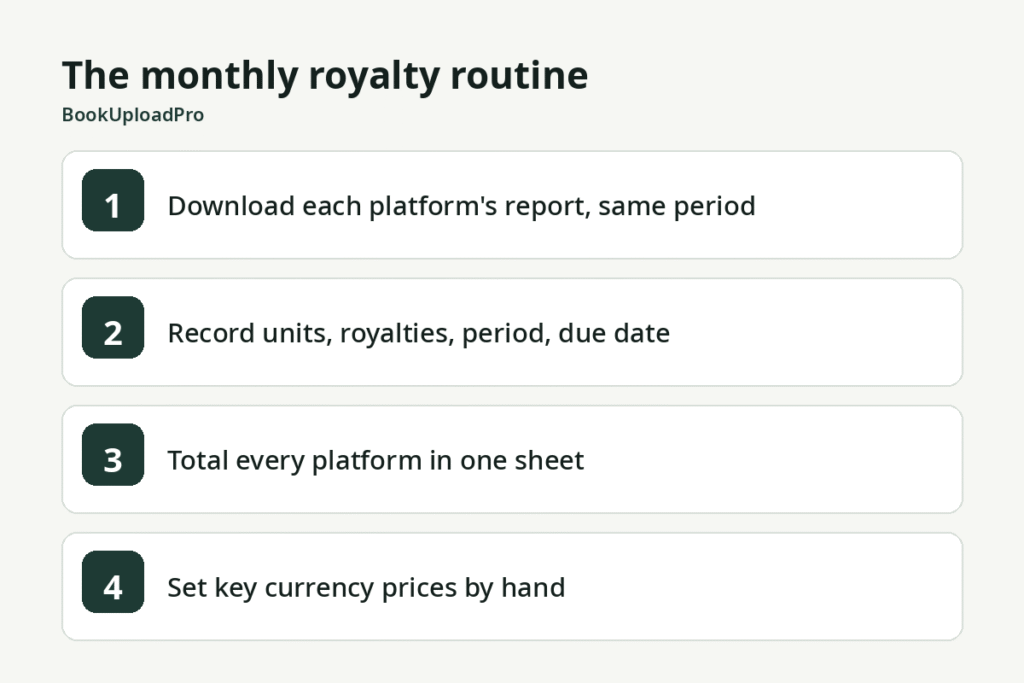
Once a month, download the royalty or sales report for the previous period from each platform: the payments and prior month royalty reports in KDP Reports, the sales report in Kobo Writing Life, sales and financial reports in Apple Books, the sales reports in Draft2Digital if you aggregate, and the compensation reports in IngramSpark for print. Save them in one folder named by month, and record four numbers per platform in your sheet: units, gross royalties in the currency paid, the period the report covers, and the date the money is due. Our earlier guide to tracking sales and royalties across platforms covers the spreadsheet side of this routine.
Prices and currencies: what converts, what you set
If you give a store only a US dollar price, it will convert that price into other currencies for its other storefronts, using its own exchange calculation, and some stores round or band the converted price their own way. That is convenient and often ugly: a carefully chosen 4.99 can become a number no one would pick. You can set prices per currency or per territory on the major platforms, and most authors who sell internationally set the handful of currencies that matter to them by hand, their home currency plus USD, GBP, EUR, CAD, and AUD, and let the rest convert. Review converted prices once per book per store, because the automatic number is a translation, not your price.
FAQ
How do I keep track of the different royalty payment schedules from each platform?
Keep a simple sheet that lists, for each platform, the lag between sale month and payment, KDP is about 60 days after month end, Kobo about 45, and its payout threshold. Record income by the month the sale happened, and the sheet will show which payments are still in transit rather than missing.
Which platform reports do I need to download each month to see my total earnings?
The royalty report from KDP Reports, the sales report from Kobo Writing Life, the sales and financial reports from Apple Books, your aggregator’s sales report if you use one, and IngramSpark’s compensation report for print. Download them for the same period each month and total them in one place.
Does each platform convert my US price automatically or do I set every currency myself?
Both. Platforms convert a base price automatically for storefronts you do not price yourself, but you can set prices per currency on the major stores. Set the currencies where your readers are by hand, and let the long tail convert.