
In this guide
- The one channel rule
- Opting a store out before going direct
- BookUploadPro with Draft2Digital and IngramSpark
- FAQ
- Can I use more than one distributor at the same time for different stores?
- Should I switch a store off in my aggregator if I publish there directly?
- Does BookUploadPro work with Draft2Digital and IngramSpark?
Yes, you can use more than one distributor at the same time, and many publishers do, provided the split is by store and never by accident: each store receives each book from exactly one channel. Duplicate listings, rejected uploads, and royalty confusion all start the same way, two feeds delivering the same book to the same store. The discipline is simple: keep a written map of which channel feeds which store for every book, and when you take a store direct, switch that store off inside the aggregator first and let the old listing come down before yours goes up.
Key takeaways:
- One book, one channel per store. Splitting distributors across different stores is normal; splitting them into the same store is where duplicates come from.
- Going direct at a store your aggregator reaches means opting that store out in the aggregator first, waiting for the takedown, then publishing direct.
- BookUploadPro works in the Draft2Digital and IngramSpark dashboards like any other supported store: it fills their own upload forms in your browser and saves drafts for your review.
The one channel rule
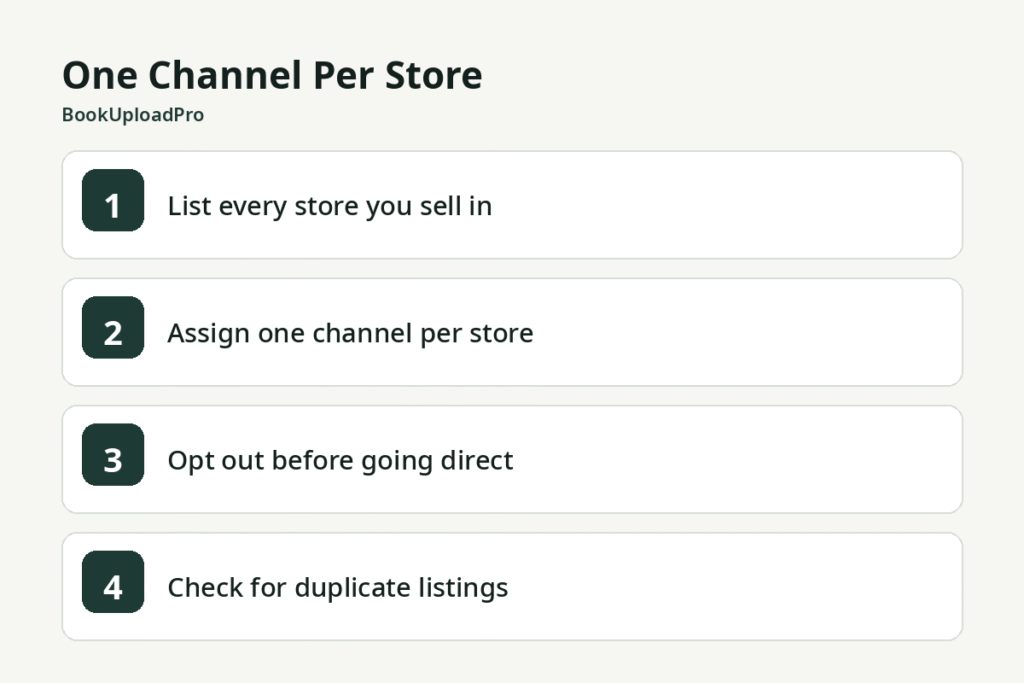
A store’s catalog is built from feeds. If your aggregator’s feed and your direct account both claim the same book, usually under the same ISBN, the store either rejects the second copy or, worse, lists both, splitting reviews and confusing its own series and recommendation systems. So the working unit is the store: this store gets the book from the aggregator, that store gets it direct, and the map is written down per book, because six months later nobody remembers which arrangement book four uses. Our explainer on what wide distribution means covers why the map matters more as the store count grows.
Opting a store out before going direct
Sequence matters. Inside the aggregator, remove or opt out that store for the title. Wait until the aggregator confirms distribution to that store has ended and the listing is down or reported removed, which can take days and occasionally weeks depending on the store. Only then publish your direct edition. Overlap in the wrong order gives the store two live copies at once; a short gap in the right order gives it one clean listing that keeps selling. Keep the ISBN consistent: the direct edition is the same book, so where the store allows, the same ISBN should follow it, which is the edition rule explained in our ISBN guide.
BookUploadPro with Draft2Digital and IngramSpark
BookUploadPro supports five platforms: Amazon KDP, Kobo, Draft2Digital, IngramSpark, and Apple Books. With Draft2Digital and IngramSpark that means the same thing it means everywhere else: you prepare the book’s metadata once in a spreadsheet, export a CSV, and the browser extension fills the platform’s own upload form, Draft2Digital’s form inside Draft2Digital, IngramSpark’s inside IngramSpark, in your own browser, saving each book as a draft for your review. It is not an API feed into either company and it does not replace your accounts with them; it does the typing inside the accounts you already have. The Draft2Digital side of that workflow is described in our explainer.
FAQ
Can I use more than one distributor at the same time for different stores?
Yes. Split by store: each store receives each book from one channel only, your direct account or one named distributor. Keep a written per book map of which channel feeds which store, because duplicates happen when two channels feed the same store, not when you use two distributors in total.
Should I switch a store off in my aggregator if I publish there directly?
Yes, and do it first. Opt the title out of that store inside the aggregator, wait for the distribution to end and the listing to come down, then publish direct. Publishing direct while the aggregator still feeds the store creates the duplicate listing you are trying to avoid.
Does BookUploadPro work with Draft2Digital and IngramSpark?
Yes, both are among its five supported platforms. The extension fills each platform’s own upload form in your browser, from your prepared CSV, and saves the book as a draft for your review. It works inside your own Draft2Digital and IngramSpark accounts rather than through an API or a feed of its own.