Reduce Amazon KDP Repetitive Tasks and Publish at Scale
amazon kdp repetitive tasks: How to Stop Repeating Yourself and Publish at Scale
Estimated reading time: 11 minutes
Key takeaways
- Repetitive KDP actions—metadata entry, file uploads, pricing—are the main bottleneck when publishing multiple titles.
- Systemize the process: templates, CSVs, batch uploads, and spot checks reduce errors and free time for high-value work.
- Tools like BookUploadPro automate repeat data entry and cross-platform uploads safely when paired with human review.
Table of Contents
- Why amazon kdp repetitive tasks slow you down
- Practical ways to reduce repetitive KDP actions
- How BookUploadPro fits into a multi-platform process
- FAQ
Why amazon kdp repetitive tasks slow you down
Every new title on Amazon KDP asks you to repeat the same steps: enter title and subtitle, paste the description, choose categories, type keywords, upload the interior and cover, set prices, and select territories. Those steps add up. When you do them one book at a time, a single title can take 20–40 minutes. When you push to publish dozens or hundreds, that “simple” form-filling becomes a full-time job.
There are two predictable effects of repetitive KDP actions. First, you spend your best time on low-value work. Instead of researching niches or improving covers, you’re clicking the same fields over and over. Second, quality slips. Copy-paste errors, inconsistent categories, and mismatched interiors happen when the process is manual and boring. That’s why many publishers document the process, build templates, or look for automation.
If you want background on platform-specific delays and why some uploads stall, see Why Amazon KDP Publishing Takes Long. Understanding where time is lost informs what you should automate—and what you must keep manual.
Practical ways to reduce repetitive KDP actions
Think of scaling publishing like running a simple factory line. The goal is to remove needless repetition while preserving human judgment where it matters.
-
Map the repeatable steps
Write out the exact sequence you follow for each book. For most KDP titles this looks like:
– Metadata: title, subtitle, series, contributors
– Descriptions and blurbs
– Categories and keyword lists
– Interior upload and proofing
– Cover upload and preview
– Pricing, territories, and royalty settings -
Use templates and a single source of truth
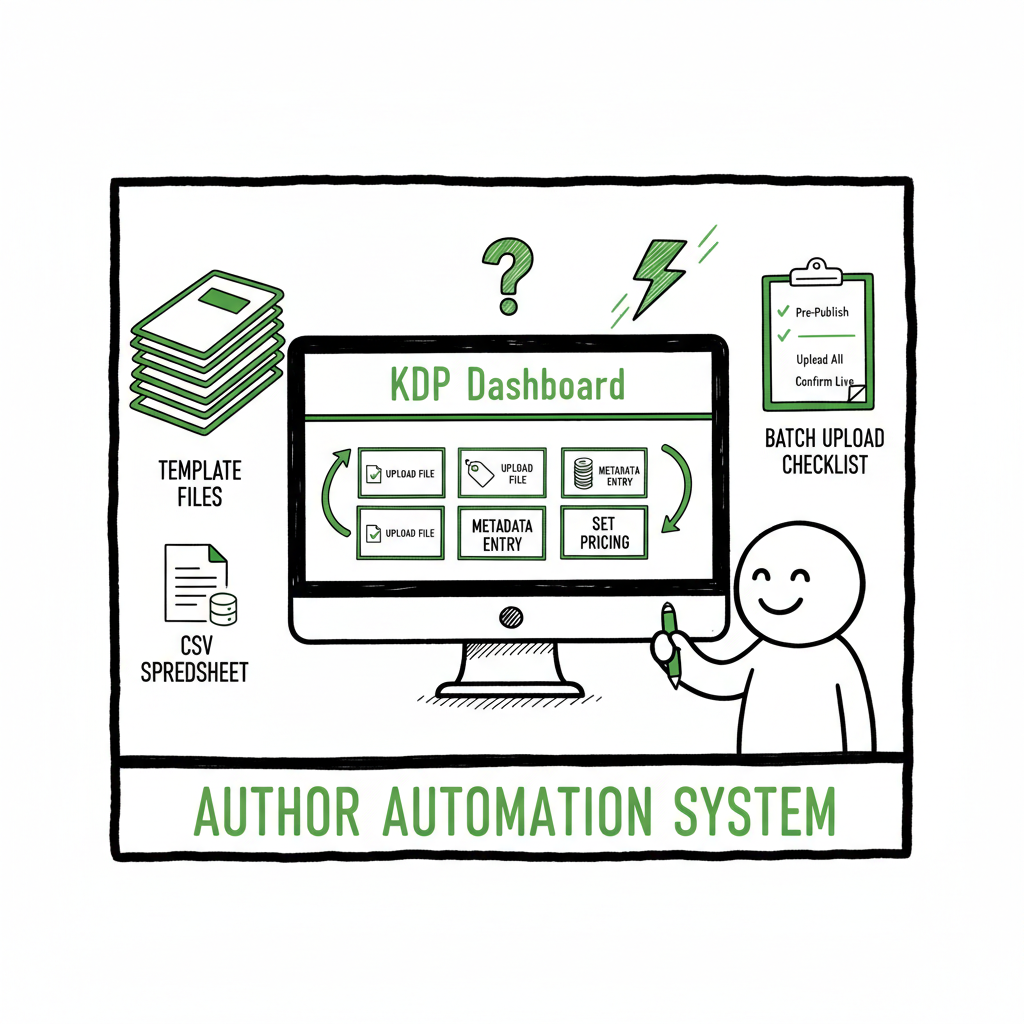
A filled spreadsheet or CSV that holds your metadata drastically reduces kdp repeat data entry. Put every field you will paste into KDP into columns: title, subtitle, description, BISAC categories, ISBN, price, and platform-specific flags. Keep one authoritative file per series or niche so you don’t drift on naming, punctuation, or keyword choices. -
Batch creation of files
Before you touch KDP, prepare your interiors and covers in batches. Generating a set of interiors and finalizing covers together makes uploads predictable and reduces proofing time. If you convert to EPUB for Apple Books or Kobo, make that step part of your batch run so the final files are ready when you hit distribution.
If you’re converting to EPUB as part of multi-platform distribution, using an EPUB converter that preserves layout and metadata saves repeated fixes. -
Batch-upload where available
KDP itself doesn’t offer native bulk metadata import for all fields, but many publishers use upload tools and CSV-driven workflows to push multiple titles through the same sequence. Batch uploading moves the cursor from “one title at a time” to a single process for many titles, reducing the per-book time dramatically. -
Automate form-filling but keep guardrails
Automating repetitive form-filling—copying metadata from a CSV into a KDP form—is tempting. The value is clear, but so are the risks: mistakes can multiply across a catalog. Use automation that:
– Validates mandatory fields before upload
– Applies formatting rules for descriptions and keywords
– Staggers submissions to look human-like and avoid burst patterns -
Adopt quality checks and spot reviews
Automation should include post-upload checks. Routine spot checks—open a random 5–10% of listings each week and verify descriptions, categories, and previews—catch systematic errors early. That’s far less work than correcting hundreds of listings later. -
Consider role separation
Split tasks between creative and operational work. Keep keyword research, title crafting, and cover decisions in-house or with a trusted editor. Delegate repeatable uploads and pricing tasks to an assistant or an automated tool that retains your templates and rules. -
Track everything
Log what you upload—title, date, platform, and a quick status field (proofed, live, blocked). A single tracking sheet prevents duplicate uploads, reveals where failures happen, and becomes the audit trail if a platform flags a listing.
How BookUploadPro fits into a multi-platform process
If your pain point is kdp batch uploading issues and kdp repeat data entry, the value of a purpose-built uploader is straightforward: it turns repetitive clicks into a single, repeatable action. BookUploadPro was built for exactly this situation—unified multi-platform publishing that saves time and reduces errors.
What it automates
- CSV batch uploads: fill one CSV and publish to Amazon KDP, Kobo, Apple Books, Draft2Digital, and Ingram without re-entering the same metadata.
- Platform-specific intelligence: the system adjusts fields according to each store’s requirements so you don’t manually transform descriptions or categories for each platform.
- Humanized patterns: BookUploadPro aims to keep listing data varied enough to avoid suspiciously identical entries while preserving correct formatting and BISAC compliance.
- Error reduction: validation steps detect missing ISBNs, incorrect dimensions, and common formatting problems before upload.
Where to keep human judgment
Automation is best used for repetitive KDP tasks—repeat data entry, interior and cover uploads, and pricing updates. Leave high-leverage items like niche selection, titles, and final creative review to people. BookUploadPro slots into that balance: it handles the repetitive surface-level work so you or your editor can spend time on discovery and quality.
Cross-platform benefits
Publishing is rarely one-store-only. When you prepare a paperback or ebook, you often need platform-specific file formats: EPUB for Apple Books and Kobo, print-ready PDFs for KDP paperbacks. Using a single tool to manage the distribution reduces duplicate work and keeps metadata synchronized. For authors who need to create a cover, book cover generator speeds the front-end design so uploads are ready in batch. And if EPUB conversion is part of your pipeline, an EPUB converter removes another manual step.
A practical note on risk
Any bulk uploader must be used with care. Aggressively pushing dozens of near-duplicate titles without quality standards risks platform scrutiny. The right approach is conservative: automate the repetitive parts, validate aggressively, and publish steadily rather than in bursts.
Real savings look like this
For many users, BookUploadPro reduces per-book upload time from 20–40 minutes to 2–5 minutes once files and CSVs are prepared. That’s roughly 80–90% time savings on the repetitive side of publishing. For teams, it means fewer hours spent on data entry and more on content and marketing.
Integrations that matter
- If you use an external cover tool, export final covers into your upload folder and let BookUploadPro attach the files automatically. BookUploadPro supports this workflow.
- If you deliver EPUBs or need conversions, use a converter early in the pipeline so final EPUBs are part of the CSV-driven batch. The EPUB converter helps here.
- Keep a single catalog sheet that is the system of record; BookUploadPro reads that CSV and propagates metadata across platforms so you don’t make manual entries in multiple dashboards. BookUploadPro reads that CSV and propagates metadata.
Operational tips for scale
- Start small: test with a batch of 5–10 titles and audit every listing live on each platform.
- Build conservative templates: vary keywords and descriptions slightly between similar titles to avoid uniform patterns.
- Schedule uploads over time to avoid burst uploads that look spammy.
- Keep monthly audits in your calendar to spot regressions or format drift.
FAQ
Q: Is automating repeat data entry against Amazon’s rules?
A: Automation itself isn’t banned. Amazon’s concern is spammy, low-value content and patterns that look abusive. Use automation to eliminate tedious work, but keep quality controls, avoid bulk-uploading near-duplicates, and stay within content policies.
Q: Will automation lead to more listing errors?
A: If tools are misconfigured, yes. That’s why validation, previewing, and spot-checks must be part of any automated workflow. Well-designed tools reduce errors by enforcing formatting and required fields before submission.
Q: How much time can I expect to save?
A: Typical savings on repetitive tasks are 70–90%. Your mileage depends on how much of your workflow is truly repeatable and how prepared your files are before upload.
Q: Can a single tool publish to Amazon KDP and other retailers?
A: Yes. Unified publishing platforms push the same metadata to multiple stores while translating fields for each retailer. That eliminates duplicate metadata entry and helps keep listings consistent.
Q: Do I need to change covers or interiors for different platforms?
A: Print interiors and covers generally need to meet each platform’s technical specs. For ebooks, EPUB is typically required by Apple and Kobo; Amazon accepts MOBI/Kindle formats. It’s best to standardize file naming and formats so your batch process includes platform-ready files.
Final thoughts and next steps
Repetitive kdp actions are the predictable bottleneck in any multi-title publishing plan. The practical path forward is straightforward: map the repeatable steps, prepare files in batches, validate aggressively, and automate what is low-value while keeping judgment-heavy tasks human.
If you create covers or finalize interiors in bulk, consider using a book cover generator to speed the front-end design work and keep uploads consistent. When EPUB conversion is part of your distribution, an EPUB converter saves time and reduces formatting fixes later. And if your workflow routinely creates paperbacks or ebooks, a reliable book creation tool brings the outputs into a single, publishable format ready for batch upload.
BookUploadPro is built for the middle ground: it does the repetitive lifting—CSV-driven uploads, platform-aware adjustments, and validation—while you keep control over the creative and strategic choices. Automate the upload. Own the distribution.
Sources
Sources
- Amazon KDP Automation Strategy – Coconote
- How I Fully Automated My Amazon KDP Business in 2025
- Amazon KDP Upload Automation – Flying Upload KDP
- How I Automated My Amazon KDP Empire
- AI Book Generator for KDP Authors – BookAutoAI vs Wababai
- Why Amazon KDP Publishing Takes Long
- book cover generator
- EPUB converter
- book creation tools
amazon kdp repetitive tasks: How to Stop Repeating Yourself and Publish at Scale Estimated reading time: 11 minutes Key takeaways Repetitive KDP actions—metadata entry, file uploads, pricing—are the main bottleneck when publishing multiple titles. Systemize the process: templates, CSVs, batch uploads, and spot checks reduce errors and free time for high-value work. Tools like BookUploadPro…