Publishing Books at Scale Practical Guide for Indie Authors
Publishing Books at Scale: A Practical Guide for Indie Authors
Estimated reading time: 14 minutes
Key takeaways
- Publishing books at scale means systematizing the full book lifecycle so each new title adds minimal work.
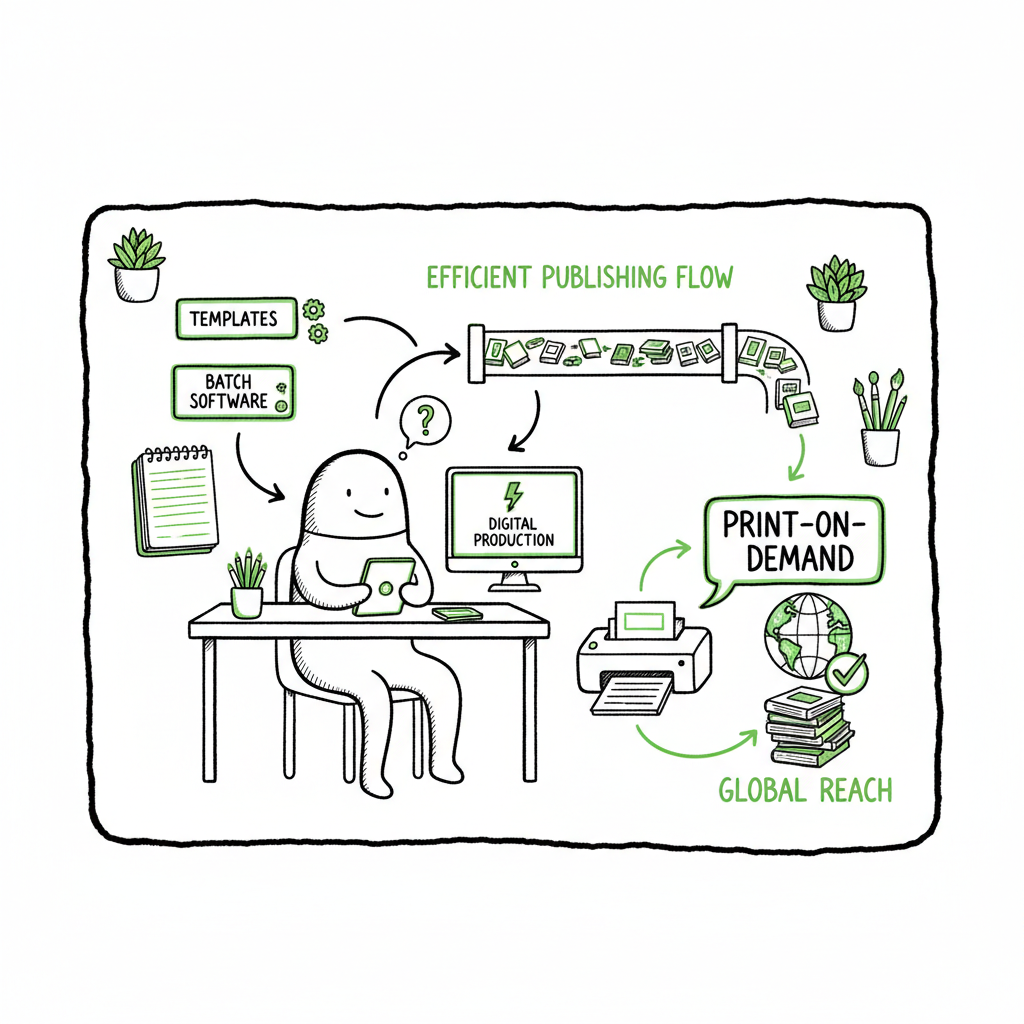
- Standard templates, batch tools, and centralized metadata let you push many titles through one repeatable pipeline.
- Use print-on-demand for long tails, offset for large predictable runs, and coordinated QA to keep quality steady.
- BookUploadPro automates multi-platform uploads, cuts turnaround time by about 90%, and makes wide distribution practical.
- Start small, measure per-title overhead, then automate the repeatable pieces before increasing volume.
Table of Contents
- Overview: Why publishing books at scale matters
- Build a repeatable pipeline to publish books at scale
- Production, distribution, and scaling operations
- FAQ
- QA, compliance, and running at scale
- Final thoughts
- Sources
Overview: Why publishing books at scale matters
Many indie authors and small presses start with one book and learn the full process: write, edit, design, format, upload, and promote. That works. But when you move from one book to dozens or hundreds, the same steps become a bottleneck.
Publishing books at scale is not about skipping steps. It’s about making each step repeatable and low-friction. Once you treat editorial, design, typesetting, and distribution as processes with templates and rules, the marginal work per title drops dramatically. If you are serious about volume, read our guide on Scaling an Amazon KDP Business for a focused look at optimizing the Amazon side of wide distribution.
The short list of what changes when you scale:
- Fewer bespoke decisions. Use the same trims, fonts, and templates.
- More automated handoffs. Move files through one pipeline with predictable outputs.
- Centralized metadata. One place to edit keywords, categories, pricing, and rights.
- Batch publishing tools. Upload dozens of titles in one pass instead of repeating clicks.
BookUploadPro was built for this shift. It automates repetitive uploads across Amazon KDP, Kobo, Apple Books, Draft2Digital, and Ingram, supports CSV batch uploads, and applies platform-specific intelligence so each channel receives correctly formatted files. For authors and presses that publish seriously, it becomes an obvious upgrade: automate the upload. Own the distribution.
Build a repeatable pipeline to publish books at scale
You publish faster when everyone follows the same playbook. That playbook covers manuscript intake, editing passes, layout, cover production, conversion, and metadata. Here’s how to turn that playbook into a pipeline.
-
1. Standardize inputs
Require manuscripts in a fixed file format and structure. Use plain styles in Word or Markdown and a clear naming convention. Ask for a single file per book with chapters labeled, front matter and back matter separated, and a version tag in the filename. That reduces time spent fixing inconsistent files. -
2. Define minimal style guides and templates
Pick a small set of trim sizes, fonts, and layout templates that meet your readers’ expectations. Create interior templates that handle pagination, chapter heads, headers, and footers. For cover design, build a library of templates that can be adapted quickly to new titles. If you produce covers at scale, consider a processing pipeline linked to a cover generator to keep art production efficient and consistent. -
3. Batch editing and QA checkpoints
Create standard editing passes: developmental, line, and proof. Use checklists for each pass. For high-volume workflows, you’ll rely on a blend of human editors and tooling that flags common issues like orphan headers, extra spaces, or incorrect chapter numbers. Keep a simple status field in your project tracker that moves a book from Draft → Editing → Proof → Ready for Layout. -
4. Convert once, use everywhere
Make conversion predictable. Once an interior file is accepted, convert it to all needed formats using automated tools that respect your templates. For EPUB specifically, use a dedicated EPUB converter that produces clean, validated files suitable for Apple Books, Kobo, and other retailers. A clean EPUB is a time-saver; fixing broken TOCs or badly nested lists after upload is expensive. -
5. Centralize metadata and assets
Store titles, subtitles, descriptions, contributor names, ISBNs, BISAC categories, keywords, pricing, and rights in one spreadsheet or database. For bulk publishing, a CSV-driven workflow reduces manual entry. When you update a description or price, the change should propagate across channels without rekeying. -
6. Use queueing and parallelization
Design the pipeline so different teams or tools can work in parallel. While one title is in copy edit, another can be in design, and a third in proof. This overlaps calendar time but keeps throughput high. Track lead time per stage so you can plan stable release calendars. -
7. Automate routine uploads
Manual uploads are the biggest scaling tax. Use a platform that maps your centralized metadata and files to each retailer’s requirements and uploads them in batches. This removes repetitive clicks, guards against format errors, and frees staff for decisions that matter.
Production, distribution, and scaling operations
When you have a pipeline, you need to match production choices to demand and distribution strategy.
Print and print-on-demand
For a large catalog with uncertain demand, print-on-demand is the practical default. POD lets you offer paperback and hardcover without inventory risk. For titles with predictable high demand, offset runs can reduce per-unit cost, but they require accurate forecasts and storage plans.
If you create paperback and ebook editions at scale, it helps to automate the file generation and prepress checks. Tools that produce print-ready PDFs and EPUBs streamline this work and reduce errors that cause costly reprints.
Ebook distribution and format handling
Ebooks travel on many platforms. A validated EPUB is the universal starting point. Generate clean EPUBs, check them in an EPUB reader, and then create platform-specific derivatives only when needed. For faster, consistent results, use a reliable EPUB converter that handles spine order, metadata, and image optimization.
Channel strategy
Don’t rely on a single retailer. Push to KDP and Amazon, but also distribute to Apple Books, Kobo, and Ingram to reach libraries and independent retailers. For some channels you’ll use direct uploads; for others, an aggregator or service is helpful. Centralized feeds and synchronized release dates reduce customer confusion and marketing friction.
Inventory and fulfillment
If you run offset runs for top titles, integrate fulfillment plans into your pipeline. For POD titles, confirm templates and proofs with your POD vendor and keep final files archived. If your catalog grows large, dedicated SKU tracking matters: know which editions exist, where they’re live, and their identifiers (ISBNs, ASINs, etc.).
Pricing and metadata at scale
A single pricing or metadata mistake multiplies across dozens of titles. Use batch tools to set pricing tiers (e.g., $2.99–$4.99 for short reads, $9.99+ for long-form nonfiction), then export and push updates. Maintain a canonical metadata spreadsheet and log changes. That allows you to roll back updates and audit discoverability decisions.
Operations and staffing
For steady throughput, define capacity per role (number of titles an editor, designer, or formatter can handle per month). Use that to forecast throughput and hire contractors or staff. Automate what you can—formatting, file checks, uploads—so human roles focus on quality control, marketing strategy, and editorial judgment.
How BookUploadPro fits
BookUploadPro is built for this model. It applies platform-specific intelligence when preparing each file and supports CSV batch uploads so you can push many titles at once. The system enforces format rules for each retailer, reducing upload failures and rework. For publishers that focus on catalog growth, BookUploadPro offers roughly 90% time savings on the upload and distribution side, making wide distribution practical and affordable.
QA, compliance, and running at scale
Scaling volume without a solid QA system breaks things. Quality control and compliance keep your titles live and readable.
Automated checks and human review
Combine automated preflight checks with human sampling. Automated checks catch formatting errors, missing metadata, and cover bleed issues. Human reviewers focus on content quality, tone consistency, and policy risks. Keep a minimum QA pass for every title: a human proofreading on the final proof or ebook file.
Platform rules and content policies
Retailers have rules about content, metadata, and marketing language. At scale, maintain a compliance checklist that includes:
– Copyright and rights claims
– Appropriate categories and keywords
– Correct use of series metadata
– Non-infringing covers and thumbnails
Train your team to flag borderline cases. Automated systems can’t fully replace judgment on content flags.
Version control and rollbacks
Track versions and keep archives of each final file and metadata snapshot. If a retailer rejects an update or an error slips live, you must revert quickly and push corrected files. A simple versioned folder structure tied to your metadata spreadsheet keeps this manageable.
Cover design and image assets
Covers are a frequent source of rejection. Standardize cover templates and export settings. If you produce many covers, consider a cover processing workflow that applies brand-approved templates and automates sizing for different channels. For cover generation and template processing, use a reliable book cover generator to maintain consistency and speed. That reduces back-and-forth with designers and keeps thumbnail legibility intact.
Compliance and ethical AI use
When you use AI to speed text changes or expand/condense manuscripts, keep clear human oversight. For authors relying on AI-assisted generation, run extra proofreading passes for voice, factual accuracy, and policy compliance. Platforms are gradually tightening rules about AI content and metadata errors; human checks protect your catalog and reputation.
Monitoring and post-publication fixes
Once titles are live, monitor sales, returns, and customer feedback. Maintain quick workflows for fixing typos, updating pricing, and replacing defective files. If a title needs to be removed temporarily, your system should allow a rapid delist and re-upload once corrected.
Scaling metrics to watch
– Lead time per stage (edit → layout → live)
– Upload failure rate
– Average time to fix a live issue
– Cost per title (editing, design, production)
– Revenue per title and inventory turnover for offset runs
Final thoughts
Final thoughts
Publishing books at scale means thinking like an operator. You keep the same core publishing stages, but you make each step repeatable, measurable, and automatable. Templates, central metadata, batch uploads, and robust QA let you expand output without losing control.
BookUploadPro is a tool that sits at the center of that strategy. It automates repetitive uploads, applies platform checks, and helps authors and small presses move many titles through production to distribution with fewer manual steps. For anyone who plans to publish seriously and at volume, automation for the upload stage is the sensible next investment.
Automate the upload. Own the distribution.
FAQ
Q: What does “publishing books at scale” actually mean?
A: It means running the complete publishing process—editing, design, typesetting, conversion, and distribution—so adding one more title causes only a small increase in work. That happens when you standardize templates, centralize metadata, and use batch tools and automation for repetitive tasks.
Q: Which formats should I focus on first when scaling?
A: Prioritize a clean EPUB and a print-ready PDF. EPUB covers ebook channels; the PDF handles POD or print runs. Once you have reliable generators for those two outputs, you can expand to distributor-specific files.
Q: How do I choose between POD and offset printing for scaled publishing?
A: Use POD for catalog breadth and long tails where demand is unpredictable. Reserve offset for predictable, high-volume titles where per-unit cost matters. Track sales data and forecast demand before committing to offset.
Q: Can automation replace editors and designers?
A: No. Automation removes repetitive tasks and speeds formatting and uploads. Editors and designers still do the work that requires judgment—story structure, tone, and original design choices. Automation frees them to focus on higher-value work.
Q: How does BookUploadPro help with multi-platform publishing?
A: BookUploadPro maps your central metadata and files to each retailer’s requirements, runs platform-specific checks, and uploads in batches across Amazon KDP, Kobo, Apple Books, Draft2Digital, and Ingram. It reduces manual uploads and errors so you can publish more titles reliably.
Sources
- A Guide to the Publishing Process (Bloomsbury Academic)
- The 6 Stages of the Book Publishing Process: A Guide for Authors
- The Stages of Publishing: After the Book Deal
- Publishing 101: Navigating the Publishing Process: Traditional vs Self-Publishing
- Blurb: Custom Book Printing – Professional Book Printing Services
- Book Printing & Binding: A Complete Guide for Authors and Publishers
- Self-Publisher’s 5-Minute Guide to Book Printing Processes
Publishing Books at Scale: A Practical Guide for Indie Authors Estimated reading time: 14 minutes Key takeaways Publishing books at scale means systematizing the full book lifecycle so each new title adds minimal work. Standard templates, batch tools, and centralized metadata let you push many titles through one repeatable pipeline. Use print-on-demand for long tails,…