
In this guide
- One store free, the rest full price
- Rebranding a series: update, do not republish
- Telling readers about a new edition or a price change
- FAQ
- Can I run a free promotion on one store without changing my price on the others?
- Should I create new listings or update existing ones when I rebrand a series across platforms?
- How do I tell readers about a new edition or a price change across every store at once?
Prices live store by store, so yes, you can promote in one shop and leave the others alone, with one honest warning: Amazon may match a lower price it finds elsewhere, so a free book on a rival store can become a free book on Amazon without you setting it. Rebrands run the opposite way: update the existing listings, never create new ones, because a listing carries your reviews, your sales history, and your place in the series page, and a new listing starts from zero. And when readers need to hear about a change, the stores will not carry the message for you; your newsletter, your social channels, and the book descriptions themselves do that work.
Key takeaways:
- A promotion is a per store price or a store’s own promotion tool, so other stores keep your normal price. Plan for Amazon price matching if the book goes free elsewhere.
- Rebrand by updating: new covers and refreshed metadata on the same listings, in the same order, store by store. Your reviews and history stay attached.
- Announce through channels you own, and time the store changes so the new look or price lands everywhere inside the same few days.
One store free, the rest full price
Each store holds its own price for your book, and several offer their own promotion systems: Kobo runs promotions you enroll titles in, Draft2Digital lets you set prices and coupon style discounts per channel in its system, and stores that allow a zero price let you set free directly. Set the promotion where you want it and leave the other dashboards untouched. The exception to plan around is price matching: Amazon compares prices across the web and may lower your Amazon price to match a cheaper offer elsewhere, including free. Authors often use that deliberately to make a first in series free on Amazon; just never be surprised by it, and remember a matched free book earns no royalties while it lasts.
Rebranding a series: update, do not republish
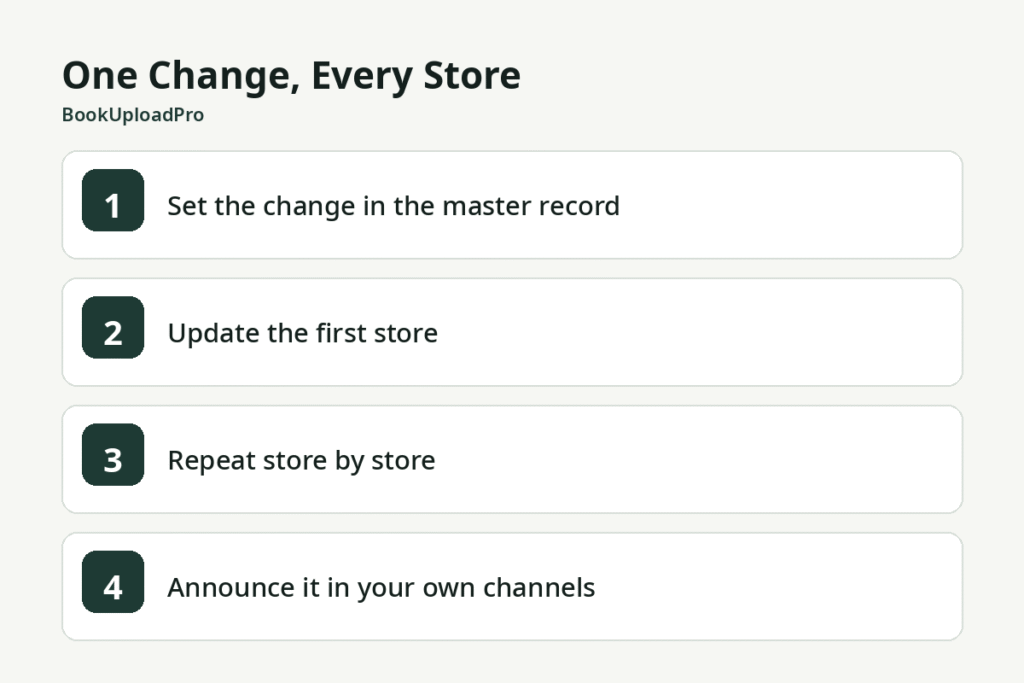
New covers, a new series look, refreshed descriptions: all of that belongs on the existing listings. Upload the new cover to the same book, update the metadata fields that changed, and work through the stores in the same order with the same assets, using your master record so store three does not get last year’s blurb. A new listing is only for a genuinely new edition, and it costs you the old listing’s reviews and ranking history. Our series consistency guide covers the field by field checks that keep a rebrand from scrambling series order on stricter stores like Kobo, and the launch order for a series going wide is here.
Telling readers about a new edition or a price change
There is no button that messages your buyers through the stores, so the announcement travels on your own rails: the newsletter, your social accounts, your author site, and, for readers who find the book first, a line in the description noting the new edition or the limited time price. Sequence it: make the change store by store, confirm each one is live, then announce once, everywhere, with the same date. Announcing before the slowest store updates sends readers to a page that does not match your message, which is the one unforced error in an otherwise simple job.
FAQ
Can I run a free promotion on one store without changing my price on the others?
Yes. Prices and promotions are set per store, so a free or discounted offer in one shop leaves your prices elsewhere as they are. Watch one thing: Amazon may price match a lower price it finds elsewhere, including free, so a free promotion on another store can pull your Amazon price down too.
Should I create new listings or update existing ones when I rebrand a series across platforms?
Update the existing ones. Listings carry your reviews, sales history, and series placement; a new listing discards all of it. New covers and refreshed metadata go onto the same books, store by store, in the same order. Reserve new listings for genuinely new editions.
How do I tell readers about a new edition or a price change across every store at once?
Through your own channels: newsletter, social accounts, and your author site, plus a note in the book description itself. Make and verify the change in every store first, then announce once with the same message and date, so readers never land on a page that has not caught up.