Managing Multiple KDP Titles for Scalable Self-Publishing
managing multiple kdp titles
Estimated reading time: 16 minutes
Key takeaways
- Managing multiple KDP titles is an operations problem: consistent metadata, a single external catalog, and repeatable upload templates prevent errors and wasted hours.
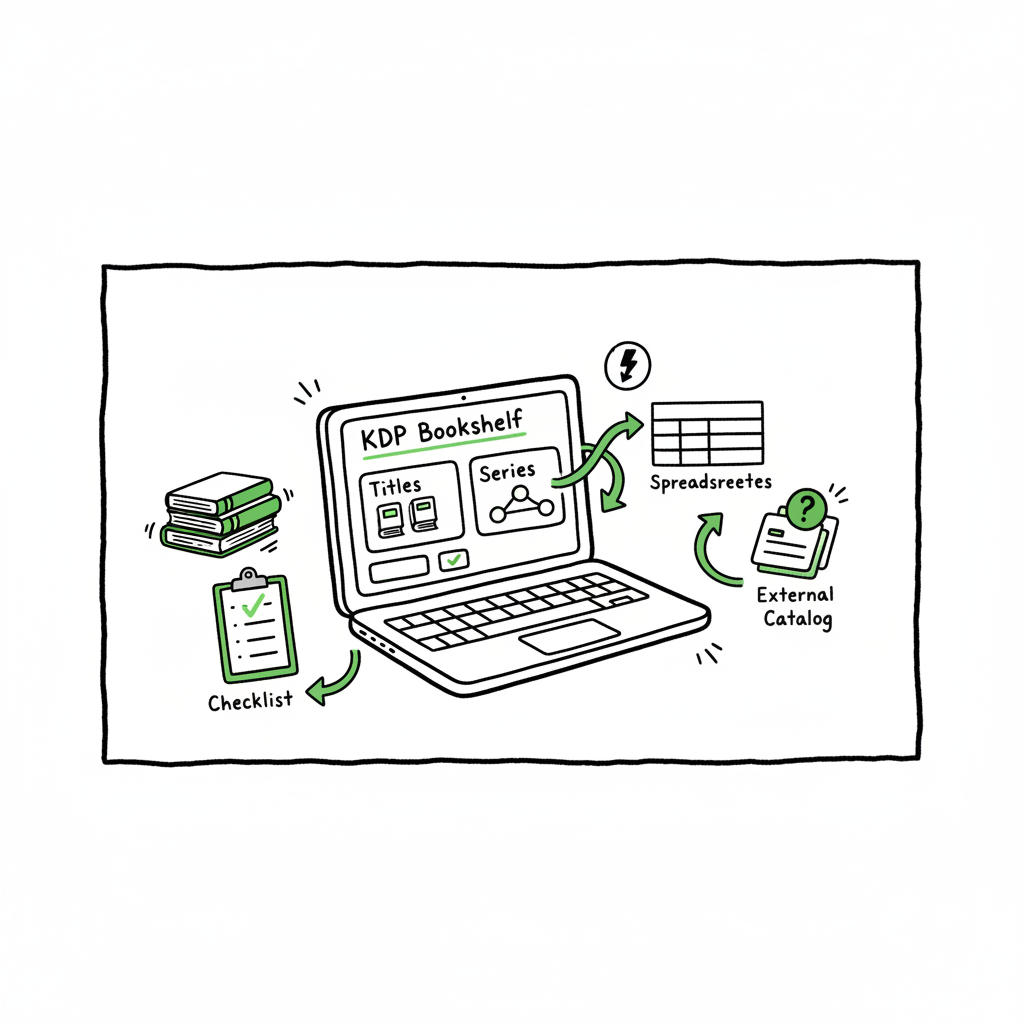
- Use KDP’s Bookshelf and Series tools for reader-facing grouping, and pair them with spreadsheets or tools for bulk planning and tracking.
- Automating multi-platform uploads (Amazon, Kobo, Apple, Ingram) with CSV batch workflows cuts repetitive work by ~90% and makes wide distribution practical.
- Treat each title as data: ASIN/ISBN, format, status, price, keywords, and version history. That discipline scales.
- When you decide to publish seriously, automation tools that create KDP-ready files and batch uploads are an obvious upgrade.
Table of Contents
- Why managing multiple KDP titles matters
- Build a catalog that scales
- Daily operations for large KDP libraries
- Automating multi-platform uploads and reducing errors
- Final thoughts and next steps
- FAQ
- Sources
Why managing multiple KDP titles matters
If you have more than a handful of books, managing multiple KDP titles stops being about one page at a time and becomes a catalog management problem. Each book creates several moving parts: metadata, pricing, categories, formats, ASIN/ISBN assignments, and promotional schedules. Left untracked, small inconsistencies—slightly different series names, mismatched subtitles, or missing format tags—create reader confusion, lost discoverability, and manual clean‑up that grows faster than your monthly output.
KDP’s native tools—Bookshelf and Manage series—are how readers see grouped content, and they’re essential for keeping related books ordered and discoverable. But these tools were built for single-title management and series editing, not bulk operations. That’s why publishers who want to scale convert the bookshelf into a data system: structured rows and columns that mirror KDP fields. When you treat every title as a record in a catalog, you stop guessing and start executing predictable updates across dozens or hundreds of books.
If your growth plan includes rapid releases or multiple pen names, you should also think about how each new book fits into the existing system. Planning series names, reading order, and consistent title formatting ahead of time prevents fragmentation as the catalog expands. For teams or solo authors who publish recurrently, this moment—deciding to run publishing as a repeatable operation—is when tools that handle batch uploads and platform intelligence become cost‑effective. For example, publishers who need to scale often look into solutions focused on Scaling an Amazon KDP Business to move from manual edits to repeatable, predictable processes.
Scaling an Amazon KDP Business can help you move from manual edits to repeatable, predictable processes.
Build a catalog that scales
Start with a single source of truth
Pick one external system to be the canonical catalog: a spreadsheet, a lightweight database, or a publishing tool. It should include columns for every field you care about and mirror KDP and other platforms. Typical columns:
- Internal ID
- Title and Subtitle
- Authors / Pen name
- Series name and series number
- ASIN / ISBN / UPC
- Formats published (ebook, paperback, hardcover, audiobook)
- Upload status per platform (KDP, Kobo, Apple, Ingram, Draft2Digital)
- Price by territory
- Categories and BISAC codes
- Front‑ and back‑matter versions
- Keywords and backend tags
- File version and date
- Promo schedules and notes
Keep the catalog human-readable. Use controlled vocabularies for series names and categories so a quick filter always gives reliable results. A column for “Next Action” is helpful—publish, revise metadata, update price, pull report.
Define metadata standards and stick to them
Metadata consistency is the single most common reason large catalogs go wrong. Standardize:
- Title casing rules (sentence case vs title case)
- Subtitle formats (avoid repeating series names in subtitles)
- Series name exact text (no trailing punctuation, consistent spacing)
- Author / pen name formatting (include middle initials or not)
- Keyword sets (build a master list of high‑value keywords and rules for reuse)
- File naming conventions for manuscripts, covers, and interior files
When new entries are added, validate them against the catalog rules. Small validation steps—automated or manual—stop noisy problems later.
Plan series structure before you write
Series pages on Amazon are reader-facing and work best when each title uses the exact series name and a clear numerical order. Decide:
- Is the series a strict reading order or loose thematic grouping?
- How will related novellas, prequels, or anthologies be labeled?
- Will omnibus editions share the same series field or a separate “omnibus” tag?
Adding a title to a series is done from any included book’s Manage series menu on KDP, but planning avoids scrambling to rename and reorder entries once multiple volumes are live.
Version control for files and copy
Every title will have iterations: description edits, new covers, text corrections. Keep a version column and short notes about what changed. For copy‑heavy catalogs, save the description used on each platform and a timestamp so you can audit what is live where. This avoids overwriting a platform‑specific blurb with a generic one by mistake.
Daily operations for large KDP libraries
Organize weekly and monthly work batches
When you manage many titles, you cannot react to everything immediately. Assign regular cadences:
- Daily: monitor sales spikes, urgent takedowns, and KDP alerts.
- Weekly: price checks, ad performance snapshots, and small metadata fixes.
- Monthly: royalty reconciliation, update rolling promo plans, and export reports.
- Quarterly: broader metadata audits, category tests, and content updates.
Batch similar tasks. Update prices across 50 books in a planned batch instead of one‑offs. Create a checklist template for each batch to ensure you cover pricing, territories, description, and cover display.
Handle pricing and promotions methodically
KDP doesn’t offer bulk price edits across unrelated titles. Use your catalog to plan pricing changes and keep a record of previous prices and promotional windows. When you change a price, note expected rollback times and territory effects. Use the catalog to queue up these changes so you don’t forget to revert a temporary discount.
Track performance and tie it back to metadata
Link performance metrics (sales rank, daily units, ads spent) back to catalog records. Over time this builds signals that help you decide which books deserve aggressive campaigns, price testing, or reinvestment in cover refreshes. A clean catalog makes this analysis feasible without hunting through dozens of product pages.
Quality assurance before updates
Before publishing or updating many entries, run a preflight check:
- Cover files match title text (no mismatches between cover and metadata)
- Correct manuscript format and embedded fonts for print files
- ISBN/ASIN mapping is accurate for edition types
- Metadata adheres to KDP limits and policy
- Series number and order are correct
If you produce covers or need EPUBs, use reliable tools that output KDP‑friendly formats. For instance, if you need EPUB conversion for ebook uploads, an EPUB conversion tool can streamline that step. If you’re creating paperback or ebook files regularly, book creation tools that produce print‑ready interiors and consistent metadata reduce back‑and‑forth fixes. And for cover creation, a cover generator helps keep visual style consistent across a catalog while meeting publisher specs.
Automating multi-platform uploads and reducing errors
Where manual work eats time
The biggest time sinks are repetitive form entry and copying files into multiple stores. KDP requires you to open each title to change many fields; multiply that by dozens of books and hours disappear. The practical solution is to automate the parts that are repetitive and keep humans on the strategic work.
What automation should do
A useful automation workflow for publishers handles:
- Batch creation of platform-ready metadata files from your catalog
- CSV uploads and bulk forms where supported
- Platform-specific intelligence (category suggestions, file requirements)
- Error detection and reporting before actual upload
- Versioned outputs so you can roll back or reapply changes
BookUploadPro is built to be that automation layer for high-volume publishers: it produces KDP‑ready listings and supporting files in bulk, maps metadata to platform fields, and prepares CSVs that cut manual copy‑and‑paste from dozens of pages into a single batch step. It reduces repetitive work by ~90%, lowers the chance of human error, and gives you consistent output across Amazon, Kobo, Apple Books, Draft2Digital, and Ingram. Automate the upload. Own the distribution.
Use platform-specific intelligence
Each storefront has quirks—file size limits, allowed characters, category names, and front/back matter expectations. Automation that understands those differences saves time. For example, a tool that flags a cover bleed error before upload avoids a failed KDP validation. Similarly, it can format a paperback interior to the exact trim size and export a print-ready PDF.
Batch uploads and CSV workflows
CSV batch uploads are the fastest path to scale where platforms support them. Export records from your catalog into a platform-specific CSV template. Automation should:
- Validate fields against platform limits
- Map your internal categories to platform categories
- Generate or attach appropriate file URLs or paths
- Produce a summary report listing any rows that need human review
For platforms that don’t accept full CSV pricing edits, prepare a bundled task list for manual application with clear instructions and checked fields—this reduces cognitive load and errors.
Reduce review time with KDP-ready copy
One constant: not all generated copy is perfect. The goal is to produce content that requires light human review, not heavy rewriting. Systems that generate standardized, KDP-friendly descriptions, formatted for copy-paste, let editors spend minutes rather than hours per title. When consistent template structures are used (blurb, hook, bullets, call-to-action), updates become fast and repeatable.
File generation and cover consistency
If you handle many books, systematize front matter, author bios, and series pages so new books inherit the correct blocks. For cover work, a consistent template and a central brand file keep your catalog visually coherent. If you need to produce many covers quickly while keeping specs correct, a cover generator streamlines that work and reduces manual formatting errors.
Cross-platform distribution: one source, many doors
Distributing wide means making a title live on multiple storefronts with platform-aware assets. Automation here provides:
- Single source metadata mapped to platform schemas
- Territory-aware pricing matrices exported per platform
- Format handling (epub for Apple/Kobo, MOBI-derived for KDP where applicable, print PDFs for KDP/Ingram)
- Tracking per-platform status and links back to the catalog
When this is handled automatically, you can publish a new title once and have it propagate across outlets with fewer manual steps.
Error reduction and audits
Automation should produce reports—what uploaded, what failed, and why. Keep a rolling audit log within your catalog for each change, including who triggered it, what files were uploaded, and timestamps. Audits make compliance and corrections straightforward.
Business case: when automation becomes essential
At low volume, manual uploads work. At scale—dozens of new titles a year or hundreds of existing titles to update—the time cost and error risk make automation a better investment. For authors and small presses scaling up, a tool that offers CSV batch uploads, platform-specific intelligence, and template‑driven copy generation is an obvious upgrade. It’s not about replacing human judgment; it’s about removing repetitive work so humans focus on strategy and quality.
Final thoughts and next steps
Managing multiple KDP titles is an operational discipline. The core practices are straightforward: standardize metadata, maintain a single catalog, plan series structure, schedule updates in batches, and add automation when the work volume justifies it. The moment you switch from one-off uploads to repeatable templates is the moment your publishing becomes predictable and manageable.
If you’re moving from a handful of titles to a growing catalog, pick one small project to systematize: a series release, a price update across a niche, or a cover refresh. Build the catalog columns you’ll need, run one batch manually while recording each step, and then look for ways to automate the repetitive parts. Tools that generate platform-ready metadata, convert manuscripts to platform formats, and prepare batch uploads let you scale without hiring extra people.
Remember the practical rule: treat each title as data. Consistent fields, clear versioning, and a single source of truth are what let you operate at scale without chaos.
FAQ
Q: How should I organize series names to avoid fragmentation?
A: Use a single exact string for each series in your catalog and enforce it with validation. Decide whether numbering includes decimals for novellas (e.g., 1.5) and keep subtitles distinct from series names.
Q: Can KDP change prices in bulk?
A: KDP does not offer a full bulk price editor for unrelated titles. Plan price updates in your catalog and apply changes as organized batches, or use automation tools that can generate per-title update instructions or CSVs where supported.
Q: What’s the best file format for ebooks on multiple platforms?
A: EPUB is the standard for most stores (Apple, Kobo, Draft2Digital, Ingram). KDP accepts EPUB and other formats. Use an EPUB conversion process to ensure consistent uploads across non-Amazon platforms.
Q: How do I avoid cover bleed and print validation errors?
A: Generate print-ready PDFs with correct trim and bleed settings, and ensure your interior margins match the selected trim size. Use a cover generator or template that outputs KDP-compliant files and run a validation step before upload.
Q: Do I need unique descriptions for each platform?
A: Not strictly, but platform-specific copy can improve performance. At minimum, keep a base description and create short platform variants if needed. Store all live descriptions in your catalog for audits.
Sources
- https://kdp.amazon.com/en_US/help/topic/GJ3E8KQDLQ3NH3T9
- https://kdp.amazon.com/en_US/help/topic/G6PVAHKQS87GVK6A
- https://kdp.amazon.com/help/topic/GMFKBUS43QQ5AJ5A
- https://kdp.amazon.com/en_US/help/topic/GW7J4WEKBVU25YEC
- https://www.youtube.com/watch?v=YepogSYTZzo
- https://www.youtube.com/watch?v=rli9-YSOW-4
- https://reedsy.com/blog/guide/kdp/how-to-publish-a-book-on-amazon/
managing multiple kdp titles Estimated reading time: 16 minutes Key takeaways Managing multiple KDP titles is an operations problem: consistent metadata, a single external catalog, and repeatable upload templates prevent errors and wasted hours. Use KDP’s Bookshelf and Series tools for reader-facing grouping, and pair them with spreadsheets or tools for bulk planning and tracking.…