kdp workflow is tedious — Stop rework and publish faster
kdp workflow is tedious — Practical ways to stop rework and publish faster
Estimated reading time: 14 minutes
Key takeaways
- The kdp workflow is tedious because of repeated uploads, strict formatting rules, and manual metadata entry. Small process changes can cut hours from a single title.
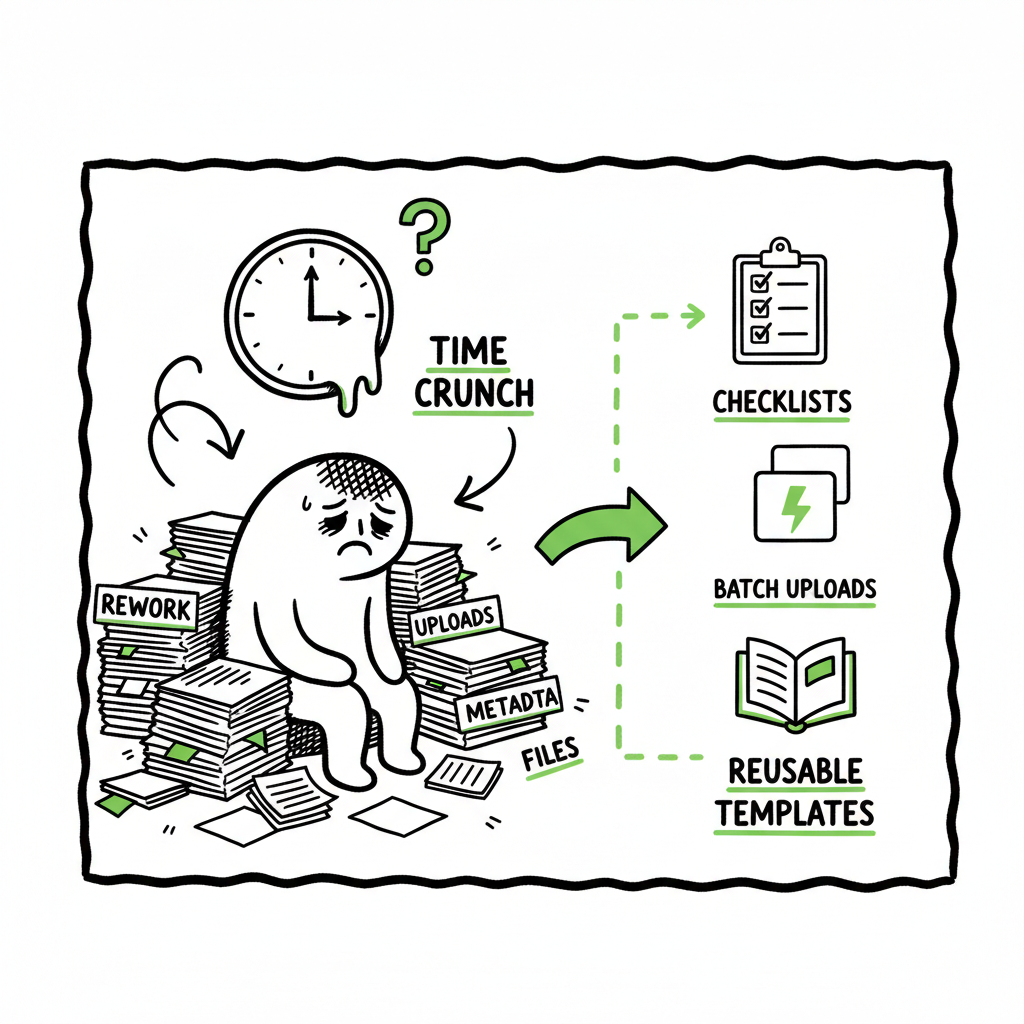
- Focus on preflight formatting, reusable metadata, and batch uploads to avoid the upload–preview–fix loop that causes most rework.
- For serious self-publishers, a tool that automates repetitive steps across platforms is an obvious upgrade: it reduces errors, saves time, and lets you own distribution.
Table of Contents
- Why KDP feels tedious
- How to simplify the workflow without losing control
- Scaling publishing to multiple platforms without extra rework
- Final thoughts
- FAQ
- Sources
Why KDP feels tedious
When authors say the kdp workflow is tedious they usually mean the same things: repetitive forms, strict file rules, and a lot of waiting. KDP asks you to move through multiple screens — book details, content uploads, pricing and territories — and most of those steps require you to enter the same data more than once or translate creative choices into technical settings.
Formatting is a major source of friction. Page sizes, margins, fonts, and image placement all have to line up with Amazon’s requirements. If a PDF or EPUB doesn’t match exactly, the previewer shows glitches and you end up fixing files and re-uploading. That upload–preview–fix loop is where time disappears: one small layout tweak can force you back through several KDP screens and reset preview checks.
Metadata entry is another pain point. Title variations, subtitle punctuation, series names, contributor roles, categories and keywords each have fields that must be filled carefully. A typo or a wrong BISAC code will cause discoverability issues later. Authors often keep spreadsheets to avoid retyping the same metadata, but spreadsheets alone don’t stop the manual work required on Amazon’s screens.
Then there’s the backend inconsistency. Changes sometimes take time to propagate, previews occasionally don’t refresh, and reporting can lag. When the system behaves unpredictably, it makes every small update feel risky — and that increases the urge to double- and triple-check everything, which simply adds more time.
If you’ve reached the point where publishing one title feels like a weekend project, you’re seeing the normal effects of a complex, multi-step process that was built around flexibility for retail rather than speed for creators.
For context about the platform and why updates take time, see Why Amazon KDP Publishing Takes Long.
How to simplify the workflow without losing control
You keep creative control; you just want fewer repetitive clicks. The practical approach is to shift effort from reactive fixes inside KDP to proactive preparation before you upload anything. That reduces the number of times you must return to the KDP screens.
Standardize and preflight the files
Treat formatting like a technical pass, not an artistic one. Create a preflight checklist that you run before you export your final files. Include page size, margins, embedded fonts, image DPI, and the correct color profile for covers. Export once, run the checklist, then upload. This single-minded discipline stops many re-uploads.
Use reusable metadata templates
Keep a metadata master in a simple CSV or document. Include your author name variants, series formatting, BISAC codes you use most often, and pre-approved keyword sets. When you start a new ASIN or ISBN entry, copy this template and make only the content-specific edits. That avoids inconsistent entries that lead to confusion later.
Batch similar tasks
When you have several titles, do the same step for all of them at once. For example, gather all cover files and verify them in one session, then move to manuscript files for all titles. This reduces context switching — the hidden time tax on productivity.
Version control for uploads
Treat each exported file like software — give it a clear version name and store it where you can retrieve it immediately after a reviewer asks for a fix. That prevents accidental re-uploads of old files and saves the “which file did I just send?” hassle.
Why Amazon’s side sometimes slows you down
If you want context about the platform itself and the reasons updates take time, read Why Amazon KDP Publishing Takes Long for a closer look at KDP’s approval flow and typical delay points. This explanation helps set realistic expectations about what you can control and what you must work around.
Automate the repetitive mechanics
Automation doesn’t mean you stop making creative choices. It means you let a tool handle the repetitive, mechanical tasks like filling repeated metadata, tracking versions, and preparing files to KDP’s specifications. A good automation layer can:
- Populate repeated fields across multiple platforms from a single source of truth.
- Enforce formatting rules before export so KDP rejections are rarer.
- Keep a clear record of versions so you never re-upload an old draft by mistake.
When you apply these practices, the tedious parts of the KDP workflow become predictable, measured steps rather than recurring surprise blockers.
Scaling publishing to multiple platforms without extra rework
Once you accept that the manual KDP process is inherently repetitive, the next problem is distribution. Publishing on Amazon alone is one thing; publishing the same title to Apple Books, Kobo, Draft2Digital, Ingram and others multiplies the tedious steps. Each storefront has its own upload form and quirks.
Unified multi-platform publishing
A practical alternative is a unified workflow: one source file and one metadata master that feeds every platform. Using CSV batch uploads and platform-specific presets, you can push a single set of files to multiple retailers without retyping fields. That’s what serious authors use when they publish multiple books a year — it’s not glamour, it’s operational sanity.
When you publish at scale, the time savings are real. Automating the mechanical steps can reduce the hours spent per title by a large factor. Teams who move from manual uploading to a consolidated process commonly report dramatic reductions in repetitive entry and in the frequency of simple mistakes.
Platform-specific intelligence
Retailers differ — file tolerances, cover bleed requirements, and ebook file expectations are all slightly off from one another. The smarter automation tools apply platform-specific intelligence: the system knows that Apple Books prefers a certain EPUB variant while KDP favors MOBI/EPUB with different image handling. That avoids the trial-and-error process of generating a single file and hope it works everywhere.
If your process includes converting to EPUB or producing formats for multiple ebook stores, use a reliable conversion step early so you don’t waste time reformatting on each platform. For clean EPUB builds, an epub converter reduces formatting variance and speeds distribution.
Cover and paperback considerations
Covers are often the final stumbling block. A design that looks fine on screen may fail KDP’s cover checks because of spine math or bleed. Treat cover creation as part of your preflight — check spine size against page counts and upload a high-resolution version for review. If you’re generating covers or batch-processing many title variants, a dedicated book cover generator helps keep specs consistent across all channels.
Batch uploads and CSV
CSV batch uploads are the practical secret for volume publishing. They let you define metadata once and apply it to many titles. Combine that with a version-controlled file store and a platform-intelligent export, and the repetitive KDP steps disappear. That’s how small publishers and serious indie authors move from publishing a book every few months to several titles a year without being buried in process.
Positioning BookUploadPro
A tool like BookUploadPro focuses on the mechanics authors complain about: metadata entry, version tracking, consistent formatting prep, and multi-platform batch uploading. It’s designed to be an operational assistant rather than a creative replacement. The benefit is simple: when you’re ready to publish seriously, this kind of automation is an obvious upgrade.
- Unifying uploads across Amazon KDP, Kobo, Apple Books, Draft2Digital and Ingram so you don’t repeat the same entry on many platforms.
- Applying platform-specific rules automatically so files meet each store’s expectations.
- Enabling CSV batch uploads and template-driven metadata for reuse across titles.
- Tracking versions so you stay confident about which file is live.
- Reducing errors and time spent inside retailer dashboards — often cutting the manual work by the majority.
Automate the upload. Own the distribution. When authors move from one-off uploads to an automated pipeline, they get back creative time and reduce the operational risk of publishing.
Practical examples that change the day-to-day
Example 1 — The one-hour fix turned 10-minute release
Before: You find a formatting glitch in the KDP previewer. To fix it you need to re-export the manuscript, re-export the cover, re-upload both, and then re-enter some pricing fields that didn’t save correctly. That takes an afternoon.
After: Your preflight flags the original formatting issue before export. You fix the source file, export a correctly versioned manuscript, and push both files through a batch upload that populates metadata across platforms. The whole process takes minutes.
Example 2 — Publishing a series with consistent metadata
Before: Series titles are entered by hand and series numbering, subtitles, and contributor credits vary between entries. Discoverability suffers.
After: A template has series formatting and contributor roles predefined. Each new title inherits that metadata and only content-specific fields change. The series looks consistent everywhere and category choices stay aligned.
BookAutoAI tools that help specific steps
- If cover sizing or processing is a recurring problem, a book cover generator keeps specs consistent and reduces rework.
- If you need reliable EPUB conversion, a dedicated epub converter removes the guesswork and ensures readable files on most storefronts.
- If you create paperback or ebook files frequently, using a centralized book creation tool saves repetitive export steps.
Final thoughts
The kdp workflow is tedious because it forces human judgment into many repetitive, technical boxes. That’s not a comment on creativity — it’s a description of operations. Authors don’t need to be process experts, but they do benefit from disciplined preparation and the right tools.
Reduce rework by shifting effort earlier: preflight files, reuse metadata templates, name versions clearly, and batch similar tasks. When you outgrow manual uploads, a system that automates repetitive mechanics — version handling, CSV batch uploads, and platform-aware exports — becomes an obvious productivity upgrade.
BookUploadPro is designed for authors and small publishers who reach that inflection point. It automates the mechanical parts of publishing across Amazon KDP, Kobo, Apple Books, Draft2Digital, and Ingram, saving time and reducing errors so you can publish more reliably. For writers who publish seriously, it’s a practical next step: unified multi-platform publishing, platform-specific intelligence, and CSV batch uploads that make wide distribution practical.
FAQ
Will automation change my book content or creative decisions?
No. Automation is focused on the mechanical steps: metadata entry, file preparation, version control, and multi-platform upload. Creative choices remain yours.
Can automation fix all KDP preview issues?
Automation reduces the most common causes of preview errors by enforcing formatting and file specs before upload. Some edge-case layout issues still require manual fixes, but they become far less frequent.
What happens if Amazon changes a rule?
A good publishing tool monitors platform rules and updates its export logic. You should still verify important changes, but the tool minimizes the manual effort to adapt.
Do I need to learn new software?
There’s a learning curve, but the goal is to replace repeated manual work with repeatable processes. For authors who publish multiple titles or variants, the upfront learning pays back quickly.
Is centralized publishing safe for sensitive metadata like pricing and territories?
Yes — reputable tools treat pricing and territory settings with care and typically require manual confirmation for final publishing steps. They automate repetition, not decision-making.
Visit BookUploadPro.com and try the free trial to see whether automation saves you time on your next release.
Sources
- A 101 Guide to Kindle Direct Publishing Basics: Insider Secrets
- How to Publish a Book on Amazon in 6 Simple Steps
- The Hidden Challenges of Self-Publishing on Amazon
- How to Publish on Amazon KDP (Step-by-Step Guide to Getting Sales)
- KDP Workflow Time Saving Hacks
- Learn to navigate Kindle Direct Publishing
- Why Amazon KDP Publishing Takes Long
- Book cover generator
- EPUB converter
- Book creation tools
kdp workflow is tedious — Practical ways to stop rework and publish faster Estimated reading time: 14 minutes Key takeaways The kdp workflow is tedious because of repeated uploads, strict formatting rules, and manual metadata entry. Small process changes can cut hours from a single title. Focus on preflight formatting, reusable metadata, and batch uploads…