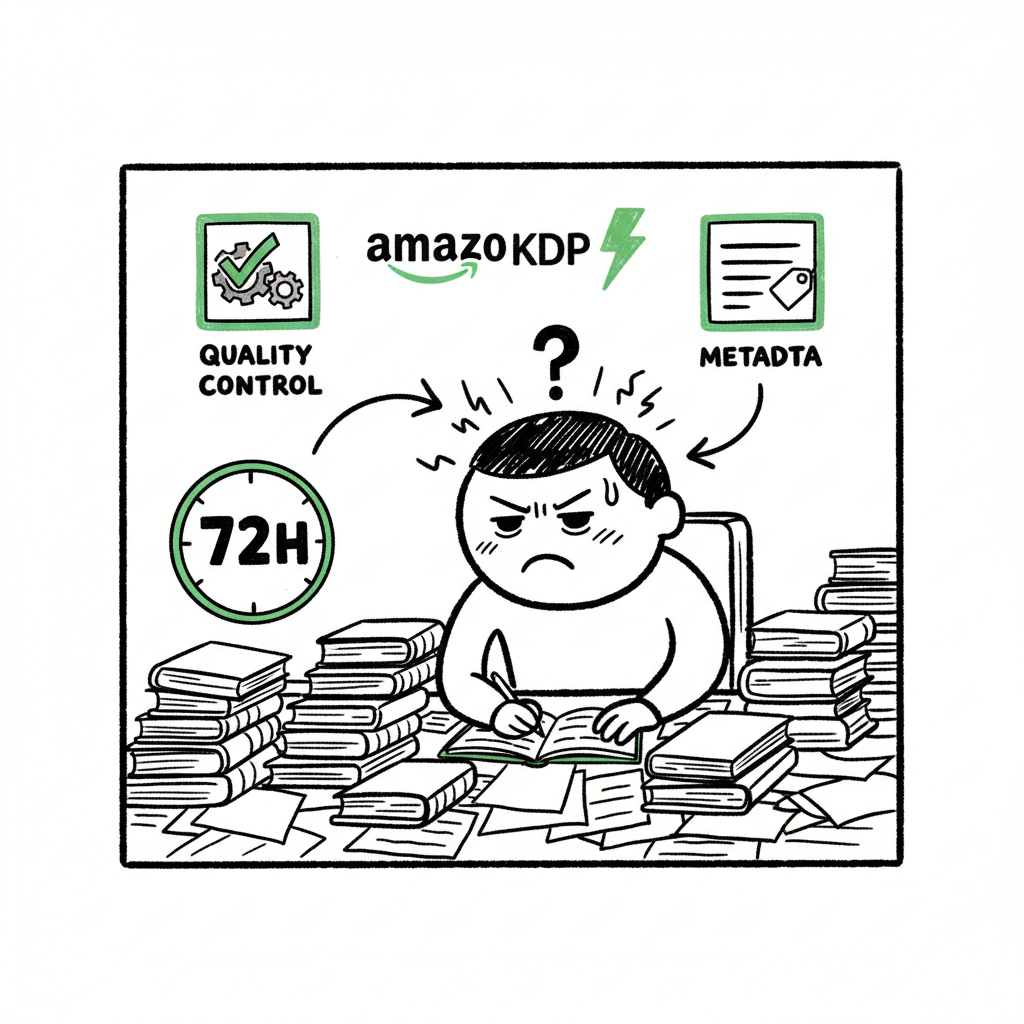
KDP publishing takes too long – why it happens and solutions
KDP Publishing Takes Too Long: Why It Happens and How to Speed It Up
Estimated reading time: 12 minutes
Key takeaways
- KDP review and publication are multi-stage; the advertised “72 hours” is optimistic for many formats, especially low-content paperbacks and hardcovers.
- You can’t change Amazon’s internal review windows, but you can control file quality, metadata, and your upload workflow to avoid avoidable delays.
- Tools that pre-validate files, batch uploads, and prepare platform-specific packages make tight launches practical and cut repetitive work by a large margin.
Table of Contents
- How KDP review and release really work
- Practical steps to reduce delays and scale multi-platform publishing
- FAQ
- Sources
- Final thoughts
How KDP review and release really work
When authors say “kdp publishing takes too long,” they’re usually seeing a gap between expectation and reality. Amazon advertises a fast path — a book can appear in about 72 hours — but the real timeline depends on several distinct stages. If you want a focused explanation of the operational reasons behind long waits, see Why Amazon KDP Publishing Takes Long. That breakdown helps frame what you can control and what you cannot.
Here’s the usual sequence after you click Publish:
- Technical validation. KDP checks files for basic formatting problems, mismatched trim sizes, fonts, and file corruption. Many submissions pass here in hours.
- Content and policy review. Some titles trigger human review for quality, trademark, or content policy checks. This is the step that can extend timing to multiple business days.
- Marketplace propagation. Once approved, a detail page, cover thumbnail, and buy links need to propagate across Amazon’s marketplaces. Different marketplaces can show pages on different timetables.
- Auxiliary features. Look Inside, store thumbnails, and ebook-print linkage may update after the detail page goes live. These often lag behind the purchase availability.
Why this looks slow
- Staggered rollout. Different pieces of a single book (ebook, paperback, cover thumbnail, Look Inside) can become visible at different times. You may see “live” in one place but not another, and that feels like a delay.
- Content-type prioritization. Ebooks often publish faster than print. Low-content titles (journals, planners, notebooks) now receive extra scrutiny and can take longer to clear.
- Manual review triggers. Anything that looks like a pattern of low-quality uploads, metadata that looks like spam, or problematic files can force your title into a manual lane.
- Regional propagation. A book might appear on Amazon.com before showing up in other country stores. If your launch depends on global visibility, this stagger generates perceived slowness.
Real-world timing
Amazon’s detailed help now sets realistic ranges rather than a single promise. Typical times:
- Standard ebook: often 48–72 hours, but some aspects like thumbnails or linkages can take longer.
- Paperback/hardcover: detail page can take 72 hours on Amazon.com and more on other marketplaces; Look Inside may be delayed.
- Low-content print: subject to 3–10 business days in many cases.
This variability is the root of complaints about long KDP publishing time and the slow KDP upload process. Understanding the stages helps you plan a launch that doesn’t get derailed by a single delayed SKU.
Practical steps to reduce delays and scale multi-platform publishing
You can’t force Amazon’s internal review clocks to run faster. What you can do is eliminate preventable reasons for delays. The goal is to make every upload “first-pass ready” so it doesn’t trip manual reviews, rejections, or corrections that add days.
-
1) Treat the 72-hour message as optimistic; build buffers
Plan your launch calendar around the upper bound Amazon documents. For many books, especially low-content print, assume up to 10 business days between upload and full merchandising visibility. That means finalizing files and metadata at least one to two weeks before your announced date. Scheduling ebook pre-orders is useful when you need a firm release date, but avoid relying on last-minute edits.
-
2) Validate files and metadata before upload
Common rejection causes are simple and avoidable: wrong trim sizes, missing bleed, low-resolution cover images, mismatched interior metadata, or problematic fonts. Run the same checks KDP runs:
- Verify trim size and margins for bleed.
- Confirm fonts are embedded or converted.
- Ensure images meet DPI requirements.
- Match metadata fields exactly between interior and KDP form.
If you need tools to convert and validate files, converting to EPUB or checking final ebook packages is an important step; a reliable EPUB converter removes a common source of ebook rejections. For a one-click EPUB tool that helps standardize files, use a dedicated converter to avoid subtle format errors.
-
3) Standardize a repeatable upload pipeline
A consistent sequence reduces human error and flags patterns that trigger manual reviews:
- Prepare: final proofread, check images and fonts, confirm trim size.
- Package: generate final interior and cover files, plus a backup PDF.
- Metadata: gather title, subtitle, series data, keywords, and categories in one spreadsheet.
- Upload: follow the same sequence on each platform to avoid mismatches.
If you publish multiple titles, batching metadata in CSV files and preparing upload-ready bundles saves a huge amount of time and prevents last-minute mistakes. For publishers scaling catalogs, that’s a practical necessity.
-
4) Use tools that inspect and pre-validate packages
Automation tools exist to remove repetitive validation work. They pre-validate interiors and covers against platform rules, spot mismatches, and output upload-ready packages that match KDP expectations. These tools can:
- Flag bleed and margin errors before upload.
- Check that cover and interior trim sizes agree.
- Suggest metadata improvements that reduce the chance of manual review.
They won’t change Amazon’s internal review times, but they can reduce rejections and back-and-forth that multiply delays. When you’re ready to scale, automation is an obvious upgrade once authors start publishing seriously.
-
5) Prepare platform-specific packages for multi-platform distribution
If you publish beyond KDP (Kobo, Apple Books, Draft2Digital, Ingram), don’t upload the same raw files everywhere. Each platform expects different EPUB variants, cover sizes, or metadata formats. Converting to platform-ready files and checking each store’s requirements prevents downstream delays. If your process includes creating paperback and ebook formats simultaneously, consider a tool that supports packaging — that reduces mismatches that can block linkages between formats.
-
6) Manage low-content and series releases carefully
Low-content books attract more scrutiny and daily upload limits. If your catalog includes many journals or planners:
- Stagger uploads to avoid bulk patterns that look like spam.
- Vary metadata where appropriate so items aren’t flagged as duplicates.
- Finalise and upload only after a quality checklist passes.
Series releases require consistent metadata and series information to link correctly. Make sure series numbers and ISBNs are consistent and that each edition is properly labeled to avoid confusion and delays.
-
7) Use marketplace scheduling wisely
Ebook pre-orders are a reliable way to set a firm release date. Amazon allows scheduling up to 90 days out for ebooks, which keeps the detail page private until the launch moment. For print, pre-orders are more limited. If print pre-orders are critical, plan to use third-party distribution (Ingram) in concert with KDP or adjust your strategy.
-
8) Keep launch marketing decoupled from the moment of upload
Don’t put paid ads or press events on a calendar that assumes instant availability the same day you upload. Only announce the book once the detail page and thumbnails are visible across the marketplaces you care about. That prevents wasted ad spend and avoids tying your promotional momentum to a single uncertain process.
File conversion and cover preparation
Two common stumbling blocks are cover problems and EPUB conversion. Low-resolution covers or mis-sized spine text often force revisions that cost days. If you need a fast, predictable way to process cover assets, use a cover generator workflow designed for publishing. For authors producing ebooks, converting to a clean EPUB reduces a major class of rejections and display issues. These conversion and cover-processing tools are part of a complete readiness pipeline and worth using before upload.
Scale and distribution beyond KDP
If your goal is wide availability — Amazon plus Kobo, Apple Books, Draft2Digital, and Ingram — the operational work grows. Each platform has slightly different technical expectations and metadata models. A unified system that outputs platform-specific packages and automates the repetitive parts of upload—like filling metadata forms or preparing separate cover variants—saves time and reduces the slow KDP upload process from being a bottleneck that holds back your whole distribution plan.
Scale and distribution beyond KDP
Scale and distribution beyond KDP includes wider availability across Kobo, Apple Books, Draft2Digital, and Ingram. The operational work grows as you tailor EPUB variants, cover sizes, and metadata for each store. A unified system that outputs platform-specific packages and automates the repetitive parts of upload helps keep timelines predictable and prevent delays from slowing your overall distribution plan.
Common mistakes that add days
- Uploading files with mismatched trim sizes or incorrect bleed.
- Re-using the same exact metadata across hundreds of low-content titles.
- Rushing to upload on the day of a planned launch.
- Ignoring platform-specific cover size requirements.
- Neglecting to check look-inside and thumbnail rendering after upload.
FAQ
Q: How long should I realistically expect KDP to take for a paperback?
A: Treat 72 hours as optimistic. For many paperbacks, especially low-content books, allow up to 3–10 business days for full visibility and auxiliary features like Look Inside. Plan your final file submission at least one to two weeks before the intended public launch.
Q: Will tools guarantee faster Amazon processing?
A: No. No tool can change Amazon’s internal review windows. What tools can do is remove avoidable causes of delay: bad files, mismatched metadata, and patterns that force manual review. That reduces the chance of extra review cycles that add days or weeks.
Q: I have many low-content books. Should I upload them all at once?
A: No. High-volume simultaneous uploads look like spam and can trigger extended reviews. Stagger uploads, vary metadata, and use batch preparation that spaces releases to avoid pattern flags.
Q: Do I need a separate file for each platform?
A: Often yes. Ebook and print packaging requirements differ between Amazon, Kobo, Apple Books, Draft2Digital, and Ingram. Preparing platform-specific files and metadata reduces rejections and speeds up acceptance across stores.
Q: What’s the most effective single change to reduce kdp book release delay?
A: Finalize and validate all files and metadata before you upload. That single habit prevents most rejections and back-and-forth, which are the main source of extra delay beyond Amazon’s review windows.
Final thoughts
If you’re serious about regular publishing or running a multi-book catalog, the right preparation pipeline turns an unpredictable day into a predictable schedule. Validating files, batching metadata, and using tools that output upload-ready packages reduce human error and the chance of manual review. For multi-platform distribution, platform-specific packaging and automation remove repetitive friction so you can focus on writing and marketing rather than troubleshooting uploads.
Automate the upload. Own the distribution.
Call to action
Visit BookUploadPro to try the free trial and see how a repeatable, validated upload workflow can reduce avoidable delays and make launches reliable.
Sources
- KDP Timelines Help Page
- How Long Does KDP Take to Publish?
- Schedule a Release – Kindle Direct Publishing Help
- Amazon KDP Publishing Time Just Changed (Low Content Focus)
- Self Publishing | Amazon Kindle Direct Publishing (Landing Page)
KDP Publishing Takes Too Long: Why It Happens and How to Speed It Up Estimated reading time: 12 minutes Key takeaways KDP review and publication are multi-stage; the advertised “72 hours” is optimistic for many formats, especially low-content paperbacks and hardcovers. You can’t change Amazon’s internal review windows, but you can control file quality, metadata,…