KDP Backlist Management to Optimize Evergreen Book Sales
kdp backlist management
Estimated reading time: 6 minutes
Key takeaways
- Treat the backlist as active inventory: regular cover, metadata, and pricing work can revive aged titles.
- Use predictable experiments—quarterly catalog audits, price tests, and targeted promos—to build an evergreen catalog.
- Automation for multi-platform uploads and batch changes saves time, reduces errors, and makes wide distribution practical.
Table of Contents
- Why KDP backlist management matters
- A pragmatic backlist playbook
- Automation to scale your backlist work
- FAQ
Why KDP backlist management matters
If you publish on Amazon, Scaling an Amazon KDP Business is one of the highest-leverage activities you can run without writing a new book. Backlist titles—books you published months or years ago—are not “set and forget” assets. With consistent upkeep they become an evergreen revenue stream that compounds: discoverability improves, read-through rises, and marketing costs per sale drop.
The mechanics are simple. Most readers discover books by cover, blurbs, and recommendations. Over time covers age, blurbs grow stale, and keywords lose relevance as reader language shifts. Small, regular updates keep a catalog visible. For authors who publish at scale, these small actions quickly exceed what you can do manually. That’s where an operational approach wins: calendar the work, measure the experiments, and automate repetitive uploads and metadata changes.
A pragmatic backlist playbook
The playbook below focuses on actions that move sales predictably. Use it as an operating rhythm for a single title or a whole catalog.
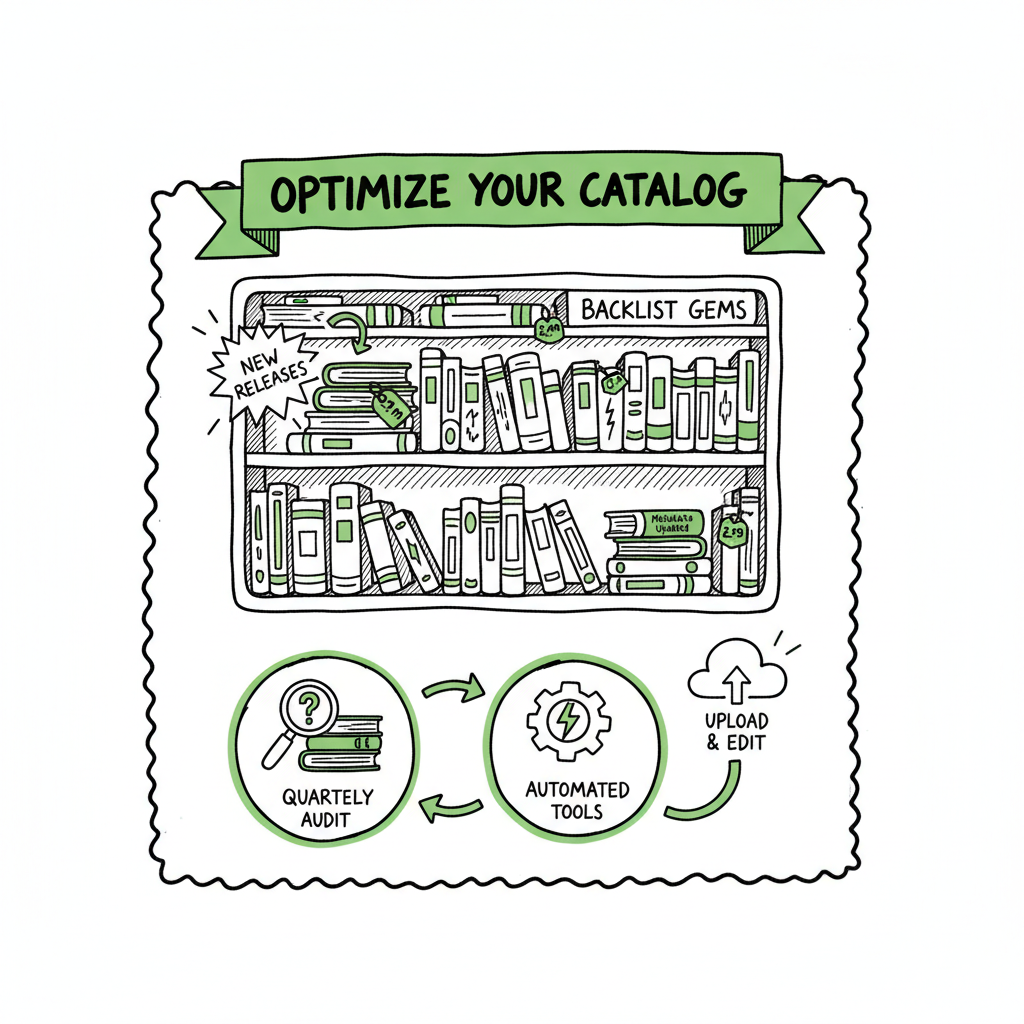
1) Quarterly catalog audit
- What to check: sales rank trends, Category and keyword rankings, cover age, blurb relevance, price history, and KU enrollment status.
- How to act: pick one measurable change per title—cover refresh, keyword rewrite, price test—and record the result over 6–12 weeks.
- Why it matters: small changes compound across a catalog. If you treat one title per quarter like a new release, the catalog stays fresh.
2) Cover refresh cadence
- Rule of thumb: evaluate covers every 12 months for genre fit and clarity; sooner for series entries.
- Practical step: test new covers on a small paid ad or in a newsletter before rolling out widely.
- Tools: for many authors, updating covers at scale is the friction point. A consistent pipeline to generate and process covers eliminates bottlenecks—consider using a dedicated book cover generator to speed design iterations.
3) Metadata and description optimization
- Frequency: at least quarterly, or after a notable shift in reader language (new subgenre, trope, or tag emerges).
- Tactics: rewrite the first 150–200 characters of descriptions for clarity, add read-alike comparisons, and test 3–5 keyword sets over time.
- Placement tip: list core backlist titles in front or back matter of new releases to drive read-through.
4) Pricing and promo experiments
- Timing: run pricing or free promos quarterly—the same schedule as your audit makes the process repeatable.
- Choice: prioritize giving away or deeply discounting your best read-through titles. Free is a discovery engine; short paid discounts can trigger algorithmic boosts.
- KU: if you use Kindle Unlimited, experiment with enroll/unenroll for relaunches rather than counting on one magic tactic.
5) Repackaging and bundling
- When to repackage: when multiple weak titles can be combined into a stronger series bundle, or when a retitle clarifies audience.
- Tactics: create box sets, issue a revised edition, or publish a free prequel to pull readers into a series.
- Editorial caution: small editorial or format changes that justify a relaunch are OK; avoid cosmetic changes that confuse readers without adding value.
6) Audience touchpoints
- Newsletter: feature one backlist book per mailing, rotate subject lines and CTAs, and use read-alike messaging to encourage series read-through.
- Cross-promotion: on new release launch pages, recommend older titles with strong reader overlap.
- Low-cost ads: use inexpensive genre-targeted ads (Facebook, Amazon) to test whether a new cover or description converts.
7) Metrics and what to trust
- Primary metrics: conversion rate on the Amazon page, units sold, borrows (if on KU), and read-through (if you can track it).
- Secondary metrics: Page reads, ad CTR, and newsletter signup conversion.
- Decision rule: rely on at least two data points before declaring a change successful. For example, cover + description changes should show improved conversion and sales rank over a 6–8 week window.
Operational notes you’ll appreciate
- Treat the backlist like inventory, not nostalgia. Catalog work must be scheduled.
- Use the 80/20 rule: focus effort on the 20% of titles that drive 80% of revenue.
- Reuse assets: cover templates, keyword bundles, and A+ content blocks speed relaunches.
Automation to scale your backlist work
When you move from one or two titles to a dozen or more, the work becomes operational. You need reliable, repeatable steps for uploads, format generation, metadata updates, and platform-specific settings. That’s why many serious publishers switch to tools that handle batch uploads and platform intelligence. If you want to scale, read this alongside the fundamentals in our post on Scaling an Amazon KDP Business to align publishing operations and growth cadence.
How automation changes the game
- Batch updates: change prices, keywords, and categories across many titles with a CSV instead of clicking through each product page.
- Platform intelligence: systems aware of Amazon, Kobo, Apple, Draft2Digital, and Ingram let you set platform-specific preferences once and apply them consistently.
- Error reduction: automated validation catches common issues—cover size, interior formats, metadata conflicts—before you push an update live.
What to automate first
1) Multi-format generation
Generate EPUB and print-ready files from master manuscripts so uploads to each storefront are ready. If you convert files in-house, an EPUB converter service speeds the process and ensures consistent results.
2) Cover and asset management
Maintain a single cover file per format, plus a cover history log. Automate replacement uploads when you roll out a refresh so backlist changes are traceable. cover generator can help speed iterations.
3) Metadata pushes
Use CSV batch uploads to update keywords, descriptions, and categories across platforms at once. That avoids manual mistakes and saves time. EPUB converter can be part of the same lifecycle. book creation workflow keeps the end-to-end process aligned.
4) Distribution and pricing rules
Define rules for price parity, KU enrollment when publishing on Amazon, and whether a title should be distributed wide or Amazon-only.
Why multi-platform matters
- Wide distribution makes some backlist strategies possible: box sets sell better wide, and prequels or freebies can send readers to stores outside Amazon.
- If you rely on Amazon-only tactics, you miss a large audience on Kobo, Apple Books, and library channels.
Operational gains you can expect
- Time savings: automating uploads and batch changes typically gets you around 90% time savings versus manual entry for large catalogs.
- Lower cost per title: a small monthly fee for automation is often cheaper than the labor of handling dozens of manual uploads.
- Fewer errors: automation enforces checks that catch common format and metadata issues before they go live.
How BookUploadPro fits
- Unified multi-platform publishing: one place to push to Amazon KDP, Kobo, Apple Books, Draft2Digital, and Ingram.
- CSV batch uploads: change pricing, categories, and metadata across many titles in a few clicks.
- Platform-specific intelligence: platform rules and validation reduce rejections and formatting problems.
- Error reduction and time savings: the system automates repetitive steps so you can choose one title per quarter to test meaningful changes.
- Pricing and trial: BookUploadPro is affordable and offers a free trial—an obvious upgrade once authors start publishing seriously. Automate the upload. Own the distribution.
Practical examples
- Cover refresh rollout: upload the new cover to a staging environment, preview spread and thumbnail sizes for each platform, then publish changes across stores with a CSV job.
- Series bundle release: create a box set EPUB, set platform-specific pricing, and distribute wide in one operation, tracking sales by SKU.
- Metadata sweep: quarterly keyword updates applied to a genre subset, then monitored for rank improvements.
Production links you may need
- If you handle a lot of cover updates, use a reliable tool for cover processing to keep sizes and color profiles correct.
- When you convert manuscripts at scale, an EPUB converter streamlines output for every platform.
- For end-to-end book creation—paperback and ebook generation—use a single book creation workflow to reduce format drift.
Operational calendar and metrics (no extra heading)
Build a simple backlist calendar and stick to it. Here’s an example cadence for an author with 20+ titles:
- January: Catalog audit, pick 3 titles to test covers and metadata.
- April: Run pricing/free promos for 4 titles tied to spring marketing.
- July: Repackage low-performing standalone titles into a box set.
- October: Holiday price and ad pushes on best-performing backlist entries.
Track these KPIs monthly:
- Units sold / borrows per title
- Conversion rate on product page
- Sales rank before and after changes
- Newsletter-driven sales (single-link tracking)
- Cost per acquisition for paid tests
FAQ
Q: How often should I update metadata and keywords?
A: Quarterly is a good baseline. If a book sees a sudden drop in conversion, prioritize that title for a metadata refresh sooner.
Q: Should I enroll every backlist book in KDP Select (KU)?
A: Not necessarily. KU makes sense for titles that drive read-through and series sales on Amazon. For wide distribution and box sets, remain wide. Test enroll/unenroll as part of a relaunch strategy.
Q: Does changing a cover hurt my existing readers?
A: If the story remains the same and the cover change improves clarity and discoverability, the net effect is usually positive. Keep a consistent element across a series to avoid confusing returning readers.
Q: What are the low-effort, high-impact moves?
A: Update the first 150–200 characters of your blurb for clarity, refresh the cover thumbnail for better genre signaling, and run one short free or discounted promo on a high-read-through title.
Q: Can automation reduce errors from manual uploads?
A: Yes. Automation enforces format checks (cover size, interior layout), prevents missing metadata, and applies platform-specific defaults that reduce rejections.
Final thoughts
KDP backlist management is an operational discipline. It’s not glamorous, but it’s where predictable revenue comes from. The authors who treat their backlist as inventory—schedule audits, measure a small number of experiments, and apply automation—get outsized results. If you publish more than a handful of books, an automated multi-platform workflow and batch upload tools move the work from grind to system. Automate the repetitive tasks so you can focus on the one title you test each quarter.
Call to action
Visit BookUploadPro.com and try the free trial.
Sources
- Tips To Boost Your Backlist Book Sales! ~ with NYT
- Backlist Book Sales Strategies | Author Switch | Ep. 111
- How to Effectively Manage a Big Catalog of Books: Strategies for Publishers
- Promoting a Book on Amazon: Boost your Backlist
- How to Market Your Backlist – Lesley Krueger
- Top Ten Tips for Amazon eBook Publishing Success
kdp backlist management Estimated reading time: 6 minutes Key takeaways Treat the backlist as active inventory: regular cover, metadata, and pricing work can revive aged titles. Use predictable experiments—quarterly catalog audits, price tests, and targeted promos—to build an evergreen catalog. Automation for multi-platform uploads and batch changes saves time, reduces errors, and makes wide distribution…