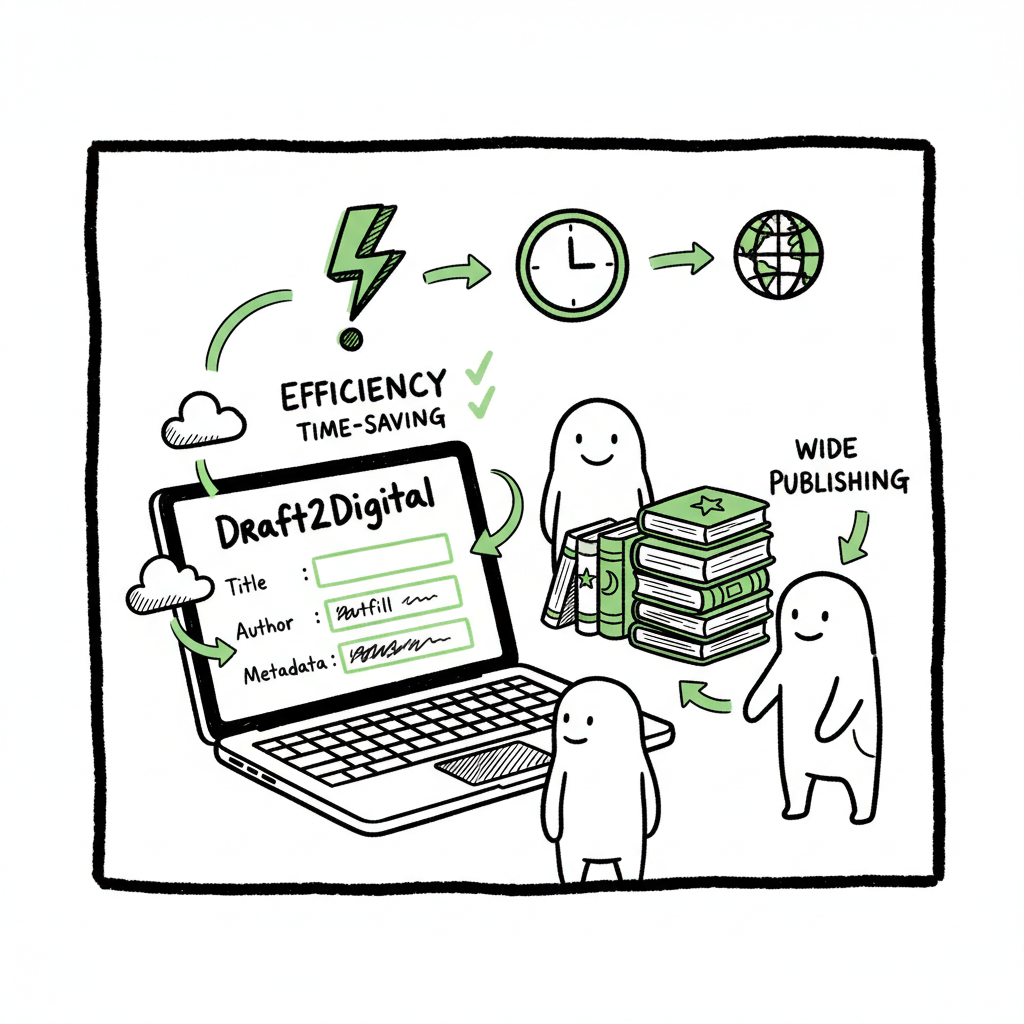
Draft2Digital Metadata Autofill and Reuse Explained
Draft2Digital Metadata Autofill and Reuse: How to Speed Up Wide Publishing
Estimated reading time: 13 minutes
Key takeaways
- Draft2Digital Metadata Autofill and Reuse describes how D2D reuses and auto-populates metadata across projects to save authors time and reduce errors.
- With consistent templates and a platform layer that prepares D2D-ready metadata, authors can scale uploads across ebook and paperback formats and many retailers.
- BookUploadPro automates repetitive uploads, delivers CSV batch uploads and platform-specific intelligence, and is an obvious upgrade once you publish seriously.
Table of Contents
- Overview
- How Draft2Digital Metadata Autofill and Reuse works
- Practical workflow: reuse metadata for fast multi-format publishing
- FAQ
- Sources
Overview
Draft2Digital Metadata Autofill and Reuse is not a single button in the Draft2Digital dashboard. Instead, it’s the practical result of features D2D offers: centralized metadata, automated front and end matter, bulk edits, and reusable project settings. In plain terms, you enter core book details once and D2D uses that data to fill pages, generate listings, and keep related books in sync. That single-entry model is why authors can publish wide without retyping every field.
If you want a deeper look at how wide distribution and automated uploads work with Draft2Digital, see Draft2Digital Publishing Automation Distribution.
This piece explains what D2D actually does, how to prepare metadata so the platform’s autofill features work reliably, and how to scale publishing across ebook and paperback formats. It also shows where BookUploadPro fits: preparing consistent metadata bundles, automating uploads, and minimizing manual steps so you can spend more time writing and less time pasting.
How Draft2Digital Metadata Autofill and Reuse works
Draft2Digital centers the book’s metadata. That single source of truth is the engine behind its autofill behavior. Here are the parts you need to know and how they interact.
- Centralized metadata and single-entry values
When you create a title in D2D you type the title, series, author name, description, keywords, categories, and pricing once. That data populates:- store listings for each retailer,
- the automatically generated front matter (title page, copyright page) and
- end matter (also by, teasers, store links).
- Automated front and end matter
Draft2Digital’s automated front- and end-matter features pull from the metadata you already provided. For example:- The title page and copyright details use the book’s metadata and your account’s publisher info.
- End-matter pages like “Also By” pull the author’s live catalog and insert store-specific links automatically.
- That means when you add a new title and mark it live
D2D can add it to other books’ end matter without you editing each file. - Bulk edits and propagation
D2D offers tools that let you change price, description, or categories in one place and push those changes to all stores. That bulk editing is a form of reuse: the same metadata instance drives multiple listings and pages. It also reduces error risk—fewer places to mistype or skip a field. - Profiles and reusable project settings
Draft2Digital lets you reuse prior project settings. You can copy metadata from a previous title, or keep a default set of values for a pen name or series. That reduces the amount you must type for each new upload and speeds up consistent cataloging across many books. - What it does not do by name
There isn’t a single branded “Metadata Autofill and Reuse” button. Instead, multiple D2D features combine to deliver the effect. Understanding each part helps you design metadata once and have it appear where you want without manual copy/paste. - Why consistent metadata matters
Autofill tools get you part of the way. If your titles, series labels, and keywords are inconsistent, D2D can still reuse them but the result won’t look professional. A little prep—clean series names, consistent contributor credits, and focused keyword sets—makes automated results clean, predictable, and effective.
Practical workflow: reuse metadata for fast multi-format publishing
This section shows a practical, repeatable workflow you can use every time you publish. It includes steps for preparing metadata, using Draft2Digital’s features, formatting ebook files, and moving to paperback. It also explains where BookUploadPro fits as the automation layer that removes repetitive uploads.
- Build reusable metadata templates
Start with templates for each pen name, genre, or series. Templates should include:- Title and subtitle formats (how you add series numbers)
- Series metadata (series name, number)
- Short and long description templates
- A focused list of keywords (10–13 well-chosen terms)
- Two BISAC-style categories that match the genre
- Pricing templates (US list price and regional strategy)
- Prepare D2D-friendly content
Draft2Digital generates front and end matter from metadata. To make that output clean:- Use a consistent author or contributor name format across all templates.
- Keep series labels identical (avoid “Book 1” vs “Book One” inconsistencies).
- Put any publisher name you want on the copyright page into your account settings so it appears without editing per book.
- Convert properly to EPUB and check layout
Ebook platforms expect clean EPUBs. If you convert a manuscript to EPUB, confirm:- The table of contents links function.
- Front matter and end matter placeholders don’t duplicate D2D’s auto-generated pages.
- Images are optimized and named clearly.
If you need a tool to convert manuscripts to EPUB reliably, use a dedicated EPUB converter to produce a format D2D accepts.
- Upload one complete project and reuse
When you create your first title in a series or pen name, treat the upload as the template. After the title is live:- Use D2D’s copy feature or reuse the project settings for the next book.
- Confirm pricing and store-specific options match the template.
- Let D2D generate end matter; review the “Also By” and teaser pages to confirm they list the correct titles.
- Use bulk edits when you need updates
If you change a description or price, use D2D’s bulk edit to push a single change across stores. That’s faster and safer than editing each retailer manually. - Publish paperbacks with the same metadata
Draft2Digital distributes paperbacks too. Use the same core metadata fields so D2D can reuse the details. When preparing a paperback:- Make sure trim size and ISBN data are correct.
- Confirm cover files match the required dimensions and include spine text if necessary.
- Keep the title, subtitle, and series labels exactly the same as in your ebook metadata so D2D’s end matter and store listings remain consistent.
- BookUploadPro and the final mile
Preparing reusable metadata and repeating uploads can be tedious. BookUploadPro sits on top of this workflow. It:- Builds D2D-ready metadata bundles for each series, author, or pen name.
- Outputs clean CSV batch uploads so you can queue many titles.
- Applies platform-specific intelligence so fields match how D2D expects them.
- Reduces manual work by up to ~90%, cuts errors, and makes wide distribution practical.
- Automate the upload. Own the distribution.
Use the automation layer to speed up publishing across stores while keeping you in control of pricing and final checks. - Why EPUB and paperback steps matter
If you convert and upload EPUBs or create paperbacks without matching metadata, D2D’s autofill features will still run but the outputs can be messy. Use a good EPUB converter so your files are clean; if you need a reliable tool, a dedicated EPUB converter will save time and ensure compatibility. When you prepare paperbacks and ebooks from the same metadata bundle, D2D’s automated end matter will provide consistent “Also By” and teaser pages across formats. - A short example workflow
Imagine you have a romance series with three books. Do this:- Create a metadata bundle in BookUploadPro for the series (title patterns, series label, keywords).
- Convert the manuscripts to EPUB using an EPUB converter and build paperback files.
- Upload the first title to D2D and confirm automated end matter shows the series correctly.
- Reuse the project settings for book two and three, only changing the book-specific details.
- Use D2D bulk edits if you later adjust pricing or blurbs for the whole series.
That flow keeps metadata consistent, reduces mistakes, and takes advantage of D2D’s autofill features.
Why EPUB and paperback steps matter
If you convert and upload EPUBs or create paperbacks without matching metadata, D2D’s autofill features will still run but the outputs can be messy. Use a good EPUB converter so your files are clean; if you need a reliable tool, a dedicated EPUB converter will save time and ensure compatibility. When you prepare paperbacks and ebooks from the same metadata bundle, D2D’s automated end matter will provide consistent “Also By” and teaser pages across formats.
A short example workflow
Imagine you have a romance series with three books. Do this:
- Create a metadata bundle in BookUploadPro for the series (title patterns, series label, keywords).
- Convert the manuscripts to EPUB using an EPUB converter and build paperback files.
- Upload the first title to D2D and confirm automated end matter shows the series correctly.
- Reuse the project settings for book two and three, only changing the book-specific details.
- Use D2D bulk edits if you later adjust pricing or blurbs for the whole series.
Practical checks before you hit publish
- Confirm series names match across files and D2D metadata.
- Review the generated end matter in the preview to ensure “Also By” lists correct titles.
- Check that your keywords are relevant for each book (don’t reuse the same set blindly).
- Verify pricing and territory settings are intentional.
Tips for avoiding common mistakes
- Don’t reuse a template across very different books; that can confuse readers and algorithms.
- Avoid stuffing keywords just because it’s easy; pick focused, accurate terms.
- Don’t rely on autofill for editorial content like author bios—write bios that match each pen name or series voice.
Where BookUploadPro helps in these checks
BookUploadPro pre-builds metadata bundles sized for speed: long enough for store algorithms but small enough for quick review. It highlights mismatches (like inconsistent series labels) before you upload. If you plan to publish multiple formats and retailers, the automation layer pays for itself quickly.
How to scale without losing control
Scaling metadata reuse means balancing speed with accuracy. Keep templates lean, review each title quickly, and use D2D’s previews. When you need to push many updates, use D2D bulk edits or prepare the updates in a CSV and run them through your automation layer.
Practical time-savings example
A single book upload to multiple retailers can take hours if done manually. With prepared metadata bundles, clean EPUBs, and batch uploads, you can reduce that to minutes per title. Authors who publish multiple series per year see the largest gains.
Tools that fit this workflow
- A dedicated EPUB converter to make clean ebook files.
- A simple spreadsheet or automation tool to manage metadata templates.
- An upload automation service that can create CSVs and interface with D2D and other distributors.
If you’re evaluating tools, prioritize ones that output D2D-ready metadata structures and let you review before upload.
FAQ
Q: Does Draft2Digital have a button called “Metadata Autofill and Reuse”?
A: No. Draft2Digital uses a set of features—centralized metadata, automated front/end matter, and bulk edits—that together provide autofill and reuse behavior. There’s no single branded button that does everything.
Q: Will D2D always generate correct front or end matter?
A: It will generate pages based on the metadata you provide and the live status of titles in your catalog. Correct and consistent metadata produces predictable results. Always preview the generated pages before marking a book live.
Q: Can I reuse keywords across my whole catalog?
A: You can, but be careful. Reusing a keyword set across different genres or series can reduce discoverability. Use focused keyword bundles per series or pen name for best results.
Q: What file formats does D2D accept for ebooks and paperbacks?
A: D2D accepts clean EPUB files for ebooks and common formats for paperback uploads. Confirm requirements on D2D’s submission pages before you upload.
Q: How does BookUploadPro fit into this workflow?
A: BookUploadPro prepares D2D-ready metadata templates, creates batch upload CSVs, and automates repetitive uploads. It saves time, reduces errors, and makes wide distribution practical. It’s not a consultancy; it’s a service that automates the upload while keeping you in control of pricing and final checks.
Final thoughts
Draft2Digital gives authors a powerful set of features that act like a metadata autofill system when used correctly. The key to reliable reuse is consistent metadata, clean EPUBs, and a repeatable upload process. For authors publishing at scale, that repeatable process is where automation pays off.
BookUploadPro positions itself as the layer that prepares metadata, builds reusable bundles, and automates repetitive uploads across Amazon KDP, Kobo, Apple Books, Draft2Digital, and Ingram. It offers CSV batch uploads, platform-specific intelligence, and major time savings—making wide distribution practical and affordable. Automate the parts that don’t need your creativity so you can focus on the writing.
Visit BookUploadPro.com to try the free trial and see how automated uploads and reusable metadata bundles speed up publishing.
Sources
- Draft2Digital: A Complete Guide for Independent Authors
- Draft2Digital for Indie Authors: Wide Distribution & Self-Publishing
- Feature Highlight – Automated End-matter
- New and Improved Automated End-Matter from Draft2Digital!
- Draft2Digital Reviews + Free Tour
- How to Use D2D’s Automated Frontmatter & Endmatter Tools (webinar)
- Step by Step – Draft2Digital
- EPUB converter (useful for clean ebook files)
- Book creation tools and resources
Draft2Digital Metadata Autofill and Reuse: How to Speed Up Wide Publishing Estimated reading time: 13 minutes Key takeaways Draft2Digital Metadata Autofill and Reuse describes how D2D reuses and auto-populates metadata across projects to save authors time and reduce errors. With consistent templates and a platform layer that prepares D2D-ready metadata, authors can scale uploads across…