Draft2Digital Publishing Automation Faster Wide Distribution
Draft2Digital Publishing Automation: Faster Wide Distribution
Estimated reading time: 18 minutes
Key takeaways
- Draft2Digital publishing automation speeds ebook and print rollout across many retailers without exclusivity, cutting the manual work that slows backlist and series launches.
- Automated formatting, end-matter updates, and one-upload distribution remove repetitive tasks; authors can focus on catalog strategy instead of individual retailer panels.
- For authors publishing at scale, a multi-platform upload tool like BookUploadPro pairs with Draft2Digital-style automation to deliver unified, CSV-driven distribution and significant time savings.
Table of Contents
- How Draft2Digital Publishing Automation Works and Why It Matters
- Scaling Wide Distribution: Practical Workflow and Where BookUploadPro Fits
- FAQ
- Sources
How Draft2Digital Publishing Automation Works and Why It Matters
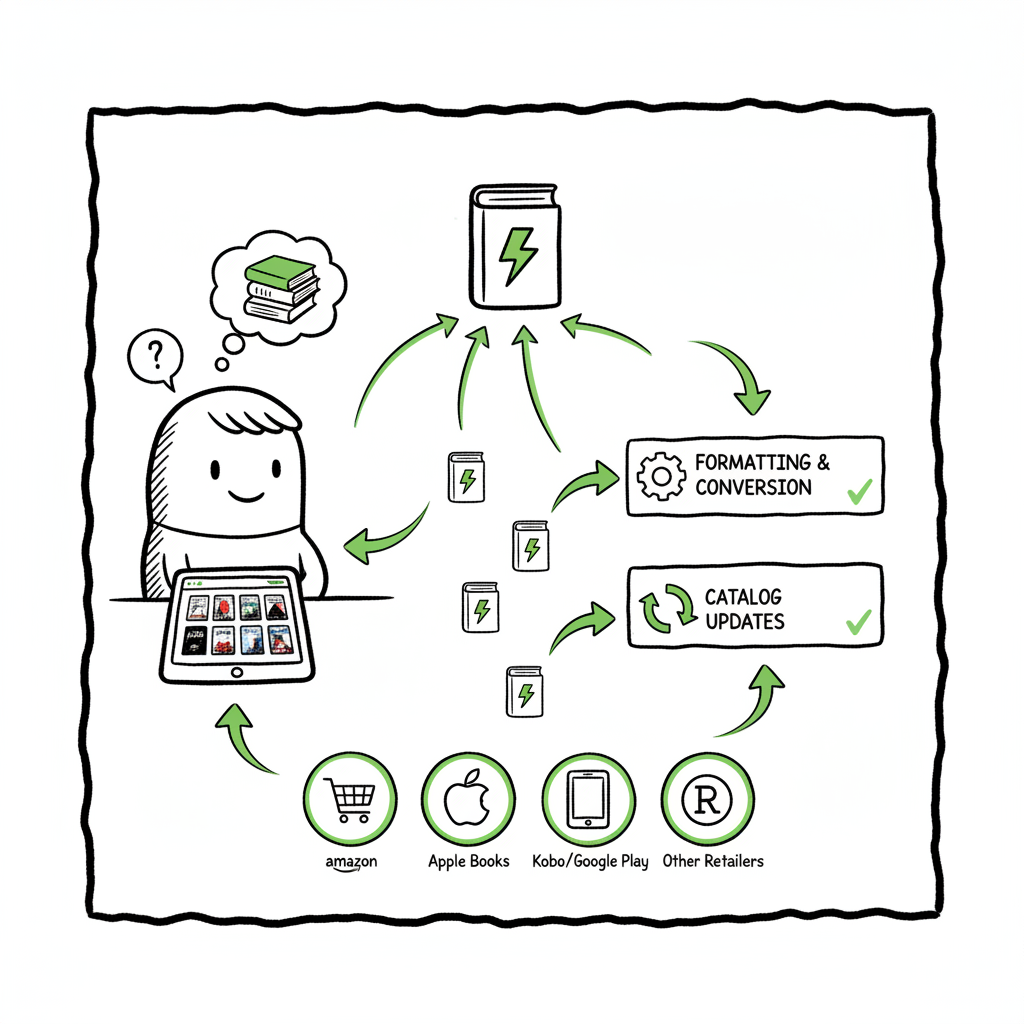
Draft2Digital publishing automation: faster wide distribution is not a slogan. It’s the practical shift that happens when a single, predictable process replaces dozens of manual uploads. At its core, Draft2Digital (D2D) takes a manuscript and packaging information—cover, metadata, pricing—and turns that input into formatted files and routed deliveries for many retailers at once. That means you spend less time copying metadata into ten different systems and more time writing and planning releases.
The basic mechanics are straightforward. You upload a manuscript in a common format (Word or RTF), add metadata and cover art, choose distribution channels, and let the system produce the files retailers want. The automated formatter converts the manuscript to EPUB for most ebook stores and creates print-ready PDFs for POD services. If you need to convert your manuscript outside D2D, a dedicated EPUB conversion tool can help prepare a clean file before upload. These conversions are not magic; they’re rules and templates applied at scale so the same manuscript behaves predictably at many retailers.
Why does that matter? Because wide distribution has friction. Different stores expect different file formats, trim sizes, and metadata fields. Doing each by hand multiplies small errors and creates delivery gaps. Automated systems reduce those gaps in three practical ways:
- Consistent file generation: Automated layout templates produce regular EPUB structure and print PDFs, so retailers are less likely to reject files for technical reasons.
- Single metadata source: Changes to pricing or descriptions can be propagated across a catalog, avoiding mismatched listings or outdated blurbs.
- Automated end-matter and catalog linking: When you add a new book, the system can update ‘Also By’ pages, table of contents entries, and author bios across titles to keep cross-promotion current.
Draft2Digital’s automated end-matter, for example, helps keep a series catalog coherent. It can dynamically update lists of books and author pages without revisiting each title. That small feature matters more when you have a backlist of a dozen or a hundred titles.
D2D’s one-upload distribution also includes optional sub-channels and library routes, so your book can reach places you might not manage directly—library aggregators, regional stores, and international storefronts. That’s the core advantage of wide distribution: a single operational step multiplies presence.
A few practical caveats: some retailers still require direct uploads for full control, and processing times vary by channel. Draft2Digital offers useful tracking dashboards, but you should expect delays from some downstream partners. The key is that automation removes most repetitive work and surfaces only the exceptions you need to handle.
File and cover work remain important. Automated formatting can do a lot, but a clean source file and a well-prepared cover reduce rejections and improve reader experience. If you create covers or need a batch process for cover files, a cover generator can speed production and standardize sizes across platforms. When you think about print-ready PDFs, consider how a single source file can be exported to multiple trim sizes—tools that help with ebook and print creation simplify that step. A dedicated conversion or creation tool can free you from reformatting every title for different channels.
Automation also supports marketing infrastructure. Universal book links, author pages, and release notifications are all easier to manage when distribution is centralized. Draft2Digital’s implementation of things like Universal Book Links and author pages helps amplify new releases without extra overhead. That matters when you run promotions across multiple stores or coordinate a series publication schedule.
Overall, Draft2Digital-style automation turns distribution from a series of isolated tasks into a repeatable operation. It’s not perfect for every edge case, but for authors scaling output—series writers, indie presses, and authors with backlists—the time saved and error reduction make wide distribution practical rather than aspirational.
Scaling Wide Distribution: Practical Workflow and Where BookUploadPro Fits
Wide distribution is a systems problem. When one book took a day to upload manually to each retailer, ten books were ten days of work. When you publish regularly, you need a different setup. This is where a clear, repeatable workflow and tools that automate the drudgery matter. Draft2Digital reduces friction on the retailer side; BookUploadPro automates the multi-platform upload math that sits around D2D-style automation.
Start with a single source of truth. That means a clean manuscript file, a final cover image, and a metadata spreadsheet that holds titles, series data, publication dates, prices, and territories. A CSV-driven approach lets you centralize attributes and push them to different outlets without typing the same information repeatedly.
The typical author workflow for scaling wide distribution looks like this in practice:
- Prepare the manuscript and materials. Finalize your Word or RTF manuscript and create a cover that fits the primary trim size and ebook thumbnail requirements. If you prefer automated tools for cover design, use a cover generator to make consistent art and export the sizes you need.
- Convert and validate. Run an EPUB conversion to create a retailer-ready ebook file and validate that EPUB to catch structural problems. If you’re producing print copies, export a print-ready PDF for each desired trim.
- Centralize metadata. Keep a single CSV or spreadsheet with metadata fields for every title. That file becomes the source for batch uploads and price changes.
- Choose distribution channels. Some titles may go wide via Draft2Digital to multiple retailers, others might also need direct uploads to specific platforms where you want extra control.
- Automate delivery. Use automation to map CSV fields to store fields, attach the correct file variants (ebook vs. print), and queue deliveries. This cuts the manual copy-paste workload.
- Monitor and fix exceptions. Automation reduces errors but doesn’t eliminate them. Use dashboards to spot rejections and handle only the exceptions.
Draft2Digital nails the middle of that flow: it converts files, handles end-matter, and distributes to a broad set of stores. But when authors want to publish seriously—multiple releases per year, series management, or entire backlist rollouts—another layer of automation streamlines the publishing operator’s tasks. That’s BookUploadPro’s lane.
BookUploadPro automates multi-platform uploads by connecting that single source CSV to multiple retail outputs: Amazon KDP, Draft2Digital, Kobo, Apple Books, Ingram and others. It encodes platform-specific intelligence so that a single row in your CSV generates the right files and metadata per store, including the quirks each channel expects. The practical outcomes are simple:
- Faster rollout: Instead of repeating the same upload steps for each platform, BookUploadPro pushes the correct package out to each store automatically, saving around 90% of the publishing time that manual uploads consume.
- Batch updates: Price changes, rights updates, and metadata fixes can be applied across a catalog with a single pass.
- Reduced errors: Platform-specific checks and validation catch common mistakes before they become rejections.
- Wide reach without complexity: Automating the upload makes wide distribution operationally feasible for authors who do more than a single title a year.
BookUploadPro uses CSV batch uploads and template mappings so you can publish many titles together. That matters for authors with series schedules or a backlog they want live quickly. The system understands different file needs for ebooks and print, manages ASIN/ISBN allocation where required, and keeps logs so you can audit what went where.
Where Draft2Digital is the distribution hub for many retailers, BookUploadPro is the operational hub that orchestrates multi-platform delivery at scale. Think of Draft2Digital as one powerful output channel and BookUploadPro as the tool that handles a whole roster of outputs in the same reliable way. For many authors, the two approaches are complementary: use D2D for its broad distribution and library reach, and BookUploadPro to automate parallel uploads to other channels and speed bulk operations.
Practical tips when you combine this kind of automation:
- Keep the source files clean. A well-structured manuscript and a checked EPUB avoid time wasted on rework. Use an EPUB converter early to check how the manuscript behaves in ebook format and fix issues before they scale.
- Standardize covers. Use a cover generator or a consistent cover template so thumbnails, spine text, and print covers align across trim sizes.
- Manage metadata centrally. Include series order, BISAC, and pricing tiers in the CSV so you can change a field once and have it applied everywhere.
- Test with a single title. Run a pilot for one book to verify the mapping rules and delivery logs before committing a large batch.
- Track deliveries and exceptions. Let automation handle predictable tasks and set aside time each week to review rejections or retailer queries.
For authors who reach a regular publishing cadence, BookUploadPro becomes an obvious upgrade. It’s not just about speed; it’s about turning distribution into a repeatable operation rather than a recurring project. If you publish seriously—more than a book a year, or manage series and backlists—automation is the difference between keeping up and falling behind.
BookUploadPro highlights a few practical business outcomes authors will notice quickly. Upload time per title drops dramatically, error rates fall because platform-specific checks run before submission, and the mental load of tracking multiple storefronts goes down. The pricing structure is designed for authors who plan to scale: affordable monthly plans and a free trial let you test the system before committing.
Automation also improves how you schedule and market releases. Consistent release timing across channels helps coordinate promotions, notifications, and newsletter blasts. When your distribution operates like a production line, marketing and royalties become predictable inputs to your business planning.
A final operational note: not every book should go everywhere by default. Some retailers and territories require special handling for rights or price parity. Automation should be configurable, not a blunt instrument. Tools like BookUploadPro let you include or exclude channels for specific titles and adjust mappings per market. That control is essential when you mix exclusive promotions or use direct retailer programs alongside wide distribution.
FAQ
What is Draft2Digital best at?
Draft2Digital is strong at converting manuscript files to clean EPUB and print-ready PDFs, and at distributing to a large set of retailers and library channels without requiring exclusivity. It reduces individual uploads and centralizes updates.
Will automation make mistakes I can’t fix?
No. Automation reduces manual errors and surfaces exceptions. You still review logs and handle specific rejections, but the goal is to cut predictable work and leave you with a short list of items that need attention.
Do I still need ISBNs?
It depends on the channel and format. Some retailers accept publisher-assigned ISBNs for print; others (like KDP) can provide their own ASIN/ISBN for certain outputs. Automation tools can manage ISBN assignment as part of the upload process if you store those values in your CSV.
How do I handle cover and format variations?
Prepare cover files for each format you plan to deliver. A cover generator can produce the set of sizes you need quickly. For print, export a print-ready PDF for each trim size. For ebook, export a high-resolution front cover as a JPEG or PNG in the recommended dimensions.
Can I use Draft2Digital and BookUploadPro together?
Yes. D2D handles broad retailer distribution and library channels; BookUploadPro automates multi-platform uploads across many vendors, including direct uploads to Amazon KDP and others. Used together, they reduce the manual workload for wide distribution while giving you control over platform-specific details.
Sources
- Self-Publishing Made Simple: Spotlight on Draft2Digital
- Draft2Digital for Indie Authors: Wide Distribution & Self-Publishing
- D2D Introduces Improved Automated Print Layout
- New and Improved Automated End-Matter from Draft2Digital!
- Knowledge Base – Draft2Digital
Final thoughts
Automating Draft2Digital-style tasks turns wide distribution from a tedious set of one-off uploads into an operational routine. For authors who publish regularly, adopting automation—both at the distribution level and at the multi-platform upload level—saves time, cuts errors, and makes broad distribution practical.
BookUploadPro automates the upload. Own the distribution.
Visit BookUploadPro.com to try the free trial and see how multi-platform publishing automation speeds up wide distribution.
Draft2Digital Publishing Automation: Faster Wide Distribution Estimated reading time: 18 minutes Key takeaways Draft2Digital publishing automation speeds ebook and print rollout across many retailers without exclusivity, cutting the manual work that slows backlist and series launches. Automated formatting, end-matter updates, and one-upload distribution remove repetitive tasks; authors can focus on catalog strategy instead of individual…