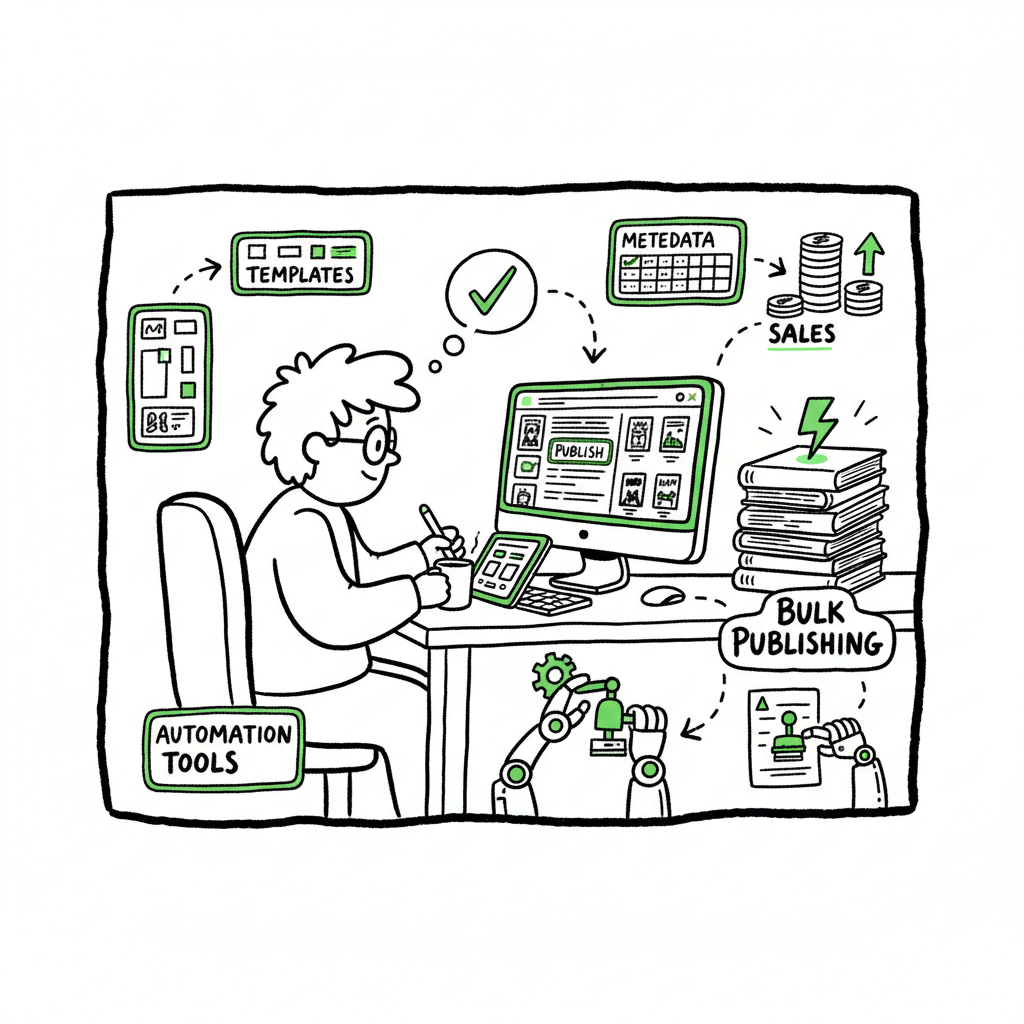
Bulk Publishing Books Practical Guide for Indie Authors
Bulk publishing books: a practical guide for indie authors
Estimated reading time: 16 minutes
Key takeaways:
- Bulk publishing books means planning for scale: standard templates, consistent metadata, and repeatable uploads make mass rollouts reliable.
- Automation cuts repetitive work dramatically, but platform rules (especially KDP) still require per-title accuracy to avoid delinks or format errors.
- Use tools that handle platform-specific differences, CSV batch uploads, and cover/EPUB processing to save time and reduce mistakes—an obvious upgrade once you publish seriously.
Table of Contents
- What bulk publishing books really means
- A practical mass book publishing workflow
- Platform-specific tips and common pitfalls
- FAQ
What bulk publishing books really means
Bulk publishing books is the practice of preparing and releasing many titles in a planned, repeatable way. For indie authors this often means dozens or hundreds of variations—not always full-length novels, but journals, planners, low-content books, series entries, or translated editions. The goal is to turn one person’s publishing process into a predictable pipeline so you can reach readers across multiple platforms without treating each title as a brand-new project.
Doing this well requires two things: discipline and the right tools. Discipline covers consistent metadata, naming, and a quality control routine so you don’t publish flawed files at scale. The right tools remove manual steps—CSV batch uploads, template-based interior and cover generation, and platform-aware checks that reduce rejections and preview errors.
If you plan to scale beyond a handful of titles, it helps to study how stores link formats and metadata. For example, Amazon KDP links paperback and Kindle editions when title, author, and ISBN data match precisely. That precision is why people working at scale look for workflow solutions and read guides like Scaling an Amazon KDP Business to understand the operational side of multi-format publishing. Automating uploads doesn’t remove the need for careful matching; it multiplies the consequences of mistakes if you aren’t rigorous.
When people say “bulk,” they mean different things. For some creators, bulk is ten similar notebook designs launched over a month. For others, bulk is weekly releases of themed journals, translated back catalog items, or rapid localization. The techniques are the same: template the parts you can, centralize metadata, and test uploads on a small sample before launching an entire batch.
For context, Scaling an Amazon KDP Business shows how to scale across formats.
When you need a cover or quick processing for many files, a dedicated cover generator can keep output consistent and platform-ready. For ebooks, EPUB converter that handles images, table of contents, and basic reflow issues helps avoid preview failures. For print, exporting high-resolution, press-ready PDFs with embedded fonts and correct bleed settings is essential, and a single cover generator that outputs both ebook thumbnails and print variants saves re-exports.
A real-world book creation workflow balances speed and safety. If you have many covers, automate color or text swaps using a generator rather than editing each one manually. If you plan to scale beyond a handful of titles, it helps to study how stores link formats and metadata. For example, Amazon KDP links paperback and Kindle editions when title, author, and ISBN data match precisely. That precision is why people working at scale look for workflow solutions and read guides like Scaling an Amazon KDP Business to understand the operational side of multi-format publishing. Automating uploads doesn’t remove the need for careful matching; it multiplies the consequences of mistakes if you aren’t rigorous.
Practical notes on files and tools:
- Convert manuscript files to EPUB for ebook stores and validate them. If you don’t want to build converters yourself, use a reliable converter service that produces clean EPUBs.
- Generate covers sized for both ebook thumbnails and print dust-jacket or wraparound PDFs. A single cover generator that outputs both variants saves countless re-exports.
- Rely on CSV-based batch upload capability to map your spreadsheet to platform fields; that’s where the time savings are most visible.
When this workflow is in place, what once took hours per book can be reduced to minutes per title. The time saved is why automation is an obvious upgrade once authors start publishing seriously: it makes wide distribution practical without a proportional increase in workload.
A practical mass book publishing workflow
A real-world workflow balances speed and safety. Here’s a practical sequence that works for low- and mid-volume publishing and scales with automation.
Decide scope and templates
Start with a clear plan: how many titles, the variations needed (size, color, ISBN), and the target platforms. Create interior and cover templates. Templates mean you can swap content or colors without rebuilding files each time. When a cover or interior needs conversion, use a processing tool rather than manual exports—this saves time and avoids file errors.
When you need a cover or quick processing for many files, a dedicated cover generator can keep output consistent and platform-ready.
Build a CSV master sheet
Collect metadata in a spreadsheet: title, subtitle, author, contributors, language, keywords, categories, price, ISBN, trim size, page count, and file paths for manuscripts and covers. The spreadsheet becomes the single source of truth for the batch. Keep one row per book and use consistent naming conventions for files. This lets batch upload systems map columns to platform fields reliably.
Prepare files: interior and cover
Generate interiors from a template engine so page counts and margins follow platform specs. For ebooks, convert the manuscript to a clean EPUB converter that handles images, table of contents, and basic reflow issues to avoid preview failures.
For print, export high-resolution, press-ready PDFs with embedded fonts and correct bleed settings. Create covers in the exact size needed for the trim and page count. If you have many covers, automate color or text swaps using a generator rather than editing each one manually.
Run a small pilot
Upload 3–5 titles manually or with automation to each platform and confirm the store pages, previews, and buy links behave as expected. Check linking between paperback and ebook on stores that support it. Pilot runs catch mapping or file-size problems before you commit to a large batch.
Batch upload and monitor
Use a batch uploader that accepts your CSV and the file package. Monitor the first wave closely: preview reports, processing errors, and platform feedback. Not every error will stop a book from publishing, but it’s essential to fix systemic issues at this stage rather than after 50 titles are live.
Maintain a publishing registry
Keep a log of live ASINs/IDs, ISBNs, upload timestamps, and pricing. This registry helps with reporting, royalty checks, and reissues. If you ever need to update a batch (price change, cover swap), the registry gives you the exact records to edit without guesswork.
Iterate and refine
Track sales and metadata performance by title clusters. Some keywords or covers work better; use that data to refine the next batch. At scale, efficiency gains show up both in time saved and reduced error correction.
Practical notes on files and tools:
- Convert manuscript files to EPUB for ebook stores and validate them. If you don’t want to build converters yourself, use a reliable converter service that produces clean EPUBs.
- Generate covers sized for both ebook thumbnails and print dust-jacket or wraparound PDFs. A single cover generator that outputs both variants saves countless re-exports.
- Rely on CSV-based batch upload capability to map your spreadsheet to platform fields; that’s where the time savings are most visible.
When this workflow is in place, what once took hours per book can be reduced to minutes per title. The time saved is why automation is an obvious upgrade once authors start publishing seriously: it makes wide distribution practical without a proportional increase in workload.
Platform-specific tips and common pitfalls
High-volume publishing touches multiple distribution platforms. Each store behaves differently. Your workflow should include platform-specific intelligence to avoid repeated mistakes.
Amazon KDP
- KDP requires accurate per-title metadata even when you plan to publish in bulk. The platform links formats only when title, author, and ISBN data are consistent. That precision means your CSV must avoid typos and inconsistent author fields.
- There is no official KDP batch upload feature for most publishers; third-party tools and scripted CSV uploads are common workarounds. Those tools save time but add one requirement: they must mimic the KDP interface behavior carefully to avoid mismatches.
- Low-content creators use template variations and repeatable SKU patterns. If you follow that strategy, batch uploads can publish many journal designs quickly—but always pilot changes to how Amazon reads metadata and file names.
Kobo, Apple Books, and Draft2Digital
- Kobo and Apple accept EPUB files and rely heavily on clean EPUB structures. Use an EPUB converter and validate files before upload to avoid rejections. Poorly formed EPUBs cause previewer failures that stop a release.
- Draft2Digital and aggregators can simplify multi-platform distribution, but they also add a layer that may modify metadata or royalties. Track those changes in your publishing registry so you know which channels control each storefront listing.
- Aggregators often accept a single EPUB and distribute it, but they may not support platform-specific print formats. For print-on-demand (POD) distribution via Ingram or others, you’ll still need press-ready PDFs.
Ingram and wide distribution
- Ingram is the primary path for global POD. Their requirements for print files are strict: exact trim sizes, gutter and spine calculations, and embedded fonts. Automation handles that, but only if your cover generator produces correctly calculated spines and bleeds.
- Ingram metadata feeds can differ from bookstores. If you rely on automated uploads, include checks that confirm metadata appears correctly in distribution channels.
Common pitfalls to plan for
- Mismatched metadata: If title or author fields differ by one character between formats, automatic linking fails and you end up with separate product pages for what should be a single book.
- Wrong file sizes: A cover that fits ebook but not print will cause delays. Generate both variants from the same template and verify sizes.
- ISBN and marketplace confusion: If you use different ISBNs for each format, keep careful records. Some authors reuse ISBNs incorrectly, which can cause delisting or sales reporting issues.
- Previewer failures: Many problems show up only in the platform previewer. Include preview checks in your pilot batch and fix issues before bulk runs.
Tool selection matters
Pick tools that know platform rules. A system that understands KDP’s linking logic, Ingram’s imprint rules, and EPUB validation will save time. CSV batch uploads are the core of scale; make sure your chosen service imports CSVs cleanly and gives actionable error reports rather than cryptic failures.
Practical examples of automation benefits
- A template-driven system that swaps only the cover color or title across 50 notebooks turns an eight-hour manual job into a one-hour batch process.
- A CSV-driven uploader that maps your metadata columns to platform fields and uploads files automatically removes hundreds of mouse clicks per batch.
- Tools that integrate platform-specific intelligence (like spine width calculators for print) remove the most common causes of rejections.
When to stay manual
Automation isn’t always the right choice. If you publish a one-off novel with complex interior design, manual uploads let you control every detail. Bulk methods work best when many titles share a structure or originate from a common template set.
Operational scale: the human side
As you publish more titles, the job changes. You move from “create and upload” to “manage, monitor, and refine.” That’s where systems for monitoring processing errors, tracking ASINs/IDs, and scheduling price changes become indispensable. At scale, saving 90% of the time on uploads is realistic with the right tools; the remaining effort shifts to quality control and market optimization.
FAQ
Question?
Is bulk publishing books the same as mass printing or bulk buying?
No. Bulk publishing books refers to releasing many titles into stores. Bulk printing or buying is about ordering physical copies. Publishing in bulk focuses on the digital and distribution side—preparing files, metadata, and platform uploads. Author copies or bulk orders are handled separately by storefronts and printing partners.
Question?
Can I batch upload directly to Amazon KDP?
Amazon does not provide a public official CSV batch upload tool for most publishers. Many authors use third-party solutions that automate the KDP console or use APIs when available. Whichever path you take, maintain careful metadata and run pilot uploads to validate the process.
Question?
How do I avoid delisting when publishing many books?
Keep consistent metadata, validate files, and pilot before wide release. Maintain a registry of ISBNs and ASINs, and confirm that platform previewers show correct content. Automation speeds releases but multiplies errors if you don’t have a checklist and monitoring.
Question?
Do I need ISBNs for every book?
Print books require ISBNs to appear in many distribution channels; some platforms offer free ISBNs, but those may restrict distribution options. Ebooks do not require ISBNs on some platforms, but using them helps with wide distribution and retailer tracking. Use your registry to track which titles use publisher-owned ISBNs versus platform-assigned ones.
Question?
What file types should I prepare?
For print: press-ready PDF with embedded fonts and correct bleed. For ebooks: validated EPUB for stores that accept EPUB. For Amazon Kindle, a correctly formatted EPUB or MOBI (if you prefer) works, but EPUB is increasingly standard. If you need a fast, reliable conversion, use a standalone converter to generate clean EPUBs automatically.
Question?
What about covers and batch variations?
Use a cover generator that produces both ebook and print versions. That ensures consistent branding and reduces the chance of mismatched spines or incorrect bleeds. If you’re producing many color or text variants, make the generator part of your template workflow.
Question?
How do I track performance across many titles?
Use a central spreadsheet or publishing registry with live links to store pages, ASINs/IDs, royalties, and launch dates. Combine that with periodic sampling of review counts and sales ranks to spot winners and losers. At scale, small improvements in metadata or cover design compound, so build a habit of iterative testing.
Final thoughts
Bulk publishing books is an operational problem more than a creative one. The creative work still matters—covers, interiors, and content—but scaling requires systems. Use templates for interiors and covers, keep a rigorous metadata spreadsheet, validate EPUBs and print PDFs, and run small pilots before large rollouts. Tools that offer CSV batch uploads, platform-specific checks, and file processing are not optional at scale; they shift your time from clicking through upload forms to running strategy.
If covers and EPUBs are bottlenecks in your pipeline, consider services that automate those tasks. A dependable cover generator and a reliable EPUB converter will reduce upload errors and preview failures, letting you focus on what grows your audience rather than what breaks your uploads.
BookUploadPro
Automate the upload. Own the distribution.
Call to action
Try the BookUploadPro free trial at BookUploadPro.com to see how CSV batch uploads, platform-specific intelligence, and unified multi-platform publishing can reduce the time you spend on repetitive uploads.
Sources
- https://kdp.amazon.com/help/topic/G202172740
- https://www.youtube.com/watch?v=4WiPbSUcWU4
- https://iflowy.app/en/blog/batch-upload-kdp-automatizazione-workflow
- https://www.youtube.com/watch?v=YTBRb1kmBWs
- https://www.youtube.com/watch?v=qAbe1szH-W4
- https://kdpcommunity.com/s/question/0D58V00008iaqH3SAI/bulk-orders-author-copies-or-amazon-orders?language=en_US
Bulk publishing books: a practical guide for indie authors Estimated reading time: 16 minutes Key takeaways: Bulk publishing books means planning for scale: standard templates, consistent metadata, and repeatable uploads make mass rollouts reliable. Automation cuts repetitive work dramatically, but platform rules (especially KDP) still require per-title accuracy to avoid delinks or format errors. Use…