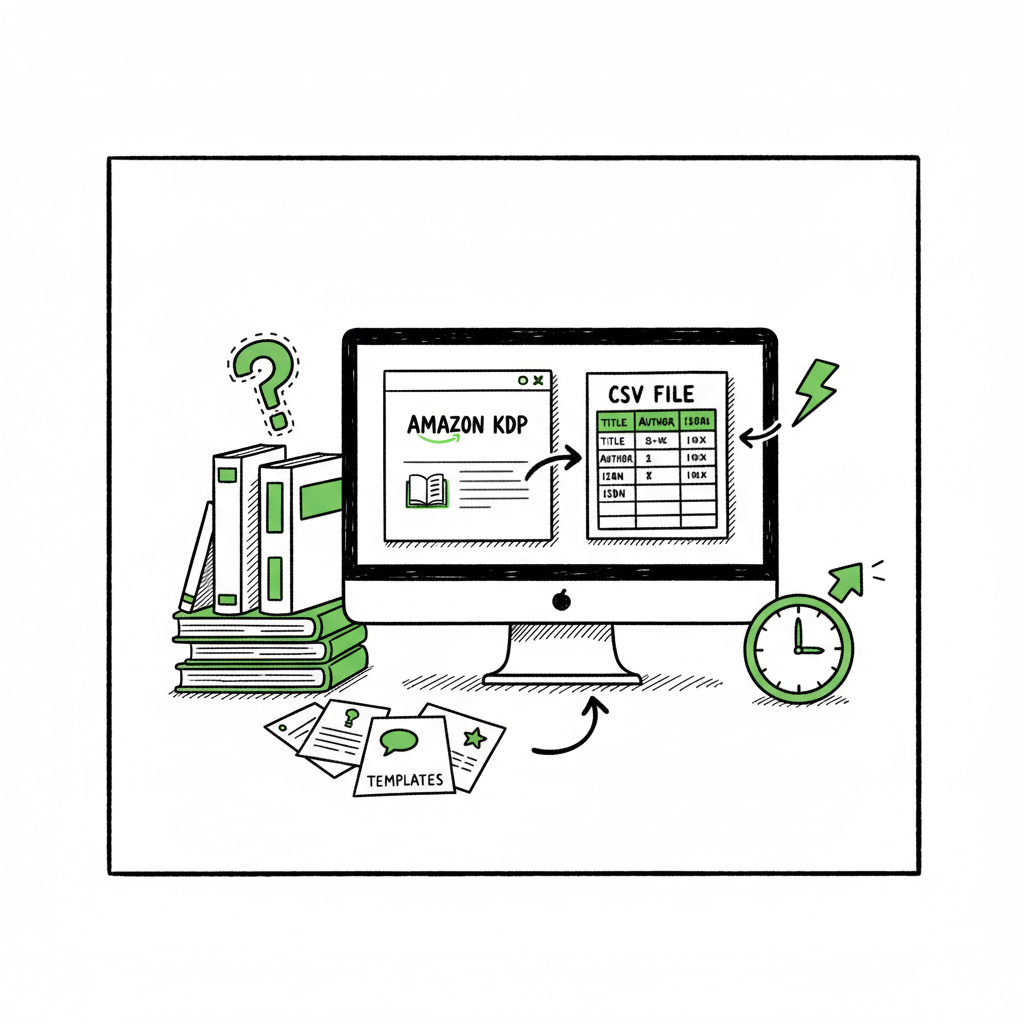
Bulk publishing books for Amazon KDP and multi-platforms
Bulk publishing books: how to scale uploads across Amazon KDP and beyond
Estimated reading time: 18 minutes
Key takeaways
- Bulk publishing books speeds growth when you combine simple templates with platform-specific settings and CSV batch uploads.
- Use a repeatable file structure, basic QA checks, and staggered uploads to avoid platform limits and reduce errors.
- Tools that automate repetitive steps let you publish across Amazon KDP, Kobo, Apple Books, Draft2Digital, and Ingram with far less time and fewer mistakes—an obvious upgrade once authors start publishing seriously.
Table of Contents
- Why bulk publishing books works
- Prepare files and templates for fast batch kdp book uploads
- Uploading: platform differences and practical timing
- Measure performance and plan a bulk indie title rollout
- Final thoughts
- FAQ
- Sources
Why bulk publishing books works
If you publish more than a handful of titles a year, bulk publishing books changes how you operate. Instead of repeating the same form fills and small edits dozens of times, you build a repeatable process: templates for interiors, consistent metadata patterns, and a single CSV or batch upload that feeds multiple storefronts.
Bulk publishing isn’t a shortcut to replace careful work. It’s a scale tactic. With good templates you can offer more variety, test keywords faster, and free time to polish the top-performing titles. Authors who rely on volume—low-content journals, planners, activity books, or serialized short fiction—see real gains when they treat publishing like production instead of one-off projects.
One useful reference for what comes next is the idea of Scaling an Amazon KDP Business, which explains how to move from single-book publishing to repeatable, multi-title operations. BookUploadPro exists to make that step practical.
The platform centralizes CSV batch uploads, applies platform-specific intelligence so you don’t break previews or miss cover bleed, and routes a single job to Amazon KDP, Kobo, Apple Books, Draft2Digital, and Ingram. The result is roughly 90% time savings on repetitive tasks, fewer human errors, and a predictable publishing cadence.
Why this matters in plain terms: publishing twenty related low-content books manually can be a week of grind. With batch uploads and a standard file structure, the same work becomes a single hour of oversight. That’s the difference between a side-project and a small publishing business.
Prepare files and templates for fast batch kdp book uploads
The most common failure in bulk publishing books is inconsistent source files. A missing spine margin, a wrong EPUB manifest, or a misnamed interior file will stop an upload and cost time. Create a clear, repeatable set of inputs that you can reuse.
Files and naming
- Keep one folder per batch. Inside, have subfolders named with a short code plus the book slug. Each subfolder holds the interior PDF or EPUB, the print-ready cover (PDF with spine), and a small metadata CSV row if you use CSV uploads.
- For ebooks, produce a validated EPUB and one thumbnail cover (JPG/PNG). For paperbacks, create a separate print-ready PDF with correct bleed and spine settings.
- Use consistent file names: authorname_title_variant.pdf. Consistent names make automated mapping reliable and reduce manual mistakes.
Templates and interiors
- Build interiors from templates: 120-page college-ruled notebook; 100-page lined journal; 30-day gratitude prompt book. Make one “master” file for each template and a script or batch process that injects unique titles, ISBNs, or internal watermarks.
- Keep designs simple for high-volume lines. Variety comes via covers and metadata, not complex one-off interiors.
Metadata patterns
- Decide a publishing name convention (company name or author brand) and use it consistently. Platforms flag wildly inconsistent publisher names.
- Create title and subtitle patterns you can scale: “Daily Journal: Lined Notebook — Botanical Series #07.” This pattern keeps keywords consistent and adds series structure.
- Prepare description templates: a short blurb for storefronts and a longer description for distribution feeds. Save both in your master CSV.
Quality control checks
- Automate file-size checks and page counts. A quick script or simple checklist catches the usual errors before upload.
- Preview the printed cover and interior in a local PDF viewer to confirm spine measurement and margins.
- Validate EPUBs with a tool like epubcheck before sending to stores.
Ebook conversion and cover steps
If you convert manuscripts to EPUB or prepare paperback files regularly, include that conversion as a repeatable step in your preparation. For dependable EPUB conversion, consider a dedicated converter rather than ad hoc export settings; a clean EPUB reduces rejection and formatting surprises on Apple Books and Kobo. If you need a tool, look into professional EPUB conversion services to keep that step reliable and hands-off.
For EPUB conversion, see the EPUB converter.
For automated cover generation, see the Book cover generator processing resource.
Creating print and ebook variants
Make both the ebook and paperback from the same source where possible. For example, a simple type-set interior can be exported as a print-ready PDF and as a cleaned EPUB. Keeping the core content the same reduces editing time and ensures the text matches across formats. For production help with creating paperbacks and ebooks, use specialized tools to handle trim sizes, spine calculations, and cover templates.
CSV preparation
- Your CSV should include title, subtitle, author, publisher, keywords, categories (ASIN/ICD codes where applicable), ISBN (if you supply one), price, royalty option, and file paths for interior and cover.
- Keep keyword columns limited and focused. Repeating the same five relevant keyword groups across a batch is better than stuffing unique, weak keywords on each book.
Security and account settings
- Use professional account settings for payees, tax forms, and rights. High-volume publishing flags accounts more readily when the account profile is incomplete.
- If you publish under a company name, keep tax and payment settings aligned with that company.
Small-Batch Tests
Before a full rollout, upload a small batch of 5–10 books with all assets. Watch for errors, preview issues, and distribution delays. Correct the template or CSV and run another test. This practice prevents repeating the same mistake across 50+ books.
Practical example
A lot of publishers start with a 50-title batch of themed notebooks. They create one interior template, 10 cover variants, and 5 keyword groups. They combine files into a CSV and run the upload. Within hours they get 40 uploads processed and 10 bounced for minor issues—those 10 are fixed and re-uploaded in one shorter pass. The learning from that first batch saves time on the next one.
Uploading: platform differences and practical timing
Bulk publishing books requires respect for platform limits, differences in metadata handling, and timing strategies to avoid errors or throttling.
Platform differences to keep in mind
- Amazon KDP: No official bulk upload UI, but KDP accepts high-volume publishers and has implicit rate limits. Practical guidance from high-volume publishers suggests keeping daily batches modest (50–100) to avoid throttling or manual review. KDP also handles multiple marketplace distribution automatically.
- Kobo and Apple Books: Both accept EPUBs and require clean EPUBs with proper metadata. Apple in particular is stricter about cover dimensions and metadata structure.
- Draft2Digital and Ingram: These aggregators can distribute wide and have their own metadata rules. Draft2Digital offers a clean feed for many storefronts, making it a useful distribution partner if you prefer a single upload to reach many channels.
Timing and throttling
- Stagger uploads. Even with batch tools, submit in controlled bursts. Many publishers find daily small batches reduce account flags and make it easier to respond to errors.
- Watch marketplace propagation times. Amazon may list a book in one marketplace sooner than another. Record the timestamps for uploads and check availability across marketplaces when planning promotions.
Handling errors and rejections
- Track rejection reasons centrally. Common errors are missing spine measurement for print, invalid EPUB, or unacceptable cover bleed.
- Fix the root cause in the template before re-uploading more titles. Small template fixes pay off across hundreds of books.
Batch kdp book uploads: practical tip
Many publishers automate form-filling with tools that map CSV fields to KDP inputs. Whether you use a tool or a service, the key is to keep the mapping consistent: title → title, subtitle → subtitle, keywords → keyword fields, and so on. Always double-check pricing and royalty setup—those are common slip points.
Uniform distribution vs. platform-specific tweaks
- Apply a common metadata baseline across platforms, then tweak listings for platform-specific features. For example, Amazon allows more categories and back-end keywords; Kobo relies more on good EPUB formatting and cover presentation.
- Keep a per-platform notes column in your master CSV so anyone re-uploading knows what to tweak.
Automation and error reduction
Reducing repetition reduces errors. Batch uploads and CSVs cut manual typing and the chance of typos. A single place to change a price or update a file makes updates predictable. If you’re reaching a volume where updates are frequent, platform-aware automation becomes an obvious upgrade: it saves time and keeps your catalog consistent.
Multi-platform distribution example
A publisher exports 80 titles in one CSV and uses a publishing tool to deposit the ebook files to Apple Books, Kobo, and Draft2Digital while sending print PDFs to KDP and Ingram. Because the tool accounts for platform rules—trim sizes for print, EPUB validation for Apple—the initial pass succeeds for most books. A handful need a manual fix; the publisher corrects the template and reruns only the affected rows.
Notes on rights and pricing
- If you control rights, decide on exclusive vs. non-exclusive channels. For most indie authors, non-exclusive distribution (wide) is more flexible.
- Price with a strategy: low price for discovery ($2–4 for many low-content print items), higher price for specialty books. Keep pricing consistent across marketplaces where possible to reduce confusion.
Measure performance and plan a bulk indie title rollout
Publishing at scale rewards data. You measure, you refine, and then you roll out more titles with better odds.
Key metrics to track
- Units sold per title and revenue per title. For high-volume strategies, look for patterns where certain keywords, series names, or cover styles outperform others.
- Conversion rates on product pages. Small changes in descriptions or cover thumbnails can move sales rates.
- Return visits and cross-sales. If a buyer who purchased one title returns to buy another in the series, you’re building a catalog value greater than any single title.
A/B testing at scale
Bulk publishing makes A/B testing practical. Instead of changing a single title, you can test covers across a set of 20 similar notebooks and see which cover family performs best. Replace underperformers or pivot the series around top designs.
Batch renewals and updates
Treat updates like version control. If a keyword strategy changes, prepare a CSV update that modifies all affected titles. Bulk updates via a central tool let you change prices, descriptions, or categories in minutes rather than hours.
Planning a bulk indie title rollout
- Start with a focused series and a clear naming convention. Releasing 20 related titles over four weeks is easier to manage than 100 spread without organization.
- Reserve promotional activity for the top 10% most promising titles. A few promoted books carry the rest by growing brand recognition.
- Use author copies and strategic pricing for print runs. Bulk author copies let you hold inventory to sell at local events or through your site without tying up storefront listings.
Risk management
Publishing at scale can trigger platform reviews. Keep a steady, reasonable pace. Maintain accurate account information and respond quickly to platform messages. If an automated batch hits a platform rule you didn’t expect, stop and fix the template before continuing.
Tools and distribution intelligence
A reliable publishing tool reduces manual checks and provides platform-aware templates—like automatically adjusting spine widths, validating EPUBs, and mapping category selections. That platform intelligence is the practical difference between occasional bulk uploads and a sustained mass book publishing approach.
Real-world numbers
Many high-volume publishers report daily limits make sense: KDP may process hundreds but will flag sudden spikes. Practical constraints like a 50–100 daily upload target prevent long holds and manual reviews. Mapping a calendar and sticking to steady batches keeps things moving.
Automate the upload. Own the distribution.
When you reach the point that repetitive uploads dominate your time, a focused service that handles CSV batch uploads, platform-specific intelligence, and error reduction becomes an obvious upgrade—especially for authors scaling up from dozens to hundreds of titles.
Final thoughts
Bulk publishing books is an operational choice. It’s not a promise that every title will be a bestseller; it’s a way to test more ideas faster and find what sticks. The right preparation—standardized files, metadata patterns, and careful QA—lets you move at scale without losing control.
If you’re publishing seriously, aim for systems that minimize repetitive work and reduce errors. Centralized CSV batch uploads, consistent naming and templating, and platform-aware file checks are the core. When you outgrow manual uploads, a tool that supportsAmazon KDP, Kobo, Apple Books, Draft2Digital, and Ingram will save time and give you predictable distribution.
A few final operational points:
– Start small, iterate templates, and increase batch size only after successful tests.
– Keep detailed logs of uploads so you can trace errors and corrections.
– Invest time early to standardize files—this pays off every time you repeat a batch.
BookAutoAI provides a robust book creation process.
FAQ
Will bulk publishing books get my account flagged on KDP?
A: High-volume activity can attract attention. The safest approach is steady, controlled batches and complete, accurate account information. Avoid sudden spikes in uploads and fix template issues quickly to reduce rejections.
Do I need separate files for ebook and paperback?
A: You should prepare format-specific files. A print-ready PDF is different from an EPUB. Use a single source text when possible, but export and validate for each format to meet platform requirements.
How many books should I upload at once?
A: Start with small batches—5 to 20—to confirm templates and metadata. Many large publishers then scale to 50–100 per day but stagger uploads to avoid platform limits.
Can I use one ISBN for multiple formats?
A: No. Each format (ebook, paperback, hardcover) needs its own ISBN if you supply them. Some platforms will assign separate identifiers if you don’t provide an ISBN.
What’s the best way to test keywords and covers at scale?
A: Release a series of related titles with controlled variations. Measure sales and conversion across the group, then double down on the best-performing combinations.
Q: How can I ensure consistent metadata across platforms?
A: Maintain a master CSV with standardized patterns for titles, subtitles, and categories, then tweak per platform as needed.
Q: Are there recommended starting batch sizes?
A: Start with small batches—5 to 20—and scale up as you validate templates and processes.
Q: Do I need separate files for EPUB and PDF?
A: Yes. Prepare format-specific files when possible, then export and validate for each platform’s requirements.
Q: How should I approach price across marketplaces?
A: Price with a strategy—lower for discovery, higher for specialty items—and strive for consistency across marketplaces when feasible.
Sources
- How to Upload KDP Low Content Books in BULK – YouTube
- KDP Batch Upload: Revolutionizing Workflow Automation | iFlowy Blog
- Automate your Amazon KDP Uploads 2023 Tutorial – YouTube
- How I Built a Fully Automated Amazon KDP Business – YouTube
- Bulk Orders: Author Copies or Amazon Orders? – KDP Community
Bulk publishing books: how to scale uploads across Amazon KDP and beyond Estimated reading time: 18 minutes Key takeaways Bulk publishing books speeds growth when you combine simple templates with platform-specific settings and CSV batch uploads. Use a repeatable file structure, basic QA checks, and staggered uploads to avoid platform limits and reduce errors. Tools…