Bulk Publishing Books Practical Guide to Scaling Rollouts
Bulk publishing books: a practical guide to scaling multi-platform rollouts
Estimated reading time: 14 minutes
Key takeaways
- Bulk publishing books is about repeatable, error-resistant processes that save time and make wide distribution practical.
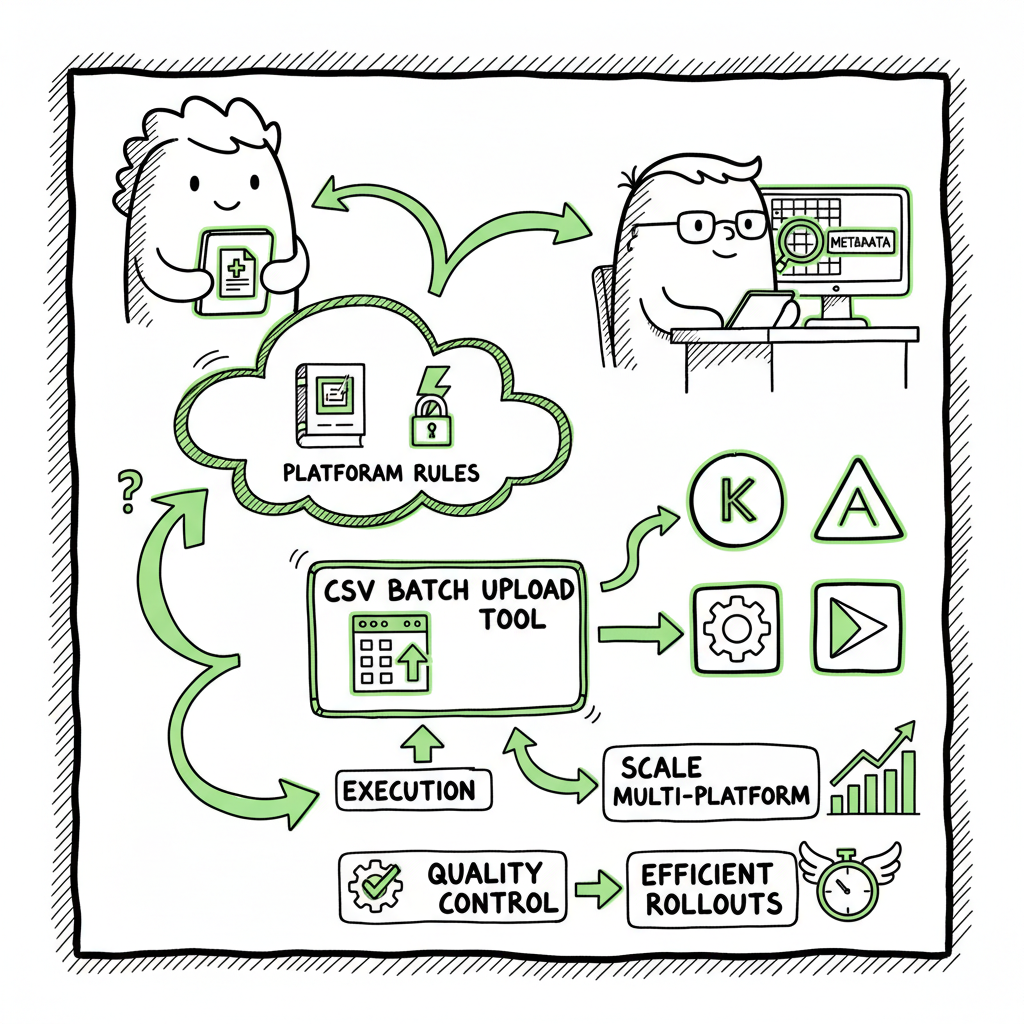
- Focus on templates, metadata, and platform rules first; the rest is execution and quality control.
- Tools that support CSV batch uploads and platform-specific checks cut upload time by roughly 90%, letting you publish at scale without breaking compliance.
- Unified multi-platform publishing and sensible batching reduce mistakes and protect royalties across Amazon KDP, Kobo, Apple Books, Draft2Digital, and Ingram.
Table of Contents
- Why bulk publishing books matters
- Building a repeatable system for batch KDP book uploads and multi-platform rollouts
- Tools, file types, and quality checks that keep mass book publishing workflow reliable
- FAQ
Why bulk publishing books matters
Publishing one book teaches useful lessons. Publishing ten forces discipline. Publishing a hundred exposes the gaps in your process, and publishing more than that demands a repeatable approach. Bulk publishing books is not a shortcut; it’s a production strategy that treats publishing like an operational function: predictable inputs, measured outputs, and clear error handling.
When authors move beyond single-title experiments, they face the same constraints every time: consistent metadata, cover and interior files, platform-specific settings, and international distribution options. That’s where scale decisions matter. You need to decide which elements will be templated, which require human review, and how to push many files through storefronts without introducing mistakes.
If you want to see how teams handle growing catalogs from dozens to hundreds of titles, read the guide on Scaling an Amazon KDP Business — it describes the operational changes publishers adopt as they grow. This helps you set expectations: as volume increases, time per title must fall, but quality controls must remain.
Building a repeatable system for batch KDP book uploads and multi-platform rollouts
Start by thinking like an operator. The goal is to create a predictable series of steps that any capable person or service can follow. This is what separates occasional publishers from those who run a reliable indie publishing engine.
Plan the catalog architecture
- Series and brands: Group similar books under a single series or imprint name. That makes metadata easier and builds discoverability.
- SKUs and filenames: Use consistent file names with a short SKU that shows title, version, trim size, and language. Consistent names reduce upload errors.
- Templates: Create interior and cover templates for each format and trim size. Templates reduce design time and keep page counts and margins consistent.
Define the metadata bundle
For each title, collect a single metadata file with:
- Final title and subtitle
- Primary and secondary keywords (up to platform limits)
- Categories / BISAC codes
- Blurb (short and long)
- Language and publication date
- Price and territorial pricing rules
A single CSV that holds all these fields becomes the nucleus of batch publishing.
Prepare your assets
- Interiors: Keep final interiors in print-ready PDF for paperback/large print and EPUB for eBooks. If you need EPUB conversion, use a reliable EPUB converter to avoid reflow issues. Use automated conversion early to catch formatting problems.
- Covers: Use a consistent cover template system that supports print and digital sizes. If you generate covers with a tool, confirm spine text, bleed, and text-safe areas are correct; a book cover generator can speed this step while enforcing specs.
- ISBNs and imprint details: Decide whether you use platform-assigned ISBNs or your own. Record ISBNs in the CSV.
Batching logic and publish cadence
- Group similar books (same trim, page count, and pricing) into batches so the same file and settings can be reused.
- Limit batch size to what each platform handles reliably. On KDP, conservative daily batches of 50–100 titles reduce the chance of rate limits or manual review flags.
- Stagger publication times and marketplaces to reduce flags that come from simultaneous mass uploads.
Test before scale
Before a large rollout, publish a small set of representative titles to every platform. Confirm:
- Interior pagination and margins
- Cover bleed and spine alignment
- Metadata display and categories
- Pricing and territorial availability
Make an error log and fix list during testing. It’s easier to change a template than to correct hundreds of live titles.
Tools, file types, and quality checks that keep mass book publishing workflow reliable
At scale, the right tools don’t make decisions for you, they prevent predictable errors and reduce repetitive manual work. Here are the operational components to prioritize.
CSV batch uploads as the single source of truth
A master CSV that contains one row per title and columns for all required fields is essential. It should include:
- Filenames for interior and cover files
- Platform-specific fields (e.g., KDP series and publisher names, Apple Books categories)
- Pricing and territory settings
- Keywords and BISAC or category codes
CSV-driven uploads reduce manual typing errors and let you track what changed between versions.
File formats and where to use them
- ePub: The standard for eBooks on most stores. If you’re converting from Word or InDesign, validate the EPUB before upload. Use an EPUB converter that reports errors and provides a clean file.
- Print-ready PDF: Required for KDP paperback and Ingram. Confirm PDF/X compliance, correct trim, bleed, and crop marks.
- JPEG/PNG for eBook covers, and print-ready PDF for print covers with full bleed.
When you mention converting to EPUB, link to a tested EPUB conversion service that handles reflow and image optimization. A poor EPUB creates a bad reader experience and increases refunds.
Quality checks that save time
- Filename consistency check: Ensure filenames referenced in your CSV match actual files.
- Metadata validation: Verify length limits, forbidden characters, and category formats.
- Page count and price check: Print logistics depend on page count; confirm pricing covers printing costs.
- Sample preview check: Use platform previewers to spot spine misalignment or clipped text.
Multi-platform considerations
Different platforms use different requirements and have different strengths. Treat each as a marketplace with its own rules:
- Amazon KDP: Large audience and international reach. Watch for weekly upload limits and country-specific settings. Use sensible batching to avoid friction when you publish volumes.
- Ingram: Good for wide distribution to bookstores. Requires strict print PDFs and correct metadata.
- Apple Books and Kobo: Pay attention to EPUB quality and cover sizing.
- Aggregators (Draft2Digital): Useful for handling multiple smaller platforms but check storefront-specific options that might need overrides.
When you scale across platforms, a unified publishing approach pays dividends: keep one master CSV and generate platform-specific feeds from it. Where platform fields differ, map them during export so you maintain a single source of truth.
Error reduction and platform-specific intelligence
Platforms often reject uploads for predictable reasons: missing ISBN, invalid page count, unacceptable images on covers, or metadata that triggers moderation. Building simple checks that mirror platform rules prevents re-uploads.
For print books, verify:
- Interior margins and gutter for the chosen binding
- Correct trim size and bleed
- Embedded fonts and flattened transparencies
For eBooks, ensure:
- No large images that bloat file size
- Clean table of contents and accessible headings
- Valid EPUB structure and metadata
Using a tool that understands platform quirks and validates files before upload reduces rejections and wasted work. BookUploadPro automates CSV batch uploads, applies platform-specific checks, and reduces manual entry—making wide distribution practical and affordable. Automate the upload. Own the distribution.
Practical tips for titles, pricing, and discoverability
Quantity helps, but only when paired with quality signals. Low-content books benefit from consistent, on-brand covers and accurate keywords. Narrative books need polished metadata and professional covers.
- Keywords: Use targeted keywords that match search intent on each platform. Keep keywords within limits and avoid stuffing.
- Categories: Choose the best matching BISAC or marketplace category. Use secondary categories where allowed.
- Pricing: For indie low-content titles, a price range that balances discovery and margin is common. Expect to refine prices after sales data comes in.
- Testing: Publish small batches at first and track which titles get traction. Use that data to inform future templates and design choices.
When creating paperbacks or eBooks, ensure the generation process is repeatable and validated with a test batch. If you create a lot of pub-ready files, a central tool that supports bulk ebook and paperback output can reduce manual errors and save hours per release cycle.
Integrations and asset generation
A common bottleneck at scale is generating covers and interiors consistently. Use template systems for covers, and generate interiors from fixed-layout templates when possible. If you rely on automated cover creation, use a book cover generator that produces print-ready files and adheres to spine math and bleed requirements.
If you convert source files to EPUB for eBooks, use a dedicated EPUB converter to prevent reflow and styling problems. These conversions are faster and cleaner than manual exports when done in bulk.
Unified multi-platform publishing becomes an obvious upgrade once authors start publishing seriously. A system that manages CSVs, validates files, and handles platform-specific nuances reduces errors, speeds uploads, and keeps royalties flowing.
Managing risk: platform rules and rate limits
Be aware of platform limits. Amazon KDP and other stores may throttle or flag mass uploads that look like automated spam. A sensible cadence and attention to quality avoid most problems:
- Keep batch sizes modest per day (50–100 titles on KDP is a conservative starting point).
- Vary metadata slightly across titles to avoid identical listings that could be flagged.
- Maintain good author/publisher profiles and avoid abrupt changes in geographic or payment details across accounts.
If a title is flagged, handle it quickly: correct the issue, revalidate the files, and resubmit. Keep an incident log to track recurring issues and adjust templates.
Operational scaling and team roles
Even a one-person operation benefits from clear role definitions:
- Catalog manager: maintains the CSV, coordinates batches, and ensures consistent metadata.
- Asset specialist: prepares interiors and covers and validates file specs.
- Publisher operator: runs platform uploads, monitors status, and handles platform-specific settings.
- QA reviewer: checks published samples and customer feedback.
These roles can be performed by the same person early on, but splitting responsibilities reduces mistakes as volume grows. For publish-at-scale projects, consider services that automate repetitive upload steps while preserving your control over final settings.
How BookUploadPro helps at scale
BookUploadPro is designed for the moment you decide to treat publishing like an operational function rather than a craft experiment. It supports CSV batch uploads, understands platform-specific checks for Amazon KDP, Kobo, Apple Books, Draft2Digital, and Ingram, and reduces the time spent on repetitive uploads by roughly 90%.
- Unified multi-platform publishing from a single CSV
- Platform-specific intelligence that catches common errors before upload
- Batch processing for interiors and covers across formats
- Affordable pricing and a free trial so you can validate the time savings
At scale, the value is simple: fewer manual entries, fewer rejections, and faster time-to-shelf. Automate the upload. Own the distribution.
FAQ
What is bulk publishing books and who should consider it?
Bulk publishing books means preparing and publishing many titles in a repeatable, efficient manner. It suits indie publishers, small teams, and authors who publish multiple titles (especially low-content series like journals or planners) and want to distribute across several stores without spending hours per title.
How do I avoid platform rejections when uploading many books?
Validate your files before upload. Confirm that print PDFs meet trim and bleed specs, EPUBs validate without structural errors, and metadata fields meet each platform’s limits. Run a small test batch to catch issues early.
Can I use the same cover and interior files across platforms?
Yes, with care. Print needs a high-resolution, print-ready PDF with exact spine and bleed; eBooks need JPEG/PNG or EPUB-ready covers. Using templates that export to each required format simplifies this, and a book cover generator can produce the necessary variants from one design.
Do I need an aggregator to publish widely?
Aggregators simplify distribution to some storefronts, but direct uploads to major stores like Amazon KDP and Ingram often give better control over pricing and options. Many publishing teams use a mix: direct uploads for key platforms and aggregators for long-tail storefronts.
How many titles can I safely publish per day?
There’s no universal cap, but conservative daily batches reduce the risk of throttling. Many publishers start with 50–100 titles per day on Amazon to stay under watchful limits while maintaining a steady cadence.
What file formats should I prepare for batch uploads?
Prepare print-ready PDF for paperbacks, validated EPUB for eBooks, and high-resolution cover images for storefront display. Keep a master CSV that references these files and includes all metadata.
Sources
- How to Upload KDP Low Content Books in BULK – YouTube (Apr 06, 2022)
- KDP Batch Upload: Revolutionizing Workflow Automation | iFlowy Blog
- Automate your Amazon KDP Uploads 2023 Tutorial – YouTube
- How I Built a Fully Automated Amazon KDP Business – YouTube
- Bulk Orders: Author Copies or Amazon Orders? – KDP Community
Visit BookUploadPro.com to try a free trial.
Final thoughts
Bulk publishing books: a practical guide to scaling multi-platform rollouts Estimated reading time: 14 minutes Key takeaways Bulk publishing books is about repeatable, error-resistant processes that save time and make wide distribution practical. Focus on templates, metadata, and platform rules first; the rest is execution and quality control. Tools that support CSV batch uploads and…