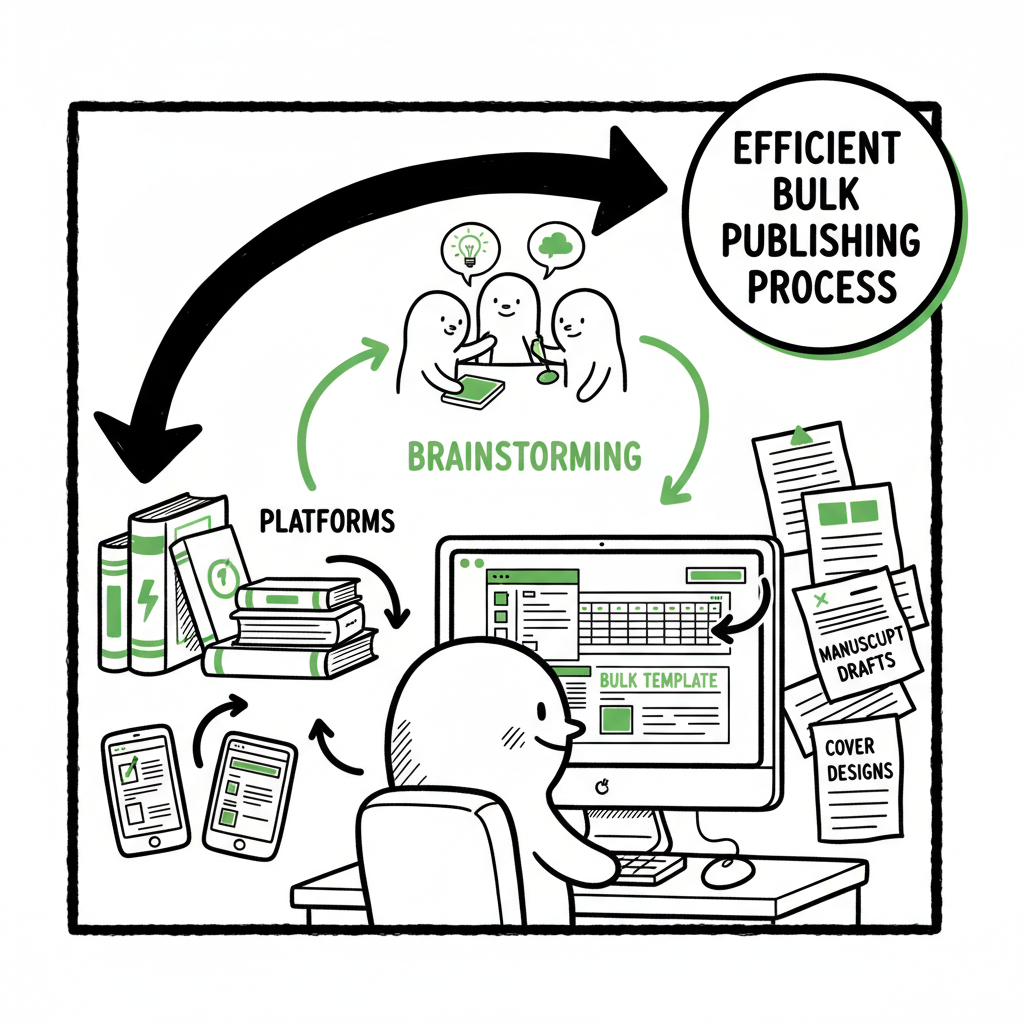
Bulk Publishing Books Batch KDP Uploads and Workflow
Bulk publishing books: Practical guide to batch KDP book uploads and multi‑platform rollouts
Estimated reading time: 15 minutes
Key takeaways
- Bulk publishing books is a volume strategy that succeeds with templates, repeatable processes, and platform-aware checks.
- Prepare assets (manuscripts, covers, metadata) and a single CSV-driven workflow to speed uploads while avoiding catalog mistakes.
- Use multi-platform automation to free time and reduce errors—BookUploadPro handles CSV batch uploads, platform intelligence, and saves ~90% of upload time.
Table of Contents
- Why bulk publishing books matters
- Prepare templates and assets for fast uploads
- A safe, repeatable upload workflow
- Monitoring, scaling, and final thoughts
- FAQ
- Sources
Why bulk publishing books matters
Bulk publishing books is about more than quantity. It’s about turning repeatable ideas into a reliable output that gives you learning cycles, discoverability scale, and steady revenue. For many indie authors and small publishers, especially those who produce low‑content products (journals, planners, activity books) or series with repeated formats, volume is a practical tactic: you test formats, measure market response, and iterate quickly.
If you want to move from a handful of titles to dozens per month, you’ll need systems that avoid manual re‑entry and accidental errors. For authors who are ready to grow beyond basic uploads, read Scal ing an Amazon KDP Business for operational steps that fit the next stage of growth. The most successful small publishers combine tight templates, batch asset generation, and a platform-aware uploader to make multi‑platform distribution practical.
A scalable path is suggested in the referenced material linked above, and a unified approach helps you publish across multiple storefronts efficiently. Scaling an Amazon KDP Business provides actionable steps for growth.
Prepare templates and assets for fast uploads
Manuscript templates
Keep a master manuscript in a format you can edit easily (DOCX, InDesign, or a clean Word file). For low‑content products use a grid in your source file so margins, bleed, and pagination won’t surprise you when converted to print PDF or EPUB.
Export consistent filenames with metadata in the name (example: AUTHOR_TITLE_trimsize_version.pdf). A consistent filename is your easiest sanity check when batch uploading.
Cover assets
Design a master cover and export the different sizes you need. If you use automated cover tools, keep a version without text overlays so titles and author names can be merged programmatically.
If you need a fast cover path, consider a cover generator to standardize outputs across many titles; these tools produce the exact dimensions needed for print and ebook thumbnails and save repeated layout work. A good cover generator will reduce trial-and-error time and support your batch pipeline.
Export formats and conversions
For ebooks, EPUB is the standard. Plan to convert your master manuscript to EPUB and validate it. If you don’t keep an internal EPUB workflow, use a reliable converter that preserves images, tables of contents, and fonts.
For print, export high‑quality, print‑ready PDFs at the correct trim size and bleed settings. Test one file in a single account before rolling out dozens.
Asset inventory and CSVs
Create a master spreadsheet that becomes the control file for your uploads. Columns should include: SKU or internal ID, title, subtitle, author, series, description, keywords, primary category, trim size, interior file name, cover file name, price, territories, and publication date.
This CSV becomes your source of truth. When you need to change a title, update the CSV, regenerate files as needed, and re-export.
Tools and checks that save time
Use automated tools where they reduce repetitive work without risking platform rules. For example, a cover generator and a batch EPUB converter speed production, while a spreadsheet-driven uploader converts data to the right fields during the upload step.
Avoid black‑box automation that simulates form submissions in bulk without internal controls. Platform rules and catalog linking expect accurate metadata. Treat automation as a way to reduce human error, not bypass quality checks.
A safe, repeatable upload workflow
The way you upload matters almost as much as the assets you prepare. Platforms like Amazon KDP require per-title data—there’s no native bulk upload feature—so you need a process that is fast but preserves accuracy.
Step 1 — Validate one “seed” book
Pick a single title and complete a full upload on each target platform (KDP, Kobo, Apple Books, Draft2Digital, Ingram). Use that seed to test:
- How the interior and cover render in the previewer
- How metadata displays on marketplace pages
- ISBN and edition linking behavior
Fix any issues here. This seed saves you from repeating problems across dozens of listings.
Step 2 — Use controlled templates for metadata
Feed the CSV you prepared into your uploader or batch process. A good system maps spreadsheet columns to platform fields (title, subtitle, description, keywords, categories, contributors, etc.). Map once, then reuse.
Step 3 — Automate file matching and platform checks
Match interior PDFs/EPUBs and covers to the right CSV row using filenames or internal IDs. The best upload tools run platform-aware checks:
- Trim size vs. cover dimensions
- EPUB validation and TOC checks
- Territory and pricing constraints
If you are producing a paperback and an ebook edition, keep files and ISBNs distinct in the CSV so platforms can link editions correctly when they should.
Step 4 — Preview and human-check critical items
Even with automation, always preview samples. Spot-check:
- Cover wrap and spine on print previews
- First chapter or sample rendering for ebook previews
- Back matter and series links
A few minutes of manual checking per batch is far faster than correcting a catalog error after publication.
Step 5 — Publish in controlled increments
Don’t push 200 titles at once. Publish in batches your team can monitor—10–30 titles per session is a sensible rhythm for many small publishers. This cadence gives you measurable results and a manageable error rate.
Platform-specific notes
– Amazon KDP: KDP requires each book’s metadata and files to be accurate to link editions. Use the seed book to confirm how KDP links paperbacks and ebooks and whether your titles will inherit author pages or series structures.
– Apple Books, Kobo, Ingram: These platforms use different file standards (EPUB variants, metadata packages). Ensure your EPUB passes each store’s validator.
– Aggregators like Draft2Digital simplify distribution but introduce their own metadata mapping—keep a field in your CSV that flags aggregator-specific settings.
Where batch tools make the difference
Batch upload tools and services reduce repetitive clicks. They:
- Apply one-click profiles for repeated metadata (publisher name, contributor credits, pricing rules)
- Push files in parallel to multiple platforms
- Generate platform-specific outputs (trimmed cover PDFs, validated EPUBs)
This is the point where BookUploadPro becomes an obvious upgrade once authors publish seriously: unified multi-platform publishing, CSV batch uploads, platform-specific intelligence, and error reduction make wide distribution practical. BookUploadPro automates the upload. Own the distribution.
(If you’re looking for a fast path, when your workflow needs a cover generator, use a tested tool to produce consistent cover outputs. If converting to EPUB is part of your process, a reliable EPUB converter keeps formatting stable across stores. If you’re creating paperbacks and ebooks at scale, integrated book creation tools will reduce repetitive work.)
Monitoring, scaling, and final thoughts
Track what matters: sales trends, visibility, and catalog health. Scaling doesn’t stop at uploads; it introduces new operational needs.
Monitor daily for the first week after each batch
- Check marketplace pages to ensure metadata published correctly.
- Watch for immediate takedowns or listing issues flagged by platforms.
- Verify pricing and territories match what’s in the CSV.
Use metrics to iterate
- Identify which formats and niches consistently sell.
- Track impressions and conversion rates (page views that become purchases).
- Drop titles that underperform or rework them with new covers and descriptions.
Quality controls and versioning
- Keep old versions of master assets and CSVs. If a platform requires a re-upload, you need the exact source that created the listing.
- Use versioned filenames and maintain a changelog that records when and why a title was updated.
Scale safely with staged automation
- Increase batch size only after your error rate is consistently low.
- Add team or partner checks as volume grows—proofreading, cover QC, and price auditing are quick tasks that prevent catalog problems.
How BookUploadPro fits the scaling picture
– CSV batch uploads: Upload hundreds of rows at once and map them to platform fields.
– Platform-specific intelligence: The system knows expected file sizes and preview rules for KDP, Kobo, Apple Books, Draft2Digital, and Ingram, reducing format failures.
– Time savings and error reduction: Many publishers report ~90% time saved on uploads when switching to a unified toolchain.
– Pricing and trial: BookUploadPro is affordable for small teams and includes a free trial to validate the process before committing.
Operational tips from an operator
- Automate what you can, but keep a human gate for critical checks.
- Standardize titles and subtitles to avoid accidental duplicate listings that confuse store algorithms.
- Use internal IDs that match your accounting and payout records so you can reconcile royalties with SKUs.
Final thoughts
Bulk publishing books is a scale play that rewards discipline. With the right templates, a reliable CSV-driven uploader, and platform-aware checks, you move from one-off titles to a predictable publishing pipeline. The goal is not mindless volume; it’s efficient experimentation that surfaces winning formats and predictable revenue.
BookUploadPro automates the repetitive parts so you can focus on ideas and marketing. When you’re ready to treat publishing like an operation, automation is the upgrade that makes wide distribution practical.
FAQ
Q: Is bulk publishing allowed on Amazon KDP?
A: KDP does not provide a native bulk-upload feature, but using templates and batch processes to prepare titles is allowed. You must follow KDP content and metadata rules and avoid deceptive or low-quality practices. Always validate individual uploads and watch for any platform feedback.
Q: Will automation get my account blocked?
A: Account suspension typically comes from policy violations—duplicate content, misleading metadata, or automated scraping and spammy behavior. Use automation to reduce human error and improve accuracy, not bypass quality or policy checks. Keep human review points in your pipeline.
Q: What file formats do I need for multi-platform distribution?
A: For ebooks, EPUB is the common standard. For print, a high‑resolution, print‑ready PDF at the correct trim size and bleed is needed. Keep master source files in an editable format (DOCX or design files) and export validated outputs for each store.
Q: How do I manage ISBNs and editions when publishing in bulk?
A: Use distinct ISBNs for each format and edition when required. Keep a column in your CSV to track ISBN assignments and edition notes. For paperbacks and ebooks intended to link on stores, ensure title and author fields are consistent so platforms can match editions properly.
Q: What part of the process should I automate first?
A: Start with asset exports and metadata mapping. Automate cover and EPUB generation and map your spreadsheet columns to platform fields. Once your seed uploads are stable, move to batch uploads and platform-aware validations.
Sources
- Create a Book – Kindle Direct Publishing
- How to Upload KDP Low Content Books in BULK
- Publish MULTIPLE Books at once using Amazon KDP and Book Bolt
- Bulk Orders: Author Copies or Amazon Orders?
- Book Bolt: Home
Bulk publishing books: Practical guide to batch KDP book uploads and multi‑platform rollouts Estimated reading time: 15 minutes Key takeaways Bulk publishing books is a volume strategy that succeeds with templates, repeatable processes, and platform-aware checks. Prepare assets (manuscripts, covers, metadata) and a single CSV-driven workflow to speed uploads while avoiding catalog mistakes. Use multi-platform…