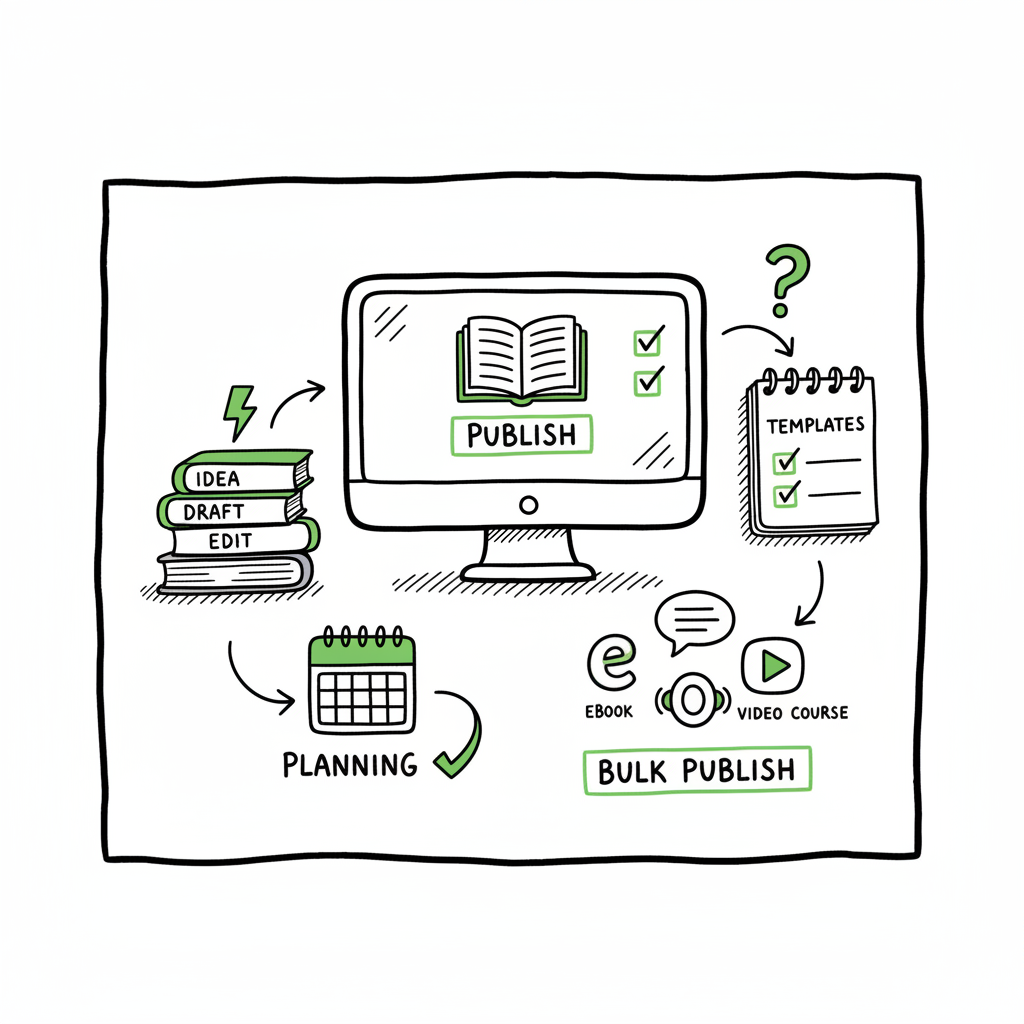
Bulk publishing books practical guide for indie authors
Bulk publishing books: a practical guide for indie authors
Estimated reading time: 16 minutes
Key takeaways
- Bulk publishing books is about safe, repeatable steps that let you publish many titles without doubling your work.
- Focus on templates, platform rules, and quality checks to avoid rejections and protect long-term sales.
- Multi-platform batch publishing with CSV uploads and platform intelligence saves time and reduces errors — an obvious upgrade once you publish seriously.
Table of Contents
- Quick path to publishing at scale
- What to prepare before you publish
- How to run multi-platform batch uploads
- Quality control and scaling tips
- FAQ
- Sources
Bulk publishing books: how to do it at scale
Bulk publishing books is not magic. It’s a set of careful choices that let you create, check, and distribute many titles without repeating the same manual steps over and over. Authors who approach volume publishing with structure avoid wasted time, rejections, and inconsistent metadata.
Start by accepting a simple fact: systems and templates beat ad-hoc effort. If you plan to publish dozens or hundreds of titles — notebooks, planners, short children’s books, or a series of short nonfiction — you need a predictable process you can run every day. That’s where batch kdp book uploads and multi-platform distribution matter: you Scaling an Amazon KDP Business you prepare once, and then apply the same reliable inputs across many products.
If scaling is your goal, read resources on Scaling an Amazon KDP Business for the bigger operational picture; published case studies show how repeatable steps turn one-off uploads into a real publishing channel. This is not about shortcuts. It’s about removing friction so you can focus on product quality and promotion.
Why choose bulk publishing
- It increases discoverability. More titles give you more keyword combinations and more opportunities to be found.
- It spreads risk. Small wins across many titles build steady revenue.
- It makes template-based production profitable. Interiors and cover systems pay off when reused.
Common types of bulk-friendly books
- Low-content: journals, notebooks, habit trackers.
- Mid-content: coloring books, planners, activity books.
- Short-form nonfiction: short guides, tip sheets, or series episodes.
- Series fiction: short serialized stories that follow a template for description and cover layout.
What to prepare before you publish
- 1) Product templates and content standards
Create interior templates for page count, margins, and bleed. Decide on standard pagination (for example, 120 pages for a lined notebook). Use a simple naming system so you can find files quickly later. - 2) Cover system
Design a cover template that can accept color swaps, title variations, and different images. If you need a quick cover-making tool, consider a dedicated cover generator that processes batch requests so you don’t remake each design by hand. A professional-looking cover increases conversion, even in high-volume niches. - 3) Metadata list (CSV)
Your CSV should include title, subtitle, series, author name, keywords, categories, pricing, and territories. Keep author name and publisher strings consistent to avoid marketplace flags. Treat the CSV as the single source of truth. - 4) ISBN and editions plan
Decide whether you’ll use platform-assigned ISBNs or buy your own. Track which SKU or identifier belongs to which edition. Plan how many formats you’ll launch (ebook, paperback, large print). - 5) Interiors and file output
Have your interior files in platform-ready formats. For ebooks that need EPUB, use a reliable converter to make consistent EPUB files. For print, export properly sized PDFs with embedded fonts and correct margins. - 6) A simple launch calendar
Batch publishing doesn’t mean random uploads. Spread releases to let each title get indexed and to give you room to spot issues early.
How to run multi-platform batch publishing
Batch publishing means preparing many titles and sending them to multiple stores in a single push. When you publish widely, you capture readers across platforms: Amazon KDP, Kobo, Apple Books, Draft2Digital, and Ingram. This is why unified multi-platform publishing matters — it makes wide distribution practical rather than overwhelming.
The basic steps
- Build your CSV or batch file with all metadata.
- Link each row to your cover and interior file paths.
- Validate files locally (spelling, page count, cover trim).
- Upload to each platform or to a service that can push to multiple platforms.
A practical CSV-driven approach
Use a spreadsheet with one row per title. Columns should include:
- Title, Subtitle, Series
- Author name and Publisher
- Description and Primary/Secondary keywords
- Categories (mapped to platform category IDs if needed)
- Price in each territory
- File paths for cover and interior
- Format flags (ebook, paperback, hardcover)
Batch kdp book uploads require careful mapping because KDP’s interface expects specific fields. If you use a service or tool that handles CSV uploads, ensure your field names match what the tool expects. Keep one clean master CSV and use copies for experiments.
Platform-specific intelligence
Each store has rules and limits. For example, Amazon KDP can flag inconsistent author names or repeated ISBNs. Some tools help by checking for common KDP rejections before upload. That platform-specific intelligence saves rework and keeps your account healthy.
Multi-platform tips
- Convert interiors to EPUB correctly for ebook stores. If you need a dependable conversion tool, use a tested EPUB converter that preserves layout and images.
- For print editions, confirm page counts and spine width. Paperback templates vary by printer.
- Keep descriptions plain-text first, then add minimal rich formatting per platform rules.
At this stage, it’s useful to adopt tools that automate the repeated steps: CSV mapping, per-platform adjustments, and file matching. A platform that offers CSV batch uploads, per-platform intelligence, and error reduction will save about 80–90% of the time compared to manual uploads. When authors grow past five to ten titles, such a system becomes an obvious upgrade.
Links and tools (non-marketing, operational)
- If you work with covers at scale, use a dedicated batch cover processor to generate consistent files and correct sizing.
- For EPUB generation, choose a converter that checks images, metadata, and TOC structure so you avoid rejections on ebook stores.
- For creating paperback and ebook files consistently, use an all-in-one book creation gateway that exports both print-ready PDF and EPUB.
Quality control and scaling tips
Keep metadata accurate
Bad metadata causes more problems than a slow launch. Inconsistent author names, mismatched ISBNs, and incorrect pricing will confuse customers and platforms. Validate your CSV with a simple script or a manual audit before any batch upload.
Check interiors and covers before upload
Open a handful of exported PDFs and EPUBs. Look at margin safety, heading consistency, and image compression. A single bad file can cause multiple rejections.
Manage category and keyword strategy
Bulk publishing can be quantity-driven, but each title still needs right-fit categories and keywords. Reusing a strong keyword strategy across a series is fine. Don’t stuff keywords. Use variations that capture real search phrases.
Testing and rollout
Start with small daily batches: 20–50 titles, not 200 at once. This gives you time to detect issues without triggering platform throttles or running into limits. After you confirm the process, scale up.
Protect account health
Large, fast uploads can trigger reviews on some platforms. Keep author name and payment details consistent. Space uploads if a platform warns you. Rejections aren’t just a time sink — they can slow future publishing.
Review and iterate
Track sales, impressions, and conversion for each title. Use that data to refine covers, keywords, and pricing. Small changes across many titles compound into meaningful revenue.
Scaling operations and team roles
When volume grows, separate tasks into repeatable roles:
- Template manager: maintains interior and cover templates.
- Metadata editor: prepares CSV rows and checks categories.
- File validator: opens exports and signs off on each file.
- Upload operator: runs the batch process and handles rejections.
Even with a small team, solid templates and checks let two people manage hundreds of titles.
How technology helps — what to look for
If you decide to adopt a publishing automation service, look for:
- Unified multi-platform publishing: one place to manage KDP, Kobo, Apple, Draft2Digital, and Ingram.
- CSV batch uploads and mapping: let you push many titles from a single spreadsheet.
- Platform-specific checks: small rules that catch common KDP and platform errors.
- Error reduction: clear flags and simple fixes rather than opaque rejection messages.
- Time savings: services that replace manual upload steps can cut work by about 90% for bulk tasks.
When authors reach the point of repeating uploads, these services become a practical choice. They reduce the chance of errors and let you focus on covers, content, and marketing. Automate the upload. Own the distribution.
Practical examples of bulk processes (short, usable patterns)
Example 1 — Notebook series
Make a 120-page interior template with lined pages. Create a cover template with four color schemes. Populate CSV with 50 titles, swapping a keyword in the title and the cover color. Export files and run a batch upload to print and ebook stores (if using paperback-only, skip EPUB). Check the first ten published titles for metadata accuracy.
Example 2 — Short nonfiction episodes
Write a master outline and split into 6-8 short titles. Each title gets a unique subtitle and a shared series description. Use similar covers with a unique accent color per episode. Upload in batches of 20 with staggered release dates to let each title be indexed.
Example 3 — Children’s activity books
Produce interiors in PNG-rich PDFs sized for print. Export high-resolution covers with bleed. Use a batch tool that warns you if images exceed size limits or if fonts aren’t embedded.
When to avoid mass rollouts
- If you can’t guarantee consistent quality across files, slow down.
- If account flags or rejections increase, pause and investigate root causes.
- If marketing resources are limited, focus on a smaller set of strong titles.
Business practicalities: pricing and royalties
Set price points that fit the market and your cost expectations. For print books, check printing cost estimates per territory. For ebooks, test price elasticity in controlled experiments. Track royalties per title and consider bundling or series pricing later.
Handling rejections and fixes
If a platform rejects a title, fix the specific error and re-upload. Keep a rejection log in your CSV with the date, error code, and fix applied. That log prevents repeated mistakes.
Tools for conversion and cover processing
EPUB conversion
For EPUB conversion, choose tools that warn about image sizing and invalid TOC entries. A clean EPUB reduces problems for Apple Books and Kobo.
Cover batch processing
For cover batch processing, use a generator that supports template variables so you don’t recreate files manually.
If you need a dependable EPUB conversion, use a tested EPUB converter that validates files before upload. For cover work, a batch cover processor speeds up dozens of files and ensures consistent sizing across print and ebook platforms. For creating paperback and ebook files reliably, an all-in-one book creation gateway can export both formats from one set of inputs.
Final operational tips
– Keep a single master spreadsheet and back it up.
– Version control your cover templates and interior files.
– Use simple naming conventions for files: author_title_format_date.pdf
– Review platform fee changes and printing cost updates quarterly.
– Delegate small, repeatable tasks once you have a stable process.
FAQ
Q: Is bulk publishing the same as spamming marketplaces?
No. Bulk publishing is about efficiency and consistency. Spamming is random, low-quality uploads that hurt discoverability and account health. Do the work to maintain quality, metadata, and account rules.
Q: How many titles can I upload at once?
Platforms vary. Start with safe batches of 20–50 titles per day and increase as you confirm there are no rejections or account flags. Platforms may throttle or review large, rapid uploads.
Q: Does bulk publishing work for full-length fiction?
It can, but fiction typically requires more editing, unique covers, and marketing. High-volume strategies are more commonly used for low- and mid-content products and short series.
Q: Will multi-platform publishing reduce my royalties?
Not directly. Publishing on multiple platforms expands reach. Royalty rates differ by platform, so track them. The goal of wide distribution is more sales, not necessarily higher per-sale royalties.
Q: Do I need my own ISBNs?
You can use platform-assigned ISBNs or buy your own. Owning ISBNs gives you publisher control, but many indie authors use platform-assigned ISBNs for cost and simplicity. Plan which route you’ll use before batch uploads.
Q: What file formats should I produce?
For print: high-resolution PDF with embedded fonts. For ebooks: clean EPUB. For batch cover processing, a high-res PNG or JPG that meets platform bleed and trim specs.
Sources
- How to Upload KDP Low Content Books in BULK – YouTube
- KDP Batch Upload: Revolutionizing Workflow Automation | iFlowy Blog
- Automate your Amazon KDP Uploads 2023 Tutorial … – YouTube
- How I Built a Fully Automated Amazon KDP Business – YouTube
- Bulk Orders: Author Copies or Amazon Orders? – KDP Community
Final thoughts
Bulk publishing books is a practical path for authors who want to scale. It’s about making steady, safe choices: strong templates, accurate metadata, and predictable file outputs. The right tools reduce manual effort and cut errors. Unified multi-platform publishing, CSV batch uploads, and platform-specific checks make wide distribution practical and efficient. At scale, the small operational choices you make determine whether mass publishing is sustainable.
If you want to move from one-off uploads to steady, multi-platform distribution, consider systems that automate CSV batch uploads, apply platform intelligence, and reduce manual errors. Automate the upload. Own the distribution.
Visit BookUploadPro.com to try the free trial.
Bulk publishing books: a practical guide for indie authors Estimated reading time: 16 minutes Key takeaways Bulk publishing books is about safe, repeatable steps that let you publish many titles without doubling your work. Focus on templates, platform rules, and quality checks to avoid rejections and protect long-term sales. Multi-platform batch publishing with CSV uploads…