Book Launch Mistakes to Avoid for Self-Publishing Authors
Top book launch mistakes to avoid
Estimated reading time: 9 minutes
Key takeaways
- Rushing a launch without a clear 3–6 month plan and pre-launch elements (ARCs, reviews, pre-orders) is the fastest way to limit visibility.
- Production shortcuts—skipping professional editing, a strong cover, and clean formatting—undermine credibility and algorithmic traction.
- Automating multi-platform uploads and batching files reduces repetitive error and frees time for real marketing work.
Table of Contents
- Top book launch mistakes to avoid
- How to fix the most damaging mistakes
- Operational steps to publish at scale
- Final thoughts
- FAQ
- Sources
Top book launch mistakes to avoid
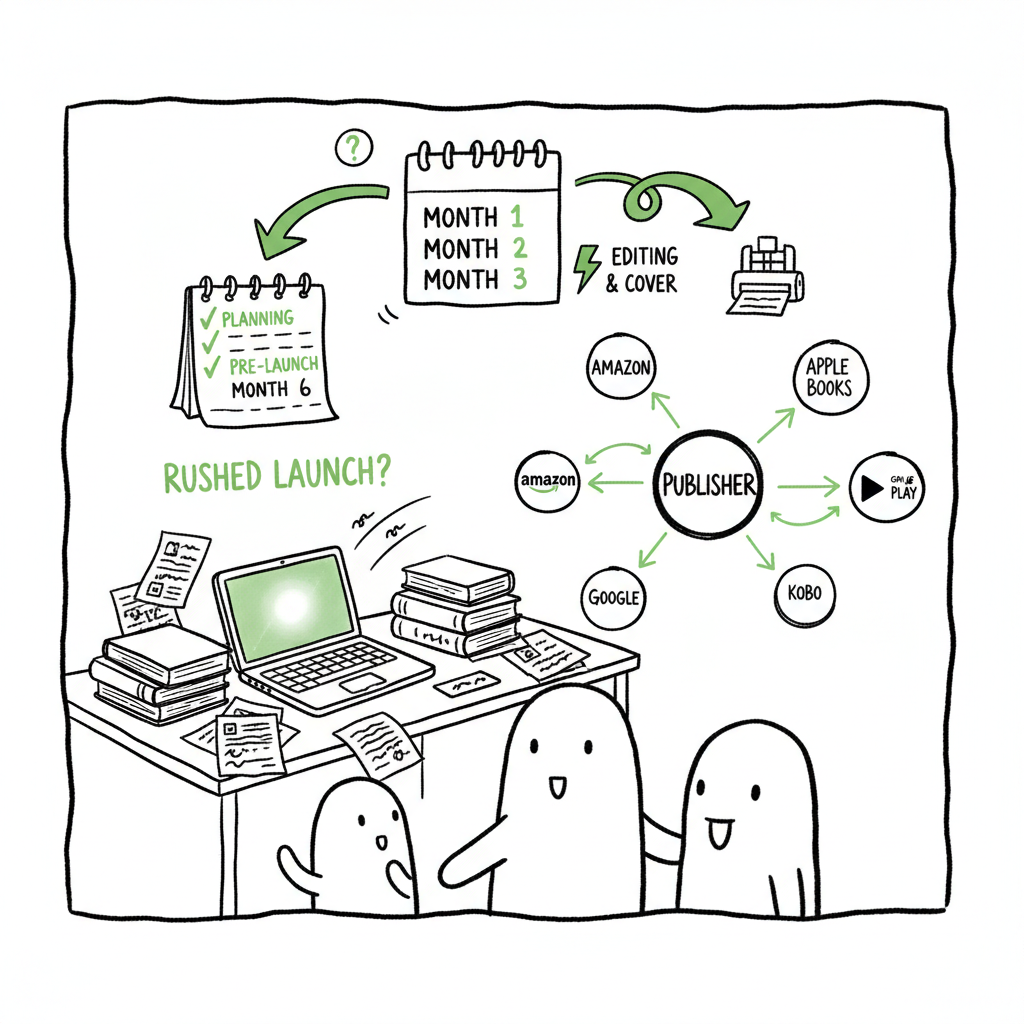
Most failed launches share the same root causes: poor timing, weak production, and no sustained promotional plan. If you’re asking whether to rush because you “already wrote it,” stop. The primary mistake is moving from final draft to live in weeks, not months. Launches need runway: pre-orders, ARCs, and a plan to collect reviews and attention.
A practical planning template helps. If you want a ready checklist and timeline that covers pre-orders, ARC distribution, and coordinated marketing, see our Book Launch Strategy Practical Guide. That document is designed for authors who want repeatable, measurable launches rather than one-off experiments.
Here are the common errors I see again and again:
- No timeline. Authors skip a 3–6 month pre-launch and miss the window to build buzz.
- Undefined audience. Messaging aimed at “everyone” lands with no one.
- Skipped quality steps. Weak editing, poor covers, or bad EPUBs kill discoverability.
- No budget or repeat promos. Launch-day only is a dead end.
- Quitting after Day One. Ongoing promotion keeps momentum and discoverability.
How to fix the most damaging mistakes
Start with a simple rule: treat the launch like a project, not a single date. Break the work into three phases—pre-launch, launch week, and post-launch—and attach realistic timelines and owners for each task.
Pre-launch (3–6 months)
- Identify your specific reader and where they gather online. Build a list of 500–1,000 target contacts (reviewers, newsletter swaps, relevant blogs).
- Create and distribute ARCs to secure early reviews. Early feedback also protects you from publishing technical issues.
- Finalize production: professional editing, a clear, genre-fitting cover, and clean file formatting.
- Note on covers and files: a well-designed cover tells readers your book’s genre in one glance. If you’re creating or iterating covers, use a proven cover generator processing tool that handles batch workflows and export-ready files quickly. If your workflow includes converting manuscripts to EPUB, use a reliable EPUB converter to avoid device-level display problems. When you publish a paperback or ebook and need a fast, dependable way to generate print and digital files, book production tools save time and reduce manual errors.
Launch week
- Coordinate email, ads, social posts, and price promotions. Don’t rely on a single channel.
- Push for reviews and visibility milestones over the first two weeks—those early data points move algorithms.
Post-launch (3–12 months)
- Schedule regular promotions and content that points back to the book (guest posts, newsletters, ads).
- Treat the book as a product line: update metadata, run price promos strategically, and keep collecting reviews.
Operational steps to publish at scale
If you plan to publish more than one title—or multiple formats—manual uploads quickly become a bottleneck. That’s where a publishing operations approach pays off.
Centralize your assets
- Keep one project folder per book with final manuscript, formatted EPUB/PDF, cover files, and metadata CSV. Use versioned filenames and a short changelog so uploads are auditable.
Batch the repetitive work
- Build a CSV that contains metadata for every edition (paperback, hardcover, ebook, wide distribution). Batch uploads reduce data entry errors and allow platform-specific fields to be populated consistently.
Automate platform intelligence
- Platform rules differ: KDP wants specific BISAC, Ingram needs trim-size details, Kobo has its own territory rules. Use a system that maps a single source of truth into platform-specific exports. That reduces rejections and back-and-forth with platforms.
Why automation matters
Manual uploads are slow and error-prone. BookUploadPro publishing workflows save about 90% of the time spent on repetitive tasks, reduce mistakes, and make wide distribution practical. With CSV batch uploads and platform-specific intelligence, you can publish to Amazon KDP, Kobo, Apple Books, Draft2Digital, and Ingram without rebuilding metadata every time.
When you free up time, you can invest in real marketing—building audience, securing reviews, and running targeted promotions—rather than copy-and-pasting data.
BookUploadPro fits this model: it automates repetitive uploads across major platforms, applies platform-specific rules, and reduces the common errors that kill launches. For authors moving past hobby publishing, it’s an obvious upgrade—Own the distribution. BookUploadPro.
Practical checklist for the ops side
- Assemble final files: edited manuscript, reviewed EPUB, print-ready PDF, and final cover.
- Run validation on EPUB and print files to catch formatting errors before upload.
- Create a master CSV for all metadata, pricing, and territory details.
- Use a publishing automation tool to map the CSV to each retailer’s required fields and push batches.
Note: When you need fast, reliable cover processing or EPUB conversion, consider automated services designed for book production to eliminate last-minute technical issues and speed the path from manuscript to market.
Final thoughts
Successful launches are repeatable when you stop treating publishing as a one-off creative sprint and start treating it as a small product operation. Prioritize timeline, production quality, and sustained post-launch promotion. Use batching and automation to remove the friction of repeated uploads so you can focus on audience and content.
When authors move from publishing once to publishing seriously, systems win: CSV batch uploads, platform-aware exports, and automated error checks. Those systems cut time and costly mistakes—making wide distribution practical and affordable.
FAQ
Q: How long should my pre-launch timeline be?
A: Aim for 3–6 months for a new book. That gives time for editing, cover design, ARC distribution, and pre-order setup.
Q: Do I need professional editing and a professional cover?
A: Yes. Editing and a genre-appropriate cover are non-negotiable for credibility and discoverability. They influence reader decisions and platform visibility alike.
Q: What formats should I publish?
A: At minimum, ebook and paperback. If your audience benefits from other formats (hardcover, audiobook), plan those into the timeline. Wide distribution—Apple, Kobo, Ingram—expands reach.
Q: Can I manage multiple books alone?
A: You can, but it becomes inefficient fast. Tools that support CSV batch uploads and platform mapping reduce manual work and errors.
Q: When should I stop promoting after launch?
A: Never stop entirely. Shift from launch intensity to consistent, scheduled promotion—monthly or quarterly pushes, guest content, and occasional price promotions.
Q: Should I maintain a long-term promotional plan?
A: Yes. Ongoing promotion helps maintain visibility and long-tail sales beyond the initial launch window.
Sources
- https://blog.bookbaby.com/how-to-promote-your-book/book-launch/book-launch-donts
- https://orderofthebookish.com/avoid-these-common-book-launch-mistakes-every-indie-author-makes/
- https://www.jasminewomack.com/blog/5killermistakes
- https://booklaunchers.com/business-book-mistakes/
- https://ngngenterprises.com/the-biggest-launch-mistakes-you-want-to-avoid/
- https://quantumshiftmedia.com/post/7-Hidden-Book-Launch-Mistakes-to-Avoid-as-an-Author
Top book launch mistakes to avoid Estimated reading time: 9 minutes Key takeaways Rushing a launch without a clear 3–6 month plan and pre-launch elements (ARCs, reviews, pre-orders) is the fastest way to limit visibility. Production shortcuts—skipping professional editing, a strong cover, and clean formatting—undermine credibility and algorithmic traction. Automating multi-platform uploads and batching files…