KDP Catalog Growth Practical Guide for Serious Self-Publishers
kdp catalog growth: a practical guide for serious self-publishers
Estimated reading time: 16 minutes
Key takeaways
- Growing a KDP catalog works when you validate a niche, publish complementary titles, and keep quality consistent.
- Scale production with clear systems: brief templates, vetted freelancers, and centralized formatting and cover tools.
- Use multi-platform automation to widen distribution, cut repetitive work by ~90%, and keep focus on publishing strategy.
Table of Contents
- Roadmap: How catalog growth works
- Scale production and keep quality
- Automate distribution and measure results
- FAQ
- Sources
Roadmap: How catalog growth works
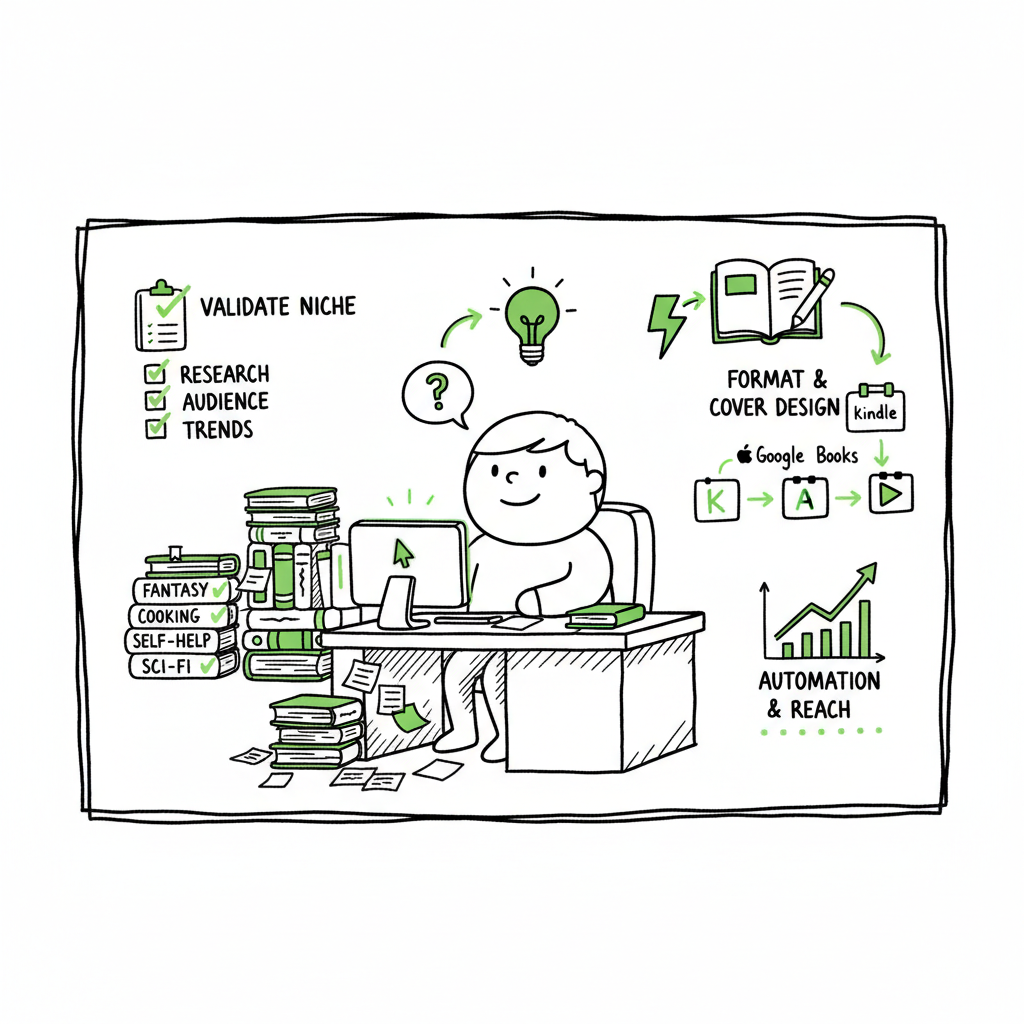
Growing your KDP catalog is more than publishing a lot of books. KDP catalog growth means building a library of related, well-targeted titles that help Amazon recommend your work to more readers. The goal is to increase visibility, create backlist sales, and turn single buys into repeat customers.
Start with one clear niche. Test a small set of titles. When those sell and Amazon starts suggesting your books, you invest in more complementary titles. This is the common path successful publishers follow. For a practical playbook on scaling, see the resource on Scaling an Amazon KDP Business, which explains how publishers move from single titles to a coordinated catalog and systematic growth.
Why this matters now
- Amazon rewards depth. A focused catalog triggers the recommendation engine more often than scattered topics.
- Readers respond to series and themed books. A purchase can become multiple purchases if the titles fit together.
- Scaling smart reduces risk: validate before you commit heavy resources.
What “catalog” means here
A catalog can be a dozen activity books in a genre, a series of short nonfiction how-to guides, or a set of children’s picture books with consistent branding. The size you need depends on the niche and the type of book. Some niches show returns after 5–10 titles. Others require 30+. The principle is the same: depth and consistency beat random publishing.
If you’re exploring this approach, you can read more on how to scale within this ecosystem and align your titles for maximum cross-promotion and visibility.
Scale production and keep quality
Once you validate a niche, you need production systems. Rapid publishing without standards breaks discoverability. Quality keeps readers and protects your brand.
Plan the backlist
Think in sets. For example, a “daily workbook” series might include 12 themed workbooks with matching covers and similar interiors. Plan 6–12 titles from the start. That gives you material for cross-promotions, bundled ads, and Amazon recommendations.
Templates and repeatable assets
Create templates for interiors, metadata, and cover layouts. Use a standard file for chapter structure, font choices, and margins. Templates speed up formatting and reduce platform rejections.
Cover design and art
Covers must match across the catalog. When covers are consistent, Amazon’s “Customers who bought this also bought” lists and carousel placements work better.
If you handle covers in-house or with freelancers, consider automated tools for bulk processing to keep style consistent and reduce turnaround time. For bulk cover generation and standardized processing, use a reliable tool for cover creation to keep covers on-brand and scalable: Book cover generator and processing.
Interior formats and EPUB
Prepare interiors with the end formats in mind. Many platforms need EPUB, MOBI, or print-ready PDFs. Convert early and check the output on multiple devices. If you need a streamlined EPUB conversion, use a focused EPUB converter to avoid formatting errors and re-uploads: EPUB converter.
Create paperback and ebook files from master documents
Tools that support batch exports help when you have many titles to publish. If you are producing both ebook and paperback versions, a centralized book creation system makes sense and cuts repetitive errors: efficient book creation platforms speed the work and keep files consistent. Book creation workflow helps streamline publishing across formats.
Freelancers and small teams
Hire specialists for writing, editing, formatting, and covers. Use short test projects and clear acceptance criteria. For example:
– Writer: deliver a finished manuscript that fits a simple style guide.
– Editor: check structure, grammar, and voice.
– Formatter: produce print-ready PDF and EPUB using your template.
– Cover artist: deliver layered files and exported variants for KDP and other stores.
Batch uploading and CSV workflows
When you have many titles, manual uploads are a time sink. Set up CSV-based or batch upload workflows. Prepare metadata in a spreadsheet using consistent campaign tags, keywords, and categories. That keeps entries uniform and reduces mistakes.
Quality checkpoints
Before you upload:
– Check file types on device previews.
– Confirm metadata correctness: title, author, series, and keywords.
– Confirm pricing and territories.
– Verify cover spine and bleed on print files.
Small failures at scale compound. One incorrect file can multiply into many rejections and lost sales windows. A short checklist before each batch upload saves time.
Automate distribution and measure results
Distribution is where catalog growth turns into income. Publishing widely reduces dependency on one store and makes discovery easier. But multi-platform publishing adds complexity. Automation cuts that complexity.
Why distribute wide
– Different readers use different stores. Some niches sell well on Kobo or Apple Books.
– Ingram distribution helps physical bookstores and library channels.
– Draft2Digital and aggregator services simplify reaching multiple storefronts, but they still require correct files and metadata.
What automation should do
Good automation handles platform-specific requirements while keeping a single source of truth for your titles. Look for automation that:
– Uploads to multiple stores from one CSV or dashboard.
– Adjusts file formats and metadata to fit each store.
– Tracks live status and surfaces rejects clearly.
– Saves time on repetitive entries like author bio, series links, and price changes.
BookUploadPro is built for publishers who reach this stage. It automates repetitive uploads across Amazon KDP, Kobo, Apple Books, Draft2Digital, and Ingram. The system’s platform-specific intelligence reduces errors and can save close to 90% of the time you’d otherwise spend on uploads. For authors who publish seriously, it becomes an obvious upgrade: Automate the upload. Own the distribution.
Measuring what matters
Track per-title metrics and catalog-level signals:
– Unit sales and page reads (KDP Select).
– Conversion from page views to purchases.
– Cross-sales inside your catalog after a book is bought.
– Advertising ROI and the lift from promotions.
Look for pattern changes when you add titles: if a new book increases sales on older titles, you are building catalog synergy. If not, revisit niche fit or cover/metadata alignment.
Promotion and cross-promotion
Use the catalog to fuel promotions:
– Link books in the back matter and include direct calls to action.
– Run coordinated launches for 3–5 titles in a short window to maximize visibility.
– Use price promotions to drive first discovery and follow up with a sequence of titles to capture backlist sales.
Platform rules and best practices
– Each store has its own metadata fields and rules. Automation should map your master fields correctly.
– Series and edition metadata must be consistent to maintain series pages.
– Update covers or descriptions carefully; frequent changes can hurt performance if they confuse Amazon’s algorithms.
Risk management
Expanding a catalog carries risks:
– Topic dilution: mixing unrelated topics confuses readers and algorithms.
– Quality drift: faster production can lower quality if standards slip.
– Overextension: spending more on production than the projected revenue for low-performing niches.
Manage risk by scaling incrementally and stopping or refocusing when metrics stall. Use revenue per title and time-to-breakeven as decision gates.
FAQ
How many titles do I need to see real effects from kdp catalog growth?
It varies. Some niches show lift after 5–10 titles. Others need 20–30. Focus on repeatability and strong cross-promotion rather than a fixed target number.
Can I repurpose content across platforms?
Yes, but adapt formats and metadata for each store. Make sure EPUBs meet Apple and Kobo standards. If you convert manuscripts, use a reliable EPUB converter to avoid layout issues.
Is hiring freelancers necessary?
Not always. For small catalogs you can handle production solo. When you want speed and consistency, hire specialists and use clear templates and acceptance criteria.
How do I protect series discoverability?
Keep covers consistent, use series metadata correctly, and list books in the same author name and series order. Also,, link books in your back matter with clear calls to action.
What role does advertising play?
Ads can kickstart discovery for new titles and support launches. Use them to test markets and scale titles that prove profitable. Track ad-to-backlist conversion to evaluate long-term value.
Final thoughts
Growing your KDP catalog is an operational effort as much as a content one. Validate niches first, then build repeatable systems for writing, design, formatting, and uploading. Automation moves you from manual uploads and endless re-entries to a place where you can publish dozens of titles without burning time. When authors commit to publishing seriously, tools that automate multi-platform distribution become practical and cost-effective.
Visit BookUploadPro.com and try the free trial.
Sources
- How I’d Build a $1,000/Month Amazon KDP Business … – YouTube
- The Kindle Publishing Business Model Explained – Empire Flippers
- 5 Amazon KDP Strategies That ACTUALLY Works (Get More Sales) – YouTube
- Exploding Sales With My Book Catalog Strategy On Amazon KDP – YouTube
- Promote Your Book – Kindle Direct Publishing
kdp catalog growth: a practical guide for serious self-publishers Estimated reading time: 16 minutes Key takeaways Growing a KDP catalog works when you validate a niche, publish complementary titles, and keep quality consistent. Scale production with clear systems: brief templates, vetted freelancers, and centralized formatting and cover tools. Use multi-platform automation to widen distribution, cut…