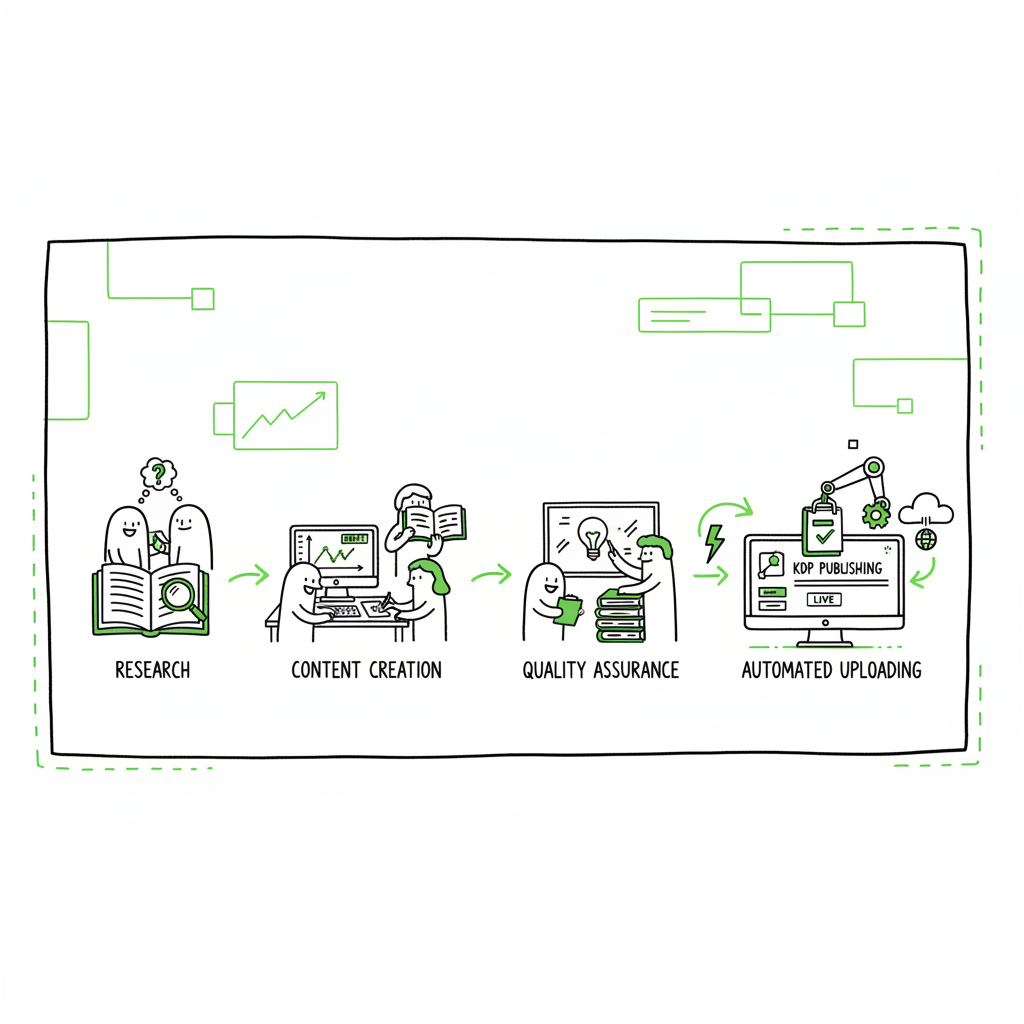
Scalable KDP Workflow for Efficient High-Volume Publishing
Scalable KDP Workflow: How to Build an Efficient High‑Volume Publishing Pipeline
Estimated reading time: 13 minutes
Key takeaways
- Turn publishing into a repeatable production line: standardize every step from research to launch.
- Automate the upload and catalog layer to remove the bottleneck of manual listing creation.
- Combine outsourced content production, simple QA, and an upload automation tool for predictable, high‑volume output.
Table of Contents
- Why a scalable KDP process matters
- Design the production process
- Tools, uploads, and platform automation
- Team, quality control, and running at scale
- FAQ
- Sources
Why a scalable KDP process matters
A scalable KDP process is what separates hobby publishing from a reliable publishing operation. When you publish one book at a time, manual steps and chicken‑scratches in spreadsheets are fine. When you publish dozens or hundreds, the same sloppy habits multiply mistakes and waste hours.
A repeatable system reduces variability. It turns research into a checklist, writing into repeatable briefs, and uploads into a machine that accepts a spreadsheet and outputs live listings. That shift matters because the upload and catalog layer is often the bottleneck: metadata mistakes, wrong categories, and missing files burn time and harm discoverability.
If you’re ready to move past single-title processes, think of this as an operations problem more than a creative one. The creative work still matters, but it should feed a process that enforces standards and minimizes manual clicks. As teams move from one‑off releases to Scaling an Amazon KDP Business, the upload layer becomes the place to reclaim hours and reduce errors.
For broader context on scaling an Amazon KDP Business, see Scaling an Amazon KDP Business.
Design the production process
Start by mapping every step your books go through. Treat the map like a factory line. The clearer the handoffs, the easier it is to automate or outsource the repeatable parts.
Core stages
- Idea and topic research: Choose niches you can serve repeatedly. Build short, repeatable research briefs so anyone can follow them.
- Outlines and briefs: Standardize outlines. A good outline gives a writer a predictable pace and reduces heavy edits.
- Writing and editing: Split writing and editing. Use ghostwriters for first drafts and a single editor to enforce tone and quality.
- Covers and interiors: Keep cover and interior specs in a single template so designers and formatters deliver consistent files.
- Formatting and conversions: Convert to required formats once, then run checks automatically.
- Metadata and assets: Centralize metadata—titles, subtitles, descriptions, keywords, BISAC codes, pricing, and ASIN tracking—into one CSV.
- Upload and publish: Use a reliable upload layer that can batch process the CSV and files.
- Launch and reviews: Run predictable launch sequences—preorder or release, promo windows, and review outreach templates.
- Post‑publish ops: Track royalties, update metadata, and handle errors in a dashboard with logs.
Templates and checklists
Create templates for every role: researcher, writer, editor, designer, formatter, uploader. Keep them short and specific. For instance, a cover brief should list font choices, color palette, and three comparable titles. A formatter brief should include trim sizes, margin notes, and image DPI requirements.
The metadata template is the most valuable. Capture every field your target platforms need. Save common values (series name, contributor roles, BISAC codes) and block risky actions (like auto‑copying the same keyword list across unrelated titles).
Batching and cadence
Group work into batches. Writers should handle several outlines at once. Designers should produce multiple covers in a single session. Formatters should convert a batch of interiors into EPUB, MOBI, and print PDFs in one run.
When you batch, overhead falls. A formatter’s setup cost is spread across many books. Your upload process benefits the most from batching. When metadata and files are organized, a single CSV import or parallel upload session replaces hours of manual form filling.
Covers, interior files, and ebook conversions
Covers, interior files, and ebook conversions are upstream tasks. If you need a quick way to create consistent covers, consider a book cover generator processing.
If you convert manuscripts to EPUB frequently, use a reliable converter that preserves structure and metadata. For EPUB conversion, see the EPUB converter.
For general book creation and multi-format output, see the book creation workflows.
Tools, uploads, and platform automation
The upload and catalog layer is where good operations turn into scale. A manual upload process is slow and brittle. Invest in tools that accept structured inputs—spreadsheets, folders with named files—and do the repetitive work.
What the upload layer must do
- Accept CSVs or spreadsheet imports with field mapping.
- Handle multiple accounts and marketplaces without extra logins per title.
- Upload files (interiors, covers) and attach them to the correct listing.
- Apply templates for pricing, territories, and rollout windows.
- Retry failed items and produce clear error logs for quick fixes.
- Support parallel processing so several titles can be published in one session.
Platform-specific intelligence
Different platforms have quirks. KDP has its own category and keyword behaviors. Kobo, Apple Books, Draft2Digital, and Ingram each require different file formats, pricing fields, and distribution toggles. Use a tool that knows these differences and maps your CSV fields to each platform’s requirements.
If you produce paperbacks and ebooks, make sure your tool keeps the files linked to the same book entity. That avoids mismatched titles or wrong ISBNS. For EPUB conversion, use a converter that preserves table of contents, image placement, and metadata so the upload step is just copying files rather than reformatting. If your workflow uses automated cover production, pick a generator that exports print-ready PDFs and correct spine dimensions for paperback.
Parallel uploads and error handling
A professional uploader runs in the background and continues when you close your browser. It should also provide a retry queue: titles that failed should be isolated and reprocessed after you correct the metadata. Logs must be human readable and tie back to the original CSV row so a VA or an operator can fix the source data and re‑run.
Many publishers find that once upload automation is in place, their per-title upload time drops by 70–90%. The time saved is better spent on strategy: choosing categories, writing better descriptions, and running staged launches.
Integrating multi‑platform distribution
If your goal is wide distribution, make multi‑platform publishing part of the same process. Prepare a single folder per title with the final interior files, print PDF, EPUB, and high‑resolution cover. The upload tool should let you select distribution channels and apply platform‑specific presets. That keeps your catalog consistent and avoids the trap of treating each platform as a separate project.
Tools to consider
- A reliable upload automation tool that supports CSV batch imports and multi‑account publishing.
- A lightweight project board (Asana, Trello, or a shared spreadsheet) for tracking status.
- A folder naming convention in cloud storage so files match CSV rows.
- A quality EPUB converter for ebooks.
- A cover processing tool for bulk cover generation and export.
If you need a repeatable cover workflow at scale, a cover processing pipeline is a useful addition. For EPUB conversion, choose a converter that integrates with your process so you don’t reformat on the fly.
Team, quality control, and running at scale
People still run this machine. The difference is who does what. At scale, the publisher focuses on quality control and exceptions. Outsourced workers and automation handle routine production.
Roles and division of labor
- Publisher/Operator: Owns the process, runs final checks, and manages the backlog.
- Researcher: Produces briefs and niche reports.
- Writers: Follow strict briefs and produce drafts.
- Editors: Enforce voice and quality across titles.
- Designers: Deliver covers based on a template library.
- Formatters: Produce interior files and conversions.
- VA/Uploader: Prepares CSVs, matches files, and runs batch uploads.
Hiring and onboarding
Hire for repeatability. Your best hires follow checklists and hit consistent quality. Create short onboarding guides and a test task that mirrors a real production job: one outline, one cover brief, and one formatted file. Keep per‑book price bands and expected turnaround times so costs scale predictably.
Quality control and QA
QA prevents small errors from multiplying. A single wrong pricing field repeated across a batch can cost money or trigger policy flags. Keep three checkpoints:
- Pre‑upload review: A quick check that files exist and metadata aligns with the brief.
- Post‑upload audit: Verify the live listing for title accuracy, description rendering, cover placement, and pricing.
- Periodic catalog sweep: Monthly scans for broken links, wrong categories, or delisted titles.
Use automated checks where possible. A script that validates required fields in your CSV saves time. A crawler that pulls live ASIN pages and verifies cover presence or price is even better.
Scaling ops and predictable throughput
Decide your target throughput: titles per week or month. Back into the staffing and tool needs from that target. If you want 20 new books a month, work out per‑book hours for writing, editing, design, formatting, and uploads. Multiply and compare to VA rates and tool costs. For many operators, the math shows that paying for a robust upload tool and a small number of reliable VAs is cheaper and faster than a larger manual team.
Risk management and platform safety
Automation must be careful. Respect platform terms of service and avoid actions that look like abusive behavior. Maintain clear logs of who ran what and when. Keep 2FA and credentials secure in a password manager and never hard‑code account details in shared spreadsheets.
BookUploadPro and the upload layer
BookUploadPro and the upload layer can streamline the process. A solution that accepts CSV batch uploads, applies platform presets, supports multiple marketplaces, and reports clear logs will cut the manual upload burden dramatically. Automate the upload. Own the distribution.
FAQ
Q: What is the most common bottleneck when scaling KDP?
A: Uploads and metadata management. Manual form filling and inconsistent metadata cause delays and mistakes.
Q: How does batching help?
A: Batching spreads setup time across many titles. Designers and formatters work more efficiently. Upload sessions handle many books with one configuration.
Q: Do I need to stop using freelancers to scale?
A: No. You still use freelancers for writing, editing, and design. Scaling means standardizing briefs and adding an upload layer so freelancers’ outputs plug into a repeatable system.
Q: Will automation cause platform penalties?
A: Not if done carefully. Use safe upload patterns, secure credential handling, and clear logs. Avoid abusive parallel actions that could trigger automated defenses.
Q: What formats should I prepare per title?
A: At minimum: a finalized interior file for print, a high‑resolution cover PDF for print, an EPUB for ebook stores, and any promotional assets. Keep them in a named folder that matches your CSV row.
Final thoughts
Building a scalable KDP process is an operational task. Standardize briefs, batch work, and automate the upload layer. Use consistent templates and a single source of truth for metadata. Outsource the repeatable creative work while keeping quality control in‑house.
When the process is in place, scaling stops being about hiring faster and starts being about running a reliable production line. A robust upload tool that supports CSV batch imports, multi‑account publishing, and clear error reporting is the practical next step once you have steady content production. Automate the upload. Own the distribution.
Call to action
Visit BookUploadPro and try the free trial to see how batch uploads, templates, and multi‑platform publishing reduce the time you spend on the catalog layer.
Sources
- https://www.youtube.com/watch?v=1dZw7oPPDqQ
- https://www.kindle-prime.com
- https://coconote.app/notes/c6cb3078-dcf8-4065-861b-d1518790ac9e
- https://www.youtube.com/watch?v=nZ-Cliyxyyg
- https://www.youtube.com/watch?v=K4yUIR3hi0k
- https://blog.bookautoai.com/amazon-kdp-scaling-guide-ai-tools/
- https://www.publishing.com/blog/how-to-make-passive-income-on-kindle
- https://bookbizacademy.com/scaling-systems-outsourcing
Scalable KDP Workflow: How to Build an Efficient High‑Volume Publishing Pipeline Estimated reading time: 13 minutes Key takeaways Turn publishing into a repeatable production line: standardize every step from research to launch. Automate the upload and catalog layer to remove the bottleneck of manual listing creation. Combine outsourced content production, simple QA, and an upload…