Bulk Publishing Books Practical Workflow for Authors
Bulk publishing books: a practical guide for indie authors
Estimated reading time: 14 minutes
Key takeaways
- Bulk publishing books is about building repeatable, quality-first systems — not hacks to spam stores.
- Standardize interiors, metadata, and cover variants; use CSV and batch tools to save time and reduce errors.
- Unified multi-platform publishing and platform-aware rules make wide distribution practical and affordable.
- Manage risk with review checks, niche validity, and pacing; automated steps should still be guided by humans.
- BookUploadPro streamlines large rollouts with CSV batch uploads, platform intelligence, and meaningful time savings.
Table of Contents
- Overview: why bulk publishing books matters
- Mass publishing process that scales
- Scale distribution and manage risk
- FAQ
Overview: why bulk publishing books matters
Many indie authors hit a limit when they try to publish dozens of titles one at a time. The platform screens and file checks are the same for book one and book one hundred. That means people who want to publish at scale need systems that reduce repetitive work while keeping each title useful and compliant. When I say bulk publishing books, I mean a disciplined, repeatable process for producing, validating, and publishing many related titles — for example, a series of guided journals, planners, or a set of niche nonfiction guides — not a quick trick to flood stores.
A practical bulk publishing approach focuses on three realities:
– Amazon KDP and other stores generally expect each title to be configured individually; there is no public official endpoint that accepts a full catalog of books at once. The practical workarounds are templates, batch metadata, and careful operational controls.
– Low‑ or medium‑content projects scale best because interiors can often be reused while covers and metadata are varied deliberately.
– Volume only pays off when paired with niche research and consistent quality. Systems that multiply noise tend to multiply account risk and poor sales.
If you plan to grow beyond a few titles, you should treat scaling as part of the product design. That mindset — plan once, repeat safely — is the difference between hobby publishing and a predictable rollout campaign. For a focused look at the patterns publishers use as they grow, see Scaling an Amazon KDP Business for practical examples and setup ideas.
Mass publishing process that scales
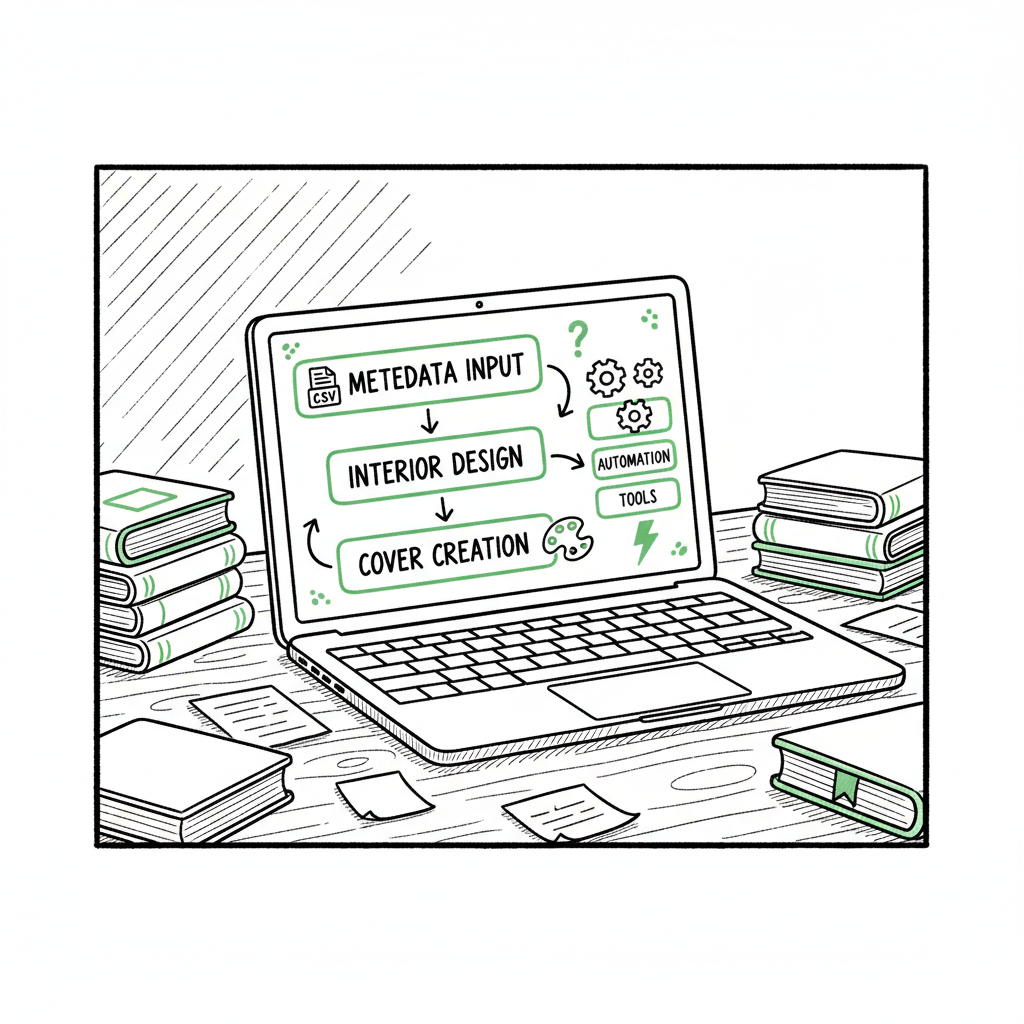
Start with a clear, repeatable process. The best processes look the same every time you create a new title: niche research → template interior → cover variant → metadata set → preview and publish. Here’s how to make each step efficient and safe.
Niche research and validation
Do not skip this. Bulk publishing amplifies both winners and losers. Run the same checks you would for a single title, but formalize them:
- Search visibility: sample a set of keywords and check top results for book quality and sales indicators.
- Demand fit: confirm a consistent audience — the same theme that supports ten related notebooks is a better bet than ten unrelated topics.
- Competition sanity check: identify a plausible price and selling angle for each micro-niche.
Interior strategy
Make a small library of reusable interiors. For low-content books this is the core efficiency lever:
- Create a few base interiors (lined, dotted, calendar, planner pages) and version them with minor variations.
- Use clear file naming and metadata tags so you can match interiors to cover sets and keyword bundles quickly.
- Enforce KDP formatting rules so each file passes KDP’s preview without manual fixes.
If you plan to create both ebooks and print editions, you’ll need reliable conversion. For EPUB conversion and consistent ebook output, use a tested converter that preserves structure and styling instead of hand‑converting each file. A dependable conversion pipeline removes a lot of repetitive checks.
Cover and design
Covers are where a bulk catalog still needs a human touch. Reuse templates and color sets, then export predictable variants. If you use automated cover tools, keep a consistent brand language so your series looks intentional. For fast, repeatable cover creation and processing, consider a cover generator that handles batch jobs and standardized exports; that keeps sizes and margins consistent for each marketplace.
Metadata templates
Metadata is the most time-consuming part of title setup. Build a small number of metadata templates you can apply by niche:
- Title patterns: primary keyword + series or niche modifier.
- Subtitle templates: short, benefit‑focused fragments you can swap.
- Descriptions: a base paragraph with a few variable sentences.
- Keywords: curated keyword bundles per niche.
Keep a CSV or spreadsheet that maps interior files to cover variants and metadata sets. This file becomes the single source for your batch upload tool.
Batch upload mechanics
Since every store expects individual titles, the value of batch tools is in automating form-filling and file matching — reducing manual clicks, not bypassing store controls. Use tools that:
- Accept a CSV mapping interiors, covers, and metadata to target stores.
- Validate field formats before attempting an upload.
- Keep a clear audit trail for each title (timestamp, file versions, marketplace status).
When you adopt a batch upload tool, set up checks so any failures stop the run and do not silently publish broken listings. In practice, a typical session looks like: validate CSV → generate title previews → upload and verify in the store preview → finalize pricing.
Operations and cadence
Publishing in bulk doesn’t mean publishing everything at once. Pace your releases to gather performance signals and avoid sudden spikes in identical listings, which can draw scrutiny. Use staging:
- Test a small batch (5–10 titles) in one sub-niche.
- Measure impressions, clicks, and early sales.
- Iterate metadata and cover choices before a larger rollout.
A simple rule: publish by series or theme and wait at least a few days between batches to see performance. That puts you in control and reduces account risk.
Guardrails for automated steps
Automation should minimize tedious work while keeping a human in the loop. Build these guardrails:
- Preflight checks for mandatory fields and file types.
- Visual preview snapshots for manual spot checks.
- Quarantine for any title flagged by validation rules.
If an automated run encounters anything outside the rule set, it should pause and require a human decision. This is how you scale without turning quality control into a bottleneck.
Book creation note: if your process includes generating paperback and ebook editions, make sure you test the print preview and ebook conversion for a few sample titles before rolling them into a batch. For efficient creation of paperback and ebook files and organizing processes, cover workflows, EPUB conversion, and book creation tools are especially helpful.
Scale distribution and manage risk
Once you have repeatable internal steps, the next challenge is distribution: how to get many titles live across stores reliably and without extra manual work. This is where unified, platform-aware publishing is valuable.
Unified multi-platform publishing
A core efficiency is to treat multiple storefronts as one publishing pipeline, not separate projects. That means:
- Store-specific intelligence: apply rules for cover bleed, trim sizes, and metadata differences per platform.
- Central catalog: maintain a single CSV that drives uploads to Amazon KDP, Kobo, Apple Books, Draft2Digital, and Ingram.
- Batch export and mapping: let the system create platform-specific outputs from the same source files.
This approach reduces duplicate entry and ensures the same title is available consistently across formats and regions. It also makes royalties and pricing decisions easier to manage.
CSV batch uploads and platform rules
A CSV-first approach is practical. Keep columns for every field you’ll set on each platform, and include platform-specific columns for items that differ (e.g., BISAC categories, territories, ISBN choices). When your batch tool reads the CSV, it should be able to:
- Generate the right asset per store (EPUB for Apple, print-ready PDF for KDP).
- Apply pricing logic (list price, royalty target, marketplace rounding).
- Validate constraints (file size limits, image DPI, trim size).
Platform-specific intelligence reduces trial-and-error. For example, trim sizes valid on KDP may require different bleed settings on Ingram. A smart uploader knows those differences or at least flags them.
Error reduction and time savings
Manual publishing is error-prone: wrong cover file, mismatched ISBN, or a missing interior page. Automating the repeatable bits reduces those errors at scale. Expect roughly 70–90% time savings on the repetitive parts of uploading once your pipeline is mature. That frees you to focus on what matters: niche selection, cover design choices, and marketing.
When you’re ready to move beyond small batches, tools that support CSV batch uploads and multi-store output become an obvious upgrade. They make wide distribution practical in a way manual uploads simply do not, and they help you keep a clear revision history for auditing and updating titles later.
Risk management and compliance
Scaling increases exposure. Account issues often come from repetitive low-quality listings or from accidentally violating content rules. The best defenses:
- Maintain a quality bar: each interior should have a clear purpose and be useful to a reader.
- Avoid duplication: do not publish near-identical content across dozens of listings without clear differentiation.
- Respect store policies and respond quickly to any notices.
Also pace your rollout. A steady, measured cadence looks like a healthy publishing practice to platform monitors. If you publish everything in a single burst, you increase the odds of manual review.
Human-in-the-loop checks
Automation and templates are valuable, but you must keep humans in the loop for judgment calls: a strange preview, an off-brand cover, or a metadata set that looks machine-generated. Build a final review step where a person inspects a snapshot of each title before it goes live.
Making wide distribution practical
Unified publishing plus validation allows you to do something practical: publish broadly without multiplying manual labor. Use platform-aware rules, CSV-driven batches, and a clear revision log so updates — price changes, metadata tweaks, or new cover variants — can be applied across a subset of titles quickly and safely.
A note on file processing: if your process includes converting manuscripts to EPUB or processing cover files at scale, use reliable exporters and batch processors that keep track of versions and handle format conversions consistently. That reduces last-minute fixes and helps titles pass each store’s preview checks.
Automate the upload. Own the distribution.
A note on file processing
If you are producing many covers, use a batch cover process that enforces export sizes and bleed. A reliable cover generator that supports bulk processing will save hours and reduce preview failures. For ebooks, a consistent EPUB conversion tool that preserves headings, images, and table of contents is critical. Broken EPUBs slow you down and can harm the reader experience. For paperback creation, automated PDF preparation with correct spine calculation and bleed margin management prevents common KDP preview problems.
When you mention cover generation, EPUB conversion, or creating paperback and ebook files as part of your process, pick tools that are built for batch processing so you can keep version control and avoid last-minute re-exports.
Final operational tip: keep a single CSV master for your catalog. It’s your control plane. Back it up and version it. That file will be the difference between a smooth update and chasing down inconsistencies across storefronts.
Automate the upload. Own the distribution.
FAQ
Q: Is bulk publishing books allowed on Amazon KDP?
A: Yes, publishing multiple titles is allowed. However, KDP expects quality and original value. There’s no official bulk‑book API for KDP; publishers rely on templates, careful file prep, and compliant tools to speed uploads without violating policies. Always follow KDP content rules and avoid spammy duplication.
Q: What kinds of books scale best in batch publishing?
A: Low- and medium-content books (journals, planners, habit trackers) and structured nonfiction series are easiest to scale. They let you reuse interiors and focus effort on covers and metadata variations.
Q: How do I avoid account issues when publishing in bulk?
A: Maintain quality, avoid near-duplicate listings, pace releases, and keep humans in the loop for final checks. Use validation and preflight checks to catch errors before publishing.
Q: Do I need different files for each platform?
A: Often yes. Print and ebook formats have different technical requirements. Use a process that generates platform-specific outputs from your master files to keep everything consistent.
Q: How do I test mass uploads safely?
A: Start small. Publish a test batch, monitor performance, and adjust before a larger rollout. Keep clear logs and version control so you can roll back or fix problems quickly.
Sources
- https://kdp.amazon.com/help/topic/G202172740
- https://www.youtube.com/watch?v=4WiPbSUcWU4
- https://www.youtube.com/watch?v=YTBRb1kmBWs
- https://www.youtube.com/watch?v=qAbe1szH-W4
- https://blog.bookautoai.com/ai-to-write-business-books/
- https://www.bookautoai.com/book-cover-generator-processing
- https://www.bookautoai.com/epub-converter
- https://www.bookautoai.com
Bulk publishing books: a practical guide for indie authors Estimated reading time: 14 minutes Key takeaways Bulk publishing books is about building repeatable, quality-first systems — not hacks to spam stores. Standardize interiors, metadata, and cover variants; use CSV and batch tools to save time and reduce errors. Unified multi-platform publishing and platform-aware rules make…