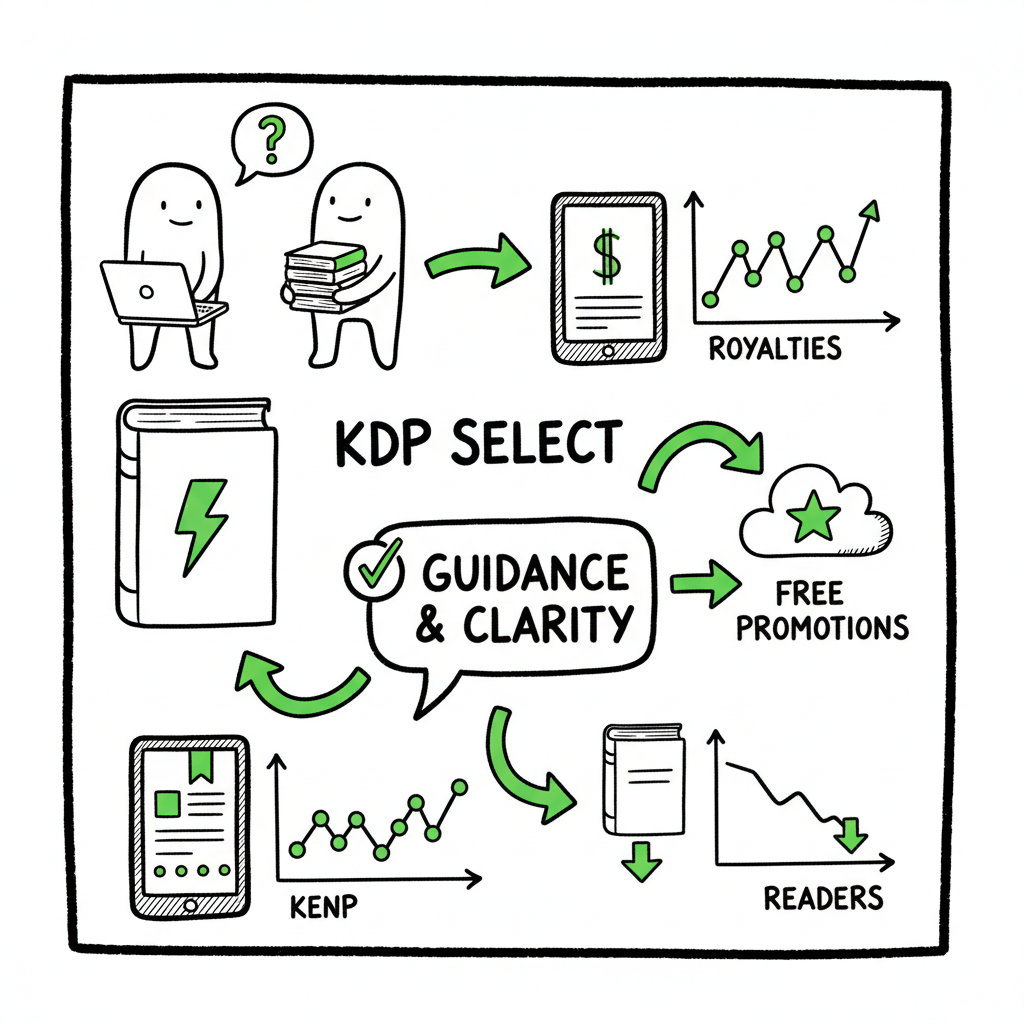
KDP Select Page Reads Confusion Explained for Publishers
kdp select page reads confusion: a clear operator’s guide for self-publishers
Estimated reading time: 14 minutes
Key takeaways
- KDP Select uses KENP (Kindle Edition Normalized Pages) and device syncing to count page reads, which often causes delayed or changing numbers.
- Royalties come from a monthly KU fund and vary by country, pages read, and the monthly per-page rate — expect fluctuation and reporting lag.
- Practical fixes include careful metadata, clear edition control, and automation for multi-platform releases so exclusivity decisions are deliberate and repeatable.
Table of Contents
Understanding the problem — what “kdp select page reads confusion” really means
If you’re seeing the phrase kdp select page reads confusion, you’re not alone. Authors enroll books in KDP Select to get Kindle Unlimited (KU) exposure, but the way Amazon counts, reports, and pays for pages read feels opaque. That gap breeds questions: Why do reads change after month end? Why do reported KENP pages differ from my print pages? How does a single reader translate into income? This article explains the mechanics, the normal causes of variance, and what you can do as an operator who publishes at scale.
KDP Select is simple on paper: you enroll a Kindle-format book for 90 days of Amazon exclusivity and it becomes available in Kindle Unlimited and the Kindle Owners’ Lending Library. Authors earn from a global KU pool based on pages read, measured by KENP. In practice, the details — device syncs, KENP normalization, monthly fund rates, and reporting timing — make results unpredictable for many authors.
If you want a focused primer on the program rules and the official mechanics beyond this operational view, consult Amazon KDP Select Explained for the basics Amazon publishes and how exclusivity works. The rest of this piece covers the practical implications and operational controls most authors care about.
Why confusion grows fast
- KENP vs. your page count: KENP is a normalized page metric based on word counts. Your manuscript’s print pages or InDesign pages don’t map neatly to KENP, so a 300-page paperback may show a different KENP total.
- Device sync dependency: Amazon counts a “page read” when a reader’s device syncs progress back to Amazon. If a reader reads offline, or doesn’t sync, those pages can appear later or not at all.
- Monthly per-page rate changes: KU payouts come from a fund that changes month to month. One month might pay $0.004 per page, another month slightly higher or lower. That makes forecasting earnings by pages alone unreliable.
- Reporting delays and finalization: KDP shows provisional reads, and numbers can shift until Amazon finalizes them. Authors frequently see numbers move after the reporting month has closed.
All these variables create noise. The signal you want — how many paid pages did my book generate — appears only after Amazon finalizes counts and applies the monthly per-page rate.
How reads are tracked, reported, and paid
This section walks step-by-step through the mechanics that matter day to day. Knowing the exact sequence helps you set expectations and design an operational response.
-
KENP: normalized pages, not print pages
Amazon uses Kindle Edition Normalized Pages (KENP). KENP is calculated from the book’s actual word count and normalized across devices. A long novel will translate into more KENP pages than a short novella, regardless of your paperback layout. For planning, treat KENP as a standardized measurement of words read, not as your typeset pages.
Practical note: Don’t assume KENP equals your paperback page count. Use KENP to compare KU performance across titles and months.
-
When a page counts as “read”
Amazon typically counts a page when a reader finishes it and the device syncs. Three practical consequences:
- Partial reads matter: KU pays per page read, so readers who stop halfway still generate revenue for those pages.
- Sync timing matters: If a reader reads several sessions on a device that hasn’t synced, those pages are not reflected until a later sync or finalization.
- Limit per reader: Amazon caps payouts at 3,000 KENP pages per reader, per title. That’s a guardrail against gaming.
-
Reporting cadence and payouts
KU payouts depend on two variables: pages read (KENP) and the monthly per-page rate set by the KU fund. Amazon reports reads in your KDP dashboard; those numbers can change as Amazon finalizes data. Payouts are calculated after finalization and are typically reflected around the 15th of the following month. Because the KU fund fluctuates and reads can be updated, you’ll see payouts move month to month.
-
Common sources of the confusion
- Delayed syncs make reads appear late. If readers use airplane mode, read offline, or have device issues, their activity posts later.
- Returns and borrow reversals: If a reader returns a borrowed book within allowed periods, it can affect reads and revenue.
- Different markets, different behavior: KU adoption varies by country and genre, so reads may be concentrated in certain regions, affecting your overall payouts.
- Metadata or duplicate editions: If you upload multiple editions or slightly different files, KU reads may split or attribute to the wrong edition, creating apparent drops or sudden spikes.
-
What to monitor in your KDP dashboard
- Monthly KENP reads by title and by marketplace
- Borrow rates (number of KU borrows vs. buys)
- Royalties tab for KU payouts and adjustments
Track these consistently and compare patterns month to month. Patterns matter more than any single monthly number.
Publishing operations: reduce confusion and scale without mistakes
When you publish more than a handful of books, the operational headache of managing editions, uploads, and exclusive windows compounds the KDP Select page reads confusion. Treat the publishing process like a simple production line: inputs go in, controlled transformations happen, and outputs are tracked. Here are practices and automation options that reduce the noise and preserve strategic choices.
-
Edition control and file hygiene
Many reporting issues start with multiple indistinguishable editions. Keep one canonical Kindle file per title for KU. If you revise, replace the file but keep the ASIN and metadata consistent. Avoid uploading multiple near-identical files that create separate KU instances.
If you offer paperback and ebook versions, make sure your ebook metadata clearly links to the paperback; ambiguity can split reads or reduce discoverability.
-
Use consistent metadata and release processes
A consistent metadata template reduces errors. Standard fields to lock down:
- Title and subtitle formatting
- Series information and numbering
- Author name consistency
- BISAC/genre tags
- Territories and pricing rules
Automate the upload of these fields whenever possible. At scale, manual entry is a major source of mistakes that lead to reporting confusion.
-
Track KENP alongside word counts in your pipeline
When you convert manuscripts to Kindle format, capture the word count and an estimated KENP. That gives you a baseline expectation for KU performance and helps spot anomalies when reads deviate drastically from projected KENP.
If you’re converting manuscripts yourself, use an EPUB workflow and validate the word count before upload. If you prefer a tool to automate conversion and validation, an EPUB converter can speed the process and reduce manual errors.
-
Batch uploads and platform-wide consistency
If you publish across platforms — Amazon KDP, Kobo, Apple Books, Draft2Digital, and Ingram — consistency is critical. Batch uploads using CSVs and repeatable templates ensure titles match across stores. A unified multi-platform publishing tool reduces the chance of an edition being accidentally enrolled in KU when you intended a wide release.
BookUploadPro automates repetitive uploads across platforms, using CSV batch uploads and platform-specific intelligence to cut time and error. If you publish seriously, automation becomes an obvious upgrade: it saves roughly 90% of the time and reduces the errors that cause reporting confusion.
-
Control exclusivity deliberately
KDP Select demands 90 days of exclusivity for the ebook. Make that decision consciously:
- Enroll if your sales are primarily Amazon-based and KU is strong in your genre.
- Avoid if you rely on other platforms or wide distribution for discoverability.
If you do enroll, calendarize the 90-day period and coordinate promotions, pricing, and marketing around it. When you have many titles, automation tools can manage enrollments and expirations so you don’t accidentally violate exclusivity or miss an enrollment window.
-
Covers, formats, and conversion: industry shortcuts
Cover images and file formats affect read experience and attribution. Poorly formatted ebooks or mismatched covers can reduce reader engagement and increase returns or reading friction. If you produce covers or EPUBs in-house, use proven tools:
- For cover production at scale, a reliable book cover generator helps maintain consistent spine and thumbnail rules and avoid repeated manual errors.
- For precise EPUB conversion and validation, an EPUB converter automates word-count checks, reflowing, and validation steps.
These tools lower the friction behind clean uploads and reduce the kind of errors that later manifest as odd KENP patterns.
-
Post-upload monitoring and reconciliation
After upload and distribution:
- Check the KDP dashboard weekly for early indicators.
- Reconcile reported KU reads to expected KENP patterns.
- If you see large discrepancies, audit the edition, the file, and the metadata first before contacting support. Often the issue is a misattributed edition or a delayed sync.
-
When to contact Amazon
Only escalate after you’ve checked edition linkage, upload history, and device/sync patterns. Amazon support can investigate finalization issues, but they’ll ask for clear, reproducible data. Keep logs of upload dates, file versions, and notes on promotions or price changes when raising a ticket.
-
Operational checklist (short)
- Single canonical Kindle edition per ASIN
- Consistent metadata and series info
- Track word counts and estimated KENP
- Batch uploads and CSV templates for multi-platform releases
- Use conversion and cover tools to reduce manual errors
- Monitor KDP dashboard and reconcile monthly
How BookUploadPro helps
BookUploadPro automates the repetitive parts of this checklist. It streamlines CSV batch uploads, keeps platform metadata consistent, and uses platform-specific intelligence to avoid edition duplication. The platform aims to reduce time spent on upload chores by roughly 90% while cutting typical human errors that lead to reporting and payout confusion. Automate the upload. Own the distribution.
FAQ
Q: Why do my KENP reads change after the month ends?
A: Reads are provisional until Amazon finalizes data. Device syncs and late reporting from readers can cause numbers to shift during the finalization window. Amazon consolidates reads before calculating the payout, which may change the KENP shown earlier in the month.
Q: How much is a KENP page worth?
A: The per-page rate comes from a monthly KU fund and changes month to month. Amazon announces the fund size and calculates the per-page rate. Expect variation; plan with conservative estimates and treat months with spikes or dips as normal.
Q: What causes KENP to differ from print pages?
A: KENP is based on normalized word counts. Print page counts depend on layout, font, and trim size. Use KENP for KU comparisons and print pages for physical production.
Q: Can KU reads be gamed?
A: Amazon has protections, including the 3,000-page cap per reader per title and fraud detection. Any attempt to artificially inflate reads risks removal from KDP Select and account penalties.
Q: Should I enroll every title in KDP Select?
A: It depends. KU is strong in certain genres and markets. Check whether KU exposure helps your category and whether you can afford the 90-day exclusivity for ebook formats. For authors publishing across platforms, consider staggering enrollments or using automation to manage windows.
Q: What if my reads are attributed to the wrong edition?
A: First, confirm the ASIN and edition mapping in your KDP dashboard. If metadata or file versions caused a split, correct the edition linkage. If the problem persists, gather your upload history and contact Amazon support with clear evidence.
Note: Final thoughts, practical guidance, and automation options remain the keys to keeping KU reporting readable and manageable at scale.
Sources
- KDP Select – Amazon.com
- KENP Read – Kindle Direct Publishing
- SelfPublishing.com – What Is KDP Select?
- Reedsy – READ THIS Before You Enroll in KDP Select!
- KDP Select – Amazon.com (program page)
- KDP Community – Page reads and how they are accumulated
- Book cover generator
- EPUB converter
- Book creation tools
kdp select page reads confusion: a clear operator’s guide for self-publishers Estimated reading time: 14 minutes Key takeaways KDP Select uses KENP (Kindle Edition Normalized Pages) and device syncing to count page reads, which often causes delayed or changing numbers. Royalties come from a monthly KU fund and vary by country, pages read, and the…