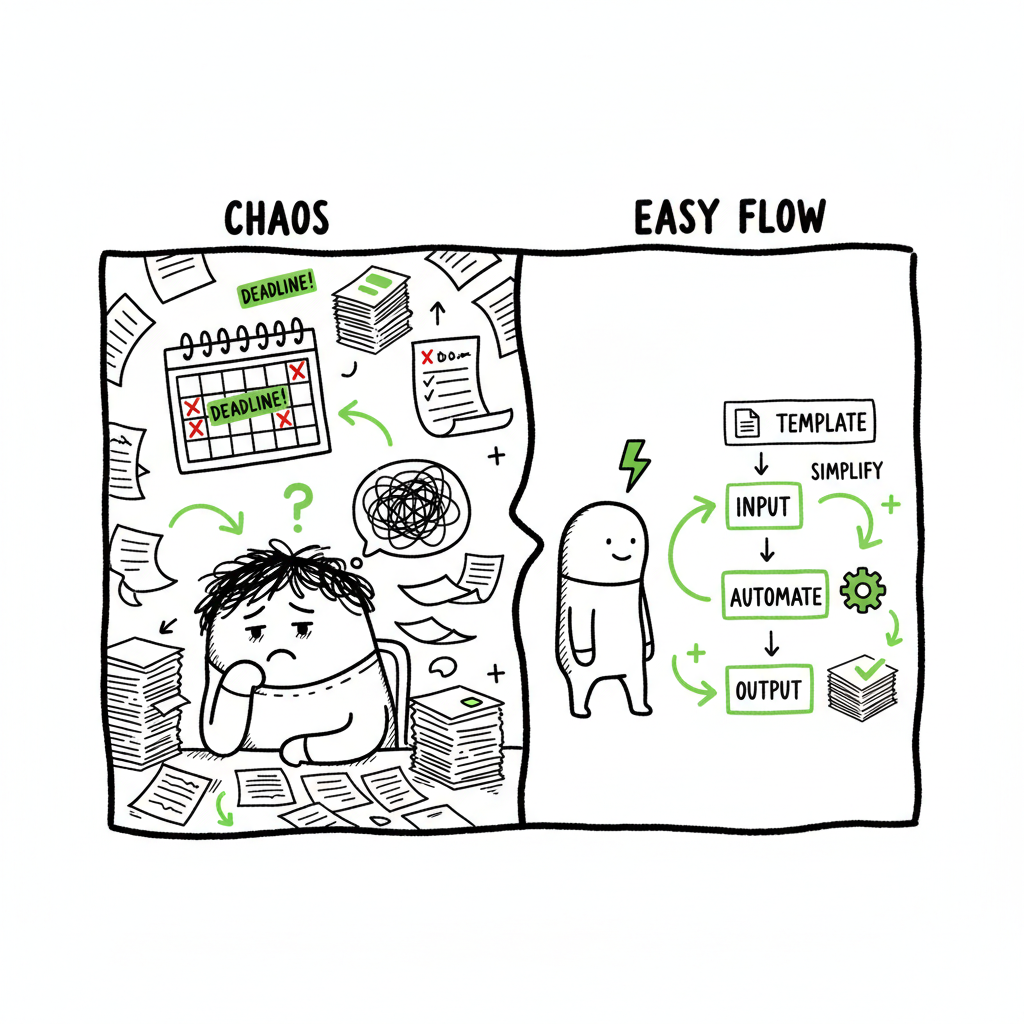
Self Publishing Admin Overload and How to Reduce It
self publishing admin overload
Estimated reading time: 12 minutes
Key takeaways
- Administrative work—paperwork, uploads, platform checks—eats time and creative energy. Treat it as a system, not a series of emergencies.
- Automating multi-platform uploads and batch processing cuts admin effort by as much as 90% and reduces errors.
- Practical steps—templates, CSV batch uploads, platform-specific checks, and outsourcing where it makes sense—keep publishing sustainable as you scale.
Table of Contents
- Why this problem is real
- How admin tasks slow publishing and what to measure
- How to reduce admin load without burning out
- Automating multi-platform uploads the right way
- Practical workflow and next steps
- FAQ
- Sources
Why this problem is real
Self publishing admin overload shows up as a slow drain on momentum. The phrase describes the pile of publishing admin tasks—metadata, cover checks, formatting, platform uploads, retail setup, tax paperwork, and distribution choices—that sit between a finished manuscript and a book that actually sells. If you’ve finished a book and then found yourself weeks behind schedule because of “paperwork,” you’ve met this problem.
One common pitfall is treating each publishing platform as a separate project, which multiplies admin work. Authors who want wide distribution end up repeating the same steps across Amazon KDP, Apple Books, Kobo, Draft2Digital, and Ingram. If you’ve ever wondered why a KDP listing took weeks to show live, read this explainer on why listings get delayed and what to expect — Why Amazon KDP Publishing Takes Long. That short guide helps set expectations for platform timelines so you don’t waste time chasing status updates.
Beyond platform delays, admin overload includes record keeping (royalties, invoices, ISBNs), sale channel setup (territories, pricing, channels), and quality control (proof checks, cover bleed, ebook reflow). All of these are necessary but not glamorous. Left unstructured, they kill focus and lead to burnout.
How admin tasks slow publishing and what to measure
Administrative tasks are predictable. What makes them dangerous is predictability without systems. Here are the common task categories and the simple metrics to track that show where you lose time.
Common categories of publishing admin
- Platform uploads: filling metadata fields, selecting categories, linking a preorder, entering pricing.
- Formatting and conversion: creating print-ready PDFs and EPUB files, testing reflow, fixing typographic issues.
- Cover production and revisions: exporting the right spine size, ensuring resolution, matching trim sizes.
- Distribution and retail setup: opt-ins for extended distribution, expanded territories, channel exceptions.
- Legal and finance: ISBNs, copyright notices, tax forms, bookkeeping entries.
- Marketing admin: ad campaign setup, link tracking, creating metadata for advertising platforms.
Simple metrics to watch
- Time per title for initial upload (hours)
- Number of platforms per title
- Percentage of tasks done manually vs batch/automated
- Number of re-uploads or corrections after launch
- Administrative cost per title (outsourcing or paid tools)
When you measure these, two things become clear: manual repetition is the largest time sink, and most mistakes are preventable with simple controls. That’s where systems and automation pay back quickly.
How to reduce admin load without burning out
When publishing is admin-heavy, the solution isn’t more hustle. It’s better process design. These steps keep work predictable and sustainable.
- 1. Treat publishing like operations
Manage publishing as a small operations project. Use a single checklist that covers every platform you use. Break the checklist into phases: pre-upload (final read, metadata), upload, proofing, launch monitoring, and post-launch bookkeeping. A single checklist reduces context switching and prevents forgotten steps. - 2. Standardize metadata and assets
Create templates for metadata (title, subtitle, series, description, keywords, categories). Keep a master CSV with each book’s fields. Store final assets in a single folder structure: manuscript, ebook file, print PDF, cover, spine specs, ISBN info, and marketing images. Standardization removes guesswork during uploads. - 3. Batch similar tasks
Group uploads, price-setting, and proofing into batches. Instead of uploading one book and switching to another activity, gather four to eight books and do uploads in a session. When tasks are batched, your brain stays in the same mode and you finish faster. - 4. Learn the minimum acceptable standard for each platform
Not every platform requires every field. Know the minimum required fields and what can be filled later. That way you can get to “live” faster and adjust optional fields afterward. - 5. Use a single source of truth for bookkeeping
Track royalties, invoices, and payments in one spreadsheet or accounting tool. Record platforms, account names, payout schedules, and tax IDs. That cuts hours every quarter. - 6. Set limits and realistic timelines
Plan backward from a launch date and include buffer for proofing and platform delays. Protect writing time by blocking it on your calendar and labeling admin sessions explicitly. - 7. Outsource the right tasks
If you must outsource, outsource repetitive or technical work: interior formatting, complex ebook fixes, and retail setup. Outsourcing cut costs on time and stress, but it costs money—use it where your hour rate as an author is higher than the cost of hiring.
Practical notes on covers, EPUB, and paperback creation
- When you need a cover processed or revised, the steps are specific: export a single print-ready file with correct spine width and bleed. If you use a cover generator or need processing work, use a service that accepts print trim and delivers press-ready files. For automated cover processing services, consider tools that can take your design and convert it to the correct sizes automatically. (If you need a cover processing tool, see a dedicated processing option for book covers.)
- EPUB conversion is a common bottleneck. One bad EPUB can cause rejection or poor customer experience. If you convert manuscripts to EPUB frequently, use an EPUB converter that batches files and validates output before upload.
- Creating a paperback requires a specific PDF that matches trim size and includes correct margins and bleed. If you’re producing both print and ebook, keep a single source manuscript and export platform-specific files to avoid duplicated edits.
Automating multi-platform uploads
Automation doesn’t mean you surrender control. It means you reduce repetitive work and enforce quality checks. When you publish multiple books or editions, automation is the difference between occasional releases and a sustainable publishing program.
Where automation helps most
- CSV batch uploads: Fill a spreadsheet with metadata, pricing, and file names, and push those rows as batch uploads to multiple retailers.
- Platform-specific intelligence: Good tools understand KDP’s spine calculations, Apple’s EPUB checks, and Ingram’s metadata fields so you don’t have to memorize differences.
- Error reduction: Automation validates fields, flags missing assets, and prevents common mistakes like mismatched ISBNs or incorrect trim sizes.
- Time savings: Automating uploads and mapping fields saves up to 90% of the time authors spend on admin when they scale beyond one title.
What to expect from a sound automation workflow
- Single input for metadata: One CSV or dashboard where you enter metadata once and map it to each platform.
- Asset management: A place to store and version cover files, interior files, and proofs.
- Pre-flight checks: Validation rules that stop faulty files from being uploaded—missing spine bleed, wrong file type, incorrect EPUB CSS.
- Platform adapters: The system should handle platform quirks so you don’t learn every nuance by trial and error.
- Reporting: A record of uploads, proof approvals, and live dates so you can audit what went out and when.
Why batch uploads matter
Most platforms support some form of batch or bulk upload, even if it’s clunky. Using CSV templates and exporting them to an uploader removes the repetitive data entry that causes the most friction. Batch upload also makes it practical to manage series or multiple editions at once.
How automation changes decision-making
When admin time drops, your decision horizon changes. You can afford to try different distribution channels, test pricing, and run promotions because you aren’t investing days to get a single title live. Automation makes wide distribution practical; you can publish on KDP, Kobo, Apple Books, Draft2Digital, and Ingram without repeating manual steps.
BookUploadPro in your publishing stack
If you publish seriously, moving to a unified multi-platform publishing tool is an obvious upgrade. BookUploadPro automates repetitive uploads across Amazon KDP, Kobo, Apple Books, Draft2Digital, and Ingram, using CSV batch uploads and platform-specific intelligence to reduce errors. For many authors that switch, the result is ~90% time savings on the upload portion of publishing—so you can focus on writing, covers, and marketing.
Practical workflow and next steps
Below is a practical, operator-style workflow you can adopt with minimal tools. It assumes a single source manuscript and assets.
- 1. Prepare a single-source folder
Folder structure:
– Manuscript (master doc)
– Final EPUB / ebook outputs
– Print PDF
– Cover files (editable design + final export)
– Metadata CSV
– Proof notes - 2. Metadata CSV (single source)
Create or use a CSV template with these recommended columns:
– Title | Subtitle | Series | Volume | Primary Author | Contributor(s)
– Description
– Keywords (comma-separated)
– Categories (primary and secondary)
– Language | Publisher | Imprint
– ISBN (ebook) | ISBN (print) | ASIN (if known)
– Price (USD) | Price (GBP) | Price (EUR)
– Territories
– File name (interior) | File name (cover) - 3. Validate files before upload
– Open the EPUB in at least two readers.
– Run a validation tool on EPUB.
– Print a PDF proof or inspect a PDF for bleed and margin issues.
– Check the cover on a mockup that shows spine and bleed. - 4. Batch upload
Use a tool or platform that accepts your CSV and files, maps fields to retailer requirements, and runs pre-flight checks. Batch uploads save hours compared to per-platform forms. - 5. Proof and monitor
After upload, order or download proofs and check for:
– Formatting and paragraph breaks
– Images and charts
– Table of contents behavior
– Cover alignment and spine text - 6. Record and track
Add the live date, retailer links, and initial royalty expectations into your financial spreadsheet. Track which SKU or ISBN maps to which retailer. - 7. Iterate and improve
After a couple of titles, measure time per title and errors per title. Use that data to tighten your CSV template and pre-flight rules.
Practical resources and when to outsource
- If you don’t publish regularly, a lightweight workflow with a simple checklist, a reliable formatter, and occasional outsourcing makes sense.
- If you plan to publish multiple books a year, invest in automation and batch processing. The time savings compound quickly.
- Outsource design and complex EPUB fixes; keep metadata and pricing in-house so you retain control.
Final thoughts
A realistic publishing operation merges simple habits with effective tools. Administrative work will never be exciting, but it can be predictable, measurable, and mostly automated. When you stop treating every upload as a unique emergency and adopt templates, batch work, and platform-aware tools, publishing becomes repeatable and scalable.
If you handle multiple titles and platforms, automation is not optional. It is the tool that keeps publishing sustainable and prevents admin-heavy self publishing from burning out your creative work. BookUploadPro is built for that step: unified multi-platform publishing, CSV batch uploads, platform-specific intelligence, and error reduction that makes wide distribution practical. For authors publishing seriously, the switch to an automated system is an obvious upgrade. Automate the upload. Own the distribution.
FAQ
Q: How big is the time saving from automation?
A: It varies by author and catalogue size. For a single title, savings are modest. For multiple titles or editions, automation can cut upload time by roughly 70–90% on the repetitive parts—metadata entry, file mapping, and retail-specific checks.
Q: Can automation cause mistakes to multiply?
A: Automation reduces human copy-paste errors but requires good validation rules. If your templates have incorrect data, automation will reproduce it faster. That’s why pre-flight checks and a single source of truth are essential.
Q: Do I still need to order proofs with automated uploads?
A: Yes. Automation handles file transfer and metadata mapping, but human proofing of content and print PDFs is still necessary before full distribution.
Q: Which tasks should I keep in-house?
A: Creative control tasks—final manuscript edits, cover creative decisions, and pricing strategy—are best kept in-house. Let automation handle repetitive, technical tasks like field mapping and batch uploads.
Q: What about ISBNs and legal paperwork?
A: Those remain your responsibility. Automation will store and map ISBNs but won’t replace rights management or tax filings.
Sources
- Time Management for Self-Published Authors: Beating Overwhelm
- How to Avoid Burnout While Self-Publishing
- What are the 7 Biggest Challenges for Authors Self-Publishing
- Overcoming the Overwhelm of Self-Publishing
- Self-Publishing Assistance Is Becoming Threatened | Jane Friedman
- Overwhelmed by too many options in self publishing? (YouTube)
- How to Recover from Author Burnout
self publishing admin overload Estimated reading time: 12 minutes Key takeaways Administrative work—paperwork, uploads, platform checks—eats time and creative energy. Treat it as a system, not a series of emergencies. Automating multi-platform uploads and batch processing cuts admin effort by as much as 90% and reduces errors. Practical steps—templates, CSV batch uploads, platform-specific checks, and…