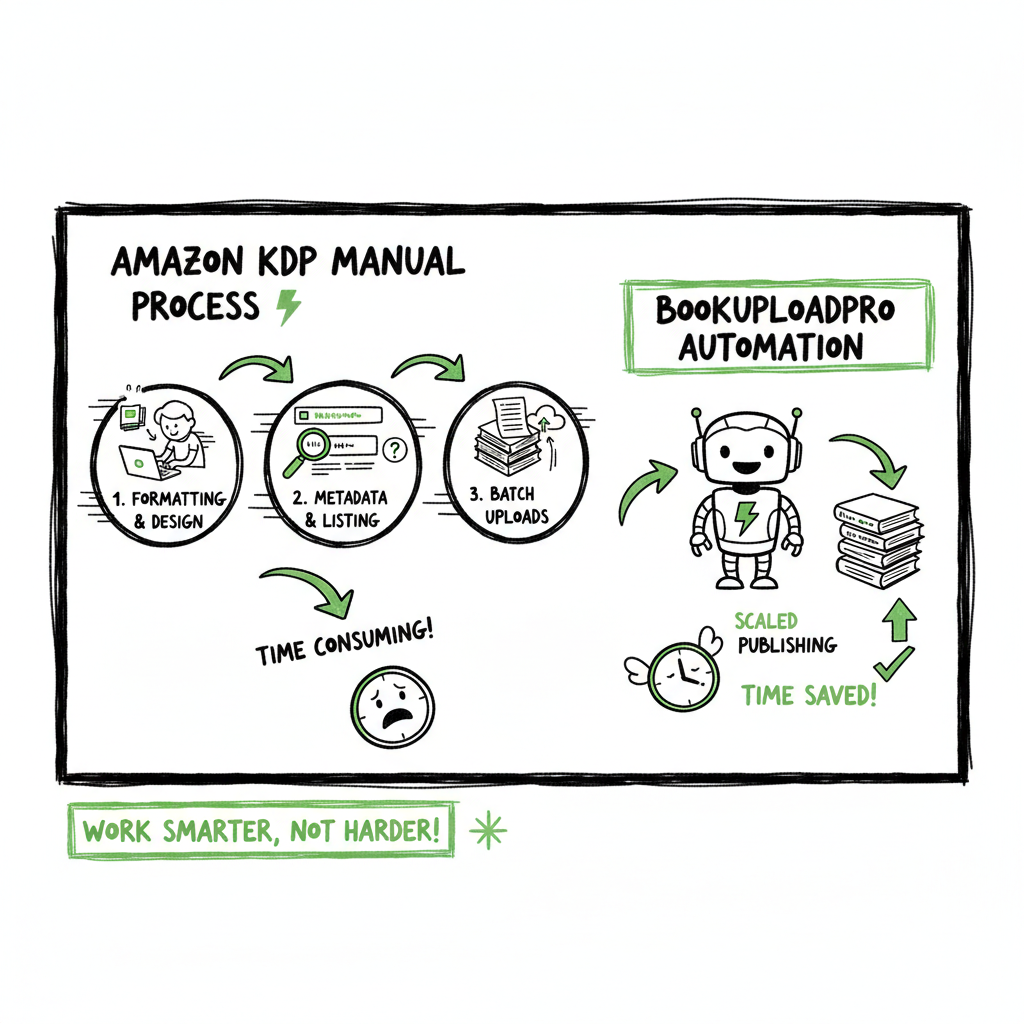
Amazon KDP manual work explained and how to reduce it
Amazon KDP Manual Work: Why It’s So Hands-On and How to Reduce It
Estimated reading time: 12 minutes
Key takeaways
- Amazon KDP manual work is a multi-step, hands-on process that repeats for every format and title.
- Small improvements in formatting, metadata, and batch uploads cut hours per book — and make scaling practical.
- BookUploadPro automates uploads across platforms, saving ~90% of time and reducing errors while preserving human-quality copy.
Table of Contents
- What amazon kdp manual work involves
- The hidden steps that slow you down
- How to cut hours from the hands-on process
- Final thoughts and next steps
- FAQ
What amazon kdp manual work involves
Publishing a book on Amazon KDP looks simple in the signup flow, but the real work is manual and detailed. Every book needs clean files, precise metadata, and a format-specific upload and check. When authors say “amazon kdp manual work,” they mean the full hands-on process: preparing manuscripts, making covers, entering metadata, selecting categories and keywords, uploading for each format, previewing, and setting rights and pricing. This repeats for ebook, paperback, and hardcover versions.
A practical way to see the time sink is to watch someone create a single title from start to finish. Each step requires decisions: which keywords to use, how the description should read, whether the cover spine matches the page count, and if the interior margins meet trim size and bleed rules. If you want a deeper look at timing and why KDP uploads can stretch, this guide links to a useful breakdown at Why Amazon KDP Publishing Takes Long which explains common delays and checks to expect. Those checkpoints matter when you publish more than one book.
KDP’s interface gives tools, but it still asks you to do the work. For example, the KDP previewer flags layout problems, but you must fix and re-upload files. Rights and pricing settings are per market and per format. That means a single book can require dozens of clicks and entries before it’s live.
If you plan to publish a paperback or ebook, make sure your interior and cover follow the specs exactly. For cover processing or batch cover needs, a fast way to create compliant files is to use a dedicated book cover generator that handles spine and bleed automatically. And when you need consistent, validated eBook files, using an EPUB converter saves time and avoids previewer errors.
The hidden steps that slow you down
Most authors count only a few tasks when thinking about publishing. The real delays come from small checks and repeated manual fixes. Here are the common time sinks and why they matter.
- 1) Preparing and formatting the manuscript
Formatting takes time because KDP accepts specific file types and each format has its own rules. For ebook, you need a clean EPUB or properly styled Word file. For paperback, you need precise pagination, margins, and front/back matter. If the book has images, tables, or nonstandard fonts, each one can create layout problems in the previewer. Converting to EPUB without errors often requires a dedicated EPUB tool to ensure the Table of Contents and navigation work correctly.
- 2) Creating compliant covers
Cover files must match exact bleed, trim, and spine measurements. That sounds simple until the page count changes during a final edit. Every page change can alter the spine width. Covers often need re-exporting and re-uploading. Rather than guess, many publishers use automated cover tools that calculate spine size and generate print-ready files.
- 3) Metadata, categories, and keywords
Entering metadata is manual and critical. Title, subtitle, series data, contributors, descriptions, and keywords drive discoverability. These entries are not always reversible or easy to change without losing momentum. Choosing categories is a hands-on choice that affects where your book appears. For serious publishing, you test variations and update listings, but the first upload still requires careful attention.
- 4) Multiple uploads for each format
Each format — ebook, paperback, hardcover — gets its own upload and settings. You repeat many steps for every version. That’s why scaling from one title to a catalog of ten can multiply effort fast.
- 5) Previewing and fixing issues
The KDP previewer surfaces layout and rendering problems. Fixing them can mean editing the source files, exporting again, and re-uploading. Some problems only appear in the preview or on certain devices, so authors iterate until the book looks right in multiple views.
- 6) Rights, pricing, and marketplaces
Setting territories and royalty plans is manual and strategic. You set list prices per marketplace and consider distribution partners. Those settings are important for income and availability but add more manual steps.
Combined, these tasks make the KDP process hands-on. Each small task is straightforward. Together, they consume a lot of time — especially when repeated across formats and titles.
How to cut hours from the hands-on process
Writers who treat publishing as a one-off will accept the manual work. Authors who want to publish multiple books or editions must change the workflow. Below are practical, operator-level ways to reduce time and errors without sacrificing quality.
- 1) Batch the work where possible
Group similar tasks together. Prepare all metadata in a spreadsheet, finalize all cover text in one session, and export manuscripts in batches. A CSV-driven workflow lets you reuse descriptions, series data, and contributors. When you batch uploads, you reduce the number of context switches and repetitive clicking.
- 2) Use tools that validate files before upload
Preview problems are time killers. Run interior and cover files through validation tools that check margins, fonts, and image DPI before you upload. That reduces the number of preview-fix cycles. A dedicated EPUB converter produces cleaner ebooks and lowers previewer rejections.
- 3) Standardize templates and styles
Build book templates for interior layouts and cover dimensions. A well-made template prevents common mistakes like inconsistent chapter starts or wrong type sizes. When page counts change, templates help you update spine measurements and re-export covers quickly.
- 4) Plan metadata in a plain spreadsheet
Compile titles, subtitles, descriptions, categories, and keywords in a single CSV. This makes it easier to spot inconsistencies and to copy-paste data during uploads. You can also use this CSV as the single source of truth for batch upload tools that support CSV imports.
- 5) Automate repetitive uploads
Where possible, use systems that automate the upload process across platforms. Automation doesn’t mean low quality. A good service applies platform-specific intelligence: it knows how to map categories, format covers for print, and set territories and pricing correctly. Automation reduces manual entry, avoids typos, and frees you to focus on writing and strategy.
- 6) Keep a checklist for each format
Make a short checklist for ebook, paperback, and hardcover. Include file types, required fields, and a quick preview test. Checklists keep you from missing small items that become big fixes later.
- 7) Use a service when you scale
BookUploadPro automates uploads across Amazon KDP, Kobo, Apple Books, Draft2Digital, and Ingram. It uses CSV batch uploads, platform-specific intelligence, and human checks to preserve quality while cutting the time burden by about 90%. When you publish seriously, a dedicated upload service is an obvious upgrade: Automate the upload. Own the distribution.
- 8) Fix upstream issues early
Many preview and formatting problems originate in the writing and editing phase. Keep images separate and properly sized, use standard fonts, and mark chapter breaks consistently. That saves time later in layout and export.
- 9) Test with a small release first
If you plan multiple SKUs (ebook, paperback, hardcover), publish one format first and validate the process. Use what you learn to batch future uploads.
- 10) Leverage specialized processors for covers and EPUBs
Rather than wrestling with manual cover math, use a cover generator that handles spine calculations and bleed. Likewise, convert manuscripts to clean EPUBs with a dedicated converter to reduce rendering issues on reading devices. These tools reduce rework and speed up the hands-on parts of publishing.
Practical example: a three-book batch
Imagine you have three books and want ebook plus paperback for each. Manual work would mean 6 separate upload sessions, each with unique metadata entries and file checks. If you prepare a CSV with all metadata, standardize interiors and covers, and use a batch uploader, you reduce those sessions to a single batch operation plus a short review. That saves hours per title and reduces manual errors.
Operational tips to implement today
– Export and save the final interior as both PDF (print) and a source DOCX for quick edits.
– Keep a single spreadsheet that contains title, subtitle, ISBN (if you use your own), description, categories, keywords, and price for each format.
– Create a cover master file with layered text so you can update the spine or back copy quickly when the page count changes.
– Run an EPUB conversion tool to validate navigation and metadata before the KDP ebook upload.
When to use a human-led service
Automation helps, but quality matters. For descriptions, subtitles, and nuanced metadata, human review preserves a natural voice and avoids cookie-cutter copy. BookUploadPro combines automated batch uploads with human checks and manual optimizations. That approach reduces errors while keeping listing text believable and not obviously templated.
Final thoughts and next steps
Amazon KDP manual work is real. It combines technical file prep, careful metadata entry, and repeated checks across formats and marketplaces. For authors who publish occasionally, the manual path is workable. For anyone building a catalog, the manual approach becomes a bottleneck.
Start by mapping your current process. Track how long each step takes for a single title. If the total time is more than a few hours per format, batching and automation will return value quickly. Use a CSV-based metadata system, standardized templates, and reliable conversion tools to reduce preview cycles.
When you’re ready to scale, consider services that combine automation and human quality control. BookUploadPro covers multiple platforms — Amazon KDP, Kobo, Apple Books, Draft2Digital, and Ingram — and supports CSV batch uploads, platform-specific formatting, and human validation. The service is designed to save time and reduce errors so you can publish more without the repetitive manual work.
If creating covers or converting files is part of your bottleneck, tools exist to handle those tasks reliably: a book cover generator takes the manual math out of spine and bleed, and an EPUB converter produces cleaner ebooks with better navigation. For consistent paperback and ebook creation, these tools help you move up from manual checks to a repeatable, scalable process.
Next steps to apply today
– Build a single CSV that holds all metadata for upcoming books.
– Create or update interior and cover templates for consistent exports.
– Run your manuscript through an EPUB converter before the first upload.
– Consider a trial with a multi-platform upload service to test time savings.
Automate the upload. Own the distribution.
FAQ
Q: What exactly is “amazon kdp manual work”?
A: It refers to all the hands-on steps needed to publish on KDP: preparing files, entering metadata, uploading covers and interiors for each format, previewing, fixing issues, and setting rights and pricing. Each book and each format requires its own set of manual decisions.
Q: Can I publish without learning all the technical details?
A: Yes. You can hire a service to handle uploads and formatting. Or you can follow templates and use converters and cover processors to reduce technical steps. However, you should still understand the core settings, like pricing and territories.
Q: Will automation harm the quality of my listings?
A: Automation that includes human review preserves listing quality. The risk is when automation produces generic, templated descriptions. Choose tools or services that include human checks for descriptions and metadata.
Q: How much time can I expect to save with batch uploads and automation?
A: It varies by workflow, but well-designed batch uploads and platform-aware automation can cut around 70–90% of the time spent on manual uploads. The biggest gains come when you move from one-off uploads to a CSV-driven batch approach.
Q: Are there quick fixes for common previewer errors?
A: Yes. Validate images for DPI, standardize fonts, check margins against trim sizes, and use an EPUB converter for ebooks. Often fixing one upstream issue eliminates many preview warnings.
Sources
- Create a Book – Kindle Direct Publishing (official help)
- Paperback Submission Guidelines – KDP
- Start publishing with KDP
- Amazon KDP Guide: Publish Your Book in 7 Steps
- How to Self-Publish a Book on Amazon KDP (Tips from My Experience)
Amazon KDP Manual Work: Why It’s So Hands-On and How to Reduce It Estimated reading time: 12 minutes Key takeaways Amazon KDP manual work is a multi-step, hands-on process that repeats for every format and title. Small improvements in formatting, metadata, and batch uploads cut hours per book — and make scaling practical. BookUploadPro automates…