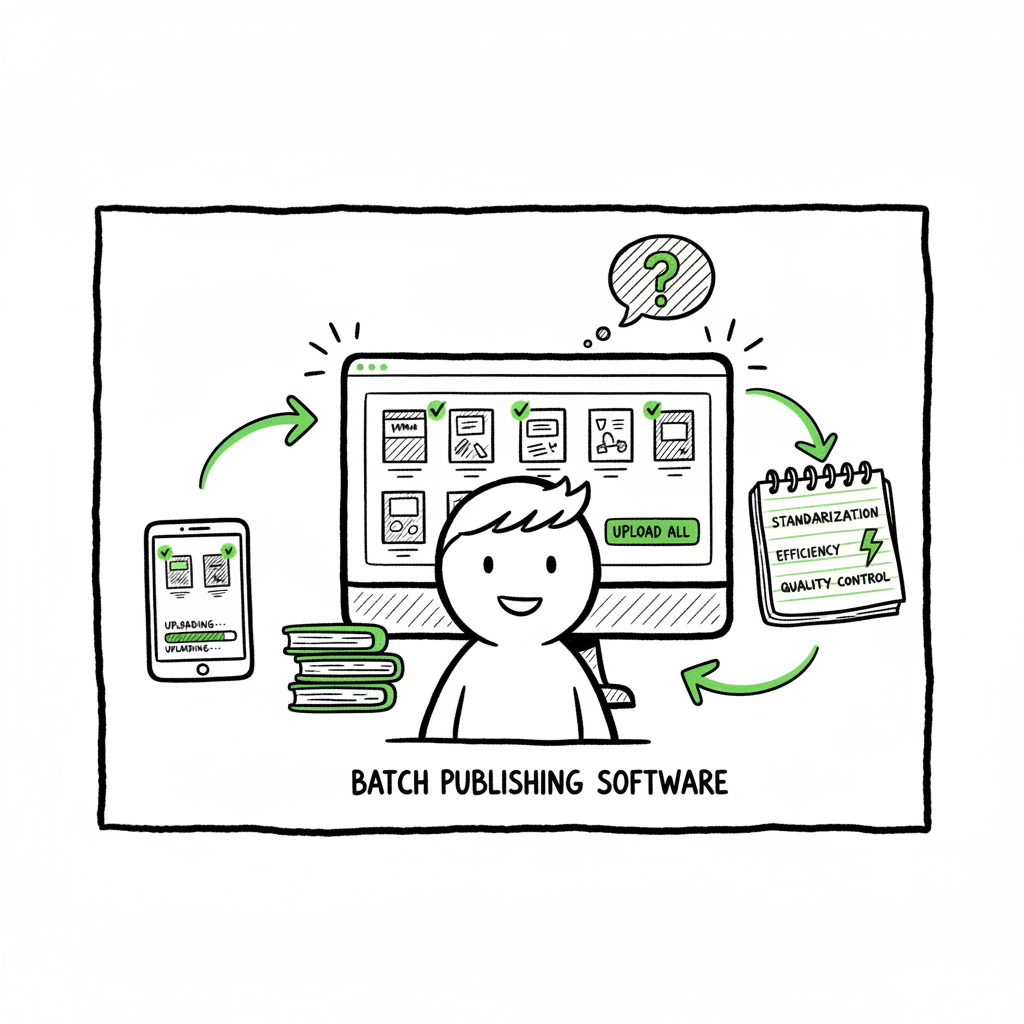
Bulk Publishing Books to Scale Multi-Platform Uploads
Bulk publishing books: how to scale multi-platform uploads without losing quality
Estimated reading time: 16 minutes
Key takeaways
- Bulk publishing books is a practical strategy when you standardize interiors, covers, and metadata, then use batch tools to move fast without breaking quality.
- The key bottlenecks are platform-specific fields, file formats, and preview checks; a repeatable process and platform-aware exports solve most problems.
- At scale, a purpose-built service that handles CSV batch uploads and platform intelligence saves roughly 90% of manual time and makes wide distribution practical.
- Validation pilots and small tests reduce rejections and keep loop times in check as you scale.
Table of Contents
- Why bulk publishing books works (and where it fails)
- A practical bulk publishing books workflow
- Quality control, distribution, and scaling with automation
- FAQ
Why bulk publishing books works (and where it fails)
Bulk publishing books is the act of preparing many titles at once and publishing them across one or more retailers. For many indie authors and small publishers, this means dozens or hundreds of similar titles—journals, planners, short guides, or book-series variations—created from templates and pushed out in batches. The goal is not just speed. Well-organized batch publishing increases your topical coverage, improves keyword reach, and reduces the per-title time and cost that kill small-margin projects.
If you plan to grow, read practical guides about Scaling an Amazon KDP Business and how others treat volume as a channel. That context helps you choose where to focus quality and where to accept efficient trade-offs.
Why it works
- Reach and testing: Publishing multiple pre-tested variations lets you test cover styles, descriptions, and keywords quickly. One winning design can fund iterations.
- Economics: Low-content products and short ebooks are cheap to produce when you reuse templates and a small set of cover and interior assets.
- Time per title: Templates, CSV exports, and batch tools cut repetitive tasks like category selection, pricing, and rights fields.
Where it fails
- Platform friction: KDP, Kobo, Apple Books, and Ingram use different file rules, required fields, and preview quirks. A file that passes one store might fail another.
- Quality slip: When teams chase numbers, covers or interiors that look good at first glance can contain alignment or margin problems that lead to rejections or bad reviews.
- Catalog clutter: Publishing dozens of weak titles dilutes your brand. Bulk publishing magnifies both wins and mistakes.
A practical bulk publishing books workflow
This section walks through a repeatable workflow designed to keep quality high while you scale. I write it from the perspective of a publisher who wants reliable results and predictable timings—not a marketing pitch. The steps are intentionally operational and platform-aware.
1) Define your product family
Start by deciding what you will repeat. A product family shares an interior template, trim size, and metadata structure. Example families: 6×9 paperback journals, 8.5×11 coloring books, short nonfiction ebooks.
What to lock down:
- Trim sizes and bleed rules
- Interior template (fonts, margins, page counts)
- A cover grid of components you can swap (title, subtitle, background, accent color)
- Metadata schema: title pattern, subtitle options, description blocks, keyword sets
If you plan to produce both ebook and paperback versions, treat the two as linked SKUs during planning. If you expect to create EPUBs for retailers like Apple Books, factor that export into the family plan and use a tested conversion step rather than hand-editing per title. For reliable EPUB conversion, consider a purpose-built converter to avoid formatting failures.
2) Build templates and CSV metadata
Use a spreadsheet as your source of truth. Each row represents a title with fields for:
- Final title
- Subtitle
- Series name and number (if any)
- Description (short/long)
- Keywords/tags
- Price (per platform)
- Territory and rights
- Cover variant ID
- Interior variant ID
Save the spreadsheet as a CSV for batch uploads. When you design interiors and covers with predictable layer names, the CSV can map to files and automatically assemble output. If you are creating paperbacks and ebooks, keep separate columns for platform-specific options (e.g., KDP printing cost, Apple territory).
If your workflow requires converting manuscripts to EPUB, centralize that step and produce validated files. For EPUB conversion, see BookAutoAI’s EPUB converter.
If you plan to produce both ebook and paperback versions, see the related book creation workflow.
3) Produce covers and interiors efficiently, but correctly
Automating cover layout is common for low-content books, but the output must respect platform rules. When you generate covers, confirm bleed, spine width, and font legibility at preview size. If you create many covers, use a generator that enforces these constraints rather than piecing them manually each time. For cover generation workflow, cover generator processing ensures export settings are correct.
Interiors must use consistent margins, correct page counts, and embedded fonts when required. For paperbacks, a single wrong margin can force a re-upload. For ebooks, ensure image compression and reflow behave across readers.
4) Validate files before upload
Validation is where you save time. Batch validation should check:
- PDF pagination, bleed, and spine metrics
- EPUB file structure and CSS limits
- Image resolutions and color spaces
- Metadata completeness and forbidden characters
Run a small pilot: upload three titles manually and confirm platform-specific preview results. Fix the root cause, then expand the batch. This reduces the loop time that kills scale.
5) Batch upload with platform awareness
There is no fully official bulk upload option for most retailers. Amazon KDP requires manual or semi-automated uploads, which is why many publishers use CSV-driven tools or services that submit on their behalf. For other retailers like Kobo, Apple Books, Draft2Digital, and Ingram, CSV and XML feeds or vendor portals allow batch imports if your files match required schemas.
Key operational choices:
- Use a single CSV mapping to export platform variants.
- Name files consistently so the upload tool matches covers to metadata rows automatically.
- Schedule uploads in manageable chunks to avoid errors and to surface platform feedback quickly.
For a book creation workflow, see BookAutoAI.
6) Monitor first 72 hours and iterate
The first three days after publishing reveal the most actionable signals:
- Did the title go live in the markets you targeted?
- Does the preview show as expected?
- Are there immediate rejections or metadata mismatches?
Log every issue and add it to a shared template so the same mistake never repeats. Over time, your CSV and asset naming conventions become the real productivity gain.
Quality control, distribution, and scaling with automation
Scaling bulk publishing books means making two trade-offs: reduce manual repetition and keep platform-specific quality. A service built for multi-platform uploads removes the middlemen of copy-paste work and prevents the predictable human errors that happen at scale.
Where automation helps most
- CSV batch uploads: One canonical CSV can power multiple storefront exports. That saves hours versus manual entry.
- Platform-specific intelligence: A good system knows that KDP requires a 300 DPI cover PDF for print while Apple wants optimized EPUBs, and it prepares exports accordingly.
- Error reduction: Automated checks for margins, bleed, and EPUB validation remove the most common rejection reasons.
- Time savings: For teams that publish regularly, automation can cut the manual time by roughly 90% and make wide distribution practical.
What automation does not replace
- Editorial quality: Machine processes cannot replace good editing, voice, and thoughtful design.
- Market strategy: Automation expands capacity; it does not pick the right niches for you.
- After-sales customer work: Handling reviews, refunds, and distribution anomalies still requires human attention.
Multi-platform distribution as a single workflow
If you publish to KDP, Kobo, Apple Books, Draft2Digital, and Ingram, treat distribution as one integrated process:
– Maintain a master content pack per title: final interior file, cover file(s), and a single metadata row.
– Export platform-specific files from that pack with consistent naming.
– Use a service that can push those files to each retailer’s API or upload portal, applying the retailer rules automatically.
For authors who start publishing seriously, an automated multi-platform upload service becomes an obvious upgrade. It centralizes the CSV batch uploads, applies platform rules, and reduces repetitive tasks so you can focus on the creative and marketing work that matters.
Practical tips that save time and headaches
- Standardize file names: Use a stable naming scheme that includes title ID and version number.
- Keep a small control set: For every 50 titles, keep one that represents each family and review it manually.
- Track versions: When you update interiors or covers, append a version number in the CSV to avoid accidental overwrites.
- Protect key metadata: Some platforms allow rich HTML or extended descriptions—decide which fields are canonical and which you’ll tailor per platform.
How BookUploadPro fits the process
BookUploadPro is built to be the operational layer between your CSVs and the stores. It offers:
– Unified multi-platform publishing: Upload once, publish to KDP, Kobo, Apple Books, Draft2Digital, and Ingram.
– CSV batch uploads: Your spreadsheet powers the whole job.
– Platform-specific intelligence: The service prepares exports that respect each store’s file and metadata rules.
– ~90% time savings versus manual uploads.
– Error reduction and predictable turnarounds that make wide distribution practical.
– Affordable pricing and a free trial so you can test the process with a small family before you scale.
For many authors the right moment to move off manual uploads is when you publish more than a handful of titles a month. At that point, a purpose-built service is not a luxury; it’s the operational tool that reduces risk and keeps your production consistent. Automate the upload. Own the distribution.
FAQ
Q: Is bulk publishing books allowed on KDP?
A: Yes. Authors can upload as many titles as they want, provided each one meets KDP’s content and format policies. KDP has no official “bulk upload” form, so publishers use templates, CSVs, and upload tools to speed the process. Always validate files before a wide rollout.
Q: Will bulk publishing lower my book quality?
A: It can, if you prioritize quantity over basic checks. The right workflow—templates, automated validations, and spot checks—lets you scale without sacrificing fundamental quality like margins, readability, and accurate metadata.
Q: Do I need separate files for paperback and ebook?
A: Yes. Paperbacks need print-ready PDF interiors and wraparound cover PDFs sized to trim and page count. Ebooks need EPUBs (or MOBI for legacy workflows) optimized for reflow. Use a reliable EPUB converter to avoid platform-specific failures.
Q: How do I create covers and save time?
A: Use a cover template system that enforces bleed, margins, and spine calculations. Automating cover assembly is common for low-content books, but every generated cover should be previewed at scale to ensure readability. If you create many covers, a processing tool that enforces export rules will save time and reduce re-uploads.
Q: What about distribution beyond KDP?
A: Wide distribution requires platform-aware exports. Some aggregators and services will accept your EPUBs and PDFs and then distribute to multiple retailers. For controlled distribution and direct retailer uploads, use a service that knows the different requirements for each store.
Sources
- A 101 Guide to Kindle Direct Publishing Basics: Insider Secrets
- How to Upload KDP Low Content Books in BULK
- KDP Batch Upload: Revolutionizing Workflow Automation | iFlowy Blog
- How to bulk upload Amazon KDP Listings
- Bulk Orders: Author Copies or Amazon Orders? – KDP Community
Bulk publishing books: how to scale multi-platform uploads without losing quality Estimated reading time: 16 minutes Key takeaways Bulk publishing books is a practical strategy when you standardize interiors, covers, and metadata, then use batch tools to move fast without breaking quality. The key bottlenecks are platform-specific fields, file formats, and preview checks; a repeatable…