Bulk Publishing Books Practical Multi-Platform Workflow
Bulk publishing books: practical multi-platform workflows that scale
Estimated reading time: 12 minutes
Key takeaways
- Bulk publishing books is a production and distribution problem, not just a marketing one.
- The fastest, most reliable scale combines repeatable file templates, CSV batch uploads, and platform-specific intelligence.
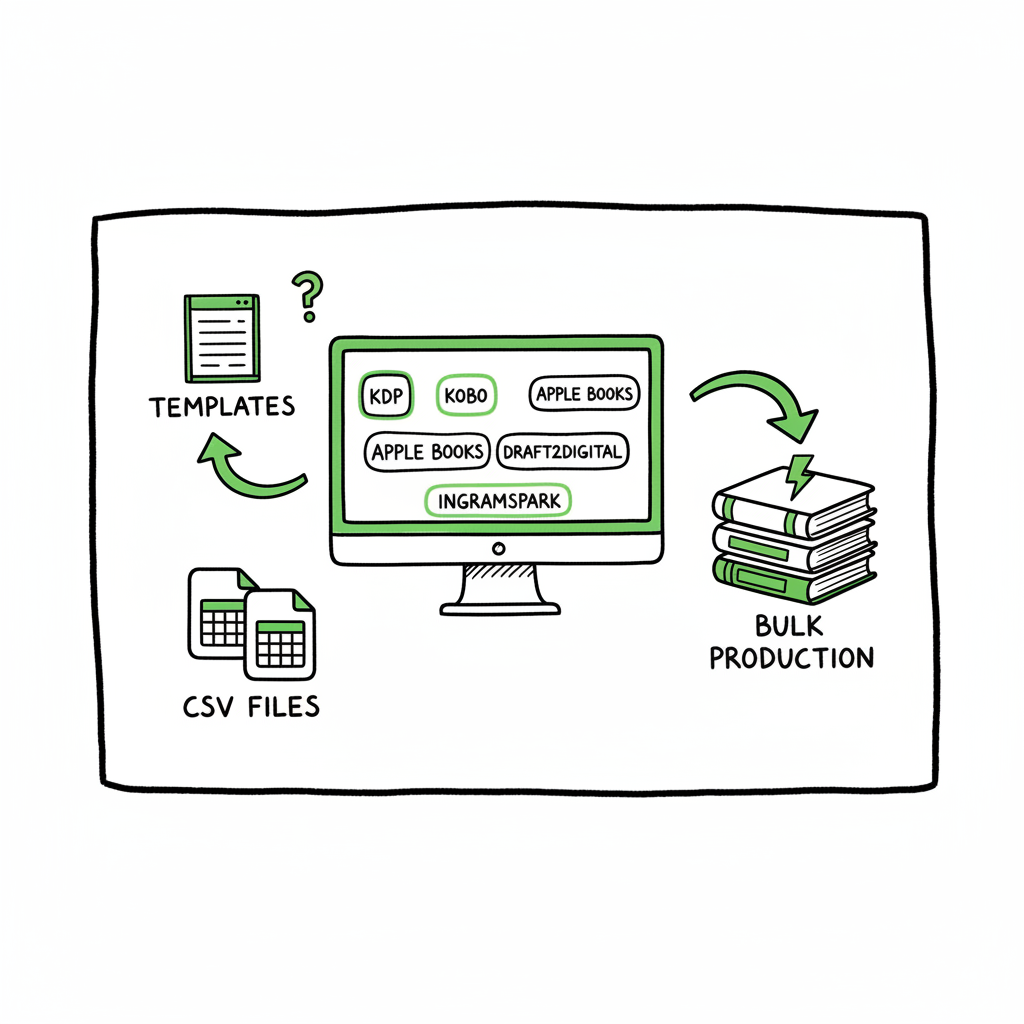
- BookUploadPro automates uploads across KDP, Kobo, Apple Books, Draft2Digital, and Ingram — saving ~90% of repetitive time and reducing errors.
- Focus on steady quality: consistent interiors and covers with small variations beat random churn.
- Start small, measure which niches work, then automate the parts that take the most time.
Table of Contents
- Why bulk publishing books makes sense — and where it fails
- How to build a reliable mass book publishing workflow
- Final thoughts and next steps
- FAQ
- Sources
Why bulk publishing books makes sense — and where it fails
Bulk publishing books is simply the practice of producing and publishing many titles on purpose. For many indie authors this means low- or no-content books (journals, planners, coloring books), short fiction series, or template-driven nonfiction where layouts repeat across dozens or hundreds of titles. The idea is straightforward: if one good title makes money, ten similar titles can multiply returns—if you can produce them without multiplying work.
The tension is twofold. First, marketplaces like Amazon KDP were designed around a single-title workflow. Manual forms and uploads multiply friction when you try to scale. Second, volume without consistency leads to messy portfolios that confuse buyers and waste time.
That’s where process and tooling matter. A repeatable file setup, CSV-based metadata, and reliable distribution reduce the friction of mass book publishing workflow. When you standardize interiors, cover templates, keywords, and price bands, you get predictable costs and predictable results.
If your goal is serious scale, you eventually need to move beyond clicking the same form dozens of times. For a practical field guide on moving from ten titles to hundreds on Amazon and beyond, Scaling an Amazon KDP Business.
Why volume works
- Discovery scales: more visible products mean more long-tail traffic.
- A consistent template reduces production time per title.
- Small variations (color, subtitle, size) test what buyers prefer without inventing new products each time.
Where many publishers fail
- They try to scale by adding novelty instead of optimizing templates.
- They neglect platform differences; a file that works on KDP may need tweaks for Apple Books or Ingram.
- They underestimate metadata quality: bad titles, keywords, or categories kill visibility, even with many listings.
How to build a reliable mass book publishing workflow
This section walks through a practical workflow that balances speed, quality, and multi-platform reach. It assumes you want to publish many titles and keep errors low.
1 — Define the product family
Start with a product family: the interior type (lined journal, workbook, puzzle book), trim sizes, and a visual style guide. Make decisions that are repeatable:
- Two or three trim sizes to support print and ebook.
- A set of cover templates (color palettes, typography).
- A standard interior template file with variable fields (title page, author name, ISBN field).
When you reuse templates, you cut production time dramatically. That standardization is the backbone of any bulk process.
2 — Prepare master files and variable assets
Master files are your single source of truth. Keep:
- Interior masters in a format you can batch-edit (InDesign, Affinity, or even clean Word/Google Docs that export to print-ready PDF).
- Cover masters layered so you can change images, colors, and title text quickly.
- A spreadsheet with title variants, subtitles, keywords, categories, price, and distribution choices.
If you plan to produce ebooks, ensure your interior flows into EPUB cleanly. If you need to convert to EPUB at scale, use a reliable tool to batch-convert files rather than doing each conversion by hand — for example, a dedicated EPUB converter can save hours when you publish many titles.
3 — Build your CSV batch
A CSV is the single lever that drives batch uploads. Columns should map to every metadata field the platform requires: title, subtitle, author, contributor, description, keywords, categories, language, price, ISBN, publication date, and paths to cover/interior files.
- Keep the CSV simple and validated:
- Use consistent keyword formats and avoid duplicates.
- Validate categories and BISAC codes in advance so the platform accepts them.
- Normalize prices and royalty settings.
BookUploadPro works with CSV batch uploads and platform-specific intelligence to handle field mapping and common validation errors across KDP, Kobo, Apple Books, Draft2Digital, and Ingram. That reduces repetitive cleanup and prevents small mistakes from blocking an entire batch.
4 — Generate assets programmatically
For many publishers, the biggest time sink is creating dozens of covers and interiors. Use template-driven generation:
- Swap imagery and palettes on a cover template and export a new cover for each CSV row.
- For interiors, create templated pages where variable text (title, prompts) can be injected.
If you want to speed this step, cover generator solves the repetitive part of cover creation without forcing you to compromise on design. A reliable cover generator can export platform-ready files quickly, and that’s especially useful when you’re producing many similar books.
5 — Convert and validate files for each platform
Different stores accept different file types and have different technical requirements:
- Amazon KDP needs print-ready PDF for paperback and EPUB or MOBI for ebooks (KDP now prefers EPUB).
- Apple Books and Kobo prefer EPUB for ebooks.
- Ingram has strict print PDF requirements for bleeds and margins.
Use a tested conversion process to produce compliant EPUBs and print PDFs. Automated EPUB converters speed this up, and a quick validation pass catches the most common problems before upload. For EPUB needs, a dedicated EPUB converter helps you produce compliant files quickly.
6 — Upload strategy: staggered vs. all-in
You can publish in waves:
- Staggered rollout: publish a small batch, measure, then scale.
- Full rollout: publish your entire portfolio across multiple stores at once.
A staggered approach lets you test titles and adjust metadata. When a format proves profitable, switch to batch publishing for the remaining titles. If you prefer one-step distribution, a multi-platform uploader that pushes CSVs and file packages to each store will save huge amounts of time.
7 — Use platform-specific intelligence
Each platform has rules and quirks. A multi-platform tool should:
- Map CSV fields correctly for each store.
- Adjust image resolution or color profile as needed.
- Detect common validation errors and either auto-fix or flag them.
A system that understands these differences prevents rework. It also saves time when platforms change their rules or when you add a new distributor.
8 — Keep quality controls in place
Quality controls prevent long-term portfolio erosion:
- Randomly proof 5–10% of newly published titles each batch.
- Verify metadata in live listings within 24–48 hours.
- Track returns, takedowns, and policy issues.
Automation should not remove human checks. It should free you to review strategy and numbers, not to fix the same mistakes repeatedly.
9 — Distribution and rights
Decide where to distribute. Some publishers use KDP for Amazon-only and a separate distributor for everyone else. Others distribute everywhere to maximize reach. When you publish at scale, distribution choice is a practical decision:
- Wider distribution increases exposure but adds complexity.
- Direct uploads to Apple and Kobo may require different file tweaks than going through a distributor like Draft2Digital.
BookUploadPro automates uploads across KDP, Kobo, Apple Books, Draft2Digital, and Ingram, making broad distribution practical without a full team.
10 — Measure and iterate
Track:
- Sales and impressions per title.
- Conversion rates on key listings.
- Which keywords and cover treatments work.
Turn data into rules. For example: if a particular subtitle increases conversion by 20% in one niche, apply that subtitle pattern to similar titles.
Final thoughts and next steps
Bulk publishing books is a systems problem. You win by designing repeatable processes and then automating the repetitive parts. Start by standardizing interiors and covers, build a validated CSV, and choose a distribution approach that matches your goals. Use platform-aware tools to avoid platform-specific rework, and keep sampling titles in small batches before you scale.
If your publishing plan is to move from a handful of titles to dozens or hundreds, prioritize systems over shortcuts. A good CSV process, consistent templates, and a reliable multi-platform uploader pay back quickly. When your title count gets large enough that uploads and checks eat most of your time, an automation service becomes an obvious upgrade.
Try one small experiment: take three titles that share an interior type, produce three covers, prepare a CSV, and publish across two platforms. Track results for 30 days. If the numbers justify it, batch the next 30. This measured approach reduces waste and teaches you what to automate next.
FAQ
Q: What kinds of books are best for bulk publishing?
A: Low- and no-content books (journals, planners, workbooks), serialized short fiction, and template-driven nonfiction work well because they reuse layouts. That said, any book with a repeatable production pattern can be scaled.
Q: Do I need different files for KDP, Apple, and Kobo?
A: Yes and no. You can use the same master files, but expect to create platform-specific outputs (EPUB for Apple/Kobo, print-ready PDF for KDP). A conversion step that produces compliant files for each store is standard.
Q: How much time can I save with multi-platform automation?
A: Real-world users report significant savings — often around 80–90% — on repetitive upload tasks once CSV mapping and file generation are in place. Savings grow with volume.
Q: How does ISBN handling work in bulk?
A: Decide whether to use a single imprint ISBN block or platform-provided identifiers. Track ISBN assignment in your CSV so you don’t create duplicates or lose traceability.
Q: Will automation cause quality issues?
A: Automation accelerates mistakes if inputs are poor. The trick is validation: validate CSVs, proof a sample of generated files, and keep routine checks. Automation saves time when your templates and processes are correct.
Sources
- https://www.automateed.com/book-bolt
- https://www.youtube.com/watch?v=4WiPbSUcWU4
- https://iflowy.app/en/blog/batch-upload-kdp-automazione-workflow
- https://www.youtube.com/watch?v=7KGnm1E6Bv8
- https://kdpcommunity.com/s/question/0D58V00008iaqH3SAI/bulk-orders-author-copies-or-amazon-orders?language=en_US
Visit BookUploadPro.com to try the free trial and see how CSV batch uploads and platform-aware publishing speed your operations.
Bulk publishing books: practical multi-platform workflows that scale Estimated reading time: 12 minutes Key takeaways Bulk publishing books is a production and distribution problem, not just a marketing one. The fastest, most reliable scale combines repeatable file templates, CSV batch uploads, and platform-specific intelligence. BookUploadPro automates uploads across KDP, Kobo, Apple Books, Draft2Digital, and Ingram…