Wide Publishing Workflow Explained for Self-Publishing
Wide publishing workflow: how to scale multi‑retailer book distribution
Estimated reading time: 14 minutes
Key takeaways
- A clear wide publishing workflow turns repeated uploads into a predictable, low‑error process that saves time and lets you publish more titles.
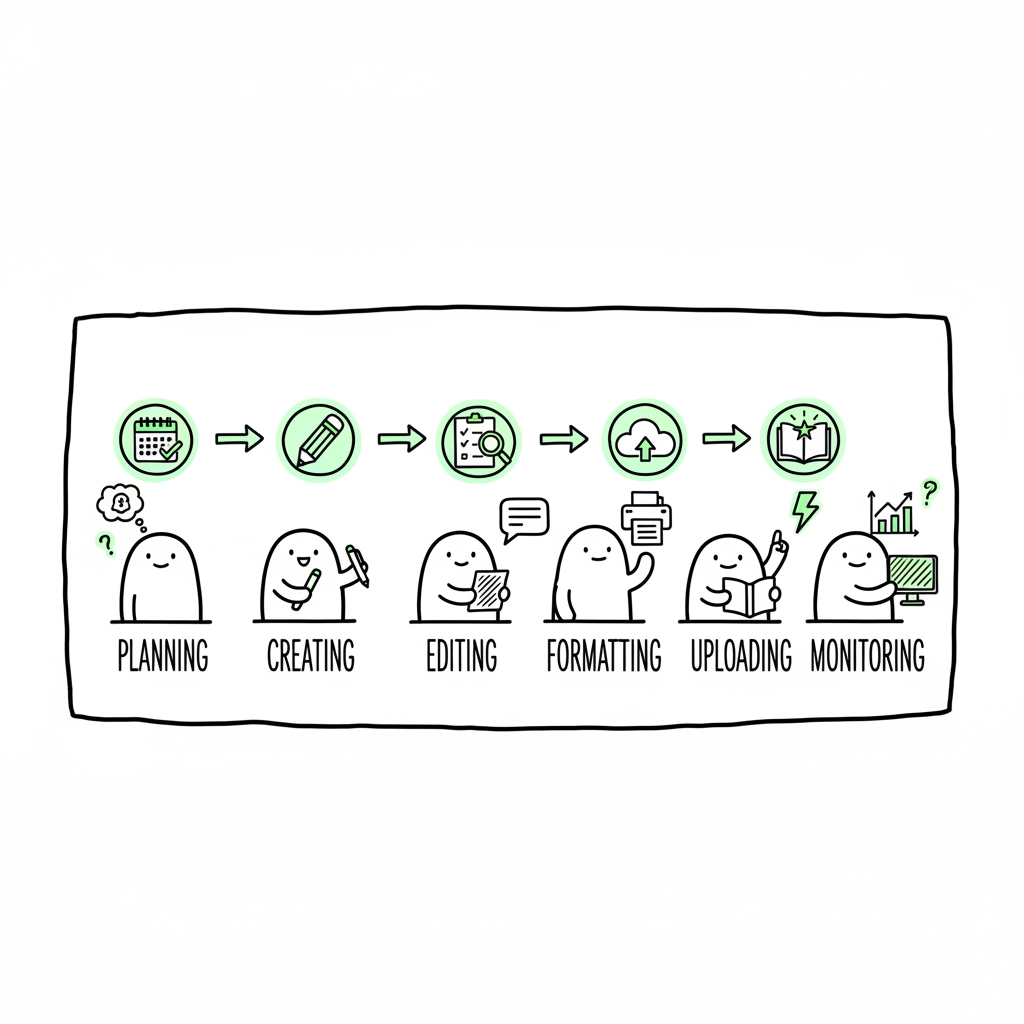
- Break the process into defined stages: plan, create, edit, format, upload, publish, and monitor. Standardize metadata and files for each platform.
- Tooling that handles CSV batch uploads, platform‑specific intelligence, and error checks makes wide publishing practical at scale.
- BookUploadPro automates multi‑platform uploads to Amazon KDP, Kobo, Apple Books, Draft2Digital, and Ingram — cutting manual time by ~90% and reducing mistakes.
- Start with a simple template, refine it with each release, and move painful manual steps into automation when you’re ready to scale.
Table of Contents
- What a wide publishing workflow looks like
- Core stages of a wide publishing workflow
- Technical steps, platform differences, and common pitfalls
- Scale operations: tooling, checks, and when to automate
- FAQ
- Sources
What a wide publishing workflow looks like
A wide publishing workflow is the repeatable path you follow to get a book from a ready manuscript into multiple retailers. It covers the decisions, files, and checks you perform before you hit publish on Apple Books, Kobo, Draft2Digital, Ingram, and Amazon (if you choose). The goal is to make multi‑retailer distribution predictable, fast, and low risk.
At first, authors treat each platform as a separate project. Title pages, cover sizing, metadata entry, price rules, and delivery files are entered by hand again and again. That works for one book. It breaks down when you publish dozens. A structured wide publishing workflow stops the back‑and‑forth, enforces consistency across retailers, and reduces rework.
If you want a ready template to adapt, see Publish Wide Self Publishing Workflow — it lays out a publishable checklist that fits most small publishing programs. (This is a practical one‑page resource you can use to audit your current process and find the biggest time sinks.)
For automated cover generation, see cover generator processing.
When converting to EPUB, use a reliable EPUB converter to preserve structure and TOC.
If you generate ebook or paperback files internally, consider using a reliable BookAutoAI tool to streamline this step.
Why a clear workflow matters
- Consistency: same ISBN, consistent series metadata, standardized pricing logic.
- Speed: batch steps let you upload many titles together.
- Fewer errors: validation checks catch problems before a retailer rejects your file.
- Predictability: you can schedule releases and coordinate marketing when every channel behaves the same way.
A wide publishing workflow is not magic. It’s discipline: the same steps, the same checks, and the same files every time.
Core stages of a wide publishing workflow
Every wide publishing process can be expressed in stages. Treat each stage as a small project with a clear owner, inputs, outputs, and acceptance criteria. Below are the practical stages most teams use — they map directly to the work you do for individual titles and for CSV batch uploads when you scale.
1) Planning and research
- Decide where the title will go wide. Not every book needs every retailer.
- Confirm ISBN strategy (unique ISBN per format), territory rights, and pricing strategy.
- Build a release calendar and identify preorders, promotional windows, and bundling needs.
2) Content creation and finalization
- Finish manuscript edits and lock the final file. Use a single source file (DOCX, Markdown) for derivatives.
- Confirm front/back matter, acknowledgments, and series or edition notices.
- Keep the manuscript for conversion and a copy for reference.
3) Editing and quality control
- Line edit and proofread. Use the same proof cycles you would for single‑platform releases.
- Produce a clean proof PDF for print and a validated proof EPUB for ebooks.
- Acceptance criteria: no unresolved comments, final page count for paperback, and a proof that matches metadata.
4) Design and assets
- Create a cover that fits retailer specifications for each format (ebook, paperback).
- Design interior files: print-ready PDF for paperback and reflowable EPUB for ebook.
- If you generate ebook or paperback files internally, use a consistent template to avoid layout drift. If you convert the manuscript to EPUB, use a reliable converter to preserve structure and TOC; a tool that converts manuscript to EPUB can streamline this step.
5) Metadata and delivery packing
- Standardize titles, subtitles, series names, contributor names, descriptions, categories, BISAC codes, keywords, and age ranges.
- Create a single metadata source (CSV or spreadsheet) that becomes the source of truth for all retailers.
- Prepare files and compressed delivery packages per retailer. For batch operations, convert metadata rows to CSV uploads where supported.
6) Uploading and platform checks
- Use an uploader that understands each retailer’s required fields and file constraints.
- Follow platform checks: cover size, spine text (paperback), sample length, ISBN, and territory settings.
- For multi‑retailer upload workflow, prefer a system that maps your source metadata to each platform’s fields and flags mismatches before submission.
7) Publishing, distribution, and monitoring
- Schedule or publish immediately depending on release plan.
- Verify that retailers list the title correctly: cover, description, price, and availability.
- Monitor sales channels and fix issues early. Keep a simple log of common rejections and their fixes.
These stages are simple to describe and harder to execute reliably. The gap between plan and practice is where most authors lose time — doing the same manual entry, reformatting covers, and correcting rejected uploads.
Technical steps, platform differences, and common pitfalls
A working wide publishing workflow pays attention to the details that vary by retailer. If you treat every platform like Amazon KDP, you’ll run into platform‑specific rejections. Focus on standardization where possible, and build platform exceptions into your process.
File formats and conversion
- Ebook file: most stores accept EPUB. Amazon accepts EPUB and KPF, but EPUB is the common denominator. Convert once from a single master manuscript and validate the EPUB in an EPUB validator.
- Print file: PDFs for paperback must meet trim size, bleed, and margin rules. Confirm spine width for paperbacks with long page counts.
- If you need to convert many files, consider batch tools to generate print PDFs and validated EPUBs. When converting to EPUB, choose a converter that preserves chapters, images, and a working table of contents.
Metadata mapping
- Retailers use different category systems (BISAC, proprietary categories). Map one source set to each retailer’s options.
- Titles and subtitles should be identical across channels unless platform rules require changes.
- Keywords are retailer‑specific. Avoid stuffing keywords in descriptions; use the keyword fields where available.
Identifiers and rights
- ISBNs: assign one ISBN per format. If you use an ISBN for an ebook on one platform, don’t reuse it for paperback.
- Territories: make sure your rights and territory settings match contracts or rights you hold.
Cover and image specs
- Most retailers restrict embedded fonts and expect specific DPI and color profiles.
- For paperback covers, calculate the spine width based on page count and paper type. Many rejections come from incorrect spine sizes.
- If you create covers in‑house or with a generator, use a consistent template so batch generation is simple.
Pricing and royalties
- Pricing logic differs; some platforms use net pricing or require local currencies.
- For batch uploads, build a price matrix that calculates local prices from a base price and retailer rules.
Common pitfalls to avoid
- Multiple source files: editing two or three manuscript versions causes errors. Keep one master file.
- Inconsistent metadata: mismatch between the title on the cover and the retailer title leads to listings that look unprofessional.
- Manual rework: manual cover resizing or metadata reentry for every store wastes hours. Use CSV batch uploads and a central metadata source to avoid this.
- Missing validations: skip validation and retailers will reject or produce poor customer experiences. Use validators for EPUB and print PDFs.
Practical checks you can add
- Validate EPUB structure and TOC before upload.
- Run a metadata consistency check between your CSV and final files.
- Proof a print PDF in a reader and confirm margins, images, and page numbers.
- Use a preflight checklist that’s part of every release.
When you mention conversion and file generation in your process, tools that convert manuscript to EPUB and tools that generate paperback and ebook files reduce manual steps and improve consistency. If you don’t have those yet, add them to your roadmap.
Scale operations: tooling, checks, and when to automate
Scaling is about two things: volume and predictability. The more titles you publish, the more you need tooling that reduces manual work and prevents common mistakes. Good tooling will let you move from one‑off uploads to batch operations without creating more work.
What to automate first
- Metadata CSV creation: turn rows in a spreadsheet into ready‑to‑upload metadata for each retailer.
- File packaging: generate the final EPUB and print PDFs from the source file and attach the right cover assets.
- Validation and preflight: run automated checks and flag failures before you submit to a retailer.
What to keep human
- Editing and creative decisions remain human tasks: the manuscript, cover concept, and final editorial sign‑off should be reviewed by you or your team.
- Complex pricing or territory negotiations may require manual oversight.
What a good tool should do
- Support CSV batch uploads so you can submit many titles at once.
- Understand platform field differences and automatically map your source metadata to each retailer.
- Provide preflight checks and error reporting that point to fixes, not generic failure codes.
- Maintain a release log and version control so you can track what was sent where and when.
Why BookUploadPro is an obvious upgrade
When authors begin publishing seriously, the bottleneck becomes repetitive uploads and platform‑specific rework. It’s built to handle unified multi‑platform publishing, CSV batch uploads, and platform‑specific intelligence that reduces errors.
Key operational benefits you’ll see
- ~90% time savings on routine multi‑retailer uploads.
- Fewer rejected submissions through preflight error checks.
- Centralized metadata and a single source of truth for title rows.
- Affordable pricing with a free trial so you can test at your own pace.
A practical approach to rolling out automation
- Start small: automate one repetitive step, like metadata CSV generation.
- Pilot with a small batch of backlist titles. Use the pilot to refine mappings and validation rules.
- Move to full automation for new releases once the pilot shows consistent success.
Automate the upload. Own the distribution.
A tool that understands platform differences and accepts CSV batch uploads removes the busywork that keeps authors away from publishing more books. When you’ve validated your process once, BookUploadPro makes repeating it fast and reliable.
Internal resource for your team
If you want a single‑page template to evaluate your current process, refer to Publish Wide Self Publishing Workflow. It’s a compact checklist you can use to find your slow steps and prioritize automation.
Practical tips for operations
- Keep a short log of common errors, the fixes, and how long each fix takes. This identifies the best automation candidates.
- Version your master files and metadata. If something goes wrong, you can revert.
- Train anyone who touches the process on the acceptance criteria for each stage.
- Schedule weekly reviews of live listings for new releases during the first two weeks after publication.
A note on covers and file generation
If you use automated tools to create covers or to generate final ebook and paperback files, put a human quality check in place. Tools speed output, but the final decision should remain with you or a trusted reviewer. When you need consistent file generation, software that can generate paperback and ebook files from a single source will save time while keeping design consistent.
FAQ
Q: How is a wide publishing workflow different from single‑platform publishing?
A: The difference is scale and variety. Single‑platform publishing focuses on one retailer’s fields and rules. A wide publishing workflow standardizes metadata and files across multiple retailers, handles platform exceptions, and enables batch uploads so you don’t repeat the same manual steps per retailer.
Q: Can I use a spreadsheet for all metadata?
A: Yes. A spreadsheet or CSV is the most practical source of truth. The key is mapping each column to the correct retailer field and validating the data before upload.
Q: What file formats should I prepare?
A: Prepare a validated EPUB for ebooks and a print‑ready PDF for paperbacks. Keep a clean master manuscript (DOCX or Markdown) so you can regenerate derivatives reliably.
Q: How do I avoid mismatched metadata across stores?
A: Use one metadata source and export tailored CSVs for each retailer. Add a metadata consistency check to your process so differences get caught before upload.
Q: When should I automate?
A: Automate when a step is repeated more than twice and costs significant time. Typical early wins are metadata mapping, batch uploads, and file validation.
Q: Will automation increase my risk of errors?
A: Properly configured automation reduces errors. The risk comes from automating without validation. Always include preflight checks and human sign‑off for key decisions.
Q: Is BookUploadPro suitable for authors who publish a few books a year?
A: Yes. Even at low volume, centralized metadata and single‑click uploads reduce friction. When you start doing more than one or two releases a year, the time savings become obvious.
Q: How do I handle different pricing in different countries?
A: Build a pricing matrix in your metadata CSV. Many tools let you calculate local prices from a base price, or you can list platform‑specific prices in separate fields.
Q: Will automation create more risk of errors?
A: Properly configured automation reduces errors. The risk comes from automating without validation. Always include preflight checks and human sign‑off for key decisions.
Q: How do I ensure consistency across retailers?
A: Use one metadata source and export tailored CSVs for each retailer. Validate data before upload to catch mismatches early.
Q: How do I handle minimal publishing with a few titles?
A: Centralized metadata and batch uploads still save time, even at low volume. The gains become clearer as you scale.
Final thoughts
A wide publishing workflow is about turning ad hoc publishing into a repeatable, auditable process. Start by mapping your current steps, standardize metadata and files, and add automation where it removes repetitive manual work. Small pilots and consistent validations protect quality as you scale.
BookUploadPro is designed for authors and small presses that need unified multi‑platform publishing, CSV batch uploads, and platform‑aware checks. It’s an obvious upgrade once you start publishing seriously: automate the upload, own the distribution.
Visit BookUploadPro.com and try the free trial.
Sources
- How to Build a Content Publishing Workflow – Activepieces
- The Ultimate Editorial Workflow Guide – Multicollab
- 5 Tips For The Perfect Publishing Process | PublishOne
- Library Publishing Workflows – Educopia
- How to Develop Efficient Editorial Workflows – State of Digital Publishing
- Convert manuscript to EPUB
- Generate paperback and ebook files
Wide publishing workflow: how to scale multi‑retailer book distribution Estimated reading time: 14 minutes Key takeaways A clear wide publishing workflow turns repeated uploads into a predictable, low‑error process that saves time and lets you publish more titles. Break the process into defined stages: plan, create, edit, format, upload, publish, and monitor. Standardize metadata and…