Wide Publishing Workflow Explained for Self-Publishers
Wide publishing workflow: a practical guide for self-publishers
Estimated reading time: 14 minutes
Key takeaways
- A wide publishing workflow standardizes the steps you repeat for every title so you can publish across multiple retailers without losing time or quality.
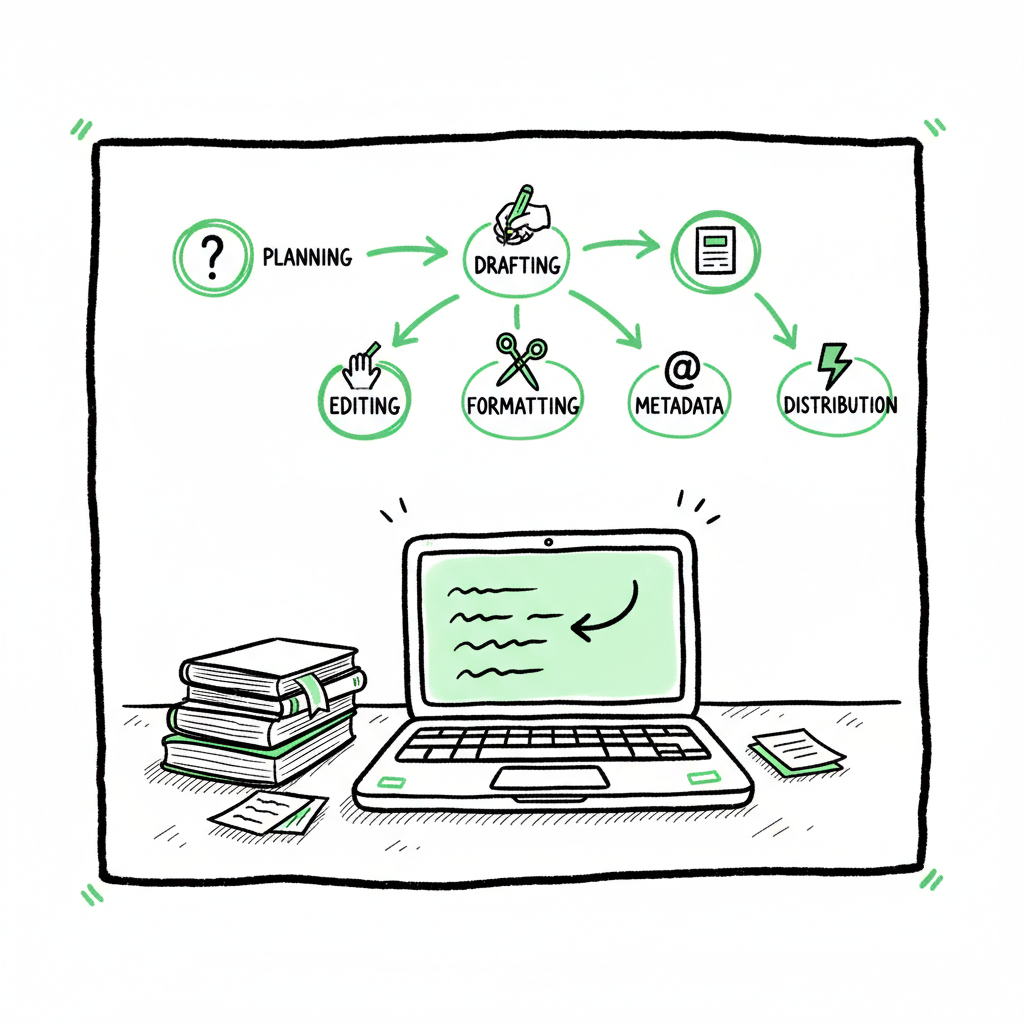
- Core stages are planning, drafting, editing, formatting, metadata, and distribution; automating the distribution stage delivers the biggest time savings.
- For authors who publish seriously, multi-platform automation — CSV batch uploads, platform-aware checks, and unified distribution — is an obvious upgrade.
Table of Contents
- What a wide publishing workflow is
- Core steps of a wide publishing workflow
- Scaling tools and go wide operations
- Common pitfalls and quality checks
- FAQ
- Final thoughts
- Sources
What a wide publishing workflow is
A wide publishing workflow is the repeatable process you use to take a manuscript from draft to available across multiple retailers. It covers the creative steps—planning, writing, and editing—and the technical steps—formatting, cover files, metadata, and retailer delivery. The goal is predictable, fast releases that meet each retailer’s requirements without manual rework.
If you plan to sell beyond a single platform, you need rules and patterns. That’s what a wide publishing workflow gives you: a checklist you actually use, plus routines that can be automated. Early in your publishing path it’s fine to upload one title at a time. Once you have a catalog and a release cadence, the overhead of repeating the same uploads becomes the bottleneck. At that point, moving to an automated Publish Wide Self Publishing Workflow makes publishing at scale manageable and reliable. Publishers who adopt this approach reduce repetitive errors and reclaim time for writing and promotion.
A practical way to scale is to adopt the Publish Wide Self Publishing Workflow, which provides the gates and routines that make multi-title releases predictable and efficient.
Core steps of a wide publishing workflow
This section lays out the practical stages to include in a wide publishing workflow. Treat the stages as gates: meet the minimum requirement at each gate before advancing. That discipline prevents backtracking and saves time overall.
1. Planning and scheduling
Start with a simple release plan. Decide on title, audience, format mix (ebook, paperback, hardcover), and target retailers. Use an editorial calendar with dates for first draft, final manuscript, formatting, cover file, metadata lock, and distributor upload. Planning keeps your team or freelancers aligned and gives you realistic lead time for print proofs and retailer review windows.
2. Research and positioning
Spend time on market positioning: comparable titles, keywords, category placement, and price testing. This step informs metadata and the blurb you will use across retailers. Consistent metadata drives discoverability and avoids mismatched copies of the same book on different storefronts.
3. Writing and editing
Follow your normal drafting process, then move into structured editing: developmental, copyediting, and proofread. Keep version control simple—date-stamped filenames or a basic Git-like folder structure—and label each file with status (e.g., manuscript_v3_final_for_formatting.docx).
4. Formatting and file generation
Formatting converts edited text into deliverable files: EPUB for many ebook stores, MOBI/AZW when necessary for legacy workflows, and high-resolution PDF and print-ready files for print-on-demand. This stage also includes typesetting, front/back matter, and table of contents checks. If you run repeated conversions, use the same stylesheet or template for consistency.
- Convert to EPUB using a tested tool that preserves styles and links. If you need a robust converter, consider automated solutions tailored for ebook conversion to reduce subtle layout errors.
- Generate print-ready PDF files with correct trim size, bleed, and embedded fonts.
For EPUB conversion, consider using an EPUB converter to help preserve styles and links.
5. Cover creation and image assets
Covers must meet retailer specs for dimensions, color profile, and file type. If you create covers in-house or with a designer, export layered masters plus final flattened JPG/PNG/PDF versions for each format. When you rely on cover-generation tools or designers, include a final check against retailer thumbnails and print previews. For a streamlined cover approach, see the cover generator processing.
6. Metadata and retail-ready content
Metadata is the content that sells your book: title, subtitle, author name, description, keywords, categories, language, ISBN, and pricing. Lock metadata a few days before upload so distribution teams or tools can apply it consistently across retailers. Keep a central metadata spreadsheet that maps fields to retailer-specific fields; this spreadsheet becomes the basis for batch uploads.
7. Distribution and multi-retailer upload
Distribution is where a wide publishing workflow earns its value. Instead of manually uploading to each retailer, use a system that can push your files and metadata to multiple stores with one operation. Look for:
- CSV batch uploads for catalogs
- Platform-specific intelligence that adapts metadata and cover sizing automatically
- Error reduction through preflight checks
For authors ready to publish multiple titles, this stage is an obvious place to automate. A well-built distributor eliminates repetitive entry, flags retailer-specific problems, and shortens time to market.
8. Proofing, live checks, and monitoring
After files are accepted, check live product pages for correct metadata, formatting, and preview quality. Keep a post-launch checklist: price verification, storefront category, and sample preview. Add monitoring for sales reporting and retailer notifications so you can catch price changes or delistings quickly.
9. Marketing and catalog maintenance
Once live, marketing is ongoing: email, paid ads, and newsletter placements. Keep your master spreadsheet updated with ASINs and retailer IDs for future updates. When you revise a book, follow the same gated process to republish cleanly.
Scaling tools and go wide operations
When you publish more than a few titles a year, operations replace ad-hoc uploads. This section focuses on practical tools and practices for scaling.
Standardize your inputs
Create templates for metadata, descriptions, pricing tiers, and keywords. Standard templates allow you to reuse field mappings across books and reduce errors when exporting to CSV batch uploads. A single source of truth—your metadata spreadsheet—prevents conflicting entries across retailers.
Use CSV batch uploads
A CSV batch workflow is the most scalable way to get dozens or hundreds of titles into retailer networks. Map your standardized metadata to the retailer fields, include file links for covers and EPUBs or PDFs, and run the batch. Retain the original CSV and a log of responses from each retailer for troubleshooting.
Choose platform-aware distribution
Different retailers have different requirements. A platform-aware distributor understands and adjusts inputs for Amazon KDP, Apple Books, Kobo, Draft2Digital, and Ingram. This reduces rejections and format-related delays. When a distributor supports platform-specific intelligence, it will: adapt image sizes, remap metadata fields, set correct pricing and territories, and surface warnings for policy conflicts.
Automate repetitive checks
Preflight checks catch common issues before upload: missing front matter, incorrect ISBN page, wrong trim size, color vs. grayscale problems, or invalid hyperlinks. Automating these checks reduces proof cycles and speeds approval from print-on-demand partners.
Manage print proofs efficiently
For print titles, use a trusted proofing rhythm. Order one proof from your primary print partner and a PDF proof for other partners when possible. Keep a checklist for spine text, barcode placement, and gutter margins. Once the proof is approved, lock the cover and interior files.
Version control and change tracking
When making updates, record exactly what changed and where. Use a version column in your metadata sheet and keep past versions archived. This protects against accidental regressions and makes rollbacks straightforward.
Integrate with accounting and royalty tracking
As distribution scales, link your publishing records with sales and royalty reports. Export retailer sales data into a central reporting sheet to reconcile payments and identify returning issues like price mismatches or unpaid territories.
How automation helps go wide operations
Automation shines in three places: file transfer, metadata mapping, and error reporting. A system that supports CSV batch uploads and multi-channel publishing saves roughly 70–90% of manual time for large catalogs, based on typical measures of repetitive entry. When that automation includes platform-aware validations, you avoid common rejections that otherwise require manual fixes and re-uploads.
For a complete book creation workflow, consider resources on book creation workflow to streamline end-to-end production.
Practical tool notes
- For EPUB conversion, use a reliable converter that creates valid EPUBs and preserves internal links. A dedicated converter can be faster and less error-prone than ad-hoc tools when you have many titles.
- For covers, use a generator or production pipeline that outputs both ebook and print-ready files from a single master. That approach reduces mismatched branding across formats and keeps thumbnails consistent.
- For multi-retailer uploads, pick a distributor that supports unified uploads to Amazon KDP, Kobo, Apple Books, Draft2Digital, and Ingram, and that accepts CSV batch operations.
Common pitfalls and quality checks
Even with a good process, problems will happen. Anticipating them saves time.
Pitfall: inconsistent metadata across retailers
If your title, subtitle, or author name varies between retailers, readers may see multiple entries. Prevent this by locking metadata and using a single master sheet to feed all uploads.
Pitfall: format errors after upload
Minor formatting issues often appear only in retailer previews. To prevent this, run automated checks that validate EPUB structure and test print-ready PDFs against trim sizes. If you need a reliable EPUB conversion step, integrate a dedicated tool to reduce preview problems.
Pitfall: cover issues at small thumbnails
Retail thumbnails are small; a busy cover can become unreadable. Test your cover at typical thumbnail sizes and ensure the title and author remain legible. If you use a cover generator or a designer, export a thumbnail preview as part of the deliverables.
Pitfall: missed territories or wrong pricing
Retailers handle territory rights and price conversions differently. Include a territory matrix in your metadata and verify price rounding rules for each store.
Pitfall: lack of rollback plan
When an update goes wrong, you need a quick way to revert to a working version. Keep previous files and metadata snapshots so you can restore the last known-good state.
Quality checks you should automate
- EPUB validation and link checks
- Image resolution and bleed checks for print files
- Metadata completeness (title, author, description, keywords)
- ISBN/identifier validation and matching to packaging
- Retailer-specific field checks (e.g., KDP categories, Apple Books pricing tiers)
FAQ
What is the single biggest time saver in a wide publishing workflow?
Automating the distribution stage—using CSV batch uploads and platform-aware distributor tools—delivers the largest time savings. It removes manual entry for metadata and files across multiple retailers.
Do I still need to proof files after automated uploads?
Yes. Automation reduces errors but does not replace a human proof. Always check live storefront pages and order print proofs as required.
How do I handle retailer-specific metadata differences?
Maintain a master metadata spreadsheet and map fields to retailer-specific columns. Use automated mapping at upload time so the correct fields populate each store.
Should I use a single ISBN for ebook and paperback?
No. Assign separate identifiers: one ISBN for print editions and a retailer identifier or ISBN for ebooks depending on your distribution strategy and retailer requirements.
Can I create a single cover file for all formats?
No. You should have a master design, but export format-specific cover files: a flattened image for ebooks and a print-ready assembled PDF with correct trim and spine for paperbacks. Using a cover generator or production pipeline that outputs both types from a master file simplifies the process.
Final thoughts
A wide publishing workflow is not a set of rigid rules; it’s a practical structure that keeps production predictable as your catalog grows. Standardizing metadata, automating the distribution stage, and using platform-aware checks reduce rework and let you focus on writing and promotion. For authors committed to publishing multiple titles, investing in multi-platform automation—CSV batch uploads, unified distribution, and preflight checks—is the operational upgrade that pays for itself.
If you work with covers, consider a cover production pipeline that produces both ebook and print assets from one master file. For EPUB needs, use a proven EPUB converter to avoid preview issues and save time on corrections. If you publish print formats, generate print-ready PDFs that match retailer trim and bleed requirements.
Sources
- https://www.activepieces.com/blog/content-publishing-workflow
- https://libguides.law.gsu.edu/scholarlypublishing/workflow
- https://www.proof-reading-service.com/blogs/academic-publishing/workflow-of-academic-and-scientific-journal-publishing
- https://networkcultures.org/digitalpublishing/2014/10/07/hybrid-workflow-how-to-introduction-editing-steps/
- https://publishone.com/5-tips-for-the-perfect-publishing-process/
- https://www.stateofdigitalpublishing.com/digitalpublishing/editorial-workflows/
- https://www.youtube.com/watch?v=BaBel9rxZow
- https://www.bookautoai.com/epub-converter
- https://www.bookautoai.com/book-cover-generator-processing
- https://www.bookautoai.com
- https://bookuploadpro.com
Wide publishing workflow: a practical guide for self-publishers Estimated reading time: 14 minutes Key takeaways A wide publishing workflow standardizes the steps you repeat for every title so you can publish across multiple retailers without losing time or quality. Core stages are planning, drafting, editing, formatting, metadata, and distribution; automating the distribution stage delivers the…