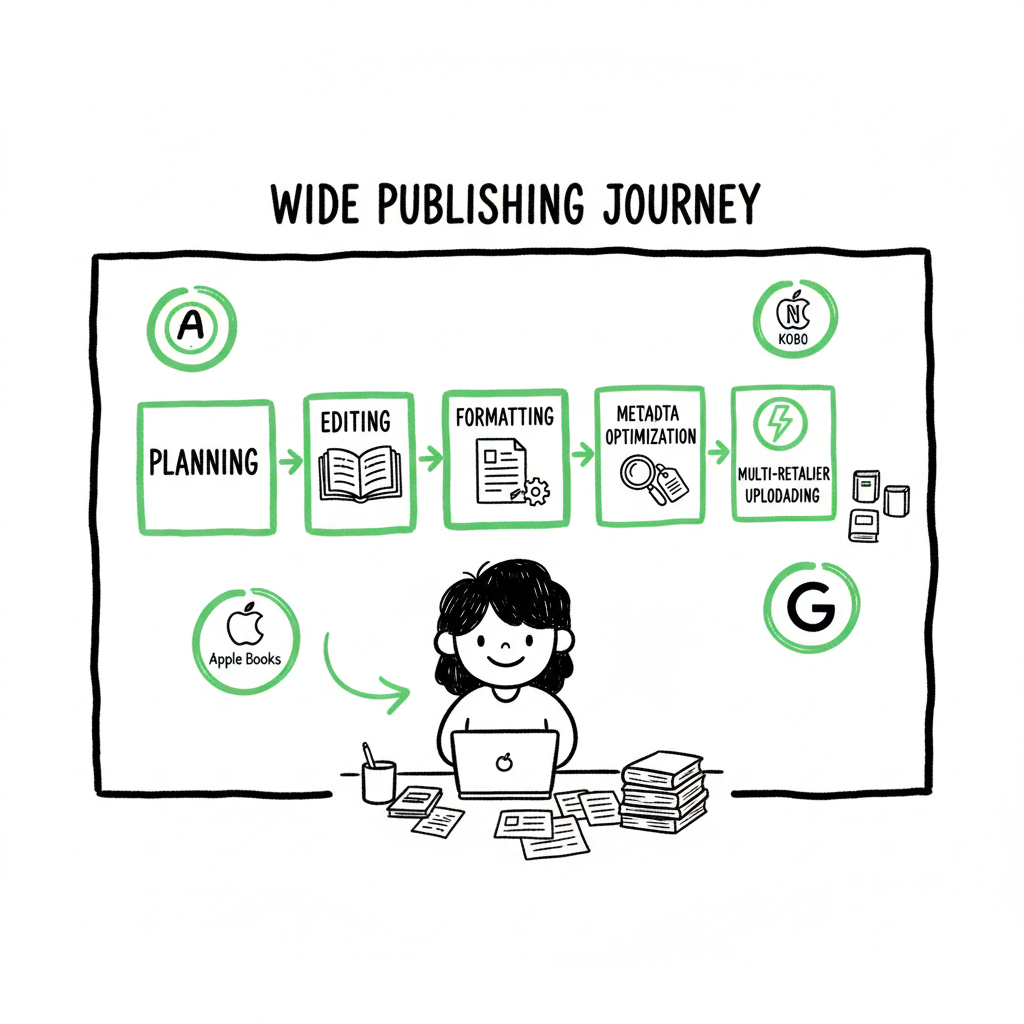
Wide Publishing Workflow Practical Playbook for Authors
Wide publishing workflow: a practical playbook for authors who want to go wide
Estimated reading time: 8 minutes
Key takeaways
- A reliable wide publishing workflow reduces repetitive work and lets you publish to many retailers without redoing tasks for each outlet.
- The core steps are planning, editing, formatting, metadata optimization, and multi-retailer uploading — each step needs clear entry and exit criteria.
- Tools that handle CSV batch uploads, platform-specific rules, and error checks turn wide publishing from a chore into something you can scale.
- When you publish seriously, unified multi-platform publishing is an obvious upgrade: it saves time, cuts mistakes, and makes wide distribution practical.
Table of Contents
- Why a wide publishing workflow matters
- Core steps in a scalable wide publishing workflow
- Tools, common errors, and making wide distribution practical
- FAQ
- Final thoughts
- Sources
Why a wide publishing workflow matters
anchor: #why-it-matters
Most indie authors start with a single retailer. That works for a first book. But once you publish multiple titles, repeating the same manual steps across five retailers quickly becomes a time sink and a source of errors.
A wide publishing workflow is the repeatable sequence of tasks you use to prepare a book and get it live on many stores. It ties together decisions about editing, formatting, cover files, metadata, and how you upload to each service. A good workflow makes each step clear: what needs to be done, who does it, and how you verify it’s correct.
If you want a tested, repeatable approach that saves time on every future release, see our Publish Wide Self Publishing Workflow for a hands-on playbook that shows how publishers scale without re-inventing the steps. That page is written for authors who are past one-off uploads and want a system they can run reliably.
Why this matters in practical terms
- Time: Doing the same upload tasks repeatedly multiplies hours across titles. Standardizing the process eliminates that waste.
- Accuracy: When you standardize metadata, cover exports, and ebook formats, you reduce the number of rejections and corrections from retailers.
- Reach: Going wide gets books into platforms many readers prefer. That expands discovery and income without reinventing your publication steps.
Core steps in a scalable wide publishing workflow
anchor: #core-steps
This section walks through each step you should include when you want to publish broadly and reliably. Think of these as clear stages with pass/fail criteria so pieces don’t drift back and forth.
- 1) Project planning and scope
Start with a short, formal plan for the title. It should include final book length, release format(s) (ebook, paperback), target retailers, and deadlines. A simple plan keeps the rest of the steps honest: if a format or retailer isn’t in scope, don’t force it later. Decide whether you’ll use exclusive options on any platform — that choice affects distribution strategy.
- 2) Editorial polish and approvals
Before technical work begins, the manuscript needs to be stable. That means you’ve completed:
- Developmental edits and major structural changes
- Line edits and copyedits
- Proofreading passes
Treat the editorial state as binary: “locked for formatting” or not. Only lock when you’ve fixed all copy-level issues. That prevents versions from drifting during layout, which creates rework for every retailer.
- 3) Formats and conversions
Create a single, clean source file that you can convert to multiple outputs. Common approaches use a master Word or Markdown file that gets exported to:
- EPUB for ebook retailers
- Print-ready PDF or print files for paperback and print-on-demand
When converting to EPUB, validate the file and test it on several readers. If your process includes creating paperbacks or ebooks, use a reliable converter to avoid retailer rejections and layout problems. For robust file conversion, consider using a professional EPUB converter that handles edge cases like image placement and table of contents generation.
- 4) Cover creation and assets
Design covers that scale. Deliverables usually include:
- High-resolution print cover (with bleed and spine)
- Square or portrait images for ebook thumbnails
- Smaller images for retailer and category listings
If you produce covers in batches, standardize final export sizes and file names so your upload stage can pull the correct assets automatically. If you’re using an external cover tool or generator, keep a copy of the final layered file and the exported assets together with the manuscript.
- 5) Metadata and discoverability
Metadata is not an afterthought. Your workflow should include a metadata checklist with fields such as:
- Title and subtitle (finalized)
- Subtitle and series data
- Short and long descriptions (retailer-friendly versions)
- BISAC/category codes
- Keywords
- Contributor roles and biographies
- Language and territorial rights
Write descriptions for retail formats, not for social posts. Treat retailer description limits and HTML allowances as separate deliverables. Metadata that’s consistent but adapted to each retailer will perform better than a one-size-fits-all approach.
- 6) Pricing, rights, and territories
Decide on list price per format and which territories you’ll distribute to. Some platforms have price ladders and minimums; others allow you to set regional pricing. Document the choices you make and why, so future price changes stay consistent across stores.
- 7) Upload and verification
Uploading is where the multi-retailer part matters most. A robust upload phase does three things:
- Uses a batch method to push metadata and files where possible
- Verifies file integrity and retailer-specific checks
- Logs the status and stores screenshots or receipts
If you have many titles, manual uploads are fragile. Structured uploads that use CSV batch uploads or platform-aware upload tools reduce repetitive entry and cut mistakes.
- 8) Post-publication checks and monitoring
After books go live, check them in every store for:
- Correct price and territories
- Complete descriptions and metadata
- Proper cover rendering and interior layout
Track errors and rejections in a single place. If you must resubmit, follow the same process so you don’t reintroduce mistakes.
Tools, common errors, and making wide distribution practical
anchor: #tools-errors
Tools to reduce repetitive work
You don’t need exotic tech to go wide. What you need is software that knows retailer rules and helps you push the same clean inputs to many endpoints. Good tools provide:
- Unified multi-platform publishing so you upload once and distribute everywhere
- CSV batch uploads for large catalogs
- Platform-specific intelligence to pre-check items against retailer rules
- Error reduction through validation and standardized exports
A platform that supports CSV batch uploads and platform-aware checks saves hours per title and reduces the back-and-forth that kills momentum. That’s especially true for authors and small presses with catalogs of multiple titles.
When to use automation and when to stay manual
Automation is not a magic wand. Use it where tasks repeat and rules are stable:
- Generating platform-ready metadata exports
- Creating and validating EPUB files
- Batch uploading to multiple retailers
Keep manual steps for creative decisions: covers, titles, and descriptions. The goal is to automate routine technical work so you keep your creative energy for things only humans should do.
Common errors and how to prevent them
Below are the frequent mistakes teams make when they scale to wide distribution and how to prevent them.
Error: Editing changes after formatting
Prevention: Lock manuscript before you start formatting. Keep versioned files and require a sign-off process for changes.
Error: Wrong file versions uploaded
Prevention: Standardize file names and store final files in a single source folder. Use a checklist that requires checking file hashes or timestamps.
Error: Metadata mismatches between retailers
Prevention: Maintain a single metadata master and generate retailer-specific exports from it. Record where and when metadata changes are made.
Error: Retailer rejections due to spec violations
Prevention: Pre-validate files against retailer rules. Platforms that include platform-specific intelligence will flag common problems before you upload.
Error: Manual entry errors on multiple platforms
Prevention: Use CSV batch uploads or a unified publishing tool that pushes data to many platforms. This cuts redundant typing and human error.
Practical notes on formats, covers, and converters
If you produce print and digital formats, plan for them together. That early planning avoids last-minute design changes that ripple to every retailer. For EPUB creation, use a converter that preserves table-of-contents, image placement, and accessibility metadata. If you’re producing paperbacks and ebooks, use a reliable book creation tool to generate both from the same source. A dedicated EPUB converter will make the ebook step faster and reduce rejections during retailer checks.
When you mention creating a paperback or ebook, it’s smart to keep the final files and export logs together so you can retrace steps years later if needed. If you need a professional-grade EPUB converter, a single-click service can remove a lot of friction when you scale up.
How BookUploadPro fits into go wide operations
When authors publish multiple titles, BookUploadPro becomes an obvious upgrade. It offers unified multi-platform publishing across Amazon KDP, Kobo, Apple Books, Draft2Digital, and Ingram. Key operational benefits include:
- Up to ~90% time savings compared with manual per-store uploads
- CSV batch uploads for catalogs
- Platform-specific intelligence that warns you about retailer rules before you submit
- Fewer errors and rejections through automated checks
Combined, those features make wide distribution practical for authors who want to scale without hiring a full ops team. Automate the upload. Own the distribution.
FAQ
Q: What exactly is a “wide publishing workflow”?
A: It’s a repeatable sequence of tasks that prepares a title for release across many retail channels. It covers editing, formatting, cover creation, metadata, pricing, uploading, and checks after publication.
Q: If I use a unified tool, do I still need to format files myself?
A: Yes. You still need final EPUBs and print files. A unified tool helps you manage and distribute those files, and often includes validation that reduces rejections.
Q: Can a tool handle different retailer rules automatically?
A: Good publishing tools include platform-specific checks and can adapt exports for different retailers. This reduces manual changes and lowers the chance of rejections.
Q: How does CSV batch uploading help me?
A: CSV batch uploads let you push metadata, prices, and files for many titles in a single operation. That saves time and reduces repetitive typing errors.
Q: Will I lose control of my books if I use an automated publishing tool?
A: No. Tools are there to execute your decisions consistently. You keep authority over creative choices like titles, covers, and descriptions. The tool handles repetitive technical tasks.
Final thoughts
A clear wide publishing workflow turns a messy, repetitive set of tasks into a predictable, repeatable operation. For authors who publish more than one title, moving from manual uploads to a unified multi-platform approach is a practical step that saves time and reduces the number of retailer rejections.
If you plan for editorial locks, single-source files, consistent metadata, and reliable validation, wide distribution becomes manageable. Tools that support CSV batch uploads and platform-aware checks make the difference between a hobby and a steady publishing operation.
Sources
- https://www.activepieces.com/blog/content-publishing-workflow
- https://libguides.law.gsu.edu/scholarlypublishing/workflow
- https://www.proof-reading-service.com/blogs/academic-publishing/workflow-of-academic-and-scientific-journal-publishing
- https://networkcultures.org/digitalpublishing/2014/10/07/hybrid-workflow-how-to-introduction-editing-steps/
- https://publishone.com/5-tips-for-the-perfect-publishing-process/
- https://www.nightowlfreelance.com/blog-on-editing-and-publishing/editing-like-the-big-leagues-how-indie-authors-can-mimic-a-traditional-publishing-workflow
- https://www.stateofdigitalpublishing.com/digital-publishing/editorial-workflows/
- https://www.youtube.com/watch?v=BaBel9rxZow
Wide publishing workflow: a practical playbook for authors who want to go wide Estimated reading time: 8 minutes Key takeaways A reliable wide publishing workflow reduces repetitive work and lets you publish to many retailers without redoing tasks for each outlet. The core steps are planning, editing, formatting, metadata optimization, and multi-retailer uploading — each…