Wide Publishing Workflow Practical Guide for Authors
Wide publishing workflow: a practical guide for go‑wide authors
Estimated reading time: 9 minutes
Key takeaways
- A clear wide publishing workflow turns multi‑retailer distribution from a slog into a repeatable operation.
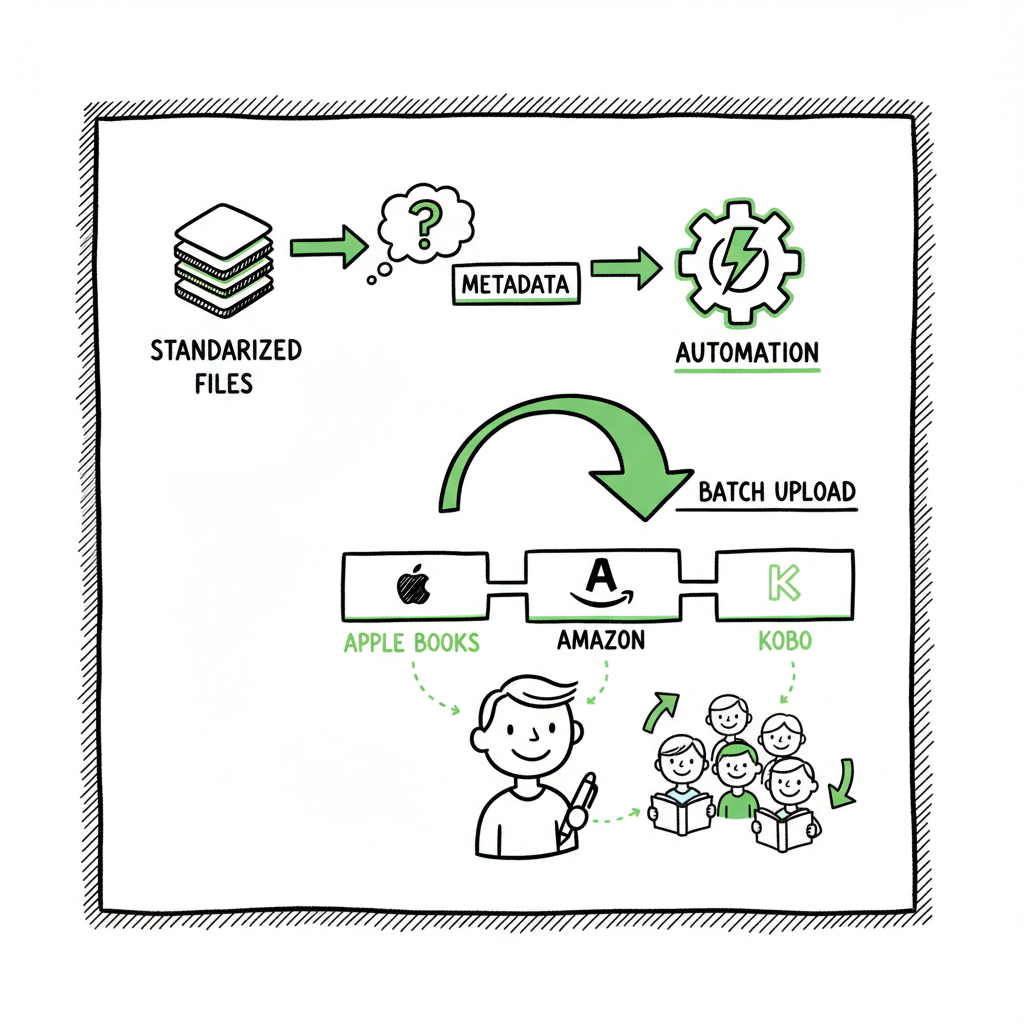
- Focus on standardized files, clean metadata, and platform-specific checks to avoid rework and delivery delays.
- Automation and batch uploads let serious authors scale—CSV uploads, platform intelligence, and quality controls cut time and errors.
- Treat wide publishing as an operational process: measure time per title, reduce manual steps, and use tools that handle platform quirks.
- Once you publish at scale, unified multi‑platform systems are an obvious upgrade that saves roughly 90% of upload time.
Table of Contents
- What a wide publishing workflow looks like
- Core wide publishing process steps
- Preparing files and platform specifics
- Automation, scaling, and practical tools
- FAQ
- Sources
What a wide publishing workflow looks like
A wide publishing workflow is the step‑by‑step method you use to get a book out to multiple retailers. For indie authors who sell on Amazon plus places like Apple Books, Kobo, Draft2Digital, and Ingram, a reliable workflow prevents duplicate work and missed settings. Early on, a single book can take hours to upload correctly. With a system, the same title can be ready for eight stores in a fraction of the time.
If you want a single reference that captures how to move from manuscript to live listing across retailers, Publish Wide Self Publishing Workflow is where to start; it lays out the stages and the checkpoints that stop mistakes before they happen. That approach treats publishing like an operations task, not a one‑off creative project.
This article walks through the practical steps and the operational choices that matter when you go wide. It explains which files to prepare, what metadata each platform expects, how to avoid the common upload failures, and where automation truly helps. The aim is not theory. These are operator tactics you can apply today so your next batch of books spends less time in admin and more time available to readers.
Core wide publishing process steps
A reproducible wide publishing process breaks the launch into clear stages. Think of these stages as gates: finish one, move to the next. That reduces cycles and keeps quality consistent.
1. Plan and map distribution channels
Decide which retailers and formats you will use: ebook, paperback, hardcover, audio. Different channels have different requirements and royalty models. Mapping this at the start prevents surprises—some retailers require specific metadata fields, others need embedded fonts or particular cover sizes.
2. Manuscript preparation and editing
Treat this as non‑negotiable. A clean manuscript reduces formatting back‑and‑forth later. Standard steps:
- Development and line editing
- Copyediting
- Proofreading
- Final pass for badly formatted elements (tables, footnotes, weird indents)
3. Single‑source formatting
Create a single clean source file that can be exported to the required outputs. Many authors use a master Word, Markdown, or typeset PDF that then becomes:
- Reflowable EPUB for ebook stores
- Print PDF for print‑on‑demand services
Single‑source publishing reduces duplicated fixes. When you change the source, regenerate both ebook and print files.
4. Produce covers and assets
One cover concept can be adjusted for various sizes: thumbnail, ebook, paperback wrap. Keep layered source files and export high‑res PNG or PDF as required.
5. Metadata and product copy
Standardize metadata fields in a central sheet: title, subtitle, series name and number, author name, contributors, description, BISAC or category codes, keywords, ISBNs, language, publication date, pricing. This is the place where CSV batch uploads become invaluable—fill one table and push it to multiple platforms.
6. Platform checks and test uploads
Each retailer interprets files differently. Run a quick checklist:
- Validate EPUB (no errors, embedded fonts where required)
- Confirm cover bleed and spine text for paperbacks
- Confirm image alt text if required
- Check price tiers and territory rights
7. Distribution and post‑publish checks
After upload, verify that listings go live and that metadata is correct on store pages. Monitor delivery reports and fix any flagged issues immediately.
These steps reflect a disciplined approach. Each is a gate with acceptance criteria. If a book does not meet the criteria for a gate, don’t push it forward. This reduces rework and avoids having to remove and reupload titles later.
Preparing files and platform specifics
Files and metadata are where most wide publishing projects stall. Getting these right up front is the single biggest time saver.
Manuscript formats and conversions
Ebooks commonly require a validated EPUB. Print files generally require a print‑ready PDF with correct margins and bleed. Convert once from your master source, then validate and test.
If you need a reliable EPUB conversion tool, use an established converter to avoid rejections during uploads. A smooth conversion process removes formatting surprises that can otherwise consume hours of troubleshooting.
Covers, sizes, and bleed
Covers are more than art; they are technical files with strict size and bleed requirements for print. Keep a layered master so you can export different dimensions and color profiles. For ebook stores a high‑contrast thumbnail that reads at small sizes is crucial.
If you’re working on covers or need a processing pipeline to generate multiple cover sizes quickly, there are services that automate cover generation and processing to your output sizes. Those services let you publish the same art across retailers without manual resizing.
EPUB and ebook specifics
EPUB files must be technically sound for stores like Apple Books, Kobo, and many others. Use validation tools and previewers to check internal links, table of contents, images, and styling. When you create an ebook or a paperback, make sure you test both files in realistic previews and on actual devices where possible.
Paperbacks and print considerations
Paperbacks require attention to trim size, gutter, and spine calculations if you include many pages. Use standard templates and double‑check embedded fonts. If you use print‑on‑demand services, follow their template requirements precisely to avoid printing delays.
Images and permissions
If your book includes images, ensure they are high resolution and that you hold the necessary rights. Raster images should meet DPI requirements for print. For complex image handling workflows, plan where to compress or replace images depending on ebook versus print needs.
Metadata best practices
Good metadata is searchable, accurate, and consistent across retailers. Keep a central metadata sheet (CSV) that maps to each platform’s required fields. This makes batch uploads practical and reduces mismatched descriptions.
Platform quirks and examples
- Amazon KDP is flexible but has its own rules for categories and AMS marketing. KDP also allows preorders in certain situations; plan for that when scheduling wide releases.
- Apple Books prefers clean EPUBs and accurate contributors.
- Kobo and other retailers accept inbound files differently; validation early helps.
- Ingram lets you reach distribution channels that other platforms don’t cover, so ensure print files meet Ingram’s specs.
Automation, scaling, and practical tools
When you publish a handful of books, manual uploads may be tolerable. Once you publish regularly, automation and batch handling are operational necessities. The goal is to reduce repetitive tasks and human error while keeping platform‑specific intelligence intact.
Where automation saves the most time
- CSV batch uploads of metadata across multiple stores
- Reusing a single source file to generate EPUB and print outputs
- Programmatic ISBN and pricing updates across territories
- Automated validation and basic error detection before upload
Practical tool features to look for
- Unified multi‑platform publishing so you upload once and distribute to Amazon KDP, Kobo, Apple Books, Draft2Digital, and Ingram.
- CSV batch uploads for author, title, and pricing data.
- Platform‑specific intelligence that adjusts file exports and metadata to meet each retailer’s rules.
- Error reporting that identifies exactly which file or field caused a failure.
How to scale without losing control
Start by measuring time spent per book on each task: manuscript prep, cover creation, file conversion, metadata entry, uploads, and post‑publish fixes. Track errors so you can see where automation will help the most.
A small rule set helps:
- Standardize file names and folders
- Keep a canonical metadata CSV for each series
- Use a single place for cover assets
- Run validation steps in the same order every time
BookUploadPro and operational gains
BookUploadPro automates repetitive uploads across Amazon KDP, Kobo, Apple Books, Draft2Digital, and Ingram. It supports CSV batch uploads, applies platform‑specific rules, and reduces error rates that otherwise cost hours per title. When you’re ready to move from manual uploads to an operational approach, tools like this cut the time spent on each title dramatically and let you focus on writing and promotion instead of admin.
Common problems automation addresses
- Mismatched metadata across stores
- Incorrect EPUB packaging causing multiple reuploads
- Cover sizing errors for print on demand
- Manual price changes across territories
When you combine operational discipline (gates, validation, single‑source files) with automation, the result is consistent delivery and predictable timelines.
FAQ
Q: What exactly is “going wide”?
A: Going wide means distributing your book beyond a single dominant retailer to multiple platforms—ebooks and print—so readers can buy from different stores and formats.
Q: Do I need separate ISBNs for each retailer?
A: ISBN rules vary by format and region. Print editions usually require separate ISBNs per edition and sometimes per distribution channel. Ebooks often don’t require separate ISBNs, but you should follow the rules of the retailer and your local ISBN agency.
Q: How should I prepare my manuscript for conversion?
A: Clean up styles, remove manual formatting, check images and tables, and maintain a single master file. Then convert and validate the output formats.
Q: Can I really use one CSV to update multiple stores?
A: Yes, if the platform supports CSV batch uploads and maps fields correctly. A central metadata CSV reduces repeated data entry and prevents inconsistencies.
Q: Will automation remove the need for quality checks?
A: No. Automation reduces manual steps and errors but does not replace human quality control. Maintain visual checks, previews, and a release checklist.
Q: How do I handle pricing across territories?
A: Build a pricing matrix in your metadata CSV with suggested retail prices per territory. Some platforms allow automatic currency conversion, but manual review ensures competitiveness and royalty expectations.
Sources
- https://www.activepieces.com/blog/content-publishing-workflow
- https://publishone.com/5-tips-for-the-perfect-publishing-process/
- https://networkcultures.org/digitalpublishing/2014/10/07/hybrid-workflow-how-to-introduction-editing-steps/
- https://www.nightowlfreelance.com/blog-on-editing-and-publishing/editing-like-the-big-leagues-how-indie-authors-can-mimic-a-traditional-publishing-workflow
- https://libguides.law.gsu.edu/scholarlypublishing/workflow
- https://www.proof-reading-service.com/blogs/academic-publishing/workflow-of-academic-and-scientific-journal-publishing
- https://www.stateofdigitalpublishing.com/digital-publishing/editorial-workflows/
Wide publishing workflow: a practical guide for go‑wide authors Estimated reading time: 9 minutes Key takeaways A clear wide publishing workflow turns multi‑retailer distribution from a slog into a repeatable operation. Focus on standardized files, clean metadata, and platform-specific checks to avoid rework and delivery delays. Automation and batch uploads let serious authors scale—CSV uploads,…