Wide Publishing Workflow Practical Guide for Authors
Wide publishing workflow: A practical guide to go-wide publishing that scales
Estimated reading time: 9 minutes
Key takeaways
- A reliable wide publishing workflow reduces manual work, cuts errors, and makes wide distribution repeatable.
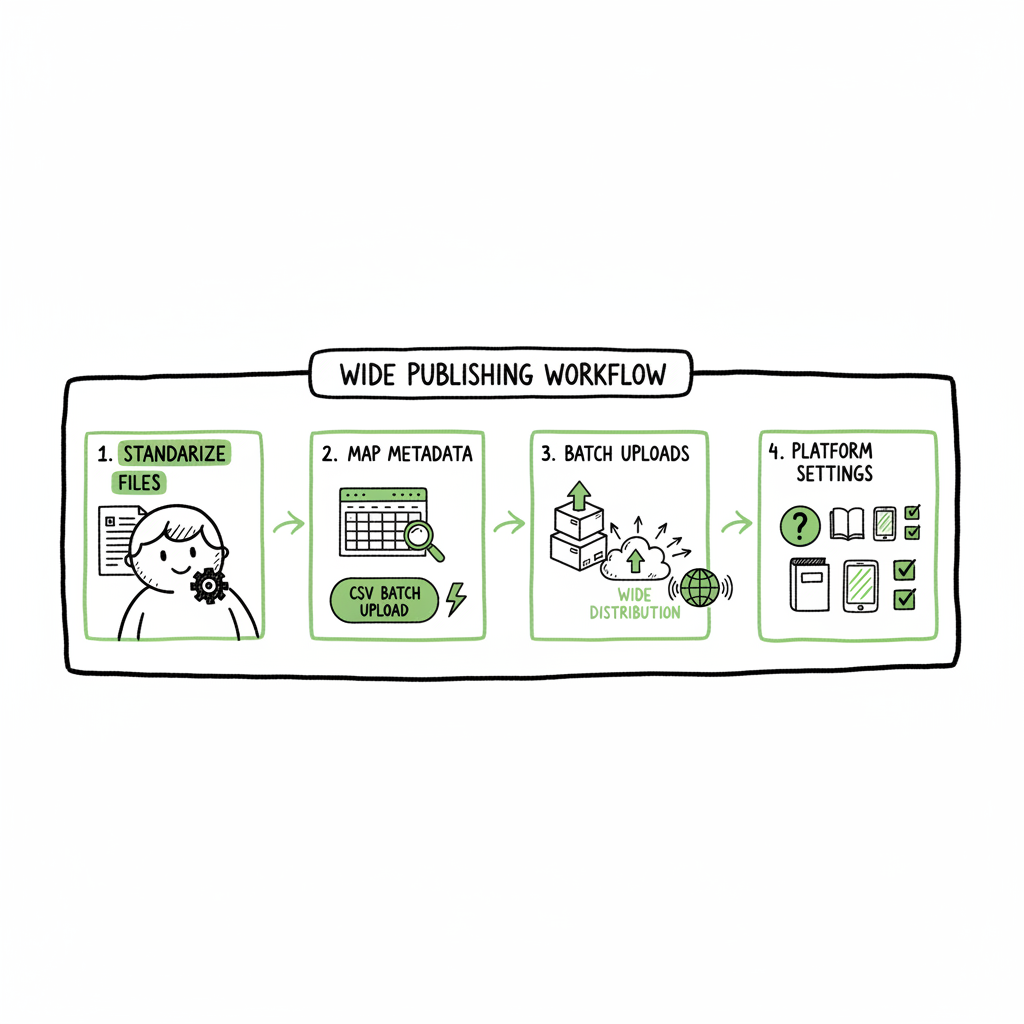
- The core steps are standardizing files, mapping metadata, batching uploads, and checking platform-specific settings.
- Tools that support CSV batch uploads and platform-specific intelligence make go-wide operations practical for serious authors.
Table of Contents
- Overview — what a wide publishing workflow is
- Key steps in the wide publishing process
- Scaling go wide operations with automation
- FAQ
Overview — what a wide publishing workflow is
Going wide means publishing your book across multiple retailers and channels instead of selling exclusively through a single store. A wide publishing workflow is the repeatable, step-by-step approach you use to get a single title into multiple marketplaces with consistent metadata, correct files, and reliable pricing.
A good wide publishing workflow removes guesswork. It sets clear inputs (final manuscript, cover, metadata), transforms them (format conversion, metadata mapping, ISBN assignment), and produces outputs (ebook and paperback files, retailer-ready metadata packages). When you publish several titles, that repeatable path saves time and avoids costly mistakes.
If you want a tested example for how to organize those steps in practice, see Publish Wide Self Publishing Workflow for a practical reference. Early standardization in a workflow also makes tasks like EPUB conversion and cover processing routine: authors use tools such as an EPUB converter to make clean ebook files and a book cover generator to produce print-ready artwork.
Why this matters now
- More retailers are available than ever. Each demands slightly different file formats and settings.
- Authors who plan to publish multiple titles can spend hours on each store without a system.
- A disciplined workflow turns what feels like one-off work into a repeatable, reliable operation.
This guide walks through the steps and explains the operational choices that matter when you scale.
The business view
If you publish more than one or two titles a year, manual per-store uploads become a bottleneck. A wide publishing workflow that supports batch uploads and platform-specific rules cuts that friction. Services that unify multi-platform publishing, offer CSV batch uploads, and apply platform-specific intelligence can save roughly 90% of the time spent on uploads and reduce error rates. That makes wide distribution practical and affordable — an obvious upgrade once an author starts publishing seriously.
Key steps in the wide publishing process
A functioning wide publishing process breaks into clear stages. You don’t need complex tools to follow them, but each stage benefits from templates and validation rules. Below are the practical steps you’ll use every time you release a book.
-
Prepare final assets
- Manuscript: Final, proofread file in your working format (Word or similar).
- Interior formatting: Create print-ready PDF for paperback and a clean EPUB for ebook. If you don’t have a manual process, an EPUB converter can simplify turning your manuscript into a validated ebook file.
- Cover files: Export a full-wrap print cover for paperback and a separate ebook cover image. If you use a cover generator, make sure it produces the correct dimensions and spine calculations for print.
Why this step matters: Platforms reject or flag poor files. Having validated assets up front avoids wasted time on fixes.
-
Centralize metadata
- Title and subtitle, author name, series and volume number if applicable.
- Description: One long copy for retailer pages and short variations for different stores.
- Keywords and categories: Map your primary keywords to each store’s category structure.
- ISBNs, BISAC codes, and language fields.
Use a single metadata spreadsheet or a CSV template. A central metadata source becomes the single truth you export to each retailer. That’s how you avoid conflicting product pages and duplicated titles.
-
Map platform differences
- Each retailer has its own settings: DRM choices, territory pricing, file limitations, and category taxonomy. Create a short mapping sheet to translate your central metadata into store-specific values.
Sample mapping items:
- DRM: On/off (some stores offer it, some don’t).
- Territorial rights: World vs. Selected territories.
- Print trim size and paper type differences across print-on-demand services.
A concise mapping keeps uploads consistent and reduces back-and-forth fixes.
-
Create deliverables and validate
- For ebook: Validate EPUB files with an EPUB validator. For paperback: Generate a print-ready PDF and check spine and bleed settings.
Tools that batch-validate multiple files save time. When you publish many books, validation errors become predictable — and fixable before you start uploading.
-
Batch uploads and tracking
- Batch upload using CSVs or platform APIs where possible. A CSV batch contains row-per-title metadata and pointers to asset files.
Keep a tracking sheet with:
- Title, store, ASIN/ISBN/identifier
- Upload date and status
- Notes on errors or platform-specific adjustments
Track failures and fixes. A single spreadsheet becomes your audit trail and source for re-uploads.
-
Post-launch checks and metadata parity
- After upload, verify live pages for each store. Common issues:
- Missing interior or cover file
- Incorrect description formatting (HTML or special characters)
- Wrong price or promotional settings
Confirm metadata parity: the title and description should match your central source wherever possible.
-
Ongoing maintenance
- When you change price, description, or rights, apply changes centrally and push them to each retailer. The “single source” approach avoids stale or conflicting pages.
Operational tips
- Version assets with date stamps in filenames so you know which edition is live.
- Use a standard naming convention for manuscripts, covers, and metadata CSVs.
- Build a short checklist to run before you start any retailer upload.
Why this step order matters
Following these steps in this sequence reduces rework. If you upload before validating files and mapping metadata, you’ll likely repeat uploads multiple times. With validation first, mapping second, and batching third, the whole process becomes lean and predictable.
Scaling go wide operations with automation
Scaling isn’t about technology for technology’s sake. It’s about reducing the manual, repetitive parts of publishing so you can publish more titles without more time. Two elements matter: batch capability and platform-specific intelligence.
Batch capability
When you reach a steady pace of publishing, manual form entries are the biggest time sink. CSV batch uploads let you prepare dozens of titles in a single file. Each row holds the metadata and pointers to the asset files so you can push them all at once.
- What to standardize in your CSV:
- Filename conventions for ebook and print files
- Metadata fields that map to all retailers
- Pricing tiers and territory flags
Platform-specific intelligence
Each retailer interprets metadata and files differently. A platform-aware system will:
- Convert fields where needed (e.g., translate categories)
- Create retailer-specific files from your master assets
- Validate files against each store’s rules before upload
That intelligence prevents common errors like dimension mismatches for print covers or invalid EPUB constructs that some stores reject.
Where automation helps most
- File format conversion (Word → EPUB, interior → print PDF)
- Metadata mapping across stores
- Batch uploads and status tracking
- Error detection before upload
A service that automates the upload and knows each store’s quirks saves time and prevents repeated corrections. For authors who are publishing seriously, that’s the moment where it becomes practical to move from ad hoc uploads to a managed operation.
Practical example: how automation changes the work
- Manual method: open five stores, re-enter metadata, upload files one at a time, fix errors in each store.
- Batch method with platform intelligence: prepare one CSV, validate files once, and submit to multiple stores with store-specific transforms applied automatically.
This is the point where CSV batch uploads and platform-specific intelligence stop being features and become operational necessities.
Operational controls and quality checks
- Random live-page audits: check one title per batch on each retailer.
- Error monitoring: set up alerts for any rejected file or mismatched metadata.
- Approval gates: let a human review final metadata for launch titles.
Tools and endpoints to consider
- EPUB converters and validators to ensure clean ebook files.
- Cover generators or processors that create both ebook and print-ready covers.
- Batch upload platforms that accept a CSV and apply retailer rules.
If you are preparing print covers and ebook files, a reliable cover solution and an EPUB converter save predictable time. Use a book cover generator that handles spine and bleed automatically for paperback, and an EPUB converter that produces validated files for the major retailers.
Human workflow design
Design roles around repeatable tasks:
- Asset preparer: ensures manuscript and cover meet specs.
- Metadata manager: maintains the central CSV and mapping.
- Upload operator: runs the batch uploads and monitors results.
This division of responsibility keeps the process predictable as volume grows.
How to evaluate solutions
Ask these operational questions when you test a tool:
- Does it accept a CSV with my naming conventions?
- Can it apply platform-specific rules automatically?
- Does it validate files before upload and show a clear error report?
- Will it keep a log of uploads and live URLs for each retailer?
If the tool answers “yes” to these, it’s worth a trial. A short free trial often reveals how much time it will save.
Operational security and rights
Protect your ISBNs and author account credentials. Store them in a secure, versioned location and limit access. A single mishandled ISBN can create duplicate product pages across retailers.
Practical gains in time and error reduction
When you standardize assets, centralize metadata, validate files, and batch uploads with platform-aware rules, the time to publish a title across stores drops dramatically. For small publishers and serious indie authors, this makes wide distribution practical rather than burdensome. Automate the upload. Own the distribution.
Final notes on cost and choice
Wide publishing doesn’t require expensive solutions to start. But as you scale, the value of time saved becomes clear. Choose tools that fit your volume and priorities: whether you want a simple CSV-to-retailer flow, or a richer system that handles file conversions and store rules for you.
FAQ
Q: What does “going wide” really mean?
A: Going wide means making a title available on multiple retailers beyond a single exclusive store. It includes stores like Amazon, Apple Books, Kobo, Draft2Digital, and Ingram, and often involves offering both ebook and print versions.
Q: Do I need an ISBN for each retailer?
A: ISBNs are required for printed books in most stores. For ebooks, some retailers accept publisher IDs or will assign their own identifier, but using your ISBN keeps control with you. Track ISBNs in your central metadata.
Q: Which file formats do I need?
A: At minimum: a validated EPUB for ebooks and a print-ready PDF for paperbacks. Some stores accept MOBI or proprietary formats, but EPUB is the standard. A good EPUB converter simplifies that step.
Q: How do I handle different price points and currencies?
A: Maintain a pricing matrix in your central metadata. Map local prices for each territory and export those values in your CSV. Automating pricing updates reduces manual errors.
Q: How do I fix a rejection from a retailer?
A: Read the rejection reason, fix the failing asset or metadata, and re-upload. If you use a platform with pre-upload validation, many rejections are eliminated before submission.
Q: Is it worth paying for a service to handle multi-platform uploads?
A: If you publish multiple titles or plan to scale, a service that supports CSV batch uploads and platform-specific intelligence typically saves time and reduces errors enough to justify the cost. Many services offer a free trial so you can measure actual time saved.
Q: What files should I version-control?
A: The manuscript final, the validated EPUB, the print-ready PDF, the final cover files, and the metadata CSV. Use date-stamped filenames so you can trace which version is live.
Sources
- https://blog.bookuploadpro.com/publish-wide-self-publishing-workflow
- https://www.bookautoai.com/epub-converter
- https://www.bookautoai.com/book-cover-generator-processing
- https://www.bookautoai.com
Wide publishing workflow: A practical guide to go-wide publishing that scales Estimated reading time: 9 minutes Key takeaways A reliable wide publishing workflow reduces manual work, cuts errors, and makes wide distribution repeatable. The core steps are standardizing files, mapping metadata, batching uploads, and checking platform-specific settings. Tools that support CSV batch uploads and platform-specific…