Self Publishing Workflow for Indie Authors Explained
Self publishing workflow: A practical system for indie authors
Estimated reading time: 7 minutes
Key takeaways
- A reliable self publishing workflow breaks the project into repeatable stages so you avoid last-minute rushes and costly mistakes.
- Use checklists, templates, and a small set of tools to batch work and hand off clearly to editors, designers, and proofreaders.
- Automate the repetitive publishing steps—formatting, metadata, and multi-platform uploads—so you can publish more books with fewer errors.
- BookUploadPro is designed to speed the production and upload stage across KDP, Kobo, Apple Books, Draft2Digital, and Ingram, saving authors time and reducing errors.
Table of contents
- Why a clear self publishing workflow matters
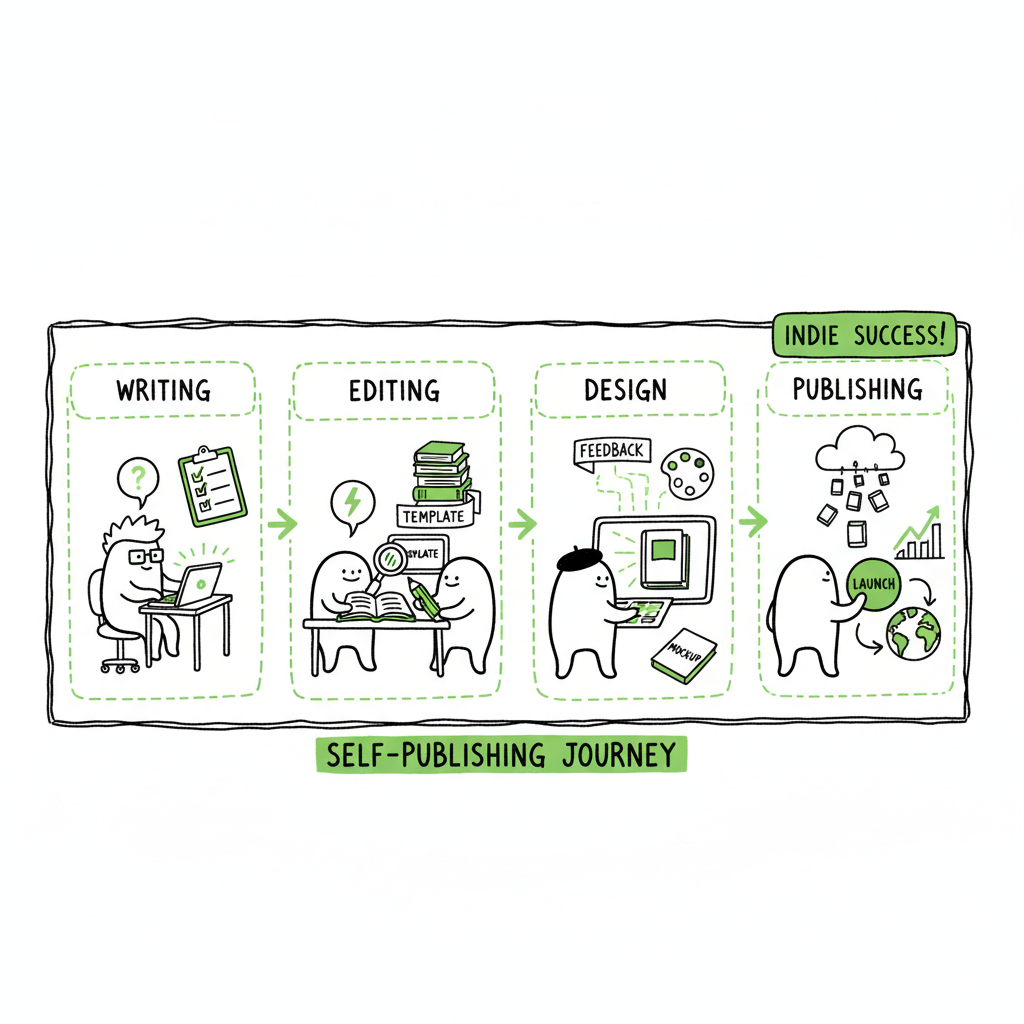
- A stage-based self publishing workflow you can run repeatedly
- Tools, templates, and the production layer
- Common mistakes that slow authors down
- Final thoughts and next steps
- FAQ
Why a clear self publishing workflow matters
A self publishing workflow is the practical path a book follows from a draft to being for sale. When that path is explicit, you stop guessing and start shipping. Indie authors who treat publishing as a repeatable process publish more reliably, with fewer costly fixes after launch.
A good workflow does three things:
- Makes expectations clear for each step (who does what and when).
- Lets you batch tasks so the expensive work (editing, design) gets done once, correctly.
- Reduces surprises at upload: correct trim, formats, ISBNs, metadata, and cover files.
If you are new to self publishing, start with a short guide that lays out each stage in plain language. For many authors that first guide is the single resource they return to every time they publish. For a straightforward intro you can read the Self Publishing for Beginners guide, which walks through each stage without the jargon. That guide is useful when you need a simple checklist to share with a copyeditor or designer. For a straightforward intro you can read the Self Publishing for Beginners guide, which walks through each stage without the jargon.
A stage-based self publishing workflow you can run repeatedly
A practical workflow has clear stages. Treat them like gates. Don’t move to production until the previous gate is clean.
1) Strategy and scope
Decide goals before the manuscript reaches final draft. Ask: Who is the reader? What formats will we publish (ebook, paperback, hardcover)? What’s the release date? These choices affect trim size, layout, ISBN needs, and distribution.
Keep a short project brief that includes:
- Target reader and comparable books
- Release goals (preorder, launch date)
- Formats and territories
- Budget and who’s on the team
2) Drafting and structural edits
Write and revise with the creative work front-loaded. Structural edits and beta reader feedback belong here. When the book’s structure is final, lock the manuscript. Treat subsequent editing passes as production tasks.
3) Copyediting and proofreading
Do separate passes: a focused copyedit, then a proofread after layout. That split reduces reflow problems later. Create a style guide for recurring choices (numbers, hyphenation, tense) and share it with editors.
4) Design and formatting
Design the cover and format the interior. The cover must work at thumbnail size and as a full wrap for print. If you need a quick, reliable cover process, use a dedicated tool like a book cover generator to produce print-ready art and export options. For digital files, convert the final manuscript to EPUB and verify the result with a clean proof. If you plan both ebook and print, always proof the formatted files on the actual platforms you’ll use.
5) Metadata, ISBNs, and legal pages
Collect final title, subtitle, series data, author bio, keywords, categories, and a polished blurb. Prepare the copyright page and any ISBNs. Metadata errors are a common reason uploads fail or listings look inconsistent.
6) Upload and distribution
This is where most repeatable gains appear. Uploading to one platform is tedious. Uploading to multiple platforms multiplies tasks and mistakes. Batch uploads, consistent metadata, and verified file formats make this efficient. A reliable production layer will:
- Push the same metadata to each retailer
- Handle ebook and print versions separately
- Confirm cover and interior files meet each retailer’s specs
7) Launch and marketing
Prepare launch assets while production is finishing: email copy, sample chapters, announcement images, and an ad or promo plan. Start marketing early so nothing is last-minute.
8) Post-launch tasks
Track sales, read reviews, and update metadata if you test different keywords or categories. Keep a short log of what worked and what should change for the next title.
Tools, templates, and the production layer
Once the stages are clear, pick a small set of tools that let you repeat the process without reinventing each step.
Checklists and templates
Build a set of templates: a copyedit checklist, a cover brief template, formatting presets for your chosen trim sizes, and an upload checklist that lists each retailer’s required files. These templates reduce mental load and speed handoffs to freelancers.
Project board
Use a simple Kanban or task board to track stages and owners. For example: Drafting, Structural Edit, Copyedit, Design, Formatting, Upload, Launch. Make each card include due dates and file links.
Batching and time blocks
Batch the same kind of work across titles. Do all metadata entry for several books in one session. Export CSV lists of metadata for batch processing where the upload tool supports it.
Production and multi-platform uploads
The production stage—getting polished files live—can be the slowest. That’s where a specialized service pays off. BookUploadPro automates repetitive upload steps across Amazon KDP, Kobo, Apple Books, Draft2Digital, and Ingram. It supports CSV batch uploads, applies platform-specific checks, and reduces errors with guided validation. For authors publishing multiple titles, that’s an obvious upgrade once you start publishing seriously: it saves time, prevents platform-specific rejections, and keeps listings consistent.
Practical notes on covers, EPUBs, and print files
Covers need to meet retailer specs for both thumbnail display and print wraps. If you’re creating covers at scale or need predictable exports, a dedicated book cover generator helps produce print-ready files and consistent exports.
For ebooks, converting the manuscript to EPUB is a required step for most retailers outside Amazon. Use a reliable EPUB converter and then inspect the result on a few reader apps. Conversion is simple in theory but catches many authors off guard—images, drop caps, and complex tables often need manual fixes after conversion.
Creating print-ready interiors requires controlling margins, fonts, and image placement. If you publish both paperback and ebook, build separate files and proof both before you upload.
(When you need a fast cover solution, a cover generator helps. If you work with EPUB files, a dedicated EPUB converter streamlines formatting. And if you are creating a paperback or ebook from a finished manuscript, use a tool designed for book production to get the right export formats.)
How BookUploadPro fits the process
BookUploadPro sits at the production and upload stage. It’s built to:
- Apply platform-specific intelligence so the same metadata fields map correctly across retailers.
- Accept CSV batch uploads so you can push many titles at once.
- Reduce manual entry and the copy-paste errors that add up when you manage multiple outlets.
- Provide a guided validation that flags issues before you submit.
Treat BookUploadPro as a production accelerator, not a replacement for editing or design. When you already have reliable editorial and design routines, automating uploads and multi-platform distribution is the most efficient next step. BookUploadPro sits at the production mile—multi-platform upload, CSV batch uploads, and platform-aware validation—so you can move from finished manuscript to live listings faster and with fewer errors.
Common mistakes that slow authors down
Mistake: Skipping a final proof of formatted files
The manuscript may look perfect in Word but not after layout. Always proof the formatted interior and the EPUB. Proof copies of print books catch pagination, image, and margin problems that only appear in the printed file.
Mistake: Treating metadata as an afterthought
Metadata is discoverability. Poorly written blurbs, misused keywords, or inconsistent series data make discovery worse and can create reader confusion across retailers.
Mistake: Uploading different covers or blurbs across platforms
Inconsistency damages promotions and ads. Use the same finalized assets everywhere unless you have a deliberate reason for variation.
Mistake: Doing uploads one-by-one without batch checks
Every platform has its rules. Doing uploads individually invites copy-paste errors. Use batch uploads or a tool that maps fields across platforms and validates files.
Mistake: Not keeping a reusable asset library
Create a folder of finished files: final EPUBs, print PDFs, cover flats, blurbs, and a single source of truth for metadata. Reuse those assets for promos and follow-up editions.
Mistake: Over-relying on automation without human checks
Automation speeds tasks, but always visually inspect final listings and proofs. Automation reduces human error but it can’t evaluate a cover for market fit or a blurb for emotional impact.
Final thoughts and next steps
A disciplined self publishing workflow turns a chaotic project into controlled stages. You’ll get consistent quality and fewer surprises. Start small: create a one-page brief for every title, lock the manuscript before you hire design or formatting, and build a single upload checklist that you use every time.
When your production steps become routine, add a tool that automates the repetitive work of uploading and mapping files across retailers. For authors publishing multiple titles, that saves time and reduces the risk of listing problems. BookUploadPro focuses on that final mile—multi-platform upload, CSV.batch uploads, and platform-aware validation—so you can move from finished manuscript to live listings faster and with fewer errors.
Next steps to implement today
- Make a one-page project brief for your next title.
- Build or copy a metadata template to reuse for every book.
- Save cover and interior final files in a versioned folder.
- Consider a production tool that supports batch uploads and platform checks.
FAQ
Q: How long does a typical self publishing workflow take?
A: It varies by book and author resources. A modest novel with a ready draft can move from final draft to publication in 6–10 weeks with paid professionals for editing and design. If you do many revisions or handle tasks yourself, plan longer. The schedule tightens significantly when you batch tasks and use templates.
Q: Do I need separate files for ebook and print?
A: Yes. EPUBs and print-ready PDFs follow different rules for pagination, margins, and image handling. Create and proof both.
Q: Should I register ISBNs for each format?
A: Many retailers provide free ISBNs for print, but if you want full control over your imprint details, purchase your own ISBNs. Ebooks typically do not require a unique ISBN for each retailer, but some authors prefer to assign them for tracking.
Q: Can I reuse templates across genres and formats?
A: Templates are most useful when they match your usual book format. A romance novella may need different interior settings than a non-fiction print book. Keep genre-specific templates if you publish in multiple formats.
Q: Will automated uploads hurt my control over listings?
A: No, not if the tool preserves full review and confirmation steps. The right production tool reduces manual entry while keeping you in control of final approvals.
Q: How should I handle rights and account access for upload tools?
A: Keep credentials secure. Use account roles when available and share only what freelancers need. Maintain backups and a record of final listings.
Sources
- https://spines.com/the-12-step-self-publishing-checklist/
- https://www.automateed.com/publishing-workflow-management
- https://www.dabblewriter.com/articles/self-publishing-guide
- https://davidgaughran.com/lets-get-digital-how-to-self-publish-guide-free/
- https://exwhyzed.com/self-publishing-checklist/
- https://kit.com/resources/blog/self-publishing-checklist
- https://bookuploadpro.com
Self publishing workflow: A practical system for indie authors Estimated reading time: 7 minutes Key takeaways A reliable self publishing workflow breaks the project into repeatable stages so you avoid last-minute rushes and costly mistakes. Use checklists, templates, and a small set of tools to batch work and hand off clearly to editors, designers, and…