Self Publish on Multiple Platforms Practical Workflow
Self Publish on Multiple Platforms: A Practical Guide
Estimated reading time: 14 minutes
Key takeaways
- Publishing wide extends reach and revenue, but it changes how you prepare files and manage metadata.
- A repeatable, platform-aware workflow saves time; automating uploads removes most manual busywork.
- Tools that unify uploads, handle CSV batch jobs, and apply platform-specific rules make wide publishing practical for serious authors.
Table of Contents
- Why go wide — benefits and trade-offs
- A practical workflow to self publish on multiple platforms
- Platform formats, quick checklist, and common fixes
- Common mistakes automation solves
- FAQ
- Sources
Why go wide — benefits and trade-offs
Self publish on multiple platforms when you want readers anywhere to find your book. “Going wide” means distributing beyond a single retailer and can include Amazon, Apple Books, Kobo, Barnes & Noble, Google Play, libraries, and print channels through Ingram or local bookstores. The core benefit is reach: different stores attract different audiences. When one retailer slows, another can pick up the slack.
Benefits are straightforward:
- Broader audience and more sales channels.
- More control over pricing and promotions outside an exclusive program.
- Presence in library and bookstore networks through Ingram or print distributors.
Trade-offs matter too:
- Managing multiple uploads and formats is extra work.
- Aggregators may charge fees or take a cut; direct platforms keep more royalties but require manual setup.
- Some promotional programs (like Amazon KDP Select) require exclusivity. Choosing exclusivity is a strategic trade-off, not a universal rule.
When the choice is about scale, the question becomes operational: can you keep accurate metadata, consistent files, and timely updates across retailers? If the answer is “no” yet you plan to publish several titles a year, automation and platform-aware tools become essential. For many authors, that means moving from manual uploads to a systematic, repeatable process that saves time and reduces errors.
A practical workflow to self publish on multiple platforms
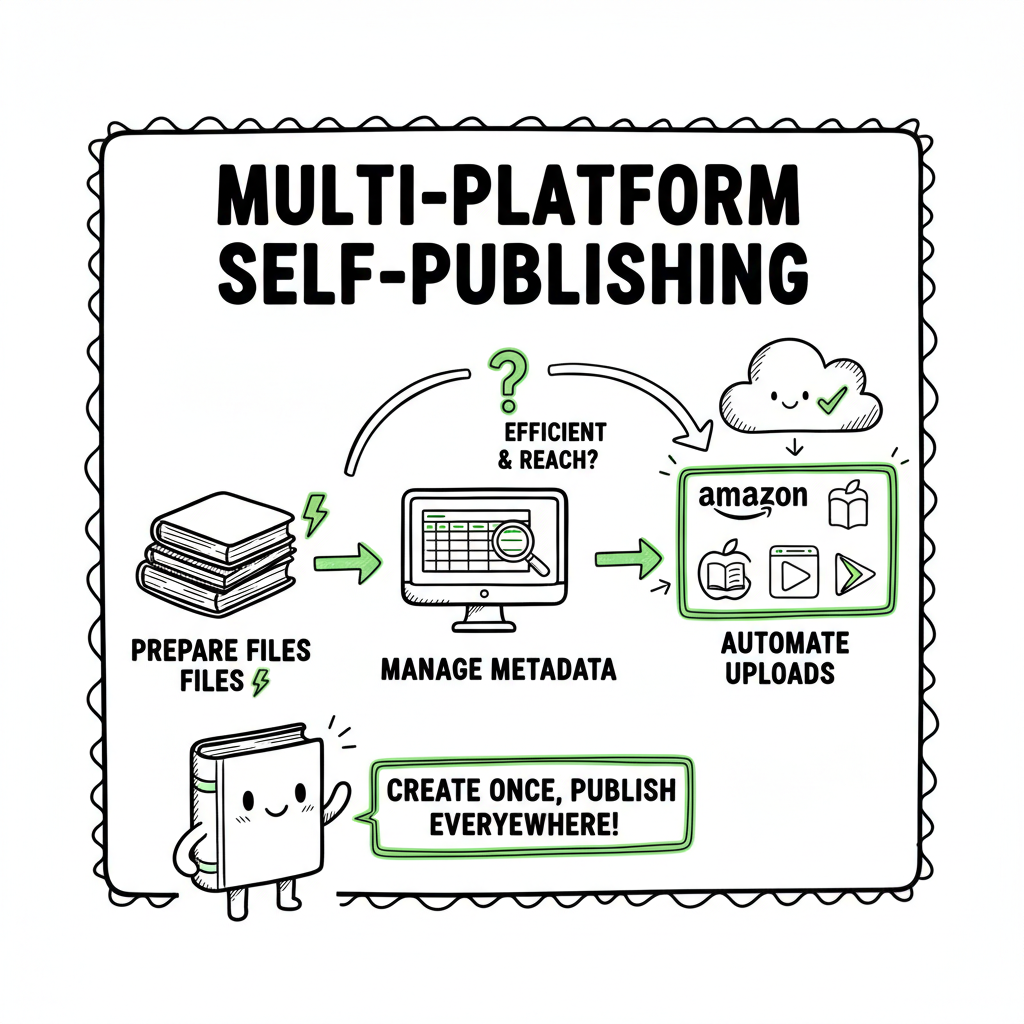
Start with the end in mind: a single master source that you transform into the right files for every channel. The goal is to eliminate duplicate effort and protect quality. Below is a practical workflow used by authors who publish at scale.
1) Plan the distribution strategy first
Decide which retailers and print channels you want. If you want bookstores and libraries, include IngramSpark for print. For broad ebook reach, plan to use direct platforms (Kobo, Apple) plus an aggregator like Draft2Digital or PublishDrive if you prefer one upload. Knowing your targets determines file formats, spine calculations for paperbacks, and optional UPC/ISBN needs.
2) Create a single master manuscript and metadata sheet
Keep one manuscript master (clean Word or long-form Markdown) and one metadata CSV that holds title, subtitle, series, author names, descriptions, keywords, categories, pricing by territory, and publication dates. This CSV becomes the source for any batch upload or automation.
3) Produce platform-specific files from the master
Generate the files each retailer needs: EPUB for most ebook stores, MOBI if you still use legacy formats, and print-ready PDF for paperback/print-on-demand. If you’re converting to EPUB, use a reliable converter that preserves layout and embedded fonts to avoid rework; for many teams, a dedicated EPUB tool saves hours and prevents rejections. If you need quick, high-quality EPUB conversion, consider a purpose-built EPUB converter to remove a major friction point.
4) Create covers and print templates once, reuse often
Make a finished cover that works for both ebook thumbnails and a print wrap. Export separate files at retailer-required sizes and DPI. If you use a cover generator or a designer, keep the editable source so you can swap title text or add a series badge without rebuilding from scratch.
5) Batch uploads and platform rules
Where possible, use CSV batch uploads or an uploader that supports multiple retailers. CSV uploads let you create multiple SKUs in one pass. If you prefer control, upload directly to platform dashboards for the first few titles, then switch to batch uploads as you scale. For a complete, repeatable example, see the Publish Wide Self Publishing Workflow which walks through a real-world batch upload sequence and mapping the metadata CSV to each retailer’s fields.
6) Apply platform-specific intelligence
Each retailer has quirks: Amazon has specific formatting for front matter and sales territory setup; Apple Books accepts rich EPUBs and pays quickly; IngramSpark needs specific spine and gutter settings for print. Use checks that automatically apply retailer rules so you don’t manually tweak files every time.
7) Schedule releases and track live data
Automate release scheduling across platforms where possible. Maintain a dashboard that shows live status: uploaded, in review, live, or needs action. Track sales by channel and use that data to inform future distribution choices.
8) Update efficiently
When you revise a book, push the updated master through the same pipeline. Automated systems that support delta updates will only upload changed assets, reducing rework and avoiding duplicate SKUs.
Why this workflow works
The process centers on a single source of truth (master manuscript + metadata CSV) and reproducible conversions into platform-ready assets. The fewer manual steps, the fewer mistakes. If you plan to self publish on multiple platforms long-term, this workflow reduces your workload by an order of magnitude compared with manual per-platform uploads. For authors who publish seriously, a unified publishing tool becomes an obvious upgrade: it automates repetitive uploads, enforces platform-specific rules, and lets you focus on writing and marketing rather than file formats.
Platform formats, quick checklist, and common fixes
Files and metadata that pass validation in one store will sometimes fail in another. This section lists practical checks and fixes that save time.
Essential files
- Ebook: EPUB (reflowable) — primary. Make sure the EPUB validates. If your book uses complex typography or images, test across readers.
- Paperback: Print-ready PDF that matches trim size, includes correct margins and bleed, and has a linked PDF/X profile where required.
- Cover: High-res JPG or PDF for print covers; PNG or JPG for ebook thumbnails. Separate files for ebook and print wrap.
- Metadata CSV: One row per SKU with fields for title, subtitle, series, contributors, description, categories, keywords, ISBNs, territories, and price.
Quick checklist before upload
- Validate EPUB with an EPUB validator.
- Check table of contents and navigation.
- Confirm front matter and author bio are present and consistent.
- Verify ISBNs and barcode placement for print.
- Use correct trim size and interior margins for print proofing.
- Double-check pricing and territories.
- Compress images to acceptable sizes without losing necessary quality.
Common platform quirks and fixes
- Amazon KDP: Amazon expects front matter pages in a certain order; sample extraction and Look Inside depend on clean TOC. Fix: standardize front matter and create a clean navigation document.
- IngramSpark: Print proofs often fail due to incorrect bleed or spine calculation. Fix: use calculate-spine tools and ensure your cover template matches trim and page count.
- Apple Books and Kobo: Rich EPUBs with embedded fonts work well, but some readers strip fonts. Fix: include fallback fonts and test on multiple devices.
- Aggregators: Draft2Digital and PublishDrive map your metadata differently. Fix: adjust CSV mapping and confirm categories and keywords translate correctly.
Tools that reduce friction
- EPUB converters and validators remove a common failure point.
- Book cover tools and generators speed up creating consistent cover art without rebuilding each time.
- Batch uploaders that accept a metadata CSV and a folder of assets make wide publishing practical by automating the repetitive parts.
If you produce both ebooks and print, consider a service that handles both conversion and distribution so you don’t stitch multiple one-off solutions together. Using a single provider to make the files and distribute them cuts handoffs and errors.
Common mistakes automation solves
Once authors move from single-title, manual uploads to multiple titles, a few error types repeat:
- Incorrect metadata across stores — wrong subtitle or inconsistent author name.
- Missing file conversions — EPUB missing embedded fonts or PDF with wrong spine.
- Pricing and territory mismatches — causing unexpected royalties or blocked sales.
- Duplicate ASINs/ISBNs when versions aren’t tracked.
Automation addresses these by enforcing rules and applying platform-specific intelligence. A multi-platform publishing tool that supports CSV batch uploads and platform-aware transformations will:
- Apply the correct file formats for each retailer automatically.
- Generate platform-appropriate cover files from a single source.
- Detect common validation errors before upload.
- Save time: real users report up to ~90% time savings on routine uploads compared with manual methods.
- Reduce rejections and delays by applying retailer rules (e.g., KDP’s interior requirements or IngramSpark’s bleed specs).
BookUploadPro and multi-platform publishing
When authors are ready to publish seriously, a unified, automated uploader becomes the practical choice. BookUploadPro automates repetitive uploads across Amazon KDP, Kobo, Apple Books, Draft2Digital, and Ingram. It uses CSV batch uploads, platform-specific intelligence, and error-reduction checks to make wide distribution manageable for a catalog of titles. Authors who publish multiple books find this approach saves time and reduces mistakes—automation is not a gimmick, it’s the operating model for scale.
A few things BookUploadPro brings to the workflow:
- Unified multi-platform publishing from one dashboard.
- CSV batch uploads for dozens or hundreds of SKUs in one pass.
- Platform-specific validation to catch format errors before submitting.
- Affordable pricing and a free trial that lets you test the workflow.
- “Automate the upload. Own the distribution.” — a concise way to describe moving the mechanical work off the author’s plate.
Practical tips when you adopt automation
- Start by running one title through the system end-to-end to confirm outputs.
- Keep your metadata CSV clean and versioned.
- Maintain editable cover and master manuscript sources to avoid recreating files for small changes.
- Monitor the first live sales from each new retailer to make sure accounting and territories are set correctly.
- Use proofs from IngramSpark or KDP Print early in the process to confirm interior and cover alignment.
FAQ
Q: Can I keep Amazon and still publish wide?
Yes. You can sell on Amazon and other platforms simultaneously, as long as you don’t opt into programs that require exclusivity. KDP Select requires a period of exclusivity for certain perks. If those perks aren’t essential, publish wide and use a distribution strategy that fits your goals.
Q: Do I need ISBNs for each platform?
ISBNs are required for many print distribution channels and some retailers. Amazon gives a free ISBN for KDP print, but if you want control over your ISBN (which shows your imprint), buy and use your own. For ebooks, many retailers don’t require an ISBN, but having one can help with library and bookstore distribution.
Q: What is the easiest route for ebooks to reach many stores?
Aggregators like Draft2Digital or PublishDrive can distribute ebooks widely from a single upload. They’re convenient but check fees, royalty splits, and which stores they reach. Direct uploads give you more control and may yield higher royalties in some channels.
Q: Will automation remove quality control checks?
No. Automation reduces repetitive manual steps but should never replace a final human check. Use automation to create validated outputs, then review proofs and metadata before going live.
Q: How does print distribution differ from ebooks?
Print requires specific trim size, page count, bleed, and spine calculations. For wide print distribution to bookstores and libraries, IngramSpark is the primary route. Print setup is more technical and benefits greatly from templates and automated cover generation.
Q: Do I need special software to convert to EPUB?
Not strictly, but dedicated EPUB converters and validators significantly reduce issues that cause rejections. If you create complex layouts or embedded fonts, a professional converter is recommended. If you want a reliable conversion path, try an EPUB converter that automates conversion from your master files to validated EPUBs.
Sources
- Self-Publishing Platforms Compared: Which One Is Right for You?
- Top 10 Self-Publishing Platforms: Choosing the Best for You
- The Most Popular Self-Publishing Platforms: Pros & Cons
- 14 Best Self-Publishing Platforms for New Authors – Milton & Hugo
- Best Self-Publishing Companies 2025: Which One is Right for You?
- Top 7 Book Aggregators Compared
EPUB conversion tools and book creation and distribution resources mentioned in the article.
Self Publish on Multiple Platforms: A Practical Guide Estimated reading time: 14 minutes Key takeaways Publishing wide extends reach and revenue, but it changes how you prepare files and manage metadata. A repeatable, platform-aware workflow saves time; automating uploads removes most manual busywork. Tools that unify uploads, handle CSV batch jobs, and apply platform-specific rules…