Self Publish on Multiple Platforms Practical Guide
Self publish on multiple platforms: A practical guide for wide distribution
Estimated reading time: 10 minutes
Key takeaways
- Wide distribution gets books into more stores and formats, but it takes planning: file formats, pricing, and metadata matter.
- A repeatable workflow plus automation cuts the work of multi-platform publishing by roughly 90% and reduces costly errors.
- Use a hybrid approach: keep Amazon direct for Kindle sales, and use aggregators or IngramSpark for wide print and ebook reach.
- Convert and QA once, publish everywhere with CSV batch uploads, and monitor platform-specific rules to keep listings healthy.
Table of Contents
- Why authors choose to self publish on multiple platforms
- How to publish across retailers: a practical workflow
- How automation saves time and reduces errors
- FAQ
- Sources
Why authors choose to self publish on multiple platforms
Authors who self publish on multiple platforms do it for simple reasons: reach, resilience, and control. Each retailer—Amazon, Apple Books, Kobo, Barnes & Noble, Google Play, and the library chains—has different readers, regional strengths, and promotional mechanics. Relying on one retailer hands too much power to a single gatekeeper.
Wide distribution also hedges risk. Policies change, listings can be suppressed, and markets shift. If a title is available in several places, a drop in one retailer won’t erase all revenue or visibility.
A practical benefit: bookstores and libraries still order via Ingram or similar wholesalers, so if you want a print presence outside Amazon, you need wide channels. Many midlist authors discover steady sales from non-Amazon retailers—small but consistent—that add up over time.
If you want a concrete model for how this looks in practice, read our Publish Wide Self Publishing Workflow to see the steps we use at scale and where automation fits. (The link above shows a repeatable sequence for file prep, metadata, and batch uploads.)
What wide distribution looks like in the real world
- Ebook channels: An ebook can live on Amazon and also be distributed to Apple Books, Kobo, Google Play, and other stores. Aggregators make this easier, but you should know each store’s file and metadata expectations.
- Print channels: Print-on-demand via KDP covers Amazon orders; IngramSpark and distributors reach bookstores and libraries. Hardcover or special trim sizes are usually handled through Ingram.
- Aggregators vs direct: Aggregators (Draft2Digital, PublishDrive) simplify uploads and offer a single dashboard for multiple retailers. Direct publishing keeps you in the driver’s seat for Amazon and other individual stores.
- Dual strategies: Many authors use KDP for Amazon and IngramSpark (or an aggregator that feeds Ingram) for wide print. For ebooks, authors choose between going direct everywhere or using one aggregator.
How to publish across retailers: a practical workflow
This section lays out a repeatable process you can run for every title. It focuses on actions that scale and on checks that avoid platform rejections.
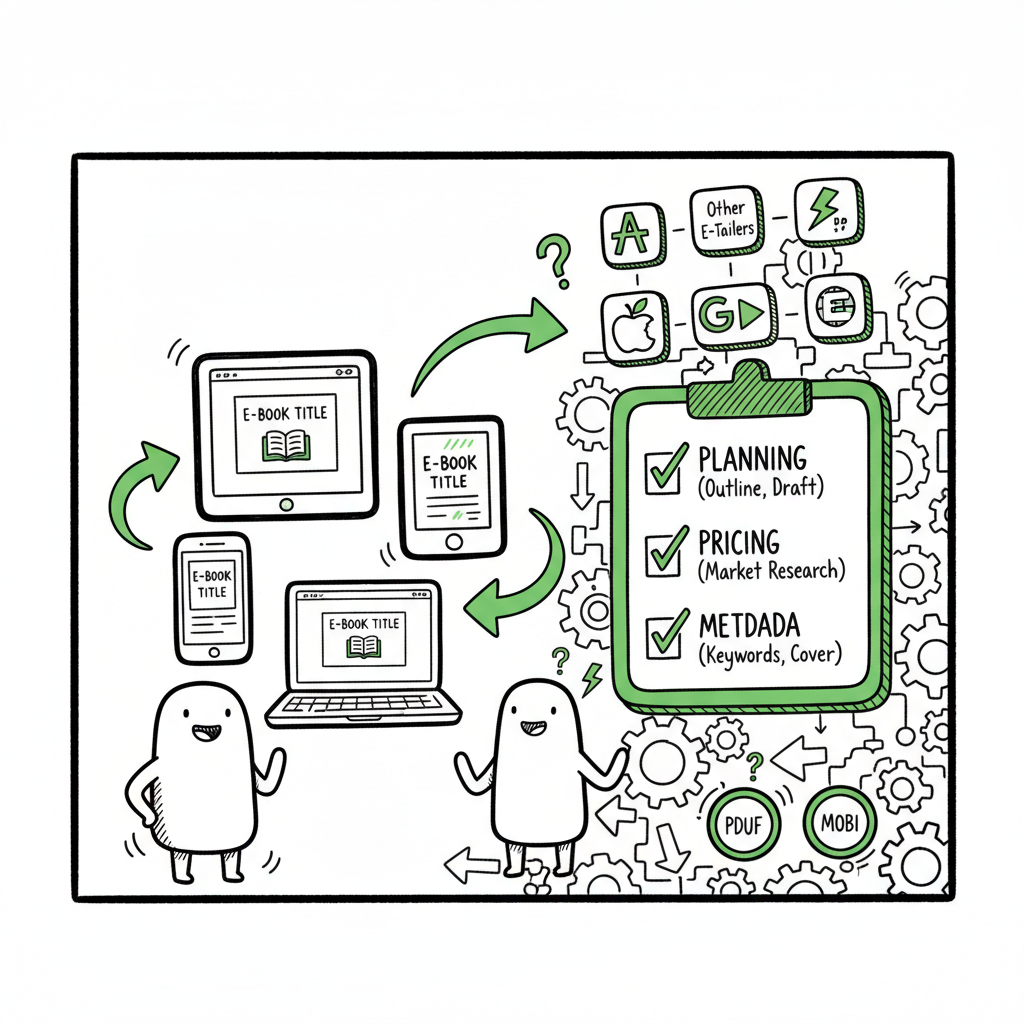
- Start with a single source of truth
Keep one master folder for the book: manuscript, cover, EPUB, PDF for print, metadata spreadsheet, and assets. Name files consistently. When you have multiple editions (ebook, trade paperback, large print), store version notes and internal SKUs in the folder.
- Prepare files to the strictest spec first
Work to the strictest retailer standards so smaller stores rarely reject your files. For example:
– Convert your final manuscript to a validated EPUB for ebook stores and a print-ready PDF for IngramSpark. If you need a fast EPUB conversion that handles common layout issues, consider a specialist EPUB converter to automate the process. EPUB converter.
– Create a print-ready PDF with bleeds and correct spine calculations for paperbacks and hardcovers.
– Make a cover that works as a thumbnail and scales for print and ebook needs. A dedicated cover generator can speed this while ensuring the correct pixel sizes and spine text for print. - Metadata is not optional
Good metadata drives discovery. At minimum:
– Use a short, searchable subtitle when appropriate.
– Choose categories and keywords that reflect readers’ searches, not aspirational categories.
– Write a clear, benefit-led blurb for sales pages and a separate, keyword-friendly blurb for metadata feeds where possible.
– Keep ISBN and pricing records in your master spreadsheet. If you use multiple ISBNs (one per format), tie each ISBN to the right file and platform. - Decide channels and roles
Map each format to a platform:
– Kindle (KDP) — ebook and print for Amazon customers. KDP Select is exclusive; joining it restricts wide ebook distribution.
– IngramSpark — print distribution to bookstores and libraries worldwide.
– Aggregators (Draft2Digital, PublishDrive) — ebooks to Apple, Kobo, B&N, and smaller stores; some aggregators also push to Ingram.
– Direct stores (Kobo Writing Life, Apple Books direct) — consider direct accounts if you prefer full control. - Batch where possible
Create a CSV or spreadsheet with title-level fields for batch uploads: title, author, ISBN, price, territories, categories, and keywords. Many platforms accept CSV for multiple ASINs/ISBNs and editions, or you can use an API. Batch uploads reduce repeated form entry and human error.
- Test on a staging account
Before pushing live, do a test upload or soft launch in one market. Look for formatting issues, broken TOC links, or cover problems. Fix once in your master files and re-export; don’t patch different versions per store.
- Pricing and royalties: align strategy with channel strength
– Amazon often wins with volume; use competitive pricing there.
– In non-Amazon stores, readers sometimes pay more willingly for certain genres or formats. Adjust prices where royalties and local VAT affect net.
– Decide whether to use retailers’ promotional tools (discounts, price-matching) or to control pricing centrally via distributors. - Monitor and iterate
Once live:
– Track sales by retailer and format consistently.
– Keep a simple dashboard for returns, listing issues, and customer feedback.
– Schedule quarterly checks to update metadata, fix broken images, or refresh covers.
For a streamlined book creation workflow, see BookAutoAI’s resources. book creation workflow.
How to handle print and ebook production without repeating work
Create the ebook and print files from the same canonical source and automate conversions where possible. A robust EPUB conversion tool reduces rework when you update content. For covers, exporting separate high-resolution files for print and a square/rectangle for ebook thumbnails avoids last-minute resizing errors.
Tools like a dedicated cover generator or an EPUB converter are useful here: they remove repetitive steps and give consistent outputs for every retailer. If you need a single destination to create and validate covers, or to make a reliable EPUB, pick services that are designed for book publishing—these tools are faster and better at preserving pagination, TOC structure, and image placement than generic converters.
How automation saves time and reduces errors
When you move beyond one or two titles, manual upload becomes the bottleneck. Automation changes the economics of publishing.
Where automation helps most
- CSV batch uploads: One spreadsheet can handle dozens of SKUs. With consistent fields and validation rules, batch uploads reduce hundreds of clicks to a few.
- Platform-specific intelligence: Automated systems can adjust file names, metadata fields, and delivery formats to match each retailer’s quirks — removing guesswork and rejections.
- Error reduction: Automated checks flag missing fonts, incorrect trim sizes, poor image resolution, or TOC problems before you upload.
- Replication: When you release a new edition, you can clone prior listings, apply new ISBNs and files, and push updates across retailers with a single command.
What BookUploadPro brings to this work
At scale, BookUploadPro operates as practical automation for the parts of publishing you don’t want to do by hand. It handles unified multi-platform publishing across Amazon KDP, Kobo, Apple Books, Draft2Digital, and Ingram. The system uses CSV batch uploads, platform-specific intelligence, and file validation to save authors and teams roughly 90% of the time they’d otherwise spend on repetitive uploads.
Key operational features to expect:
- CSV-driven batch imports that map to each store’s required fields.
- Automated file conversion checks and delivery to the right endpoints.
- Error logs that point to the exact file or metadata line that needs fixing.
- Affordable pricing and a free trial so you can test a single title and see the time savings immediately.
BookUploadPro removes friction, but you still control rights, ISBNs, pricing, and marketing. As one practical rule: keep Amazon direct for Kindle where you want to optimize for Amazon’s ecosystem, and let automation handle wide distribution to the rest of the retailers. For authors publishing seriously, automation is an obvious upgrade—Automate the upload. Own the distribution.
Practical tips that scale
- Standardize your metadata fields across titles (author name, imprint, BISAC, keywords). Consistency is a multiplier.
- Use lists of common values (genres, trim sizes, royalty options) to speed batch imports.
- Build a one-page checklist for each title that covers validation steps: EPUB validation, cover DPI, spine math, ISBN mapping, and territory rules.
- Keep one pricing rule file that calculates local prices from a base price and local tax/royalty rules.
When to use aggregators, when to go direct, and when to use both
- Ebook direct vs aggregator: If you want total control over product pages, direct accounts may be better. Aggregators are faster when you want broad reach without multiple logins.
- Print: For bookstore and library access, IngramSpark or a distributor tied to Ingram is usually necessary.
- Hybrid: Use KDP for Amazon, IngramSpark for print wide, and an aggregator for ebook distribution to many smaller channels. Automation ties these choices into one workflow, so you don’t manually re-enter the same metadata.
Common pitfalls and how to avoid them
- Duplicate listings: Use unique ISBNs per print format and check for existing ASINs before publishing to Amazon.
- Mismatched metadata: Make sure title, subtitle, and author fields match exactly across platforms to avoid confusion and lost reviews.
- Incorrect cover spine: Always calculate spine width based on final page count and paper type; test the print-ready PDF in previewers.
- Ignoring retailer rules: Apple Books, Kobo, and other stores have unique rules (file sizes, fonts, images). Build those rules into your process so each file meets standards the first time.
Workflow example: From manuscript to 5 stores (practical)
- Day 1: Finalize manuscript and export a clean Word or InDesign file. Run a spelling and style pass.
- Day 2: Generate EPUB with validated TOC using your EPUB converter; export a print-ready PDF for IngramSpark and KDP Print. Generate cover files for ebook and print versions via a cover generator.
- Day 3: Populate your metadata spreadsheet (title, subtitle, BISAC, keywords, price, ISBN). Validate fields.
- Day 4: Batch upload to KDP (ebook and print) and to your chosen aggregator or IngramSpark. Use BookUploadPro or CSV workflows where available to push to multiple retailers.
- Day 5: QA product pages, fix any platform-specific issues, and schedule promotions.
FAQ
Q: Can I be on Amazon and still publish wide?
Yes. You can list ebooks on Amazon and still distribute wide, but if you enroll in KDP Select (Kindle Unlimited exclusivity), you must keep the ebook exclusive to Amazon for the enrollment period. Many authors choose not to join KDP Select so they can keep ebooks on Apple, Kobo, and other stores.
Q: How do I handle pricing across regions?
Start with a base currency and use a pricing matrix that calculates local prices from that base, factoring in taxes and retailer commission. Automation or CSV tools can populate regional prices for every retailer.
Q: Do I need separate files for each store?
Not always. A validated EPUB will work for most ebook stores, but some stores accept or prefer specific packaging. For print, you need platform-specific PDFs. Use conversion tools and a consistent file naming system to keep versions straight.
Q: What’s the role of ISBNs in wide publishing?
Assign a separate ISBN for each print format (paperback, hardcover). For ebooks, some bookstores don’t require an ISBN, but having one can help with library and bookstore distribution. If you use aggregators, check whether they allow their ISBN or require yours.
Q: How often should I update metadata?
At least annually, and any time you relaunch or significantly change pricing or marketing. Keep an eye on category alignment and seasonal search terms.
Sources
- Self-Publishing Platforms Compared: Which One Is Right for You?
- Navigating the Self-Publishing Landscape: A Comparison of Platforms
- Self Publishing Platform Comparison: KDP vs IngramSpark vs B&N
- Which Self-Publishing Platform Is Right for Your Book? (YouTube)
- 14 Best Self-Publishing Platforms for New Authors
- Top 10 Best Self-Publishing Platforms for Authors in 2025
- The 5 Best Self-Publishing Platforms, Compared
Final thoughts
If you plan to publish more than a book or two, build the workflow and automate the parts you do not want to repeat. A unified multi-platform approach with CSV batch uploads, platform-aware checks, and a steady metadata practice keeps listings clean and sales steady. For cover generation, EPUB conversions, or to set up a repeatable book creation workflow, tools that automate those steps save time and reduce failed uploads. Automating the upload makes wide distribution practical at scale.
Visit BookUploadPro.com to try the free trial.
Self publish on multiple platforms: A practical guide for wide distribution Estimated reading time: 10 minutes Key takeaways Wide distribution gets books into more stores and formats, but it takes planning: file formats, pricing, and metadata matter. A repeatable workflow plus automation cuts the work of multi-platform publishing by roughly 90% and reduces costly errors.…