Self Publish on Multiple Platforms Practical Steps
How to self publish on multiple platforms: a practical guide
Estimated reading time: 12 minutes
Key takeaways
- Self publish on multiple platforms to reach more readers and reduce dependence on one retailer.
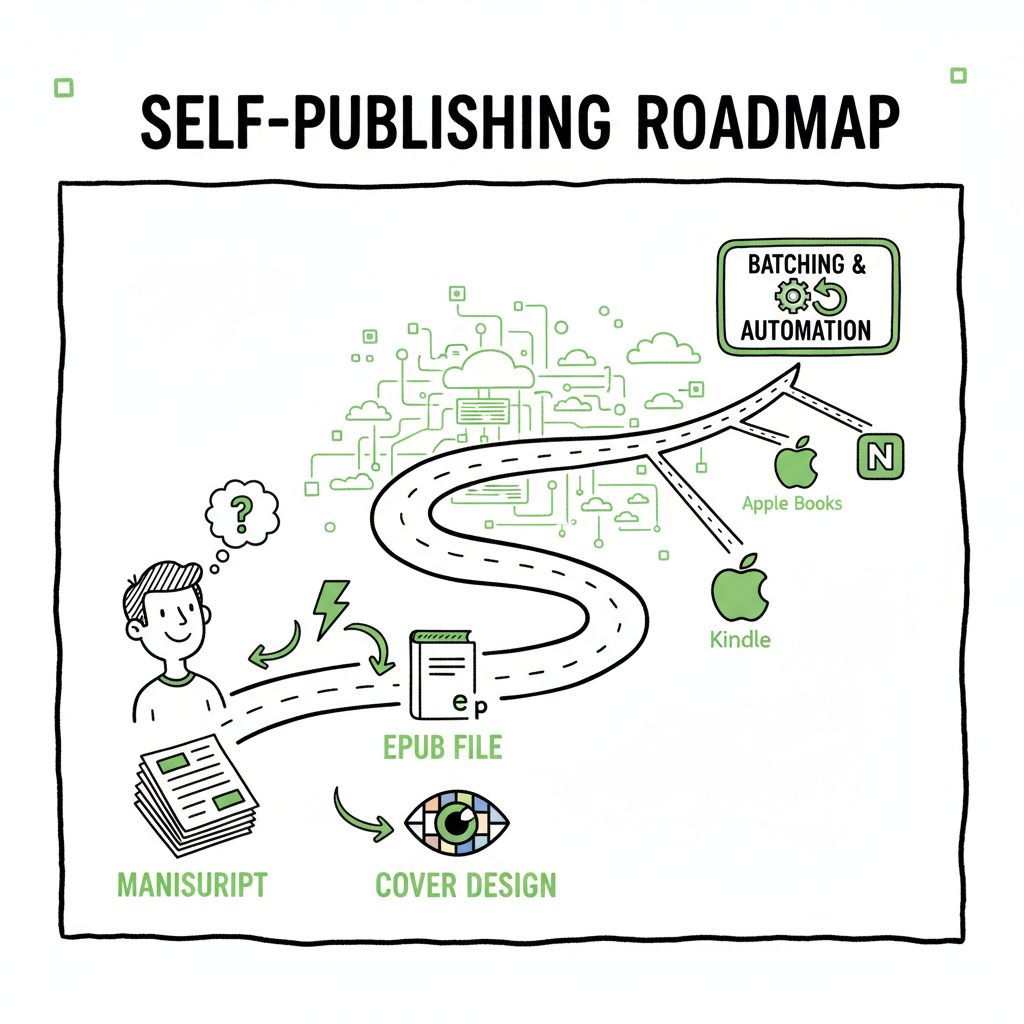
- Prepare clean files: a formatted manuscript, an EPUB, and a strong cover are the three things every outlet needs.
- Use batching and automation for scaling — CSV uploads, platform-specific checks, and error reduction make wide publishing practical.
- BookUploadPro automates repetitive uploads across retailers and cuts the time needed by roughly 90%, making wide distribution realistic for serious authors.
Table of Contents
- Why go wide: benefits and trade-offs
- Prepare your files: manuscript, EPUB, and cover
- Upload and scale: platform rules, batching, and automation
- FAQ
Why go wide: benefits and trade-offs
Anchor: #why-go-wide
Self publish on multiple platforms when you want more control over distribution and more channels to find readers. Authors who sell on Amazon plus Apple Books, Kobo, Draft2Digital, and Ingram see different pockets of demand. Selling in more places means more potential readers, fewer single-retailer risks, and often higher cumulative revenue.
Going wide does add work. You must manage different file types, meet varying metadata rules, and monitor sales across dashboards. But the right approach makes wide publishing practical. With consistent files and a repeatable upload routine, you can publish across retailers without duplicating the same manual effort five or six times.
If you need a practical routine to move from one-off uploads to a repeatable system, review the Publish Wide Self Publishing Workflow to see how batching and CSV uploads change the daily work of publishing books. The workflow shows what to automate, what to check manually, and how to sequence uploads so metadata and files stay consistent across platforms.
Simple trade-offs to keep in mind
- Reach vs. friction: more retailers mean more reach but more setup work.
- Control vs. convenience: aggregator services reduce per-platform tasks but can cost more or enforce DRM rules.
- Speed vs. accuracy: moving too fast invites format errors; a repeatable process prevents costly fixes.
Prepare your files: manuscript, EPUB, and cover
Anchor: #prepare-files
A reliable wide-publishing workflow starts with clean, final files. Most platforms accept EPUB for ebooks, and a print-ready PDF for paperbacks. If you publish paperback and ebook, prepare both files before you start any upload.
Manuscript formatting basics
- Start with a clean source file: a single Word doc or an exported manuscript from your typesetter.
- Keep styles consistent: use heading styles for chapter titles, avoid manual spacing, and use a single font family for body text.
- Images: embed at the correct resolution. For ebooks, downsample images to keep file size reasonable. For print, provide high-resolution images (300 DPI).
EPUB conversion and validation
Ebook retailers prefer EPUB. Convert your final manuscript into EPUB and validate it to avoid rendering issues on devices. If you don’t have an in-house tool, an EPUB converter can remove a lot of guesswork and surface common problems before upload. Use an EPUB converter early in the process so you can review how chapters, images, and links appear on common devices.
A clean EPUB will:
- Preserve chapter breaks and navigation
- Render images correctly across readers
- Keep inline formatting (italics, bold, lists) consistent
Cover design and file types
The cover is the first thing readers judge. For ebooks, a single JPEG or PNG at the correct dimensions is usually enough. For print, you need a full wrap cover PDF that matches your chosen trim size and includes bleed and spine calculations.
If you don’t have a designer, there are reliable tools for generating covers. cover generator helps you produce a print-ready file and ebook art quickly; use it during the preparation stage so covers match the internal design and metadata.
Create paperback and ebook files
When you prepare print and ebook versions, make sure titles, subtitles, and author names match exactly across files and metadata. Inconsistent metadata causes duplicates or splits in catalog listings.
Metadata checklist
- Title and subtitle: exact match across platforms
- Author name: consistent spelling and order
- Series fields: use the same series name and number formatting
- ISBNs: assign ISBNs as required; some platforms allow ISBNs to be platform-specific
- Categories and keywords: choose categories that fit the book and use keywords thoughtfully — don’t stuff them
Upload and scale: platform rules, batching, and automation
Anchor: #upload-scale
Once your files are ready, the next step is uploading and managing distribution. Retailers vary, and a deliberate order to your uploads avoids conflicts with rights, pricing, and distribution windows.
Platform notes and common gotchas
- Amazon KDP: handles paperback and Kindle. It enforces specific ebook and print requirements and can take a day or more to publish. KDP also has optional Expanded Distribution that affects other channels.
- Apple Books: accepts EPUB and is strict about validation. Good covers and clean EPUBs reduce rejections.
- Kobo: works well for international reach and often depends on clean EPUBs and correct metadata.
- Draft2Digital: an aggregator that distributes to many retailers. It simplifies the process but may apply its own formatting choices.
- Ingram: key for wide print distribution and bookstore placement. Print files must be precise.
Batching uploads for scale
If you plan to publish multiple titles or editions, batching is where you gain real efficiency. Batching means preparing multiple titles in the same format and uploading them with a CSV or through an automation tool. CSV batch uploads let you push metadata and file references in one pass instead of entering the same fields five times.
Batching best practices
- Keep a master CSV for all titles with standardized columns: title, subtitle, author, series, ISBN, price, territories, file paths, and format.
- Store your final EPUB and PDF files in a predictable folder structure and reference them in your CSV.
- Use platform templates where available; many retailers provide CSV templates to match their required fields.
Automate repetitive uploads and checks
Automation reduces error and frees you for higher-value work like marketing and editing. Tools that understand each retailer’s quirks can validate fields, map metadata, and push files where they belong. Automation pays off especially when you:
- Publish multiple titles at once
- Release box sets or revised editions
- Push metadata updates across multiple retailers
BookUploadPro is built specifically for this purpose: unified multi-platform publishing that automates repetitive uploads across Amazon KDP, Kobo, Apple Books, Draft2Digital, and Ingram. It supports CSV batch uploads and applies platform-specific intelligence to reduce errors. For authors scaling up, it is an obvious upgrade once you start publishing seriously — it saves roughly 90% of the time you’d spend on manual uploads and makes wide distribution practical.
Platform-specific tips
- Pricing: set a consistent pricing strategy but be ready to adjust for currency and territory differences.
- Publication date: schedule consistently. If you want simultaneous availability, upload early and verify each retailer’s release behavior.
- Territories and rights: confirm territory settings to avoid exclusive conflicts.
- ISBNs and identifiers: use the right ISBN for each format and track them in your CSV.
Quality checks and monitoring
- After upload, monitor listings for the first 48–72 hours. Common post-upload issues include:
- Formatting glitches in ebook previews
- Wrong cover or mismatched metadata
- Price mismatches across currencies
A repeatable checklist helps here: confirm cover, check sample pages, verify price, and ensure the book appears in the right categories.
Operational scaling: production, workflows, and error reduction
As you publish more books, treat the process like production. Create clear roles and checkpoints — whether you work alone or with a small team.
A practical production flow
- Draft and edit to final manuscript
- Format for print and convert to EPUB
- Generate covers and back-matter
- Populate master CSV and run automated checks
- Batch upload via aggregator or automation tool
- Verify listings and fix issues within the first few days
CSV and templates: the backbone of scale
CSV templates let you keep all titles in one place and apply updates at scale. Keep a test environment or a small sandbox to validate your CSV before publishing live. Use version control on your CSVs so you can roll back changes if something goes wrong.
Error reduction strategies
- Validate EPUBs before upload to avoid retailer rejections.
- Keep a single source of truth for metadata; if you update a title, update the CSV and re-upload rather than editing different dashboards one-off.
- Use platform-specific intelligence to map fields correctly. For instance, some platforms use “primary author” vs. “contributor,” and mapping is necessary to avoid missing credits.
Tools that help: conversion, covers, and file prep
- Automating EPUB creation reduces manual conversion errors. An EPUB converter can process many files and flag issues.
- A book cover generator will produce consistent ebook and print covers and calculate spine width for paperbacks.
- If you publish both paperback and ebook, build a routine where the ebook is finalized first, then the print file is prepared to match.
When to use aggregators vs. direct uploads
Aggregators like Draft2Digital can simplify distribution but may introduce differences in pricing or delay. Direct uploads give you more control, especially for Amazon KDP and Ingram print distribution. For many publishers, a hybrid approach works best: use direct uploads for key retailers and an aggregator for wider reach where control is less critical.
A repeatable approach looks like this:
- Direct upload to Amazon KDP and Ingram for top control in print and Kindle.
- Use an aggregator for smaller retailers where marginal time savings justify the trade-off.
- Employ automation for metadata syncing and batch updates.
FAQ
Q: What does “wide” mean in self-publishing?
A: “Wide” means distributing your book beyond Amazon to other retailers like Apple Books, Kobo, Draft2Digital, and Ingram. It’s about being available on multiple storefronts rather than exclusive to a single platform.
Q: Do I need different files for every platform?
A: Not exactly. You need a clean EPUB for most ebooks and a print-ready PDF for paperbacks. Platform-specific tweaks may be necessary, but keeping master EPUB and PDF files reduces duplication.
Q: Can I use an aggregator for everything?
A: Aggregators work well for many retailers, but some authors prefer direct uploads to maintain control over pricing, promotions, and print options. A hybrid approach often makes sense.
Q: How do I avoid formatting errors across retailers?
A: Start with validated files. Use an EPUB converter and a book cover generator to produce consistent files. Validate EPUBs with device previews and fix flagged issues before uploading.
Q: Will automation change how I market my books?
A: Automation reduces back-office work so you can focus more on marketing, audience building, and writing. It also enables simultaneous releases and consistent metadata, which supports paid and organic discoverability.
Q: Is wide publishing worth the effort for new authors?
A: If you plan to publish a single book and don’t want to manage multiple dashboards, the effort may not seem worth it. But if you aim to publish several titles or build a catalog, wide publishing pays off. Automation tools make it practical.
Final thoughts
Publishing across multiple retailers is less about mastering each platform’s interface and more about building a reliable, repeatable process. Start by preparing clean files — a validated EPUB, a print-ready PDF, and a strong cover — and standardize metadata in a master CSV. Batch where possible, validate before upload, and use automation to remove repetitive tasks.
If you find yourself publishing more than one title or running into repeated manual work, tools that automate uploads, apply platform-specific intelligence, and allow CSV batch processing make wide distribution practical. They reduce errors, save time, and make scaling a predictable operation.
FAQ
Q: What does “wide” mean in self-publishing?
A: “Wide” means distributing your book beyond Amazon to other retailers like Apple Books, Kobo, Draft2Digital, and Ingram. It’s about being available on multiple storefronts rather than exclusive to a single platform.
Q: Do I need different files for every platform?
A: Not exactly. You need a clean EPUB for most ebooks and a print-ready PDF for paperbacks. Platform-specific tweaks may be necessary, but keeping master EPUB and PDF files reduces duplication.
Q: Can I use an aggregator for everything?
A: Aggregators work well for many retailers, but some authors prefer direct uploads to maintain control over pricing, promotions, and print options. A hybrid approach often makes sense.
Q: How do I avoid formatting errors across retailers?
A: Start with validated files. Use an EPUB converter and a book cover generator to produce consistent files. Validate EPUBs with device previews and fix flagged issues before uploading.
Q: Will automation change how I market my books?
A: Automation reduces back-office work so you can focus more on marketing, audience building, and writing. It also enables simultaneous releases and consistent metadata, which supports paid and organic discoverability.
Q: Is wide publishing worth the effort for new authors?
A: If you plan to publish a single book and don’t want to manage multiple dashboards, the effort may not seem worth it. But if you aim to publish several titles or build a catalog, wide publishing pays off. Automation tools make it practical.
Q: How soon should I expect listings to appear?
A: Listing timing varies by retailer; some require manual checks and approvals. Monitor the first 48–72 hours after upload and adjust as needed.
Sources
- Internal product and feature references for BookUploadPro
- Industry-standard retailer documentation and file-format guidelines
How to self publish on multiple platforms: a practical guide Estimated reading time: 12 minutes Key takeaways Self publish on multiple platforms to reach more readers and reduce dependence on one retailer. Prepare clean files: a formatted manuscript, an EPUB, and a strong cover are the three things every outlet needs. Use batching and automation…