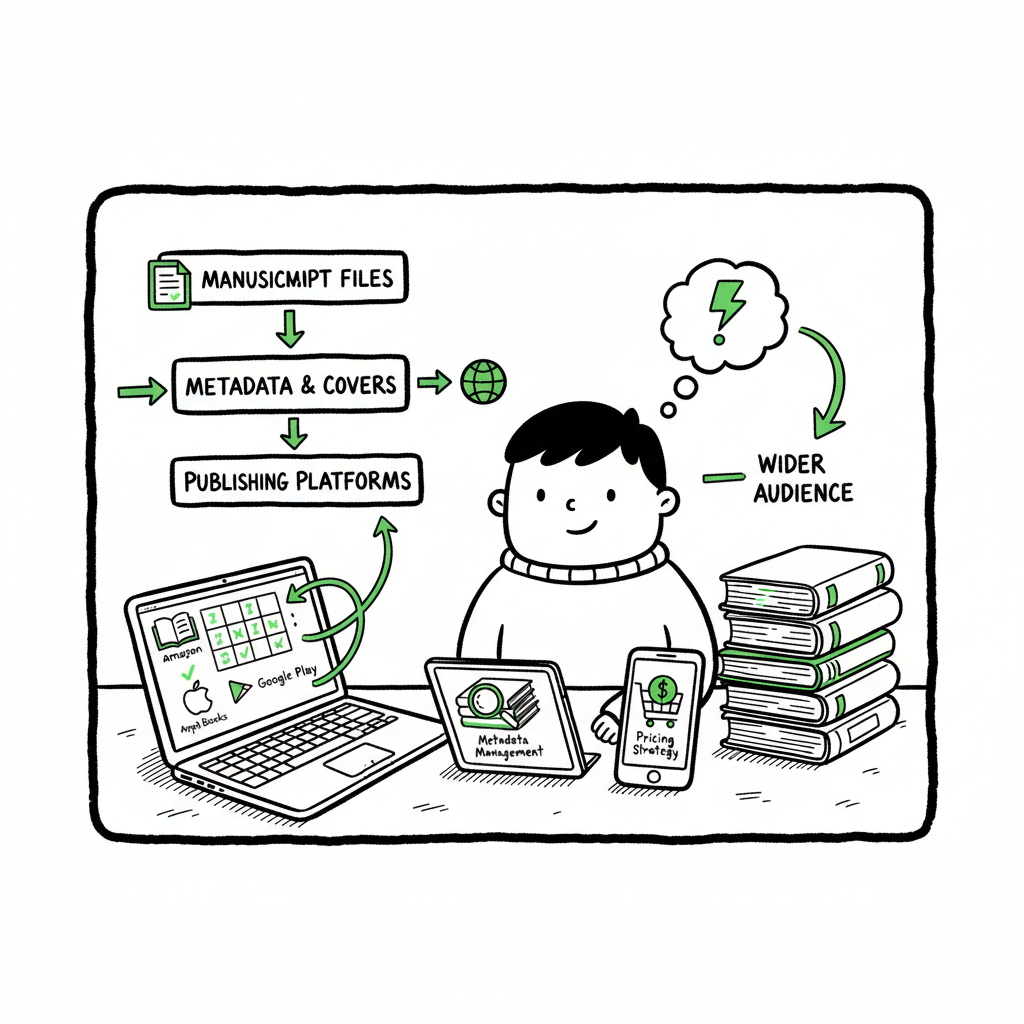
Self Publish on Multiple Platforms Practical Steps Guide
How to self publish on multiple platforms: a practical guide for authors
Estimated reading time: 10 minutes
Key takeaways
- Self publish on multiple platforms to reach more readers, reduce dependency on one retailer, and keep higher control over distribution.
- Build a repeatable workflow that treats metadata, files, and pricing as data you can batch and re-use — automation saves time and cuts errors.
- For scale, use CSV batch uploads and platform-aware tools; that’s when a service like BookUploadPro becomes an obvious upgrade.
- File prep matters: a single clean EPUB, a print-ready PDF, and a reliable cover file let you publish across retailers without repeated fixes.
- Start small, prove the process, then scale with automation to maintain quality while growing output.
Table of Contents
- Why self publish on multiple platforms
- Set up a repeatable multi-platform workflow
- File prep, platform specifics, and batch uploads
- Costs, time savings, and when to scale
- FAQ
- Final thoughts
- Sources
Why self publish on multiple platforms
Self publish on multiple platforms when you want predictable reach, diversified revenue, and fewer single-point risks. Sellers rise and fall. Algorithms change. If your books live only on one retailer, anything that impacts that retailer can immediately affect your income. Publishing wide spreads risk and often increases total readership.
There are other, practical reasons:
- Readers prefer different stores. Some buy only from Apple Books, others from Kobo, and many still buy through Amazon. Being available where readers shop reduces friction.
- Library and distribution channels (Ingram, Draft2Digital) open routes to bookstores and libraries that a single retailer won’t handle for you.
- Pricing freedom and promos: different platforms have different royalty models. Being wide gives you options for pricing and promos that fit each market.
All of this is manageable if you treat publishing as an operational process. That means standardizing files and metadata, tracking what’s live where, and automating the repetitive parts. When you reach that point, wide publishing stops being a chore and becomes a clear growth strategy.
Set up a repeatable multi-platform workflow
You need a simple, repeatable workflow that anyone on your team could follow. Treat your book like a product: metadata, files, pricing, and distribution channels. The easier you make each step, the faster you can publish more titles without mistakes.
Start with a small checklist that becomes a single source of truth:
- Title, subtitle, series, author name (consistent across platforms)
- ISBNs and identifiers (assign ISBNs for print and keep records)
- Primary categories and keywords (platform-specific tweaks later)
- File set: manuscript source, EPUB, print-ready PDF, high-res cover, and thumbnail
- Pricing strategy by territory and format
- Distribution targets (KDP, Apple, Kobo, Ingram, Draft2Digital, etc.)
Once these items live as structured data (spreadsheet or CSV), you can reuse them for every title. That’s where publishing tools and batch upload systems pay off. For many publishers, a controlled CSV with one row per edition is the turning point: it becomes your master record and drives uploads, metadata updates, and royalty reconciliation.
When you’re ready to automate uploads across multiple retailers, look for a solution that understands platform differences and applies the right settings for each retailer. For a practical example of how a centralized process can reduce manual work and keep records accurate, see the Publish Wide Self Publishing Workflow — it demonstrates how to move from manual uploads to a scalable process that saves time and avoids repeated fixes. This kind of approach is what makes wide distribution realistic for authors who publish regularly.
Make the workflow durable:
- Use a single place for active metadata (a CSV or a lightweight database).
- Version every file set so you can roll back a release if needed.
- Keep a change log: what changed, who uploaded it, and when it went live.
- Automate validation checks (file type, page count, margins) so platforms reject less often.
A repeatable workflow doesn’t remove editorial standards. It enforces them. That means your covers still need to read well at thumbnail size, your interiors must be proofed for formatting, and your metadata must be consistent. Getting the small things right reduces errors and makes automation reliable.
File prep, platform specifics, and batch uploads
File preparation is where most wide publishers win or lose. A consistent file set, built once and exported correctly, is the foundation of multi-platform publishing.
Core files you’ll use repeatedly
- EPUB: the universal ebook format. Create a clean, validated EPUB for Kobo, Apple Books, and many retailers. If conversion is needed, an EPUB converter can reduce manual formatting headaches.
- Print-ready PDF: sized to the correct trim, with proper margins and embedded fonts for print-on-demand platforms.
- Cover files: layered masters for rework and flattened exports sized to each platform’s specs. A cover generator can speed generation and ensure consistent thumbnails.
- Source manuscript: keep your working DOCX or typeset source tracked and versioned.
Use tools that understand platform quirks. Every retailer has small but important differences: maximum ebook file size, cover thumbnail rules, ISBN usage, required metadata fields, and territory licensing. A good multi-platform tool applies retailer-specific rules automatically when you push a single record to multiple stores.
Batch uploads and CSV. If you publish more than a couple of titles a year, doing single-page uploads becomes expensive in time and errors. Batch uploads change the math: a CSV that contains one row per edition and columns for every major field (title, subtitle, ISBN, price, categories, file paths) lets you push dozens or hundreds of titles at once.
Batch uploads do three things:
- They reduce repetitive UI work and data entry errors.
- They let you test changes in a dataset before they go live.
- They make audits and rollbacks easier because each publish event is tied to a data row.
BookUploadPro automates CSV batch uploads while applying platform-specific intelligence so you don’t have to remember whether Kobo wants a cover this way and Apple that way. That reduces a lot of back-and-forth and file re-uploads.
Cover and format helpers
When you discuss covers or EPUBs, use dedicated tools to cut manual labor. A cover generator speeds output, especially if you need consistent series branding across many titles; automated EPUB conversion turns a clean manuscript into a validated file quickly. If you want one-click conversions or automated cover processing, consider using a cover generator for consistent assets and an EPUB converter that understands the nuances of retailer validation.
Platform-specific notes (short)
- Amazon KDP: flexible and powerful for Amazon buyers, but metadata setup differs and KDP has its own previewer quirks. KDP often requires different pricing and marketplace setup.
- Apple Books: prefers validated EPUBs and good sample files; metadata mapping matters for categories.
- Kobo: straightforward for EPUBs; handle territories carefully.
- Draft2Digital: can act as a distribution hub to a set of retailers and libraries; good for automated distribution.
- Ingram: essential for wide print distribution and bookstore availability; print-ready PDFs must meet specific specs.
When to check by hand. Even with automation, proofing is non-negotiable. Check mechanics (downloads, sample pages), retail listings (title, description, categories), and the live product (cover display, price accuracy) after every release batch. Automation removes repetitive input, not responsibility.
Practical file workflow example
- Finalize manuscript in DOCX. Export a clean EPUB and validate it. If conversion is needed, run it through the EPUB converter and re-check.
- Design or export cover art. Run the master through a cover generator to produce platform-sized variants.
- Produce a print PDF sized to your chosen trim and proof in a test order.
- Update your CSV: include file paths, prices, territories, and metadata.
- Run a batch upload to a multi-platform tool that applies platform rules.
- Proof the live listings and download receipts or confirmations.
This approach scales because the CSV and file set are the single source of truth. When you need a correction, edit the CSV and re-run the batch for only the affected titles.
Required links for helpful tooling
- Repeatable cover output: https://www.bookautoai.com/book-cover-generator-processing
- EPUB conversion and validation: https://www.bookautoai.com/epub-converter
- Publishing tools for paperback/ebook workflows: https://www.bookautoai.com
Costs, time savings, and when to scale
Publishing across platforms costs time and sometimes money. But when you compare the alternatives, the math favors automation once you publish multiple titles.
Where time goes
- Formatting and file prep: once per title, but recurring if platforms reject files.
- Metadata entry: repetitive across retailers if done manually.
- Uploads and troubleshooting: clicking through different UIs, fixing validation errors, and re-uploading files.
- Proofing and live listing checks: essential and non-negotiable.
Where automation helps
- CSV batch uploads cut repetitive data entry by a large margin.
- Platform-specific intelligence reduces platform rejections and the back-and-forth fixes.
- Centralized logs and versioning make audits fast.
- Reuse of validated files across platforms reduces formatting cycles.
Quantifying savings. For authors publishing seriously, automation often delivers around 70–90% time savings on the upload and distribution parts of publishing. That’s not a marketing claim; it’s the operational reality of removing repetitive manual steps and avoiding repeated rejections.
What you pay for
- Time (value of your time)
- A reliable batch upload and distribution service (the fee is usually a small fraction of your time saved)
- Proof copies and potential platform fees (some retailers charge distribution or processing fees)
- Optional services like cover production or extended file conversion tools
When scaling makes sense
- You have multiple titles planned each year.
- You’re running series and need consistent metadata and covers.
- manual uploads are creating errors or taking time away from writing and marketing.
Why BookUploadPro matters here. BookUploadPro focuses on unified multi-platform publishing: CSV batch uploads, platform-specific intelligence, error reduction, and distribution to Amazon KDP, Kobo, Apple Books, Draft2Digital, and Ingram. For authors who publish regularly, it’s an obvious upgrade: you maintain quality while increasing throughput and reliability. In short, automate the upload. Own the distribution.
Final thoughts
Publishing wide is a practical strategy when you treat books as products that can be managed with data and repeatable processes. Start with solid files and a single source of truth, validate as you go, and add automation when the manual work becomes a bottleneck. That’s how authors scale without losing quality.
FAQ
Q: Can I publish the same book on Amazon and other retailers?
A: Yes. You can publish wide unless you’ve opted into exclusive programs like Kindle Unlimited that require exclusivity. Make sure you understand exclusivity terms before enrolling.
Q: Do I need an ISBN for ebooks?
A: Most retailers do not require ISBNs for ebooks because platforms assign their own identifiers. For print books, an ISBN is typically required and recommended if you want bookstore or library distribution.
Q: How do I handle pricing across retailers?
A: Use a price matrix in your CSV that lists prices per territory and format. Some retailers have pricing rules for minimums or royalty thresholds; your publish workflow should encode those differences so pricing is consistent.
Q: How do I avoid rejections during upload?
A: Validate files before upload. Run EPUB validation, proof the print PDF, and ensure your cover meets thumbnail and spine quality for print. Using platform-aware automation reduces common rejections.
Q: What’s the best way to manage series metadata?
A: Keep a consistent series title, volume number format, and series metadata fields in your master CSV. That avoids mixed entries and keeps listings clean across retailers.
Q: How do I know when to use a service versus manual uploads?
A: If you publish more than a title or two a year, automation is worth testing. When you’re spending hours per title on uploads and fixes, a batch upload service pays back quickly.
Sources
- https://www.bookautoai.com/book-cover-generator-processing
- https://www.bookautoai.com/epub-converter
- https://www.bookautoai.com
How to self publish on multiple platforms: a practical guide for authors Estimated reading time: 10 minutes Key takeaways Self publish on multiple platforms to reach more readers, reduce dependency on one retailer, and keep higher control over distribution. Build a repeatable workflow that treats metadata, files, and pricing as data you can batch and…