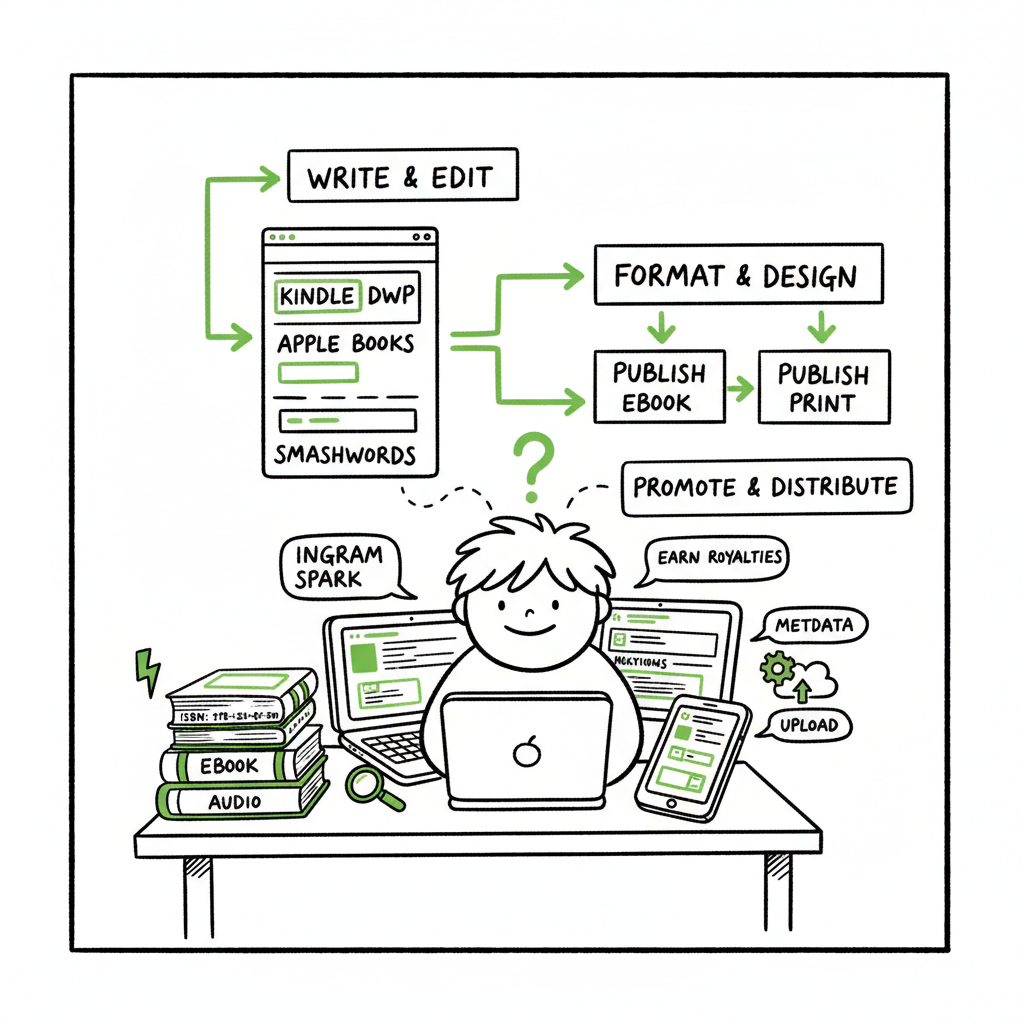
Self Publish on Multiple Platforms Practical Guide
Self publish on multiple platforms: a practical guide for authors
Estimated reading time: 8 minutes
Key takeaways
- Wide distribution expands reach but requires consistent metadata, ISBN strategy, and format checks.
- A clear, repeatable workflow saves time; automation with CSV batch uploads reduces error and effort.
- Use platform-specific intelligence for pricing and formatting, and treat Amazon KDP as one part of a wider plan.
- BookUploadPro automates repetitive uploads across major retailers and cuts publishing time by roughly 90%—an obvious upgrade once you publish seriously.
Table of contents
- Why authors choose to self publish on multiple platforms
- A practical workflow to publish across retailers
- Avoid common metadata, formatting, and distribution errors
- FAQ
Why authors choose to self publish on multiple platforms
Self publish on multiple platforms because discoverability and revenue come from many places. Amazon is huge, but readers also buy on Kobo, Apple Books, Barnes & Noble, Google Play, and from library services. If you only publish on one storefront you miss readers who prefer other ecosystems or devices.
Authors move to multi platform self publishing for three practical reasons:
- Redundancy: one storefront going quiet won’t stop sales.
- Audience reach: different retailers have different country strengths.
- Revenue diversification: pricing rules, promotions, and royalty models vary.
There are two common approaches. One, use direct accounts like Amazon KDP and IngramSpark for print and use Kobo Writing Life and Barnes & Noble Press for their ecosystems. Two, use aggregators like Draft2Digital or PublishDrive to distribute to many retailers at once. Each path has trade-offs in cost, control, and data access.
If you want a repeatable process that scales, adopt a Publish Wide Self Publishing Workflow early. That keeps ISBNs, metadata, and assets consistent across platforms and avoids manual, error-prone uploads as your catalog grows.
When people talk about “wide” publishing or publish across retailers, they mean reaching beyond a single retailer’s ecosystem and making the book available where readers are already buying. For many authors, that shift is the difference between a single-season project and a small publishing business.
A practical workflow to publish across retailers
Scaling publishing across platforms isn’t mystical. It’s a series of simple, repeatable steps that handle the details consistently. Below is a practical workflow you can implement today. This section focuses on what to do and why—operational steps you can repeat for every new title.
Step 1 — Decide your distribution map
Before formatting a word, list the stores and print channels you want. Typical maps:
- Amazon KDP (ebook + print on demand for Amazon)
- IngramSpark (wide print to bookstores and libraries)
- Kobo Writing Life, Apple Books, Google Play, Barnes & Noble Press (direct ebooks)
- Draft2Digital or PublishDrive (aggregators to fill gaps)
Choose a mix that fits your goals. If you want the broadest print reach, include IngramSpark. If you prefer fewer moving parts and simpler ebook distribution, aggregators help.
Step 2 — Set ISBN and edition strategy
ISBNs matter more for print than ebooks, but consistent identifiers prevent duplicate listings. Decide:
- Will Amazon be exclusive for a given ebook (KDP Select)? If yes, that limits wide ebook distribution.
- Do you buy your ISBNs or use platform-assigned ones? Own your ISBNs for control across platforms.
Record ISBNs, ASINs, and edition notes in a single spreadsheet for the release.
Step 3 — Prepare master files and assets
Create a single source of truth:
- Final manuscript (DOCX or manuscript source).
- Final interior PDF for print, EPUB for ebooks.
- Cover files sized for each retailer.
Use tools that convert and validate. If you need to convert to EPUB, consider an EPUB converter to produce platform-ready ebooks and reduce manual fixes. For covers, use a reliable cover generator so sizes and bleed are correct.
Step 4 — Metadata and pricing matrix
Build a metadata sheet with title, subtitle, series, edition, contributors, BISAC categories, keywords, description, publisher name, language, territories, and price per store. Keep pricing consistent where reasonable but allow store-specific adjustments: Amazon often supports different promotions and KDP pricing rules that differ from other stores.
Step 5 — Upload sequence and platform notes
There are practical ordering rules:
- Upload the ebook to KDP and set it live only after other ebook retailers are live if you want wide availability. If you enroll in KDP Select, you must be exclusive to Amazon for the enrollment period.
- Upload print files to IngramSpark for wide print distribution and KDP for Amazon print on demand. Use Ingram for bookstore orders and KDP for Amazon-specific print convenience.
- Use your metadata sheet as the source for every upload to ensure consistency.
Step 6 — Automate where it helps
BookUploadPro automates repetitive uploads across Amazon KDP, Kobo, Apple Books, Draft2Digital, and Ingram using CSV batch uploads and platform-specific intelligence. That reduces manual clicks and cuts typical upload time by roughly 90%. Cover and EPUB conversion tools can speed production. Automate the upload. Own the distribution.
Step 7 — Validate and monitor
Once live, validate listings in each store. Check:
- Cover images and thumbnails
- Table of contents and EPUB navigation
- Pricing and royalty math
- Metadata matches across channels
Track sales reporting and errors centrally. Some platforms give slow or limited reporting; aggregators and automation tools often centralize reporting and error logs.
Operational tips that save time
- Use a single spreadsheet as the metadata master. Export a CSV for uploads and automation tools.
- Keep a version-controlled folder per title with final files and assets.
- Maintain a release checklist that prints in one page. It should be runnable and repeatable—not theoretical.
- For series, reuse metadata where possible to keep series order and numbering consistent.
Avoid common metadata, formatting, and distribution errors
Most problems in multi-platform self publishing come from preventable mistakes. Here are the ones I see most often, and practical fixes.
Formatting and file errors
– Bad EPUB navigation: Ensure your EPUB passes a validation tool and has an accurate table of contents. If you need an automated way to convert and validate ebooks, try an EPUB converter that handles typical issues and produces store-ready files.
– Print bleed and trim mistakes: Use a cover template or a cover generator to ensure the spine and bleed are correct for each trim size and paper choice.
– Wrong interior PDF specs: Ingram and KDP have different requirements for margins, fonts, and embedded fonts. Export final PDFs from the same source and check both retailers’ spec sheets before upload.
Metadata mismatches
– Title variations: Use the exact same title, subtitle, and series sequence in every store to avoid duplicate entries or confused readers.
– ISBN confusion: If you use platform-assigned ISBNs interchangeably, a single physical edition can appear as multiple products in search and retailer systems. Assign one ISBN per edition and keep records.
– Keyword misuse: Keywords on Amazon are separate fields from keywords on other stores. Use a metadata master to track store-specific keyword approaches.
Retailer rules and exclusivity
– KDP Select exclusivity: If you enroll an ebook in KDP Select for Amazon promotions, you must maintain ebook exclusivity for the enrollment period. That conflicts with wide ebook distribution.
– Price parity and VAT: Different platforms handle taxes and discounts differently. Confirm how price changes propagate and how currencies and VAT are applied to royalty calculations.
Distribution and returns
– Ingram and bookstores: If you expect bookstore orders, use IngramSpark for print so bookstores can order through familiar wholesale channels. KDP’s print-on-demand for Amazon does not offer the same wholesale distribution.
– Library distribution: Aggregators often offer library channels. If library access matters, choose a platform or aggregator that includes it.
Quality control checklist (short)
– EPUB validated and contains a functioning TOC.
– Cover sized and tested on thumbnails.
– ISBN and edition recorded in the metadata master.
– Prices set and tested for every country you target.
– Copies ordered (proofs) when possible for print.
How automation changes the economics
Publishing across retailers used to be a full-time admin job once you reached a few titles. Automation changes that math. With CSV batch uploads, platform-specific handling, and error reduction, the work becomes clicking “publish” fewer times and reviewing exceptions instead of repeating steps. For authors serious about building a catalog, automation is the turning point where wide self publish options become practical.
When not to automate: If you publish once and never plan to repeat, manual uploads are fine. When you expect to publish more titles, or versions (a revised edition, translated editions, audio tie-ins), automation is the cost-effective choice.
Practical examples
– Single-title author: Publish manually to KDP for Amazon and use one aggregator for other stores. Keep metadata tidy and order proofs for print.
– Small press or multi-title author: Use automated CSV uploads, own ISBNs, and Ingram for print distribution. Automation reduces simple errors and saves hours per title.
– High-volume indie: Use automation with platform intelligence. Batch uploads and consistent metadata avoid listing conflicts and speed time-to-market.
Visit BookUploadPro.com to learn more and try the free trial.
Final thoughts
Wide self publishing is a practical, operational choice, not a marketing buzzword. It requires consistent files, careful metadata, and a repeatable process. For authors who publish more than one title, automation and batch uploads make that process manageable and reliable. BookUploadPro focuses on the repetitive part—automating uploads across Amazon KDP, Kobo, Apple Books, Draft2Digital, and Ingram with CSV batch uploads and platform-specific intelligence. That reduces errors and saves time, making wide distribution practical.
If you handle your own covers, final files, or EPUB conversion, helpful tools exist: a reliable cover generator ensures covers meet specs, an EPUB converter produces validated ebooks, and book creation tools speed paperback and ebook production. These tools cut the time between polish and publish.
Automate the upload. Own the distribution.
Visit BookUploadPro.com to learn more and try the free trial..
FAQ
Q: Can I publish on Amazon and also sell on Apple Books and Kobo?
A: Yes. You can publish on Amazon KDP for Amazon sales and use direct accounts or aggregators to publish on Apple Books, Kobo, and other retailers. Be mindful of KDP Select exclusivity if you enroll an ebook there.
Q: Do I need different files for each store?
A: Generally, you need an EPUB for most ebook stores, a print-ready PDF for print-on-demand, and covers sized for each storefront. Converting to EPUB and validating files removes many compatibility headaches.
Q: Should I buy my ISBNs?
A: Owning ISBNs gives you control over editions and listings. Some platforms provide free ISBNs, but those are platform-assigned and can limit portability. For wide distribution and long-term control, buying your own ISBNs is usually best.
Q: What’s the fastest way to get wide distribution?
A: Use a trusted aggregator or an automation tool that uploads to multiple retailers and handles metadata. Aggregators reduce manual uploads but compare costs and the stores they reach. Automation with CSV support is ideal if you publish many books.
Q: How do I avoid duplicate listings across retailers?
A: Keep metadata identical across stores, use consistent ISBNs per edition, and record store IDs (ASINs, retailer IDs) in your metadata master. That helps track and correct duplicates.
Sources
- Self Publishing Platform Comparison: KDP vs IngramSpark vs B&N
- Self-Publishing Platforms Compared: Which One Is Right for You?
- Which Self-Publishing Platform Is Right for Your Book? (YouTube)
- Top 10 Best Self-Publishing Platforms for Authors in 2025
- 14 Best Self-Publishing Platforms for New Authors
- The 5 Best Self-Publishing Platforms, Compared
- 8 Best Self Publishing Companies (Retailers & Aggregators)
- The 17 BEST Self-Publishing Companies of 2026
Self publish on multiple platforms: a practical guide for authors Estimated reading time: 8 minutes Key takeaways Wide distribution expands reach but requires consistent metadata, ISBN strategy, and format checks. A clear, repeatable workflow saves time; automation with CSV batch uploads reduces error and effort. Use platform-specific intelligence for pricing and formatting, and treat Amazon…