Rapid Series Rollout Workflow for KDP Publishing Guide
Rapid Series Rollout Workflow
Estimated reading time: 14 minutes
Key takeaways
- A repeatable rapid series rollout workflow saves weeks per title by standardizing formatting, metadata, and uploads across platforms.
- Batch uploads, CSV templates, and platform-aware checks reduce manual errors and let you publish multiple books in days rather than months.
- BookUploadPro automates multi-platform uploads (KDP, Kobo, Apple Books, Draft2Digital, Ingram), cutting repetitive tasks by ~90% and making wide distribution practical.
Table of Contents
- Designing a rapid series rollout workflow
- Why rapid release works for book series
- Batch upload tactics for KDP and multi-platform
- Metrics, timing, and quality checks
- FAQ
- Final thoughts
- Sources
Designing a rapid series rollout workflow
A rapid series rollout workflow is a repeatable set of steps that lets an author publish several books in a series quickly, reliably, and with minimal last-minute fixes. Rapid series rollout workflow appears here because it matters to authors who want momentum: readers respond to frequent releases, algorithms favor active catalogs, and marketing campaigns scale when you can predict release dates.
Start by building a single canonical process that covers three zones: content readiness, format and packaging, and platform delivery. Content readiness is manuscript and cover finished, proofed, and final. Format and packaging is the interior files, EPUB conversion, and print-ready PDFs. Platform delivery is metadata, pricing, categories, and the actual upload. Templates and checklists are basic, but you need automation to scale.
Two practical tools speed this stage: a reliable EPUB converter and a repeatable cover pipeline. Use a proven EPUB converter to create validated ebook files from your manuscript and minimize rejections on stores. When you assemble print files, follow platform specs precisely to avoid processing delays. For cover production, a predictable graphic process lets you apply the same spine and layout rules across a series; if you use a cover generator, keep its settings documented so each volume looks consistent.
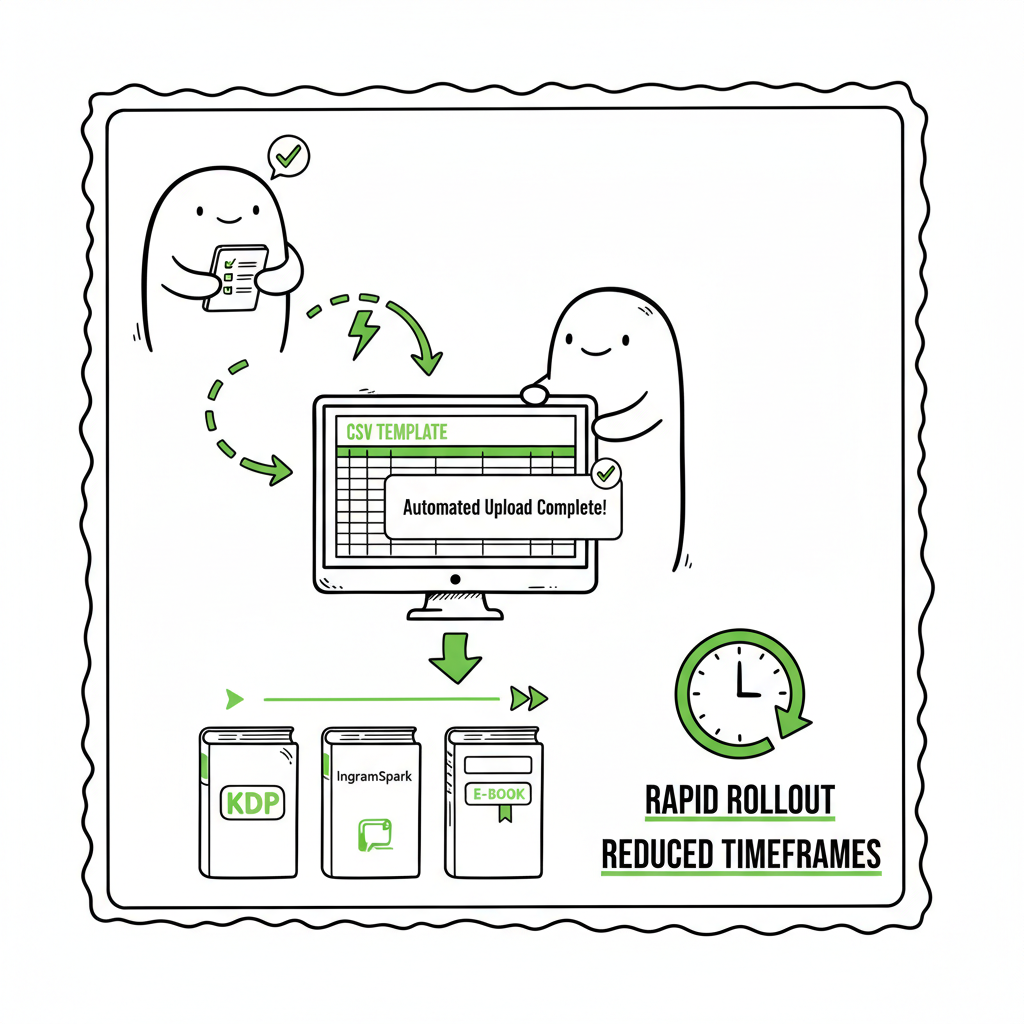
If the series uses similar formatting, set up CSV templates for metadata and pricing. That CSV becomes the backbone for batch uploads and is what an automated uploader consumes. When you’re ready to scale beyond a handful of titles, automation that understands each store’s required fields and edge-case rules saves time and reduces errors.
A practical, early step in any rapid series rollout is to standardize sluglines, series titles, and numbering conventions. Decide how the series name appears across platforms, what the volume number looks like, and whether subtitles include keywords. This standardization keeps pages uniform and helps readers recognize subsequent books.
Before you upload, run a preflight check: confirm the EPUB validates, the print PDF uses correct trim size and bleed, the cover image meets pixel and margin requirements, and the metadata fields are complete. A preflight script or checklist reduces rework after an upload is rejected or delayed.
One tangible example: assemble a CSV with title, subtitle, series name, series number, description, keywords, categories, ISBN (if applicable), price, territories, and digital rights. Keep the same CSV header for every batch and populate only the changing fields. This is the repeatable unit you can scale to 10, 20, or 100 titles.
Within this stage, automation tools that support CSV ingestion and platform-specific intelligence are an obvious upgrade once authors start publishing seriously. They parse the CSV, format files to each store’s needs, and queue uploads with the correct metadata. That small investment in process design is what turns a frustrating weekend upload into a single, reliable operation.
Why rapid release works for book series
Rapid release works because momentum matters. When a series rolls out quickly, each new title feeds visibility for the previous ones. Readers who discover Book 2 are likely to buy Book 1, and algorithms prioritize catalogs with fresh activity. Rapid rollouts also let you capitalize on marketing events—seasonal topics, trends, or an author’s promotional window.
There are practical timing considerations. KDP typically processes new submissions and updates within roughly 48–72 hours for full listing availability, and series pages on KDP become visible within about the same window after titles go live. Preorders can give you a planning horizon of up to a year on Amazon, but preorders require finalized files by upload deadlines. Print files usually take longer to process than ebooks, so many authors release ebooks first and follow with print editions.
A rapid series rollout doesn’t mean sacrificing quality. It means preparing everything in advance so the store reviews are procedural rather than creative. That preparation includes final copy edits, consistent cover treatments, validated EPUBs, and a metadata review. When these pieces are ready, you can use batch uploads or an automated uploader to move titles through stores quickly, with the 72-hour processing window being the limiting factor rather than human upload time.
Imagine scheduling the first three ebooks in a series as preorders, each two weeks apart. You finalize content and metadata in a single session, queue the files, and open each preorder. The books publish on schedule with minimal overhead. For print editions, plan a slightly slower cadence or stagger them after ebook launches.
When you test a rapid series rollout, measure both speed and stability. Are files accepted the first time? Is the metadata consistent across stores? Do links point correctly to series pages? If you can answer yes, you’ve executed a reliable workflow.
Batch upload tactics for KDP and multi-platform
Batch uploads are where a rapid series rollout becomes practical at scale. Manual uploads will always be possible, but they are painfully slow and prone to small mistakes that multiply across many titles. The core tactics for batch operations are templates, file naming conventions, and a predictable file structure that an automated system can consume.
Templates and CSVs
Create a CSV template that covers every field a store will need. For KDP and many other platforms, that means separate columns for each metadata element. Keep a canonical copy of that CSV and store it in version control or a cloud folder. When your title list is ready, duplicate the CSV and fill the rows. This is the same pattern you use for any repetitive data task: standard input, predictable output.
File naming conventions
Name your manuscript and cover files consistently. For example:
- SeriesTitle_Vol01_Manuscript.epub
- SeriesTitle_Vol01_Cover.jpg
Platform-specific intelligence
Not every store uses the same fields or accepts the same file formats. KDP prefers EPUB for ebooks now; Kobo and Apple accept EPUBs, and Draft2Digital offers conversion and distribution. An automated uploader that understands platform-specific quirks reduces rework. It can, for example, create a print PDF from your interior based on trim size and bleed settings or convert a single source EPUB to multiple storefront formats when required.
- If the title is print, ensure an ISBN column is present and a print PDF is attached.
- If you want to use KDP preorders, include preorder dates and upload finalized files by their cutoff.
- If DRM is optional, set a column for DRM preference per store.
EPUBs and print workflow
A robust rapid series rollout separates the source manuscript from store-specific outputs. Keep a master manuscript file and generate an EPUB via a validated conversion path. If you need to convert to EPUB, use a reliable EPUB converter that performs validation and fixes common structural issues automatically. That saves time instead of chasing validation errors after uploads.
For print, generate a print-ready PDF that matches trim sizes per platform and include bleed where required. Automating PDF generation from a fixed template ensures every paperback shares consistent margins, fonts, and chapter breaks.
Covers and series branding
Consistent covers help readers identify series entries and reduce design work. Use a templated cover approach where the series name, author name, and number position are consistent. That keeps the visual language equivalent and speeds production. If you use a cover generator as part of your pipeline, make sure the generator output meets trim and pixel requirements for each platform and that you store the raw layered files for future edits.
Quality gating and a sandbox upload
Before a full batch goes live, run a sandbox or limited publish test. Upload one title through the pipeline and confirm:
- The EPUB validates and renders in major readers.
- Metadata displays correctly on the storefront.
- Links for the series page and author page resolve.
- The print preview looks correct.
Once the test pass is clean, proceed with the rest of the batch.
Automation platforms and CSV ingestion
At scale, automation that accepts your CSV and file package is the fastest path. These systems read each row, map fields to the target stores, and run platform-aware checks before submitting. The result: what used to take hours per book becomes a single run that queues dozens of titles.
If you want a reference for how to format uploads for KDP specifically, a helpful technical guide walks through field requirements and file formats in detail; for a practical starting point, consult resources on KDP upload formatting to align your CSV with expected inputs. For quick adoption, many authors save a template and reuse it instead of reconstructing fields every time.
Note on rights and territories
Note on rights and territories
Batch systems should allow you to set territorial rights and pricing per title. If you publish a series internationally, include pricing columns for different currencies or set rules that apply globally. Automating price adjustments reduces manual mistakes and keeps your rollout synchronized.
Metrics, timing, and quality checks
A rapid series rollout is measurable. Track a small set of metrics to keep the process efficient and safe.
Quality checks — a simple list
- EPUB validation: checks structure, images, and table of contents.
- Print PDF checks: trim size, bleed, fonts embedded, margins.
- Cover checks: correct pixel dimensions, spine text placement, legibility.
- Metadata checks: title consistency, correct ISBN, description length, keywords, categories.
- Link checks: series page links, buy links, author page.
A common pattern is to automate as many checks as possible and keep a short manual review for creative elements (description, sales copy, cover appeal). Automation handles the mechanical checks; people handle the judgment calls.
Rights management and distribution
Use batch control for rights and distribution territories. For example, set world rights for some titles and limited territories for others. Automate the mapping between CSV fields and store settings to avoid mismatched distribution that can cause legal or pricing problems later.
Scaling cadence
Once your workflow is proven, define a cadence that fits your capacity and audience. Some authors aim for a book every 2–4 weeks; others prefer a denser initial burst followed by a regular slower release schedule. Whichever cadence you choose, the workflow should support it without repeated manual setup.
Operational notes on pricing and promotions
Batch uploads let you plan promotions more effectively. Upload multiple titles with synchronized pricing plans to enable boxed set strategies, temporary price drops, or sequential launches. Automation helps coordinate price changes across stores so promotional windows align.
Bringing it together: the automation lift
At scale, automation is the difference between a hobby operation and a publishing engine. Services that support CSV batch uploads, platform-specific intelligence, error reduction, and multi-platform pushes cut manual time dramatically. When you add features like staging, dry-run checks, and per-store rules, the system functions as an operational extension of your publishing team.
Practical reminder: when you automate the upload, own the distribution. Maintain control over master files and metadata templates so you can revise titles, change covers, or remove content if needed. Automation should reduce busywork, not obscure source control.
Automated upload tools and resources
If you plan to integrate automation, choose a provider that understands platform quirks and offers CSV ingestion, multi-format conversion, and error reporting. This kind of tooling makes the rapid series rollout workflow reliable and repeatable across dozens of titles.
Internal link note: for a step-by-step reference on formatting uploads for KDP, our guide on KDP Upload Workflows Format explains required fields, file naming conventions, and typical pitfalls. The guide is useful when you align your CSV and batch inputs for predictable results. KDP Upload Workflows Format
Practical tool links
- If you need a reliable EPUB converter as part of your pipeline, use an EPUB converter that validates output and handles common fixes.
- For cover production and batch cover processing, a book cover generator can standardize sizes and branding.
- If you’re creating both ebooks and paperbacks, a single book creation tool that exports required formats simplifies the process.
(Each of those tool recommendations maps to services that automate the specific file production steps and reduce manual intervention.)
FAQ
Q: How fast can I realistically publish multiple books in a series?
A: With a mature rapid series rollout workflow and validated files, you can upload multiple ebooks in a single session and have them live within KDP’s typical 48–72 hour processing window. Print editions take longer. Use preorders to align release dates and avoid rushed uploads.
Q: Does rapid release harm quality or reviews?
A: Rapid release does not inherently harm quality if you maintain the same editing and design standards. The risk arises when speed replaces steps like copyediting or proofing. Use automation for mechanical tasks and keep human review for editorial quality.
Q: Should I publish ebooks and paperbacks together?
A: That depends on your goals. Ebooks publish faster and can establish series momentum. Many authors release ebooks first, then follow with paperbacks after confirming ebook reception. If you need simultaneous release, plan extra time for print handling.
Q: What metadata matters most for a rapid rollout?
A: Title consistency, series name and number, accurate descriptions, strong keywords, and correct categories matter most. Small metadata errors can fragment discoverability across stores.
Q: How does wide distribution affect a rollout?
A: Wide distribution introduces more formats, rules, and timelines. Use tools that understand each platform’s requirements to keep the workflow consistent and to prevent platform-specific rejections.
Final thoughts
A rapid series rollout workflow is a system-level approach that treats publishing as repeatable operations rather than one-off creative tasks. The work is in the setup: standardized templates, validated file production, and automation that respects store rules. Once that setup is in place, you can publish multiple books in a series with confidence and predictability.
BookUploadPro automates the repetitive steps across Amazon KDP, Kobo, Apple Books, Draft2Digital, and Ingram. It supports CSV batch uploads, platform-specific intelligence, and error reduction that makes wide distribution practical. For authors who publish seriously, automation is an obvious upgrade: it saves time—often on the order of ~90% for repetitive upload tasks—reduces avoidable errors, and makes scale operationally manageable. Automate the upload. Own the distribution.
Visit BookUploadPro.com to see how batch uploads and platform-aware publishing work in practice, and try the free trial.
Sources
- Self publishing 22: timing & rapid release – Clarissa Gosling
- Self-Publish Quickly on Amazon—Includes 20-Step Checklist
- Full Amazon KDP Publishing Guide – Book Creation & Publishing
- My INSANELY EFFECTIVE Book Launch Strategy For Amazon KDP (video)
- Step by Step Self-Publishing with KDP: Book Publishing on Amazon (video)
- Start a Book Series – Kindle Direct Publishing
Rapid Series Rollout Workflow Estimated reading time: 14 minutes Key takeaways A repeatable rapid series rollout workflow saves weeks per title by standardizing formatting, metadata, and uploads across platforms. Batch uploads, CSV templates, and platform-aware checks reduce manual errors and let you publish multiple books in days rather than months. BookUploadPro automates multi-platform uploads (KDP,…