How to Build Publishing Operations for Repeatable Releases
Publishing operations: how to build a reliable, repeatable publishing ops system
Estimated reading time: 14 minutes
Key takeaways
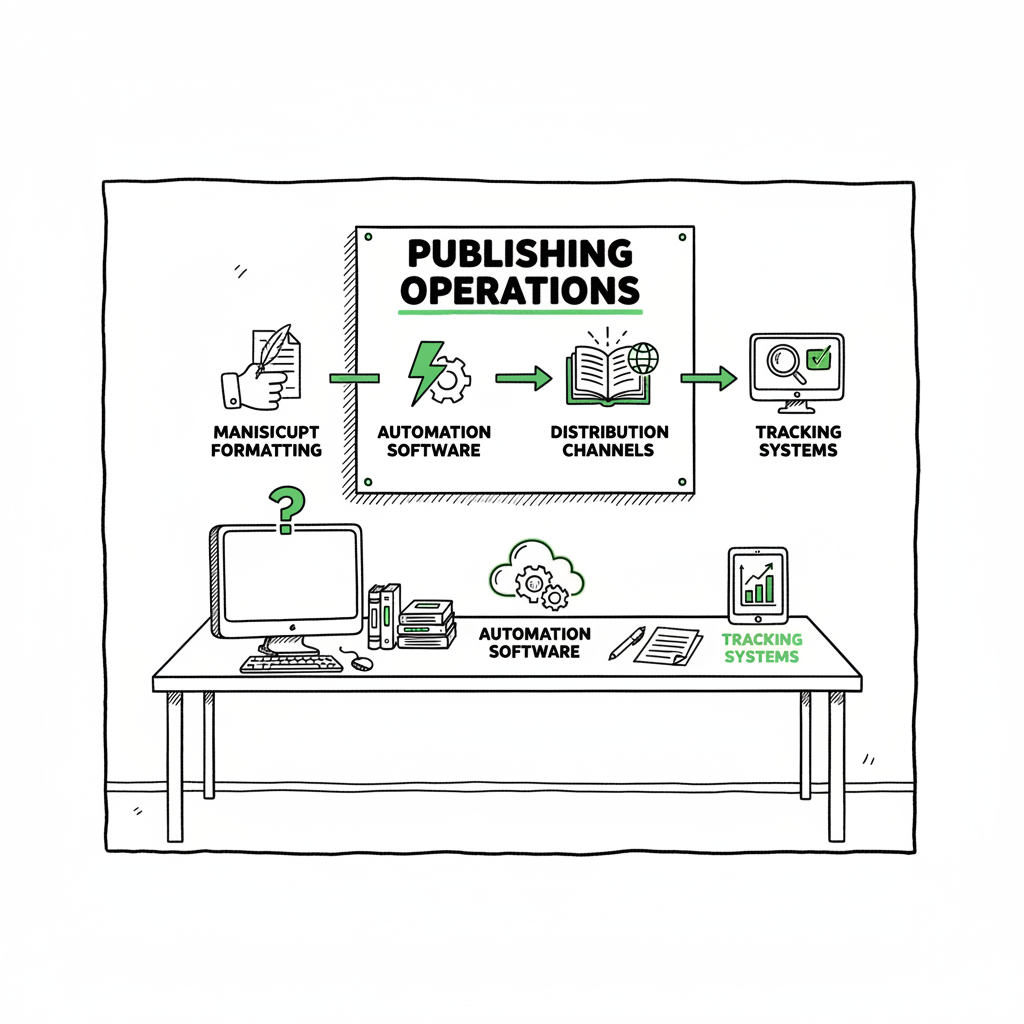
- Publishing operations are the systems and tools that turn a finished manuscript into consistently formatted, distributed, and tracked books across retailers.
- Start by documenting a simple workflow, then remove low‑value steps and add automation for repetitive tasks like file conversions and batch uploads.
- Tools like BookUploadPro offer a practical operations layer—CSV batch uploads, platform intelligence, and human review—that saves time and reduces errors when you publish at scale.
Table of Contents
- Why publishing operations matter
- Three pillars of high-performing publishing ops
- Scaling without chaos: practical steps to streamline publishing processes
- FAQ
Why publishing operations matter
If you publish one book, the last mile is manageable. When you publish ten, fifty, or a growing backlist, the manual work compounds. Publishing operations are the people, processes, and tools that make that last mile repeatable. Good publishing operations stop small problems from becoming big delays: mismatched metadata, wrong interior files, missing formats, or uploads that fail platform checks.
For an independent author or small press, publishing ops management means you can treat publishing like a predictable task, not a crisis. It covers basic things—file prep, formatting, metadata, category and keyword choices, cover setup, and uploads—and ties them together with status tracking and quality checks. One way to think about it: if editorial makes the book, publishing operations get the book live the same way every time.
That consistency is valuable. Authors who treat publishing as a process find they can launch faster, test pricing and categories more reliably, and keep a clean catalog. If you are moving from casual self-publishing to treating books as a business, you’ll want an operations layer that removes repetitive work and preserves quality. For many authors that next step is obvious: they learn how to run publishing like a business and look for operational tools; see Self Publishing as a Business for a practical frame of reference.
Three pillars of high-performing publishing ops
High performers in publishing operations organize around three simple pillars: people, process, and technology. Keep each pillar practical and closely tied to what you actually ship.
People: assign clear ownership
- Decide who owns each step. One person is responsible for file prep, another for metadata, another for uploads and checks. On tiny teams one person may wear all hats, but the responsibility must be clear so tasks don’t get duplicated or missed.
- Define acceptance criteria. For example: “ebook validated in EPUBCheck, print PDF validated to printer specs, metadata loaded and proofed.” Clear criteria mean fewer back-and-forths and fewer late surprises.
Process: document, standardize, and simplify
- Start with a single, simple workflow from final manuscript to live book. Map each handoff and the expected artifact (finalized manuscript, cover files, ISBNs, pricing).
- Eliminate low-value steps. If two approvals add days but no measurable benefit, remove one. Apply value-stream thinking: what actually moves the book forward?
- Maintain a single source of truth for assets. A shared folder or a light DAM (digital asset management) approach reduces version confusion.
Technology: pick tools that reduce manual touchpoints
- Automate file conversions, basic validation, and batch uploads where possible. Automation does the repetitive, error-prone work; humans focus on decisions that require judgement.
- Use platform‑aware uploads. Retailers have quirks—image size, trim settings, metadata fields—and a tool that encodes those rules saves time.
- Track status and performance in one place. You want to know which step each book is in and who is blocking it.
How this looks in practice
A tight production workflow handles three recurring needs: formatting and file prep, distribution and upload, and ongoing catalog housekeeping.
Formatting and file prep: Standardize a single source manuscript, then generate the outputs you need (EPUB for ebooks, print-ready PDF for paperbacks). If you convert to EPUB regularly, use a reliable validator and conversion pipeline; automated conversion cuts hours per title and avoids manual reflow errors. For automated EPUB tasks, you can integrate a dedicated EPUB converter into your ops so format issues surface early.
Distribution and upload: Use batch uploads and CSV metadata templates where possible. Retailers accept different metadata shapes, and keeping platform-specific copies synchronized is a core ops job. Tools that understand platform rules reduce rejected uploads and pricing mistakes.
Catalog housekeeping: Regularly audit live listings for metadata drift, category fit, and pricing errors. Small fixes now prevent big problems later, especially if you run promotions or manage multiple editions.
Scaling without chaos: practical steps to streamline publishing processes
You can make immediate improvements without heavy investment. Below are practical steps that are actionable today and built to scale.
1. Document one simple workflow and run it twice
Write down the exact steps from “manuscript final” to “book live.” Include file formats, naming conventions, who does each step, and how you validate. Use that document for two real uploads. After each run, note what caused delay. Fix one bottleneck before you publish the next book.
2. Standardize file naming and a single source of truth
Create a folder scheme and naming rules so every file is findable and the latest version is obvious. For most small teams, a well-organized cloud folder or a lightweight DAM is enough to prevent version drift. This single source of truth saves hours resolving “which file is final.”
3. Replace manual chores with repeatable steps
Identify the tasks you do every time: converting to EPUB, assembling print PDFs, resizing cover images, or writing variant descriptions. Some of those tasks can be automated or semi-automated. For example, if you create paperback and ebook editions, link your workflow to reliable tools for cover processing and format conversion rather than repeating manual resizing and export steps. If you work with cover files, use a cover generator processing tool to standardize sizes and bleeds automatically.
4. Use batch uploads and templates
When you publish more than a handful of books, manual uploads become the slowest part. CSV batch uploads and templates let you push metadata and pricing to multiple platforms quickly. CSV batch methods also make it easier to audit entries before upload and keep fields consistent across platforms.
5. Maintain platform-specific checks
Different retailers have different requirements. Keep a short checklist for each platform—KDP, Apple Books, Kobo, Ingram, and others—and run those checks before uploading. Platform-specific intelligence in a publishing tool reduces guesswork and prevents rejections.
6. Keep humans in the loop for visible assets
Automation should handle the repetitive, not the strategic. People should review covers, blurbs, and category choices. For cover production, automation can prepare sizes and layers, but the final creative call should be human. If you need an automated cover step in your pipeline, tie it to a simple review gate that flags issues for a quick human pass.
7. Measure small, useful KPIs
Track things you can act on: average time from final manuscript to live, number of failed uploads, and number of metadata errors caught in proofing. These KPIs tell you where to invest improvement effort.
Where tools like BookUploadPro fit
As you standardize and automate, a practical gap appears between being a casual publisher and running a small press: the repeated work of formatting, generating platform outputs, and making correct uploads across multiple retailers. BookUploadPro is designed for that gap. It focuses on the last mile—formatting, metadata, upload, and multi-platform distribution—so authors and small presses can publish reliably without building internal ops from scratch.
Key operational wins you’ll see:
- Unified multi-platform publishing from a single source file
- CSV batch uploads and platform-aware templates
- Platform-specific intelligence that reduces common upload errors
- Human review for final checks, combined with AI for repetitive tasks
- Significant time savings and fewer mistakes when you publish titles at scale
A few practical notes about production tools
- If you convert manuscripts to EPUB, validate early and automatically to catch structure or CSS issues before upload. An automated EPUB converter reduces rework and speeds proofing.
- When you prepare covers for print, automate bleed, spine calculation, and resolution checks so only design judgment remains.
- If you produce both ebooks and paperbacks, a single production pipeline that outputs mulitple formats from one source reduces rework and keeps typography consistent. For help with book creation workflows that handle both ebook and paperback outputs, there are tools that streamline that conversion step.
BookUploadPro sits in that space. It automates the upload and file preparation while keeping human review where it matters, which makes wide distribution practical and repeatable. Automate the upload. Own the distribution.
FAQ
Q: What exactly falls under publishing operations?
A: At a basic level, publishing operations cover everything from the final manuscript to the product live on retailer sites: file prep and formatting, cover setup, metadata and category assignment, proofing and validation, uploads to retailers, and post-publication catalog checks. It includes the tools and people who run those steps.
Q: Can a single author manage publishing operations alone?
A: Yes. A single author can own the roles, but the key is discipline—clear naming, a single source of truth for files, and a documented workflow. Automation tools reduce repetitive work and make single-person operations much more sustainable.
Q: Do I need special tools to convert to EPUB or prepare a paperback?
A: You don’t strictly need special tools, but reliable conversion and validation tools save time and reduce errors. If your workflow includes converting to EPUB regularly, an EPUB converter helps catch errors early. For paperback, tools that create print-ready PDFs and auto-calc spine widths reduce layout mistakes. There are services that combine these steps into a repeatable pipeline.
Q: How does human review fit into an automated publishing process?
A: Automation should handle repetitive checks and file prep. Humans should review creative and strategic elements—covers, descriptions, category and keyword choices, and final proofs. The best systems pair automation with explicit review gates to ensure quality without slowing throughput.
Q: Will an operations service like BookUploadPro replace my cover designer or editor?
A: No. Services that handle publishing operations focus on the production and distribution stages. They don’t replace editorial or design roles. Instead, they take finished assets and turn them into platform‑ready files and listings, reducing the manual overhead for authors and teams.
Sources
- https://www.keyshot.com/blog/content-operations-best-practices/
- https://hygraph.com/blog/content-operations-for-information-publishers
- https://online.tamucc.edu/degrees/business/mba/general/key-operational-management-best-practices/
- https://voltagecontrol.com/articles/operations-management-best-practices-for-2025/
- https://www.crunchtime.com/blog/8-best-practices-for-implementing-an-operations-management-platform
- https://www.upwork.com/resources/operations-management
Publishing operations: how to build a reliable, repeatable publishing ops system Estimated reading time: 14 minutes Key takeaways Publishing operations are the systems and tools that turn a finished manuscript into consistently formatted, distributed, and tracked books across retailers. Start by documenting a simple workflow, then remove low‑value steps and add automation for repetitive tasks…