Publish Wide vs Exclusive KDP Pros, Cons and How to Choose
Publish wide vs exclusive kdp
Estimated reading time: 13 minutes
Table of contents
- What publish wide vs exclusive kdp means
- Wide vs Kindle Select comparison: pros and cons
- How to choose based on goals and genre
- Operational guide for publishing wide at scale
- FAQ
- Sources
- Final thoughts
What publish wide vs exclusive kdp means
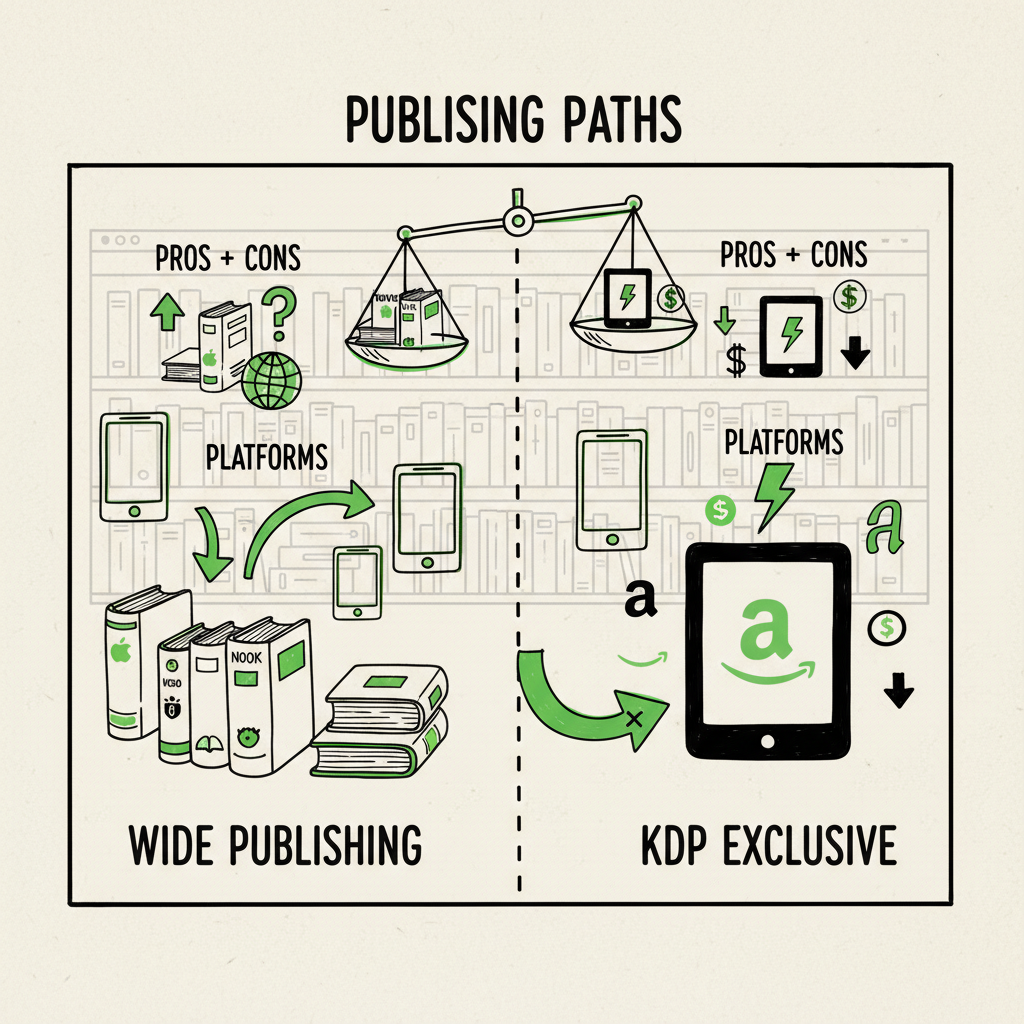
When authors talk about “publish wide vs exclusive KDP,” they are choosing between two distinct distribution strategies for the ebook file. Exclusive means enrolling the ebook in KDP Select, which requires 90-day ebook exclusivity with Amazon in exchange for access to Kindle Unlimited (KU) readers, per-page royalties from KU, and promotional tools that only work on Amazon. Publishing wide means placing the ebook on Amazon plus other major retailers — Apple Books, Kobo, Barnes & Noble, Google Play — and distribution channels like libraries and Ingram. Wide does not allow enrollment in KU.
That trade-off shapes everything downstream: marketing approaches, expected revenue mix, pricing control, and how you operate production. If you want a reproducible path for moving from a single-store launch to broader channels, see the Publish Wide Self Publishing Workflow for how to organize assets, file versions, and release cadence. This is a practical decision, not a moral one: both paths work, depending on goals, genre, and how much operational complexity you’re prepared to manage.
The difference is straightforward in principle:
- KDP Select = Amazon-only ebook + KU access + Amazon promo tools.
- Wide = many retailers + library access + more control and redundancy.
Below I’ll walk through the head-to-head comparison, how to pick the right option for your author business, and how to scale wide publishing without getting overwhelmed.
Wide vs Kindle Select comparison: pros and cons
This section breaks the comparison into predictable buckets so you can match each to your business goals.
Visibility and algorithm support
- KDP Select pros: Amazon’s algorithm rewards velocity and engagement. KU page reads and focused Amazon promos can move a book up Amazon ranks quickly, which helps discoverability inside Amazon’s ecosystem.
- Wide pros: Other stores have their own discovery engines and good international penetration. You’re not solely dependent on Amazon’s rules or algorithm shifts.
Income streams
- KDP Select pros: KU pays per page read (pool-based), which can deliver steady income for high-consumption genres and active series writers. Promotional tools (Kindle Countdown Deals, Free Promo) are available only to select titles.
- Wide pros: Multiple storefronts and library distribution diversify income. Apple, Kobo and B&N each have different customer bases and geographic strengths; libraries and Ingram create institutional sales that Amazon can’t capture if you’re exclusive.
Market reach
- KDP Select cons: You forfeit about 30–40% of the global ebook market when you choose exclusivity — customers who use Apple Books, Kobo, Google Play, or libraries won’t have access to your ebook while it’s exclusive.
- Wide pros: Preserves global reach and reduces single-platform risk. A reader in France or South Korea who prefers Kobo or Apple can buy your book, not just Amazon customers.
Control and pricing flexibility
- KDP Select cons: Amazon controls many promotional levers and KU payout policies can change without notice.
- Wide pros: You control price changes and promotions across platforms, and you can sell directly through your site or use a distributor that supports direct sales and library channels.
Operational complexity
- KDP Select pros: Simpler operationally — one ebook file for a single retailer reduces uploads and variant management.
- Wide cons: Each platform has different metadata, file requirements, and formatting edge cases. Marketing must be tailored to multiple storefronts.
Genre fit and cadence
- KU tends to favor fast-release, binge-friendly categories: romance, mystery, thriller, and some commercial fantasy. Page-read models reward authors who release multiple books and generate repeat reading.
- Wide suits authors building a long-term, diversified career or those whose work benefits from library, foreign, or non-Amazon storefront audiences.
Risk profile
- KDP Select concentrates dependence on Amazon. For authors who prioritize steady long-tail income and risk mitigation, wide is the safer business model.
- Exclusivity can be used tactically — e.g., enroll a launch book in KU to capture early momentum, then go wide after a couple of 90-day cycles — but switching requires rebuilding distribution and ensuring you remain within exclusivity terms during the transition.
Royalties and payouts
- Amazon’s KU pool fluctuates and is set by Amazon; it can be lucrative for high-volume KU reads, but it’s not guaranteed.
- Wide royalties vary by store and by territory, and some stores pay better on certain price points. You’ll need to model expected income across stores to understand the real impact.
Bottom-line trade-off: exclusive KDP is a growth lever inside Amazon; wide is a resilience and reach lever outside it.
How to choose based on goals and genre
Make this decision like an operator: identify the primary objective, then choose the workflow that minimizes friction toward that objective.
- If your goal is short-term rank and fast reader acquisition inside Amazon: Consider short, tactical exclusivity. KDP Select can be effective for a new series launch or to build a KU reader base fast. Use KU to test blurb, pricing, and cover approaches quickly. Track KU page reads vs paid sales to see if the model fits your reader behavior.
- If your goal is a long-term author business with global reach: Go wide. You’ll capture readers in other ecosystems and libraries, protect against policy risk, and create multiple revenue streams. Expect a slower ramp. Plan for platform-specific promotions and give the book time to find audiences on non-Amazon storefronts.
- If you write in KU-friendly genres and publish frequently: A hybrid approach can work: enroll some books in KDP Select during select windows and release others wide. Be mindful of exclusivity rules — duplicate ebook distribution can violate KU terms.
- If you rely on library, academic, or institutional access: Wide is necessary. KU excludes most library channels. Library exposure can be a consistent revenue stream and a discoverability source with a different customer lifecycle.
- If you can’t choose or want to test both: Build files and systems that let you switch cleanly. Make sure you can generate separate, retailer-compliant files for Amazon and other stores without manual rework each time you decide to move a title. That reduces risk and allows for timed experiments.
Practical rule-of-thumb:
- New authors or series starters in high-consumption genres: test KU selectively, but plan an exit strategy.
- Career authors who want durable income and international reach: commit to wide and build platform-specific marketing skills.
Operational guide for publishing wide at scale
Going wide introduces work: multiple metadata sets, unique storefront rules, and repeated uploads. Treat that work as operations, not drama. Systems scale; ad-hoc processes do not.
- Standardize source files: Create a master manuscript file and a single, authoritative metadata spreadsheet. Keep one source of truth for title, subtitle, author name, ISBNs, and back-matter. That prevents errors when you upload across stores.
- Generate retailer-compliant files: Different retailers accept slightly different EPUB or PDF variants. Automate conversion where possible, then do targeted manual checks for edge cases. If you need a reliable conversion process, use a tested EPUB converter to avoid format rejections. Accurate, standards-compliant files reduce rejections and customer issues.
- Plan ISBN and print strategy: Decide where you’ll use retailer-assigned ISBNs and where you’ll use your own. For print distribution through Ingram and bookstores, owning your ISBNs is usually better.
- Use batch uploads and CSV feeds: When you have multiple titles or editions, batch upload saves hours. Tools that accept CSV batches and map your metadata to each retailer’s schema are essential once you go beyond a handful of books. You want the ability to update pricing, territories, and categories at scale without manual page-by-page work.
- Maintain separate marketing calendars: Amazon reacts to different signals than Apple or Kobo. Schedule platform-specific promotions on different weeks. Track the same metrics across platforms (units, revenue, returns, reviews) so you can compare apples to apples.
- Monitor distribution edge cases: Library platforms and some retailers have whitelist or embargo rules. Keep a checklist for each platform that includes file format, DRM preference, territory limits, and promo restrictions.
- Keep clean back-matter and edition control: If you plan to enroll in KDP Select for short windows, ensure you never inadvertently distribute the exact KU-enrolled file elsewhere during the exclusivity period. Keep edition labels and file paths distinct (e.g., filename.kdp.epub vs filename.wide.epub) so you don’t upload the wrong file.
- Use automation where it matters: At scale, repetitive uploads and metadata edits are an overhead tax on your time. A system that handles multi-platform distribution, CSV batch uploads, and platform-aware file generation reduces hands-on time dramatically. Look for platform-specific intelligence (e.g., Amazon field mapping, Apple Books category rules) and a centralized history of uploads.
- Verify formatting and covers for each store: Retailers render files differently. Always spot-check the top devices or apps for each store type. If you publish print and ebook, validate both proof copies and ebook samples.
- Track performance and iterate: Use the metrics each platform provides, then roll them up into a single dashboard. Track which promotions worked, which price points converted, and where regional strength lies. Use that data to inform future territory-specific marketing.
How automation changes the economics: For authors publishing more than a few titles, manual uploads become a bottleneck. Automation tools that produce clean, multi-platform files, support CSV batch uploads, and reduce error rates make wide distribution practical. The time saved can be dramatic — think ~90% time savings on repetitive tasks — and it turns wide from a compliance headache into a real business strategy.
A few operational warnings:
- Don’t over-rely on defaults. Automation speeds work but does not replace a final human check for metadata accuracy and render quality.
- Be careful with exclusivity windows. If you generate versions for wide channels, isolate them from KU files to avoid violating KDP Select.
- Review pricing parity rules in each territory to avoid surprise delists or price conflicts.
Tools and file generation: When you need to convert to EPUB for multiple stores, a reliable converter makes the difference between repeated fixes and a one-click export. For mixed catalogs that include both paperback and ebook formats, think of your production pipeline in layers: master manuscript → platform-specific ebook EPUBs → print-ready PDF. If you produce paperback or ebook files repeatedly, use automated generation to keep consistency and speed. For authors who need cover processing or batch image handling for print and ebook use cases, consider a covered processing tool that standardizes spine and back cover layout.
Operational example: You have a backlist of 10 books. Doing each upload manually can cost many hours per title. With batch CSV uploads, template metadata, a trustworthy EPUB converter, and a cover processing pipeline, you can launch the entire backlist across stores in a week instead of months.
Risk controls:
- Use versioned filenames for every file you publish.
- Keep an upload log (date, store, file name, notes).
- Schedule quarterly audits to fix broken links, metadata errors, and format regressions.
Introducing BookUploadPro at scale
Tools BookUploadPro automate repetitive uploads across Amazon KDP, Kobo, Apple Books, Draft2Digital, and Ingram. They provide CSV batch uploads, platform-specific intelligence, and error reduction so you can make wide distribution practical. For authors publishing several titles a year or maintaining a backlist, this type of service is an obvious upgrade once you start publishing seriously: automate the upload. Own the distribution.
Practical file links and resources: If you are handling EPUB conversions regularly, use a trusted conversion workflow to keep files retailer-compliant. Likewise, when you produce paperback or ebook editions repeatedly, a consistent production pipeline will reduce proof corrections and delist issues.
Final operational note: build the system before you need it. The friction you remove early pays off when you scale.
FAQ
Q: What happens to my ebook while it’s in KDP Select?
A: Your ebook must remain exclusive to Amazon for 90-day periods. You can renew or withdraw at the end of a term, but while enrolled you can’t distribute that same ebook file elsewhere (most digital libraries and other stores are off-limits).
Q: Can I test KDP Select and then go wide?
A: Yes. Many authors test exclusivity during launch windows and then move wide. Create separate, versioned files and a migration checklist so you don’t accidentally publish the same file across disallowed channels during the exclusivity term.
Q: Which genres benefit most from KU?
A: High-consumption, series-driven categories — romance, some thriller and mystery subgenres, and fast-paced commercial fantasy — often do well in KU. But results vary by title quality, cover, pricing, and release cadence.
Q: How much time does automation save?
A: It depends on catalog size. For single-book authors, automation is a convenience. For authors managing ten-plus titles or frequent releases, automation can reduce repetitive tasks by around 80–90%, turning days of work into hours.
Q: Do I need unique covers for different stores?
A: Not usually, but some stores have specific image requirements. Keep a single high-resolution master cover and produce compliant assets per store using a processing tool that handles spine and trim for print.
Q: Does going wide affect reviews?
A: Reviews stay with the edition and platform. Going wide can expose your book to new reviewers in different ecosystems, which can increase total review volume over time.
Sources
- Kindle Unlimited Publishing vs. Publishing Wide (PublishDrive)
- Should You Publish Your Book Wide or Go Exclusive with Amazon? (Create If Writing)
- Wide vs Kindle Unlimited – Pros, Cons, and Best Distribution (ScribeCount)
- KDP vs Wide Publishing 2025: Pros and Cons (Marina Miles Books)
- Wide vs. Exclusive: A Tale of Two Marketing Systems (David Gaughran)
- Convert to EPUB (BookAutoAI EPUB Converter)
- Ebook and paperback creation resources (BookAutoAI)
Final thoughts
Choosing between publish wide vs exclusive kdp is a business decision. If you want rapid Amazon-first traction and your genre supports heavy consumption and frequent releases, KDP Select can be a tactical tool. If you want global reach, library access, and long-term resilience, wide is the strategic choice. Either way, operational rigor matters: standardized files, version control, and automation let you test, iterate, and scale without burning time on repetitive uploads.
Visit BookUploadPro to learn more and try the free trial.
Publish wide vs exclusive kdp Estimated reading time: 13 minutes Table of contents What publish wide vs exclusive kdp means Wide vs Kindle Select comparison: pros and cons How to choose based on goals and genre Operational guide for publishing wide at scale FAQ Sources Final thoughts What publish wide vs exclusive kdp means When…