Publish Wide vs Exclusive KDP Practical Guide for Authors
publish wide vs exclusive kdp: a practical guide for self-publishing authors
Estimated reading time: 12–14 minutes
Key takeaways:
- Choosing between publish wide vs exclusive kdp changes how you reach readers, manage promotions, and earn over time.
- KDP Select gives Amazon-focused advantages like Kindle Unlimited access; wide distribution opens additional stores and markets.
- Once you publish seriously, automating multi-platform uploads with tools that handle CSV batch uploads and platform-specific rules makes wide distribution practical.
Table of Contents
- How exclusivity works
- Wide vs KDP Select: direct comparison
- Practical workflow: publish wide at scale
- FAQ
How exclusivity works
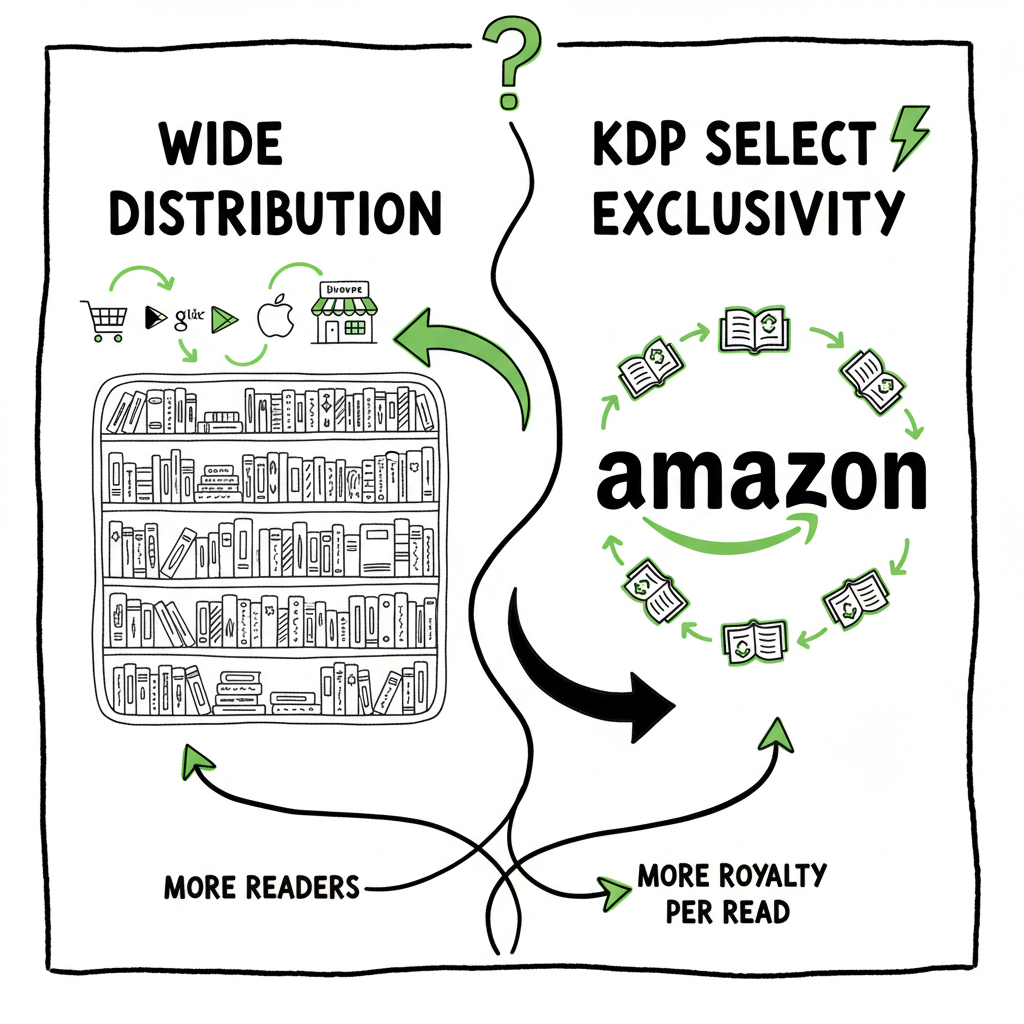
When authors ask about publish wide vs exclusive kdp they mean one decision: whether to give Amazon exclusive rights to sell an ebook in exchange for access to KDP Select benefits (like Kindle Unlimited). That choice sounds simple, but it changes your distribution, marketing options, and revenue mix.
Exclusive KDP (KDP Select)
- You enroll your ebook in KDP Select for 90 days at a time. During that period, the ebook must be exclusive to Amazon in digital form.
- In return you get access to Kindle Unlimited (KU) and Kindle Owners’ Lending Library royalties, plus some promotional tools inside Amazon.
- Payment comes from two main streams: list-price sales at the royalty rate (usually 70% or 35% depending on price and territory) and KU page-read payouts tied to the KENPC system.
Publishing wide
- Publishing wide means you put the ebook on multiple stores: Apple Books, Kobo, Barnes & Noble, Google Play, and more, plus using distributors and Ingram for print and expanded ebook reach.
- You manage pricing and promotions across platforms. You keep all forms of direct sales outside of Amazon and diversify where readers can find your work.
The choice is not only tactical. It’s strategic. Treat it as part of how you build an author business, not a one-off marketing trick.
Wide distribution works best when you plan to sell on many stores and want to control pricing and promos across them. If you plan to publish many titles, a repeatable system pays off. For example, BookUploadPro automates uploads across Amazon KDP, Kobo, Apple Books, Draft2Digital, and Ingram, saving authors roughly 90% of the time it takes to publish manually. If you want a repeatable, scalable process, explore our Publish Wide Self Publishing Workflow early in your planning — it shows how to move from one title to many without repeating tedious tasks.
Wide or exclusive is not permanent. You can enroll or leave KDP Select each territory-cycle, but plan for the disruption and track how readers find your books.
Wide vs KDP Select: direct comparison
This section lays out the main trade-offs in plain language. Think of them as business levers: exposure, control, complexity, and income timing.
Exposure
- KDP Select: Better discoverability inside Amazon. KU gives access to readers who don’t buy books but read via subscription. That can drive page reads and visibility inside Amazon charts.
- Wide: You reach readers who do not use Amazon or who prefer Apple Books, Kobo, or local stores. Some markets (Canada, parts of Europe) perform better off-Amazon.
Control and pricing
- KDP Select: Simpler pricing rules inside a single store. Amazon often enforces strict delivery or royalty rules based on file size and price bands.
- Wide: You set different prices per store and run store-specific promotions. That adds complexity but also flexibility to experiment.
Revenue profile
- KDP Select: Earnings can spike from KU page reads, but payouts vary month to month. Some authors in KU-friendly genres see strong early income.
- Wide: Sales tend to be steadier across platforms and regions. You build multiple income streams, which reduces dependency on one platform’s policy changes.
Marketing and discovery
- KDP Select: Amazon promotions like Free Book Promotions (where allowed) or Kindle Countdown Deals (if eligible) are useful, and KU status helps some algorithms.
- Wide: You must coordinate promotions on multiple platforms. That requires more work but can be automated or batched once you have a process.
Risk and policy
- KDP Select: Amazon can change rules or KENPC calculations. Exclusivity increases exposure to platform risk.
- Wide: Platform risk is spread out. If one store changes terms, your other stores keep selling.
Genre signal
- KDP Select tends to favor certain genres for KU growth: romance, thriller, serialized fiction, and some non-fiction that reads in shorter sessions.
- Wide suits authors who want long-term discoverability across formats and territories, or who target readers in non-Amazon ecosystems.
Practical outcomes: many authors split approaches by title. They put some titles in KDP Select temporarily to build visibility and use other titles wide to reach different readers. That mix is a business decision that depends on your goals, cadence, and promotion strategy.
Practical workflow: publish wide at scale
A straight answer to publish wide vs exclusive kdp is: pick the path that matches your goals, and then build a repeatable process. If your goal is to grow a library of books that sell across many markets, you need a workflow that reduces friction.
Start with a single checklist in plain text:
- Finalize manuscript and interior formatting for ebook and print
- Create or finalize a cover
- Prepare metadata (title, subtitle, blurb, categories, keywords)
- Convert files to the formats each store requires
- Upload to platforms or use an automated tool
- Track live dates and promotions
Beyond that checklist, scale requires automation and batching. Manual uploads are fine for one title. For ten or more, manual tasks become a time sink and error source.
Batching and CSV uploads
- Use CSV batch uploads where platforms allow them. CSVs let you move many titles with consistent metadata.
- A small spreadsheet change propagates across titles: pricing updates, category changes, or metadata fixes.
Automating platform-specific quirks
- Each store has rules: EPUB validation, cover dimensions, image requirements, print bleed and trim sizes, territory options, and tax/royalty settings.
- Tools that understand platform-specific intelligence reduce failed uploads and rejected files. They apply the right settings automatically, saving time and cutting errors.
File conversions and covers
- Convert to EPUB cleanly. Bad EPUBs cause rejection at stores or poor reader experience. If you need a reliable converter that handles images, fonts, and table-of-contents logic, consider a dedicated epub conversion tool to avoid rework. For automated EPUB conversion, use the epub converter that handles common edge cases and produces validated files.
- For paperback or ebook creation, a single service can generate both the interior and ebook files from the same source document. That minimizes layout errors and keeps versions consistent across formats.
- Covers must work at thumbnail size on Amazon and at full resolution for print. If you produce covers in-house, use a generator or design tool that outputs both ebook and print-ready files to save time. For cover generation and processing, use an automated cover tool that supports multi-size outputs.
Why automation matters for wide distribution
- Time savings: Upload automation and CSV batching can cut the per-title time by as much as 90% compared with manual entry.
- Error reduction: Automation enforces consistent metadata and applies platform rules before upload.
- Repeatability: When you publish a series or multiple titles, the same workflow reduces onboarding time and lets you scale marketing and release cadence.
Platform choices and distribution paths
- Direct uploads: Upload directly to Apple Books, Kobo, and Amazon when you need direct control or access to platform-specific promos.
- Use aggregators: Services like Draft2Digital or Ingram can distribute to many stores at once. They add a layer but simplify distribution and manage formats.
- Hybrid: Use direct uploads for some stores and an aggregator for others. This mixes control with convenience.
Pricing and rights reminders
- For KDP Select, remember the exclusivity clause applies only to the digital format. You can still sell print copies elsewhere, though in some cases authors syndicate print via Ingram. Check license terms carefully before you enroll in KDP Select.
- Keep records of enrollment dates and auto-renew options. Plan your promotional calendar around enrollment windows.
A short case study (typical, anonymized)
- Author: mid-list romance writer, six titles. Two titles in KDP Select rotated for KU promos; four titles wide across Apple Books, Kobo, and Amazon. Result: KU provided short bursts of visibility and new readers; wide titles gave steady sales outside Amazon and drove international revenue. Automation handled uploads and metadata fixes, saving dozens of hours each release.
BookUploadPro fits this model by automating multi-platform uploads with CSV batch options and platform-aware checks. It’s an obvious upgrade once authors start publishing seriously: automate the upload, own the distribution.
FAQ
Q: Can I leave KDP Select and go wide later?
A: Yes. KDP Select enrollments are 90-day periods. After a period ends you can choose not to renew and then publish wide. Plan the transition so you don’t create duplicate listings or confuse readers with price mismatches.
Q: Will enrolling in KDP Select boost my Amazon rank permanently?
A: Not permanently. KDP Select can increase visibility while enrolled, especially with KU reads, but rank gains often drop when enrollments end. Long-term rank depends on reviews, continued promotion, and reader demand.
Q: Do I lose the right to sell print copies if I choose KDP Select?
A: No. KDP Select restricts digital distribution exclusivity only. You can still publish print copies through KDP Print or other print channels, but verify each platform’s rules if you use third-party print distributors.
Q: If I publish wide, do I need separate covers for each store?
A: Usually one high-quality ebook cover works across stores. For print, you need print-ready covers sized to your trim and page count. Automated cover processing tools help generate both ebook and print-ready files from a single design source.
Q: How do I handle EPUB conversion and validation?
A: Convert your manuscript to EPUB using a reliable converter that validates the file against store requirements. Many automated converters fix common problems like missing nav points or invalid CSS. Consider using a trusted epub converter service to avoid rejections and poor reader experience.
Q: Is it worth paying for a distribution tool or service?
A: If you publish more than a couple of titles, yes. Distribution tools reduce repetitive work and manage platform quirks. They also reduce mistakes that cost time and sales. For many authors, the time and error savings justify the subscription within the first few releases.
Sources
- https://example.com/Create-If-Writing-Should-You-Publish-Your-Book-Wide-or-Go-Exclusive-with-Amazon
- https://example.com/ScribeCount-Wide-vs-Kindle-Unlimited
- https://example.com/Live-Write-Thrive-Self-Published-Authors-Amazon-Exclusive-or-Go-Wide
- https://youtube.com/market-share-ku-discussions
Final paragraph and call to action:
If you’re ready to publish across multiple stores without repeating the same manual steps, visit BookUploadPro for a free trial. Automate the upload. Own the distribution.
publish wide vs exclusive kdp: a practical guide for self-publishing authors Estimated reading time: 12–14 minutes Key takeaways: Choosing between publish wide vs exclusive kdp changes how you reach readers, manage promotions, and earn over time. KDP Select gives Amazon-focused advantages like Kindle Unlimited access; wide distribution opens additional stores and markets. Once you publish…