Publish Wide vs Exclusive KDP How to Choose and Scale
publish wide vs exclusive kdp: how to choose and scale without guesswork
Estimated reading time: 18 minutes
Key takeaways
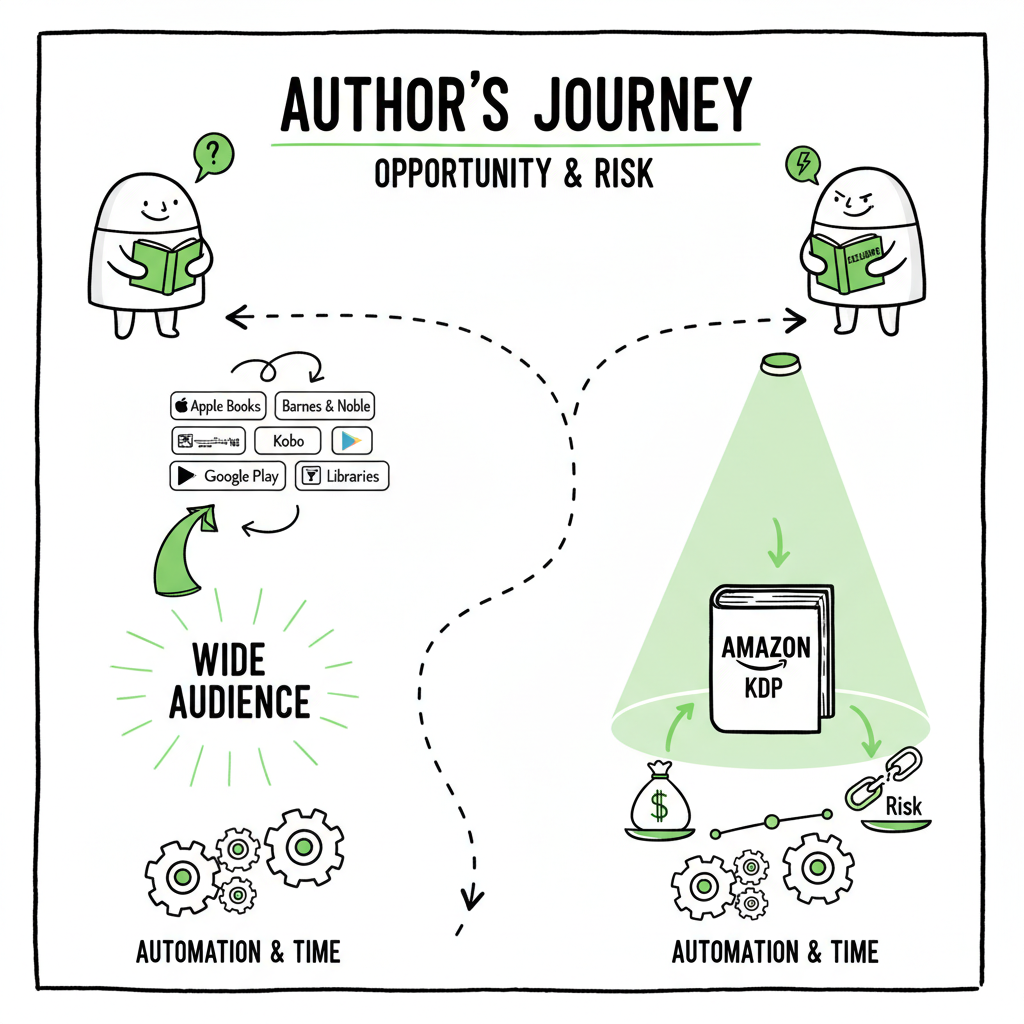
- KDP Select can boost visibility on Amazon but ties you to exclusivity; wide distribution reaches more readers and reduces platform risk.
- Most serious self-publishers benefit from a mixed, time-based approach and from automating uploads to reduce repetitive work.
- Multi-platform automation (CSV batch uploads, platform rules, and cover/epub preparation) makes wide distribution practical and cost-effective.
Table of Contents
- How KDP Select and wide distribution work
- Exclusive KDP vs wide: Pros and cons
- A practical publishing strategy for different goals
- Automating wide publishing at scale
- FAQ
- Sources
- Final thoughts
How KDP Select and wide distribution work
If you’re weighing publish wide vs exclusive kdp, start with the two core facts: KDP Select is a program inside Amazon that asks for short-term exclusivity in exchange for Amazon-specific promotional tools. Wide publishing means you make your book available on multiple stores — Amazon plus Kobo, Apple Books, Ingram, Draft2Digital-powered retailers, and others. Each path changes how your book appears, how promotional tools work, and how royalties flow.
KDP Select requires you to enroll the digital edition of a title exclusively on Amazon for 90-day periods. In return, you get options like Kindle Unlimited (KU) and Kindle Owners’ Lending Library, plus promotional slots such as Kindle Countdown Deals and Free Book Promotions. Amazon pays KU page-read royalties out of a monthly pool. That can be lucrative for some categories and for authors who can drive a lot of page reads inside Amazon.
Wide distribution frees you from those restrictions. You can list an ebook and print book on multiple storefronts, reach different markets, and hold more control over pricing and promotions. In practice, going wide means you manage more file formats, platform metadata, and occasional platform quirks. You also handle separate marketplaces’ promotion mechanics and reporting.
If you plan to scale to many titles, a repeatable process matters as much as the promotional choice. For authors ready to publish multiple books, consider the Publish Wide Self Publishing Workflow for a repeatable system that reduces manual steps and cuts upload time across stores. Automating repetitive tasks is the moment wide distribution stops feeling like extra work and starts feeling like strategic advantage.
What changes between the two approaches
- Discovery and traffic: KDP Select concentrates discovery inside Amazon; wide gives you more channels but requires separate promotional effort.
- Revenue mix: KU royalties are page-read-based. Wide sales are per-sale royalties from many sources.
- Operational load: Exclusivity reduces the platforms you manage. Wide increases the touchpoints — unless you automate.
Exclusive KDP vs wide: Pros and cons
The decision between exclusive KDP vs wide pros cons shows up in four practical areas: reach, promotion, revenue mechanics, and operations.
Reach
- KDP Select: Reach is deep inside Amazon. If your audience buys primarily on Amazon, that depth can win sales and KU reads.
- Wide: Reach is broader. Kobo and Apple Books have loyal audiences in different countries. Ingram opens library and bookstore channels for print.
Promotion and marketing
- KDP Select: Simple promotional levers inside Amazon—Countdown Deals, Free Promotions, and the KU system—make some promotional strategies easier.
- Wide: You run promos on different platforms, or use price changes and newsletter swaps. Tools differ, so you need a consistent promotional calendar rather than expecting one control panel to do it all.
Revenue mechanics
- KDP Select: KU pays from a shared pool; returns depend on page reads and changes month-to-month. For long reads, KU can pay well.
- Wide: Per-sale royalties vary by store, and you earn from multiple stores simultaneously. Some stores pay more on long tail or on niche categories.
Operations and risk
- KDP Select: Lower operational burden because you only upload and maintain one store for the ebook. But you have platform risk—policy changes on Amazon will affect all your enrolled titles.
- Wide: More files and metadata to manage, but less single-point failure. If one store changes rules, you still have others selling.
Audience fit and genre examples
- Genres that often do well in KDP Select: bingeable serial fiction, romance series, certain subgenres where KU readers consume fast and repeatedly.
- Genres that often benefit from wide: literary fiction, nonfiction, illustrated books, academic titles, and genres with strong readerships on Apple Books or Kobo.
Practical example
A romance author with a 20-book series can see KU page reads spike and sustain income inside Select. A nonfiction author focusing on course-adjacent readers may get more steady sales on Apple Books and in libraries by going wide.
Trade-offs authors commonly miss
- Short-term promotional wins (free promotions on Amazon) do not always translate into long-term audience growth outside Amazon.
- Exclusivity gives concentrated visibility but makes reader data and conversion controls less portable.
A practical publishing strategy for different goals
Picking a path is strategic, not moral. Your choice should map to how you plan to grow titles, where your readers are, and how much time you want to spend on operations.
If you’re releasing your first book
- Short experiment: Some authors try KDP Select for the first 90-day window to test visibility and KU reads. Treat it like a clear experiment: measure page reads, paid sales, and new newsletter signups.
- Don’t assume forever: If the experiment doesn’t build sustainable direct-reader relationships (newsletter subscribers, social proof outside Amazon), consider going wide after one or two cycles.
If you’re building a series or volume output
- Series and frequent releases: Many serial fiction authors use Select early to build a high-readership baseline, then go wide later when they have audience momentum.
- Time-based strategy: One common pattern is rotating exclusivity—enroll a title in Select for a window, then go wide once it’s built internal momentum. This preserves KU income while opening long-term reach.
If you’re publishing nonfiction or illustrated titles
- Wide first: Nonfiction benefits from discoverability on Apple and Kobo, and from library and bookstore distribution via Ingram for print. Libraries and academic buyers often won’t use KU, so wide is a better fit.
- Consider formats: Nonfiction often needs a clean EPUB and robust metadata (series data, categories, keywords). Converting to EPUB is part of the workflow; using a reliable converter removes formatting errors and speeds distribution. For EPUB conversion, using a tested tool saves time and prevents rejections.
For EPUB conversion, EPUB conversion.
If you want the lowest operational load
Exclusivity simplifies uploads and maintenance. If you have one or two titles and want a minimal administrative burden, KDP Select delivers that.
If you want long-term control and resilience
Go wide and invest in systems. Multi-platform sales diversify risk and keep you in control of more audience paths. Over time, wide distribution avoids the “all eggs in one store” exposure.
Pricing and experiments
A/B testing in the traditional sense is hard across platforms. Use time-bound price experiments and consistent tracking to compare sales velocity. Promotions: Use Amazon promotions when exclusive, but plan off-Amazon campaigns (newsletters, price promos, ad campaigns) to support wide distribution.
Metadata and discoverability
Metadata matters everywhere. Accurate categories, structured series data, and strong descriptions drive more organic sales than small price moves. Use platform-specific intelligence: stores rank and display differently. Small changes to your description or category selection on one platform can have outsized effects there.
Covers and format considerations
Covers that work as Amazon thumbnails are not always ideal on Apple Books or in print. Prepare platform-appropriate covers and specs. If you need a cover workflow or cover generation tools, a processing pipeline for cover files can save hours per book. For cover generation and processing, see the cover generation and processing resource.
Paperback and ebook generation: If you regularly create print and ebook versions, use a generation pipeline that handles interior layout and distribution-ready files. That reduces rework and keeps print distribution consistent. For ebook and paperback creation, see ebook and paperback creation.
Automating wide publishing at scale
The real operational difference between “I could go wide” and “I can publish wide efficiently” is automation. When you upload ten, fifty, or a hundred titles, manual uploads become the bottleneck. A few deliberate automations change the economics.
Why automation matters
- Time saved: Building a CSV-driven batch upload process for metadata and files saves about 90% of the time spent compared with manual uploads.
- Error reduction: Platform-specific rules (file size limits, image specs, EPUB validation) are common sources of rejections. Automating validation catches these before upload.
- Consistency at scale: Automation ensures consistent metadata across stores—same series data, same author name variants, consistent keywords—so readers find the right title regardless of store.
What to automate first
- Metadata templates: Keep canonical metadata in one place and push it consistently to each store-format. That prevents mismatches in title, subtitle, or series order.
- File preparation: Generate EPUBs and print-ready PDFs from a canonical source file. Automated EPUB conversion removes manual formatting fixes.
- Cover files: Produce cover variants for thumbnail, storefront, and print with one source design. A cover processing pipeline takes a single cover and outputs required sizes and bleed for each store.
- Batch uploads: Use CSV templates and platform-specific intelligence to handle store fields that don’t map one-to-one. A good automation layer translates your canonical metadata to each store’s format, uploads files, and captures success/failure messages.
Tools and features that change the math
- Platform-specific intelligence: The system should know store-specific limits (e.g., KDP title length, Kobo categories) and flag or auto-adjust problematic values.
- CSV batch uploads: Instead of repeating clicks, supply one CSV and matching files. The platform handles upload, retry logic, and stores the upload receipts.
- Error reconcilers: When a store returns a rejection, the automation flags it, explains the error in plain language, and reruns the corrected piece automatically.
How automation affects the publish wide vs exclusive kdp choice
- Automation makes wide distribution efficient. What once sounded like “too many uploads” becomes manageable when the process is repeatable and fast.
- When the cost of multi-store publishing drops, the decision shifts from “Can I handle wide?” to “Which promotional path gives the best return?” That’s a commercial question, not an operational one.
Operational checklist for scaling wide (what automation should handle)
- Single source metadata and cover files
- EPUB and print file generation with validation
- Store-specific metadata translation
- CSV batch upload with receipt and error reporting
- Reporting on sales and page-reads across stores for every title
Why BookUploadPro matters here
At scale, authors need automation that works across Amazon KDP, Kobo, Apple Books, Draft2Digital, and Ingram. A system that offers CSV batch uploads, platform-specific intelligence, and automated file checks turns wide distribution from a manual pain into a strategic advantage. It’s an obvious upgrade once authors start publishing seriously: BookUploadPro — own the distribution.
Pricing and operational fit
- For authors testing one or two titles, manual uploads are fine.
- Once you hit a cadence (several releases per year) automation pays back quickly in time saved and fewer errors.
- Look for services with an affordable price point and a free trial so you can validate the time savings without a big upfront commitment.
Real-world example
A small press with 60 backlist titles used a batch upload process and reduced a week-long migration to multiple stores into a single afternoon. The time saved translated into faster releases and more reliable metadata across retailers.
Final steps before you choose
If your immediate goal is Amazon-first traction and you want simple operations, KDP Select can help—run a short, measured experiment and track conversion to your newsletter and paid sales.
If your goal is long-term resilience, broader reach, library and bookstore availability, and control over where and how your books appear, plan for wide and invest in automation.
To see how multi-platform automation changes the equation, visit BookUploadPro and try the free trial. Automate the upload. Own the distribution.
FAQ
Q: Will enrolling in KDP Select prevent me from selling print books elsewhere?
No. KDP Select applies only to the ebook edition enrolled in the program. You can publish the paperback or hardcover through KDP and still distribute print via Ingram; check each platform’s rules carefully for print-only distribution options.
Q: How long is the KDP Select commitment?
KDP Select requires 90-day enrollment periods for each ebook title. At the end of a period, you can renew or opt out and publish wide.
Q: Can I be in KDP Select and also sell in other ebook stores?
Not for the enrolled ebook edition. Enrolling in Select requires that the ebook be exclusive to Amazon during the enrollment window. You can still sell other editions (print, audiobook) elsewhere.
Q: What’s the simplest way to move a title from KDP Select to wide?
Wait for the current 90-day Select term to end, then opt out and prepare your files for other stores. Validate your EPUB and cover files and ensure metadata is consistent. If you’re moving many titles, use a batch upload process.
Q: How do I decide whether a book should start in Select or wide?
Run a short, measurable experiment on Select if you want to test Amazon-centric discovery. If your book’s audience is known to use other stores or libraries, start wide. Track newsletter signups and cross-platform sales to assess long-term value.
Sources
- https://kdp.amazon.com/help/topic/G200673300
- https://www.draft2digital.com
- https://www.ingramspark.com
- https://www.kobo.com/for-partners
- https://authors.apple.com
publish wide vs exclusive kdp: how to choose and scale without guesswork Estimated reading time: 18 minutes Key takeaways KDP Select can boost visibility on Amazon but ties you to exclusivity; wide distribution reaches more readers and reduces platform risk. Most serious self-publishers benefit from a mixed, time-based approach and from automating uploads to reduce…