Publish Wide vs Exclusive KDP practical guide for authors
Publish wide vs exclusive Kdp: a practical guide for self-publishing authors
Estimated reading time: 20 minutes
Key takeaways
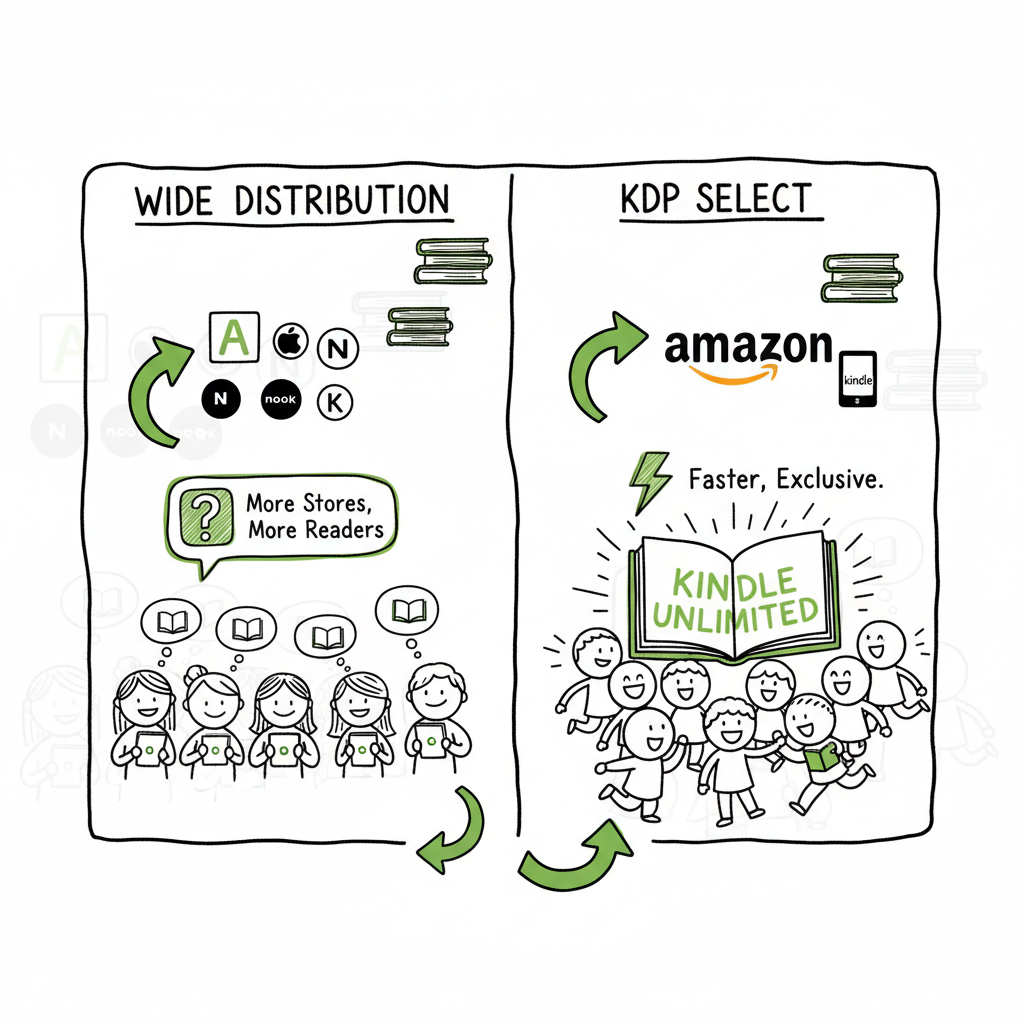
- Publishing wide spreads your book across multiple stores and builds long-term, diversified income; KDP Select (exclusive to Amazon) can accelerate reader acquisition on Amazon via Kindle Unlimited.
- The right path depends on your goals, genre, backlist, and capacity for multi-platform marketing; many authors use hybrid strategies across a series.
- Automation and batch publishing let serious authors scale wide distribution without multiplying busywork; that’s where tools that handle CSV uploads and platform-specific rules pay off.
Table of Contents
- Overview: what “publish wide vs exclusive kdp” really means
- Pros and cons: how revenue, visibility, and control differ
- How to choose: practical decision rules and hybrid options
- Scale and reduce friction: operational tactics for wide publishing
- FAQ
Overview: what “publish wide vs exclusive kdp” really means
When people ask “publish wide vs exclusive kdp,” they’re choosing between two distribution philosophies.
- Exclusive KDP means enrolling an ebook in KDP Select. KDP Select requires a 90-day exclusivity agreement that keeps that ebook off other retail platforms during the term. The main benefits are access to Kindle Unlimited (KU) and promotional tools that operate inside Amazon.
- Publishing wide means distributing the ebook to multiple stores: Amazon (without Select), Apple Books, Kobo, Barnes & Noble, Google Play, library aggregators and sometimes Ingram for expanded reach. Wide gives you many outlets and revenue streams, but each platform has its own rules and marketing demands.
Both paths are valid. The right one depends on what you want to accomplish and how you run your publishing business. This guide explains the trade-offs, operational realities, and how to scale wide publishing without getting mired in repetitive uploads.
If you want an operator’s view on putting a multi-book program in motion, see the Publish Wide Self Publishing Workflow for a step-by-step, publish-at-scale approach that covers batch uploads, metadata templates, and platform-specific checks. This workflow treats wide distribution as an operational practice, not a one-off task.
Frontline difference: KDP Select gives access to KU page reads and Amazon-specific promos. Wide gives you ownership of distribution and access to readers who don’t live on Amazon.
The rest of this article breaks down the pros and cons, practical decision rules, examples of hybrid strategies, and the operational moves that make wide distribution practical at scale.
Pros and cons: how revenue, visibility, and control differ
Think of the choice as a three-way trade-off: visibility, revenue mechanics, and control. I’ll keep this practical.
Visibility and discovery
- KDP Select: Amazon’s algorithms favor books that get page reads and borrows. If your genre performs well in KU—romance, thriller, some fantasy—KDP Select can put your book in front of a massive audience quickly. Amazon promotions and Countdown Deals are targeted tools you don’t get when you go wide.
- Wide: You lose the built-in KU channel but gain multiple discovery paths. Apple Books features and store-side promotions, Kobo’s regional strengths (notably Canada), and BookBub deals (which prefer wide books) become options. For long-term discoverability, multiple stores mean more chances for a reader to find you.
Revenue mechanics
- KDP Select: You earn per-page-read from the KU pool. That pool size changes each month. Page reads can be lucrative if readers binge your books or you have high-volume KU audiences. But it’s less predictable than a per-sale royalty.
- Wide: You earn full retail royalties on each sale from each platform. That tends to be steadier and often higher per sale, especially outside Amazon. You also gain access to library and international bookstore channels that can boost long-term revenue.
Control and risk
- KDP Select: The 90-day exclusivity restricts you from selling the ebook on other stores. That’s a concentration risk. If Amazon policies change or KU payouts fluctuate, your income can swing quickly.
- Wide: You control pricing, promotions across stores, and platform diversity. You’re less exposed to a single platform’s policy changes. But control means more to manage—different metadata, different file requirements, and different promotional systems.
Genre and audience fit
- KU-heavy genres: If your book is in a KU-friendly genre and you can produce a pipeline of content that keeps readers engaged, KDP Select can be a fast path to visibility.
- Cross-platform appeal: If your readers buy across different stores, or you want library/international exposure, wide is the better fit.
Marketing demand
- KDP Select makes some promotional tactics simpler because you focus on a single store. You still need marketing, but you can run Amazon-focused ad campaigns or price promotions into KU.
- Wide demands more coordination. You’ll run separate ad sets, vary pricing strategies, and build retailer relationships.
Operational overhead
- KDP Select: One platform, fewer uploads, simpler metadata management.
- Wide: More uploads, more platform checks, more small tasks that add up. That’s why automation and batch uploads matter if you plan to publish multiple titles.
Real-world behavior
Many authors start with KDP Select to build an audience and then go wide. Others keep some titles exclusive and spread the rest wide. There’s no one right path; it’s about what you can market and support consistently.
How to choose: practical decision rules and hybrid options
Make decisions like you run a small publishing operation, not a theory lab. Use rules you can execute.
Rule 1 — Pick a primary goal for the first year
- Fast reader acquisition on Amazon? Consider KDP Select for titles that fit KU behavior.
- Diversified revenue and long-term control? Go wide, especially if you have multiple backlist titles.
Rule 2 — Use data from similar books
Look at how books in your genre behave. If comparable titles get strong KU page-reads, the odds favor Select. If BookBub-like traffic or Apple Books features help comparable books, wide might pay off.
Rule 3 — Consider your output rate
- High-volume writers who publish series quickly benefit from KDP Select to get readers into the funnel.
- Moderate output and backlist owners often benefit from wide to monetize back-catalog sales and library channels.
Rule 4 — Hybrid strategies work
- Series starter in KU: Many authors put the first book exclusive to KU to build readers, then release sequels wide to capture full retail sales across platforms.
- Short exclusivity bursts: Test 90-day Select cycles for one title and then go wide to measure differences in sales and discovery.
- Geo-based thinking: If you have strong readership in regions where Kobo or Apple Books lead, push those platforms early.
Rule 5 — Customer expectations matter
If you train readers to rely on KU to borrow your books, moving wide can reduce borrowing income initially. Consider soft communication: announce availability across stores when you leave Select.
Operational checklist before switching
- Prepare wide-ready files: EPUBs for Apple/Kobo and correctly formatted files for other retailers.
- Match metadata across stores: Titles, subtitles, descriptions, and series metadata must align.
- Set up ISBN and lineup for print: If you sell paperbacks, plan Ingram and IngramSpark for wider bookstore distribution.
Practical examples
- Romance author launching a fast series: Start in KDP Select for the series starter, then move sequels wide.
- Nonfiction author who depends on evergreen sales: Start wide to capture Google/Apple buyers and library sales.
- Backlist owner: Going wide increases cumulative reach and reduces dependence on KU fluctuations.
Technical notes (what to watch for)
- Formatting differences: Convert the master file to platform-appropriate formats. If you need reliable EPUB conversion, use a tested converter early to avoid rework.
- Cover specs: Different stores have varying spine and thumbnail needs for print and ebook. Address them before uploading.
If you are creating the ebook and cover in-house, a reliable EPUB converter and Book Cover Generator Processing reduce friction. For EPUB conversion, use a purpose-built Epub Converter for consistent results. For covers, a Book Creation Workflow and Tooling can help speed production.
Scale and reduce friction: operational tactics for wide publishing
If you’re moving beyond a one-off book and want to publish seriously, the repetitive tasks become the bottleneck. The difference between continuing to operate and scaling is automation and templates.
Templates and a single source of truth
- Keep a metadata CSV or spreadsheet that holds title, subtitle, series, contributors, descriptions, BISAC codes, pricing by currency, keywords, and categories.
- Make a standard folder structure for manuscript files, ebook files, print files, and cover assets. Use consistent filenames and versioning.
Batch uploads and platform intelligence
- Manual uploads are slow and error-prone. Platforms have different field requirements (e.g., keywords vs. subjects). Create a mapping document so your metadata transforms correctly for each retailer.
- Batch or CSV-based uploads let you push many titles at once. For large catalogs, CSV uploads save hours per title.
Quality control and checks
- Run a validation pass for EPUB faults and image sizes before any upload.
- Maintain a checklist that runs before publishing: metadata match, cover dimensions, page count for print, ISBNs assigned properly, pricing checks, and rights/export settings.
Platform-specific tactics
- Amazon: If you run ads, test buying keywords and ad copy while you’re in KDP Select. Then measure the change when you go wide.
- Apple Books and Kobo: Local promotions and curated features matter. Build store-specific pitches and prepare clean EPUBs.
- BookBub: Wide books are eligible for BookBub Featured Deals. Use wide distribution strategically if you plan major promotions.
Reduce friction with processing tools
- Use reliable EPUB conversion tools to generate clean files for Apple and Kobo.
- If you work on covers at scale, a cover generator that outputs platform-specific variants saves time.
- For authors serious about scale, consider services that automate repeated uploads across stores, manage CSV mappings, and handle platform-specific errors. These systems cut the time per title from hours to minutes and reduce human errors in metadata and file upload.
Operational example: a 10-book rollout — without automation each title takes 2–3 hours to prepare and upload across platforms, totaling 20–30 hours. With batch uploads, templates, and platform rules automated, the pipeline can drop to 2–4 hours total.
Tools that support this workflow
- A consistent EPUB converter keeps file quality predictable.
- A cover generator helps you produce compliant covers fast.
Automate the upload. Own the distribution. When authors get serious—multiple titles per year—automation is the obvious upgrade. It turns a hobby into a replicable publishing operation.
Frequently asked questions
What is KDP Select and how long is the commitment?
KDP Select is Amazon’s optional program for Kindle ebooks. Each enrollment term is 90 days of exclusivity. During that period the ebook cannot be sold on other ebook stores.
Can I move a book from KDP Select to wide?
Yes. After the 90-day term, you can choose not to renew Select and publish the ebook on other retailers. Many authors use Select for initial visibility, then go wide.
Which genres benefit most from KDP Select?
Genres where readers binge—romance, certain subgenres of thriller and fantasy—often do well in KU. If comparable titles in your niche get many KU page reads, Select might be worth testing.
Does going wide hurt my Amazon ranking?
A book outside Select can still rank well on Amazon, but you lose KU page reads and some promotion tools. You will need to rely more on direct purchases, ads, and external traffic to maintain ranking.
How do I handle EPUB and cover requirements for multiple stores?
Create a master files workflow: a single source manuscript, one high-quality cover layered PSD, then output store-ready EPUBs and cover images. For EPUB conversion and consistent outputs, use a dedicated EPUB converter. For covers, use a cover generator that produces correct dimensions and spine settings for print and ebook.
Are there tools that automate uploads across platforms?
Yes. There are services designed to batch-upload to KDP, Apple, Kobo, Barnes & Noble, Draft2Digital, and Ingram. These systems handle CSV mappings, platform-specific intelligence, and error reporting to reduce repetitive work and crashes. For authors publishing multiple titles, automation offers major time savings and fewer mistakes.
Is it better to publish wide from day one or test Select first?
Both are valid. If your goal is fast acquisition on Amazon and your genre fits KU, test Select for 1–2 terms. If you value diversified revenue or have a backlist to monetize, go wide from the start.
How do BookBub and other promotion services view Select vs wide?
BookBub Featured Deals and many promotion partners prefer or require wide distribution. If you plan heavy external promotions, wide often increases your promo options.
How does pricing work across stores?
You set store prices per retailer or via a distribution aggregator. Different retailers have varying royalty tiers and VAT/tax treatments. Map prices in your metadata sheet and review currency translations.
Final thoughts
Choosing between publish wide vs exclusive kdp is not a moral judgment. It’s an operational decision. Treat it like one:
- Define your short-term and long-term goals.
- Measure by platform performance in your genre.
- Use hybrid strategies where useful.
- Build templates and automation to scale wide publishing without burning time on repetitive tasks.
When you decide to publish wide at scale, the work shifts from “uploading books” to managing a distribution system. Invest in reliable file conversion, cover processing, and batch upload workflows. That’s where you move from making one successful book to running a sustainable publishing program.
Visit BookUploadPro for tools and automation that reduce upload time by about 90%, handle CSV batch uploads, and apply platform-specific intelligence that cuts errors and makes wide distribution practical. BookUploadPro — Automate the upload. Own the distribution.
Call to action
Visit BookUploadPro.com and try the free trial to see how automated, multi-platform publishing simplifies scaling your catalog.
Sources
- Wide vs Kindle Unlimited – Pros, Cons, and Best Distribution
- Should You Publish Your Book Wide or Go Exclusive with Amazon?
- Pros & Cons of Self-Publishing Your Book WIDE – YouTube
- Wide vs. Exclusive: A Tale of Two Marketing Systems
- KDP Select or “going wide” – KDP Community
- EPUB conversion tool for clean, store-ready files
- Cover generator for platform-safe covers and print processing
- Book creation workflow and tooling
Publish wide vs exclusive Kdp: a practical guide for self-publishing authors Estimated reading time: 20 minutes Key takeaways Publishing wide spreads your book across multiple stores and builds long-term, diversified income; KDP Select (exclusive to Amazon) can accelerate reader acquisition on Amazon via Kindle Unlimited. The right path depends on your goals, genre, backlist, and…