Publish Wide vs Exclusive KDP — Choosing the Right Path
Publish Wide vs Exclusive KDP
Estimated reading time: 14 minutes
Key takeaways
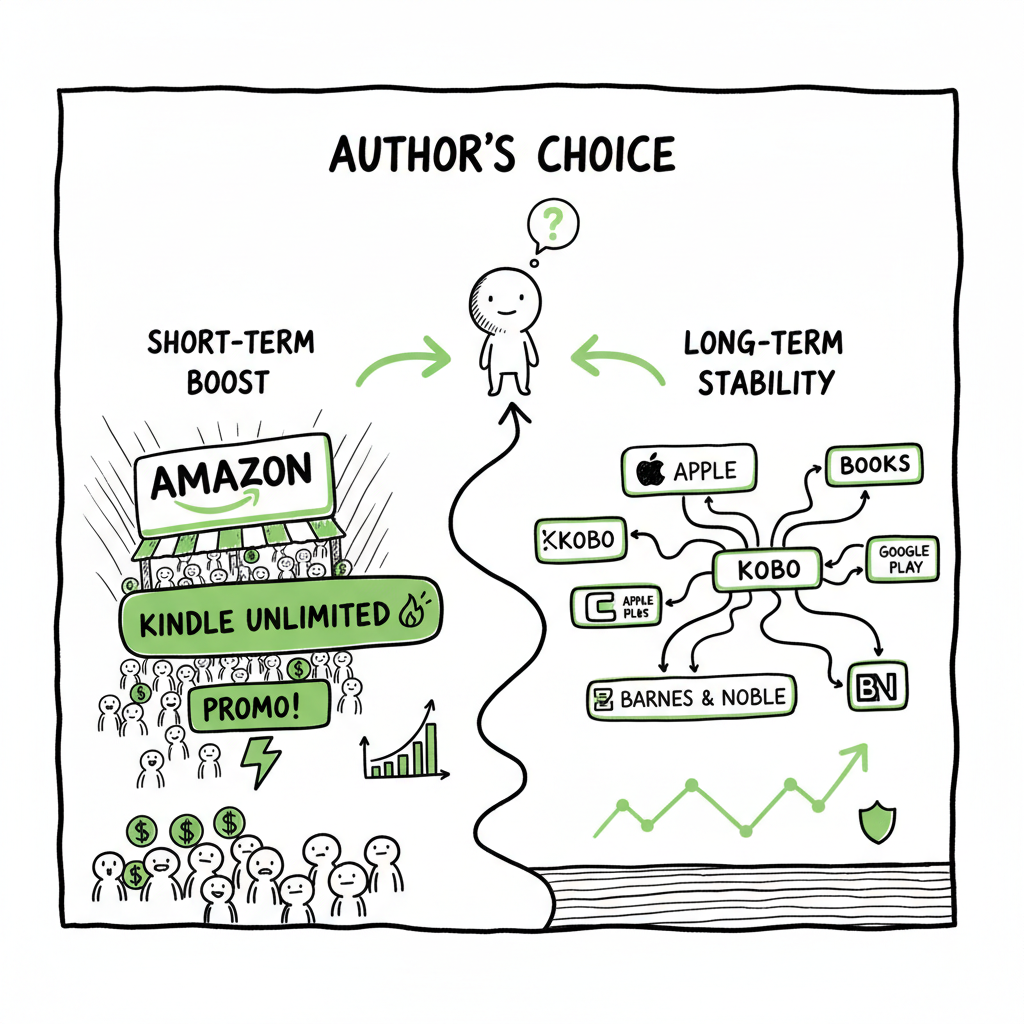
- KDP Select (exclusive) boosts short-term discoverability through Kindle Unlimited, page reads, and Amazon promotions; it requires 90-day exclusivity.
- Publishing wide distributes to Apple, Kobo, Google Play, Barnes & Noble, libraries, and more, reducing platform risk and improving long-term stability.
- Use a staged or hybrid approach: test exclusivity for launches, then go wide for backlist; automate multi-platform uploads to scale without extra busywork.
Table of Contents
- What publish wide vs exclusive kdp means
- How to choose the right path for your books
- An operational playbook: launch, hybrid, and going wide
- How BookUploadPro makes wide distribution practical
- FAQ
- Sources
What publish wide vs exclusive kdp means
When authors ask “publish wide vs exclusive kdp,” they are deciding whether to make a book available only on Amazon via KDP Select or to distribute the same book across multiple retailers. KDP Select asks for 90 days of exclusivity in exchange for access to Kindle Unlimited (KU) page reads, special promotional tools like Countdown Deals, and placement in Amazon’s ecosystem. Going wide puts your ebook on Apple Books, Kobo, Google Play, Barnes & Noble, and other channels. It also opens library distribution and lets you sell direct.
There’s no one-size-fits-all answer. Genres that rely on binge reading — some romance, serial thrillers, and certain kinds of genre fiction — often see a faster payoff from KDP Select because KU can deliver large volume quickly. Authors with a growing catalog, international audiences, or a need to diversify income tend to favor wide distribution.
If you want a straightforward comparison, this detailed write-up on Publish Wide Vs Amazon Exclusive covers the same trade-offs most authors see in real-world publishing: audience reach, income stability, promotional tools, and the work involved to maintain distribution. That comparison is a useful companion as you weigh options for a single title or a full catalog.
How to choose the right path for your books
Start with goals, not tools. Your choice should flow from what you want to achieve in the next 90 days and the next three years.
Short-term goals (90 days)
- Rapid visibility and reviews: KDP Select can concentrate your exposure on Amazon, increase page reads through KU, and help you get initial sales velocity.
- Launch experiments: If you want to test cover, blurbs, or pricing without spreading limited marketing resources, exclusivity simplifies tracking.
Mid- to long-term goals (6–36 months)
- Income diversification: Wide distribution reduces dependence on a single marketplace. Sales can be uneven across platforms, but aggregated income is often steadier.
- Global reach: Kobo and Apple have strong markets outside the U.S.; wide distribution captures readers Amazon may miss.
- Direct sales and library access: Wide lets you enroll in library platforms and sell direct copies using your own storefront or tools that support DRM-free files.
Practical signals to guide your choice
- Genre and reader behavior: If your readers binge and KU is active in your genre, an initial exclusive window can make sense. For niche, backlist, or non-binge genres, wide is often better.
- Catalog size: Authors with one or two titles sometimes pick Select to jumpstart discoverability. Authors with 4+ titles often benefit more from wide distribution because their readers follow across stores and formats.
- Marketing resources: If you can run coordinated promotions across platforms and support listings in several stores, wide becomes a clear advantage. If you’re resource-limited, exclusivity reduces the immediate workload.
- Risk tolerance: Exclusivity concentrates risk in Amazon. Wide spreads it.
Hybrid strategies that work
- Launch exclusive, then go wide: Enroll for one or two 90-day KDP Select cycles to build momentum, then push the book wide to capture guests who prefer other stores or libraries.
- Split your catalog: Enroll high-velocity series or titles in Select to maximize KU income, and publish other books wide to build a diversified base.
- Staggered distribution: Keep new releases exclusive for a short window and release older titles wide to keep the pipeline varied.
An operational playbook: launch, hybrid, and going wide
This is where theory meets scale. Authors who want to publish several books per year need a repeatable, low-friction process. Below is a practical playbook you can apply to single titles or entire lists.
Stage 1 — Prepare files and metadata once
- Finalize manuscript and do platform-appropriate formatting. For ebooks, convert to EPUB for stores other than Amazon; use a high-quality conversion process to preserve layout and typography. If you don’t want to manage conversion details yourself, consider a dedicated epub converter to avoid formatting problems before uploading.
- Create a single cover art file that meets the highest-resolution requirements. If you need a quick design or batch cover processing, a book cover generator makes consistent covers faster across many books.
- Assemble metadata in a spreadsheet: title variations, subtitle, series name, contributors, language, BISAC categories, age ranges (if relevant), primary and secondary keywords, and suggested retail price per store or territory.
Stage 2 — Decide initial distribution
- If you choose a launch-exclusive window: enroll in KDP Select for 90 days to test KU and Amazon promotions. Use that time to drive downloads, collect reviews, and measure KU page reads.
- If you go straight wide: prepare all platform-specific files and release simultaneously or in a coordinated rollout to maximize discoverability across stores.
Stage 3 — Use automation to avoid repetitive uploads
- Uploading the same book to five or six platforms manually is slow and error-prone. CSV batch uploads and platform-aware automation let you:
- Push metadata and files once and let the system create store-ready packages.
- Handle SKU and ISBN mapping automatically between paperback and ebook editions.
- Reduce manual data entry mistakes like mismatched prices, cover crops, or incorrect category selection.
Stage 4 — Pricing and territory strategy
- Pricing differs by platform and region. Test price variations on a small group of titles, and keep an eye on royalty thresholds (Amazon has its own pricing rules for 70% vs 35% royalties).
- When you leave KDP Select, remember Amazon may have been your primary price-anchor. Some authors raise list prices when they go wide; others keep parity to avoid confusing readers.
Stage 5 — Post-launch lifecycle
- Monitor performance by store weekly for the first month, then monthly for long-term trends.
- If a book was exclusive and you go wide, schedule the wide launch shortly after the 90-day select period ends to retain launch momentum.
- Use promotional tactics platform by platform: price promos or free days (where available), targeted ads, newsletter blasts, and placement on retailer-specific charts.
Operational tips authors miss
- Keep source files in one place (master manuscript, cover PSD, and a master metadata CSV). That makes re-uploads, reprints, and new format creation fast.
- Maintain a list of retail-specific tasks (e.g., Apple requires different category choices; Kobo has local promotions). Document them so you don’t omit anything on rollout.
- Track ISBN and ASIN relationships. A paperback ISBN is different from a wide ebook’s identifier. Use consistent naming in your CSVs.
How BookUploadPro makes wide distribution practical
Scaling distribution without automation is where many authors hit the wall. BookUploadPro is designed for authors and small presses that want to publish seriously without multiplying grunt work.
What it does
- Unified multi-platform publishing: Upload once and distribute to Amazon KDP, Kobo, Apple Books, Draft2Digital, and Ingram. That removes the need to log into multiple portals and repeat the same metadata work.
- CSV batch uploads: Prepare a spreadsheet with all titles and let the platform process many books at once. This is essential when you publish multiple books a year or run a small press.
- Platform-specific intelligence: The system knows store quirks—category limits, image specs, and pricing rules—and adjusts uploads so your files won’t be rejected for trivial issues.
- Error reduction: Automated validation catches common problems early—wrong file types, missing metadata, sizing issues—before you submit to a retailer.
- Time savings: For many authors and teams, BookUploadPro reduces repetitive uploading time by roughly 90%, freeing you to focus on writing, promotion, and reader relationships.
- Affordable pricing + free trial: The service is priced for authors scaling their publishing and includes a free trial so you can test batch workflows.
How it fits common strategies
- Launch exclusive then go wide: Use BookUploadPro to manage the wide rollout after a KDP Select window. The system prepares all files for every store so the post-exclusivity switch is one action, not five.
- Hybrid catalog: Enroll certain titles in Select manually and use BookUploadPro for all non-Amazon distributions. That keeps your Select operations simple while automating the rest.
- Backlist revival: If you have older titles in different states, BookUploadPro can standardize metadata and push updated files wide quickly.
Real operational benefits
- Automate the upload. Own the distribution. When you remove repetitive tasks, you reduce mistakes and keep releases predictable. That predictability matters when you’re scheduling ads, newsletter promotions, or coordinating with cover redesigns and paperback print runs.
- An obvious upgrade once authors start publishing seriously: If you publish more than a couple of titles a year or manage series across formats, the time saved and error reduction are immediate and measurable.
Practical examples
- A romance author with a five-book series used a hybrid approach: the first book launched in KDP Select for two cycles to build KU readership; the subsequent books launched wide via BookUploadPro. The result was KU-driven discovery plus growing wide-sales over time as non-Amazon readers found the series elsewhere.
- A small press used batch CSV uploads to move 40 backlist titles from scattered CSVs and portal accounts into a single, standardized catalog distributed to all major retailers. What used to take weeks took a few days after setup.
File and format notes
- Ebooks: Convert to EPUB for non-Amazon stores and validate the file before upload to avoid rendering issues on various devices. If you need help, an epub converter service makes this step reliable.
- Paperbacks and print-on-demand: Create print-ready PDFs and let the system map them to Ingram and KDP print channels so you control distribution and print availability globally.
- Covers: Consistent cover processing is important for thumbnails and print specs; batch cover processing tools can standardize sizing and quality across multiple SKUs.
Final thoughts
The choice between publish wide vs exclusive kdp is not binary for serious publishers. KDP Select is a tactical tool for short-term visibility and subscription revenue. Wide distribution is a strategic move to diversify income, reach more readers globally, and stabilize revenue over time. Most authors benefit from a hybrid, test-driven approach: use exclusivity selectively for launches or specific titles, then automate wide rollouts to scale without multiplying manual work.
Using automation to handle the repetitive parts of publishing is practical, not flashy. When your process is repeatable and reliable, you get cleaner metadata, fewer rejections, and time back for the craft and promotion that actually move readers. For authors publishing multiple titles, BookUploadPro is an obvious operational upgrade: unified uploads, CSV batch processing, platform-smart validations, and a free trial so you can test the workflow risk-free.
FAQ
Q: If I enroll in KDP Select, can I later go wide?
A: Yes. KDP Select enrollments are 90 days. After the enrollment ends you can distribute the ebook to other retailers. Many authors use this as a deliberate step: an early exclusive window for launch, followed by a wide rollout.
Q: Does going wide mean I lose Amazon entirely?
A: No. You can sell on Amazon without KDP Select. Going wide simply means you are not restricted by the Select exclusivity clause and can sell the ebook on other platforms as well.
Q: Will I make less money if I go wide?
A: Not necessarily. While KDP Select can generate short-term revenue through KU page reads for certain genres, wide distribution spreads sales across stores and tends to create more stable long-term income. The outcome depends on genre, catalog size, and marketing.
Q: How do I handle file formats for multiple platforms?
A: Keep a master manuscript and create platform-specific outputs. Create an EPUB for Apple/Kobo/Google and a MOBI or Amazon-optimized file for KDP if you prefer. If you want to remove the headache, use an epub converter and a cover processor to standardize outputs before upload.
Q: Can I automate the upload to multiple stores?
A: Yes. Services exist that take your master files and metadata and push them to multiple retailers with platform-specific adjustments. That automation reduces errors and cuts upload time dramatically.
Sources
- Amazon KDP Select vs Wide: Which is Better for Authors?
- KDP vs Wide Publishing 2025: Pros and Cons — Marina Miles Books
- What Does It Mean to Publish Wide?
- Should You Publish Your Book Wide or Go Exclusive with Amazon?
- BookUploadPro
Visit BookUploadPro for details and a free trial..
Publish Wide vs Exclusive KDP Estimated reading time: 14 minutes Key takeaways KDP Select (exclusive) boosts short-term discoverability through Kindle Unlimited, page reads, and Amazon promotions; it requires 90-day exclusivity. Publishing wide distributes to Apple, Kobo, Google Play, Barnes & Noble, libraries, and more, reducing platform risk and improving long-term stability. Use a staged or…