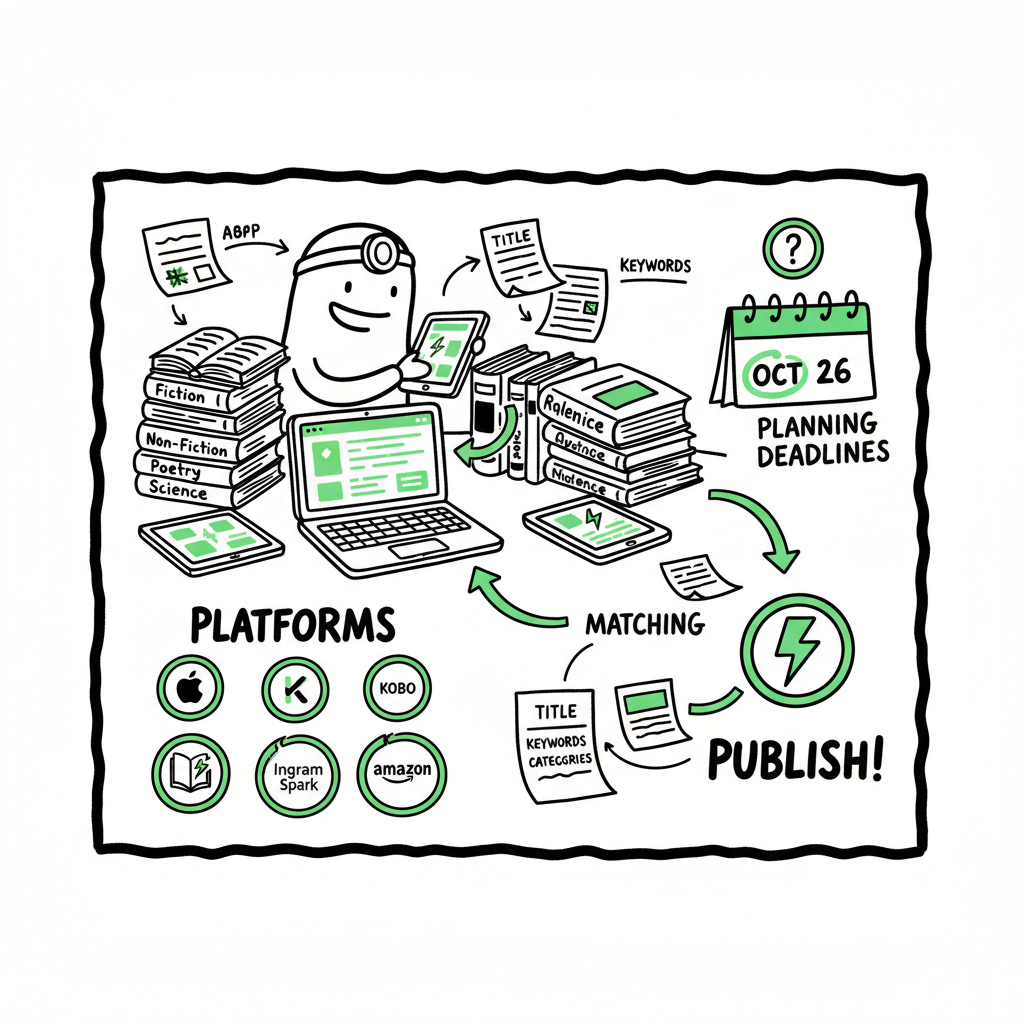
Publish Same Book Everywhere for Wide Distribution
Publish Same Book Everywhere: How to Go Wide Without Chaos
Estimated reading time: 14 minutes
Key takeaways
- You can publish same book everywhere, but it requires planning: avoid ebook exclusivity, match metadata, and schedule approvals.
- Use non‑exclusive aggregators and wide print services to reach Apple, Kobo, Ingram, and bookstores while keeping Amazon as a core channel.
- At scale, automating uploads with a multi‑platform tool saves time, cuts errors, and makes true universal book distribution practical.
Table of Contents
- Why publish same book everywhere?
- How to prepare a wide release
- Publishing at scale: automation and BookUploadPro
- FAQ
Why publish same book everywhere?
Authors ask to publish same book everywhere for two simple reasons: reach and resilience. Selling across Apple Books, Kobo, Google Play, Barnes & Noble, Ingram’s global retail channels, and Amazon puts your book where readers prefer to buy. It also reduces dependency on a single retailer’s algorithm or policy changes.
Going wide—universal book distribution—means non‑exclusive multi store publish: you keep rights and list your ebook and print copies across stores without signing exclusive deals. The tradeoff is that programs like KDP Select on Amazon require 90‑day ebook exclusivity. That can boost royalties in Kindle Unlimited, but it prevents sales on other platforms while enrolled. If your plan is to publish same book everywhere, you must opt out of exclusivity.
A practical wide strategy balances timelines, ISBN use, and metadata hygiene. It’s common to launch ebooks and print copies at the same time across stores, but simultaneous release takes lead time for approvals and quality checks. When you’re ready to scale—multiple titles or frequent releases—automation and batch uploads make wide distribution practical rather than a management nightmare. For a repeatable process, consider a structured workflow like Publish Wide Self Publishing Workflow to reduce mistakes and speed releases.
How to prepare a wide release
1) Decide formats and channels
Start by listing formats you want: ebook, paperback, hardback, audiobook. Then list retailers and aggregators. Typical wide setups:
- Ebook: Apple Books, Kobo, Google Play, Barnes & Noble/Nook, and aggregators like Draft2Digital or Smashwords.
- Print: KDP Print (for Amazon) and IngramSpark or Lulu to reach bookstores and libraries.
- Audiobook: ACX for Amazon/Audible, plus distributors that reach other audiobook retailers.
If you aim to publish same book everywhere, be careful about KDP Select. Enrolling locks your ebook to Amazon for the enrollment period. For universal distribution, do not enroll the ebook in Select.
2) Standardize metadata and identifiers
Consistency stops problems. Use the same book title, author name, subtitle, series name, and edition notes across platforms unless you intentionally publish different editions. Differences in metadata can cause retailer conflicts or duplicate listings.
ISBN strategy:
- If the content is identical, use the same ISBN for the same format (one ISBN for the paperback edition across retailers).
- For ebooks, some retailers don’t require ISBNs, but using one can help cataloging.
- If you publish an alternate edition (different trim size, revised content), assign a new ISBN.
3) File formats and basics
Ebooks and print require different files and specs:
- Ebook: A validated EPUB is safest for wide distribution. Some retailers accept MOBI, but EPUB is the standard for Apple, Kobo, and most aggregators. If you don’t have clean EPUBs, convert your manuscript with a reliable tool that handles styles, table of contents, and images.
- Print: PDF with correct bleed, trim size, and embedded fonts. For IngramSpark and KDP Print, check their print‑ready PDF specs and color profiles.
- Cover: Each retailer has image size and spine requirements. Keep source files so you can export multiple sizes.
If you need a fast, reliable EPUB conversion, use a purpose‑built tool for consistent results and fewer QA errors: an EPUB converter can save hours of manual fixes.
If you need to automate creating a paperback or ebook, you can rely on the book creation workflow to streamline editions and layouts.
4) Preorders and simultaneous release
Simultaneous release across platforms is possible but needs lead time. Aggregators can set ebook preorders; many print services (IngramSpark, some aggregators) support print preorders. Amazon’s KDP doesn’t offer print preorders, which complicates a single release date across all channels.
Practical schedule:
- Finalize files 6–8 weeks before your desired release.
- Upload to IngramSpark or Draft2Digital early because their approval times and distribution to retailers can take weeks.
- Upload to Amazon, allowing time for review and potential uploading errors.
- For audiobooks, factor in production and ACX or distributor delays.
5) Avoid common pitfalls
- Don’t enroll the ebook in programs requiring exclusivity if you want a non‑exclusive multi store publish plan.
- Keep consistent pricing strategies. List prices can differ by store due to VAT, currency, or platform rules, but the list price and royalty targets should be planned.
- Watch metadata fields like publication date, imprint, and publisher name to avoid duplicates.
6) Quality assurance checklist
Before you send files to stores:
- Validate EPUB with industry tools and test on multiple devices.
- Proof the print PDF via a printed proof to check margins, images, and spine text.
- Confirm cover files are sized correctly for each format.
- Verify ISBNs and metadata are correct and consistent.
- Run a final pass on descriptions and keywords tailored to each store’s search behavior.
Publishing at scale: automation and BookUploadPro
When you move from single titles to regular releases, manual uploads become a time sink and a source of avoidable errors. Automation and batch processing reduce friction and make universal book distribution repeatable.
Why automation matters
- Time savings: Repeating the same steps across six platforms multiplies effort. Automation through CSV batch uploads, template reuse, and platform‑specific intelligence can cut that work by around 90% once set up.
- Fewer errors: Consistent metadata and file mapping reduce typos, wrong ISBNs, and mismatched covers that cause rejections or broken listings.
- Scale: Uploading dozens or hundreds of titles becomes feasible when you use tools designed for multi‑platform publishing.
What to automate
- Metadata mapping: Build a single source CSV for title, subtitle, contributors, publication date, ISBNs, descriptions, and keywords, and map those fields to each store’s requirements.
- File assignments: Link the correct EPUB and print PDF to their corresponding formats across platforms.
- Cover sizing: Automate export of cover files for each retailer’s spec from a master cover; that reduces manual resizing errors.
- Pricing and territories: Set global pricing templates and currency conversions once, and apply across new titles.
- Distribution toggles: Control whether an ebook is enrolled in exclusivity programs or set for wide distribution.
BookUploadPro in practice
BookUploadPro is built for authors and publishers who want to publish same book everywhere without the spreadsheet nightmare. It centralizes metadata, supports CSV batch uploads, and understands platform quirks so you don’t have to learn six different dashboards.
Key capabilities to expect:
- Unified multi‑platform publishing: Push a single title package to Amazon KDP, Kobo, Apple Books, Draft2Digital, and Ingram with consistent metadata and file assignments.
- Platform‑specific intelligence: The system formats and validates files according to each retailer’s rules, preventing common rejections.
- CSV batch uploads: Manage large catalogs by uploading metadata and file references in bulk.
- Error reduction and QA: Built‑in checks flag missing fields, mismatched ISBNs, or incompatible file specs before you publish.
- Time savings: Authors report significant time savings—often roughly 90%—once templates are in place.
- Affordable pricing and a free trial: Try publishing automation without committing long term.
If you manage multiple releases or multiple imprints, a Publish Wide Self Publishing Workflow that ties into an automation platform is an obvious upgrade once authors start publishing seriously. Using automation lets you focus on production and marketing, not repetitive uploads. Automate the upload. Own the distribution.
Practical automation setup
- Template libraries: Create templates for genre, imprint, or series to reduce variation and speed new releases.
- Master CSV: Keep a canonical spreadsheet with all titles, formats, and SKU references. Use safe naming for files to avoid misattachments.
- Validation step: Always run an automated validation that mirrors retailer checks before sending to stores.
- Schedule and monitor: Use a dashboard to schedule releases and monitor delivery to retailers. When an error appears on one platform, don’t let it block others; resolve parallel issues independently where possible.
Tools that help the busy publisher
- Dedicated EPUB converters streamline ebook formatting and reduce manual fixes.
- Cover processors export store‑compliant images from a single master file.
- Distribution platforms and aggregators offer broad reach but differ in terms and speed—automation helps coordinate them.
Practical examples and workflows
Example 1: Single-title wide launch (ebook + paperback)
- Weeks 8–6: Finalize manuscript and cover assets. Generate ebook EPUB and print PDF, and create retail cover exports.
- Week 6: Upload print files to IngramSpark and order a print proof. Upload EPUB to Draft2Digital for retail distribution and to Apple directly if preferred.
- Week 4: Upload to KDP for Amazon listing (do not enroll in KDP Select).
- Week 2: Confirm live retailer listings, fix any metadata or file issues, and prepare marketing assets.
Example 2: Series release with automation
- Use SKU conventions and master CSV to set series metadata consistently.
- Reuse templates for cover metadata and description structure.
- Batch upload multiple volumes’ metadata and files at once, then monitor store acceptance.
Triggered tools and other considerations
- If you need reliable EPUB conversion to minimize rejections, add an EPUB conversion step to your workflow early.
- For creating paperback or ebook editions, using a dedicated creation tool reduces manual layout problems.
- If you update cover art or make a new edition, keep clear edition notes in metadata and assign a new ISBN when content materially changes.
(If your process includes generating ebooks or paperback files at scale, a robust book creation workflow tool can save hours. For fast EPUB conversion, consider a dedicated EPUB converter.)
Example notes
Note: If your process includes generating ebooks or paperback files at scale, a robust book creation workflow tool can save hours. For fast EPUB conversion, consider a dedicated EPUB converter. For cover processing and generating size‑specific cover files, a cover generator and processing tool will keep images consistent across stores.
FAQ
Q: Can I sell the ebook on Amazon and also sell it on Apple and Kobo?
A: Yes, but only if you do not enroll the ebook in Amazon’s KDP Select program. KDP Select requires 90‑day ebook exclusivity for the Kindle edition. For universal book distribution, opt out and use non‑exclusive channels or aggregators.
Q: Do I need the same ISBN on all platforms?
A: For identical formats, yes—use the same ISBN for the same edition and format (e.g., one ISBN for the paperback). For ebooks, ISBNs are optional on some platforms, but consistency helps discoverability. If you create a revised edition or a different format, assign a new ISBN.
Q: How long does it take to get listings live across all retailers?
A: It varies. Amazon can take a few days for review. Aggregators and IngramSpark may take a week or more for retail distribution. Plan for at least 4–8 weeks to coordinate a true simultaneous release and account for proofs and fixes.
Q: Can print preorders sync across platforms?
A: Some print services support preorders (IngramSpark and some retailers), but Amazon KDP does not support print preorders. Ebooks often support preorders via Apple or aggregators. For a single release date, schedule earlier uploads and accept that exact sync may require compromises.
Q: What common problems will automation solve?
A: Automation reduces manual entry errors, ensures consistent metadata across platforms, scales uploads via CSV, and applies platform‑specific adjustments automatically—saving time and reducing rejections.
Final thoughts
Publishing the same title across multiple stores is straightforward in concept but demanding in execution. Success comes down to preparation: clean files, consistent metadata, and lead time for approvals. When you publish regularly, automation moves wide distribution from painful to routine. Tools that handle CSV batch uploads, platform rules, and file mapping let you publish same book everywhere without multiplying your workload.
Visit BookUploadPro.com to explore unified multi‑platform publishing, CSV batch uploads, and platform‑specific intelligence that streamlines wide releases. Try the free trial and see how automation reduces errors and frees you to write and market, not repeat uploads.
Sources
- Self-Publish all formats and publish them on the same day
- Can You Self-Publish a Book on Multiple Sites? – BookBaby Blog
- Publish Your Ebook on Multiple Platforms Without Breaking Terms
- Can You Self-Publish on Multiple Platforms? – Transcripts – The Tribe
- Publishing books at another platforms along with KDP – KDP Community
Publish Same Book Everywhere: How to Go Wide Without Chaos Estimated reading time: 14 minutes Key takeaways You can publish same book everywhere, but it requires planning: avoid ebook exclusivity, match metadata, and schedule approvals. Use non‑exclusive aggregators and wide print services to reach Apple, Kobo, Ingram, and bookstores while keeping Amazon as a core…