Pricing ebooks vs paperbacks and how to set prices
pricing ebooks vs paperbacks: how to set prices that sell
Estimated reading time: 14 minutes
Key takeaways
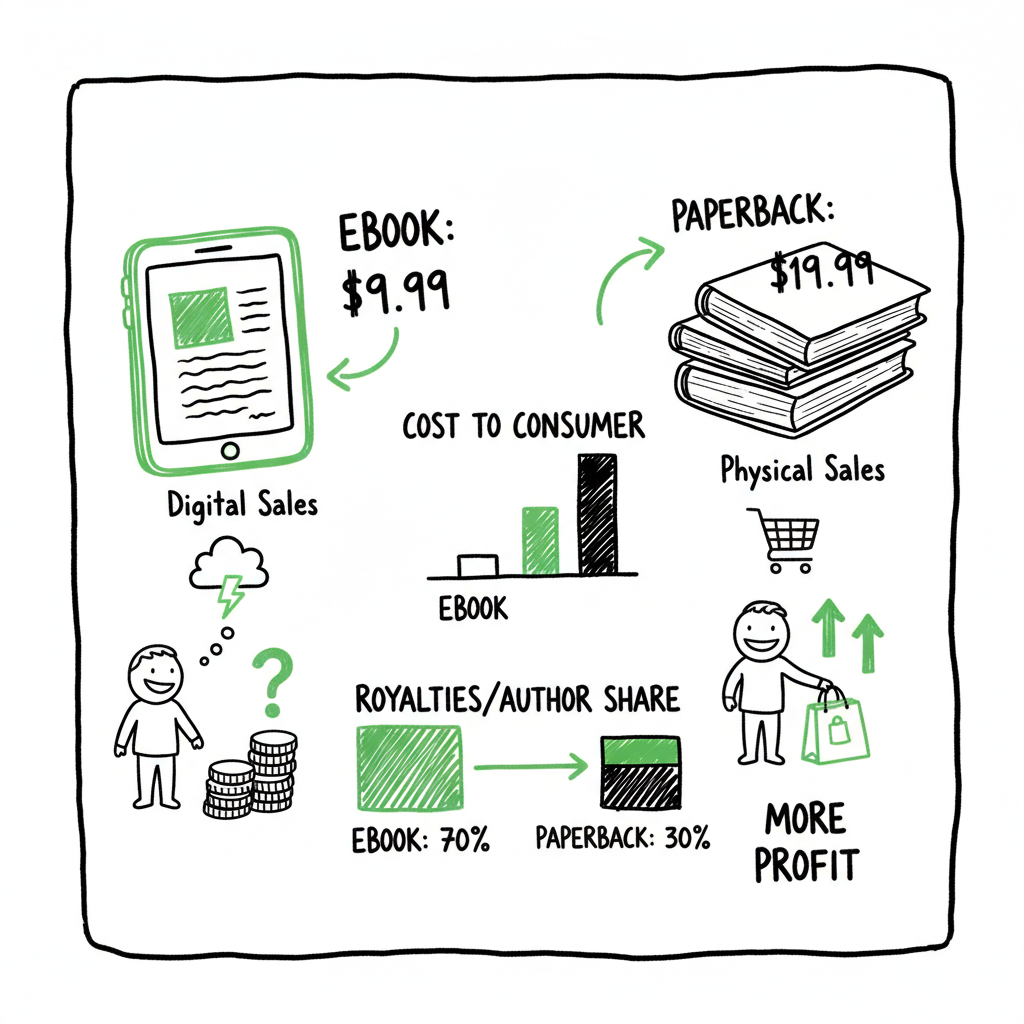
- Ebooks are priced lower because they have no print cost and a royalty structure that rewards prices in a specific band; paperbacks must cover printing and usually sit $7–$10 higher.
- On KDP, keeping an ebook in the $2.99–$9.99 window maximizes the chance of the 70% royalty; paperback pricing must cover per-copy print cost, so format choices (trim size, color, page count) matter.
- Practical strategy: pick an ebook price that fits your sales goals, then set the paperback high enough to protect margin and perceived value; use automation for multi-platform uploads to save time and reduce errors.
Table of Contents
- Introduction
- Pricing basics: how ebooks and paperbacks differ
- Pricing strategy and examples
- Automation and distribution for serious authors
- FAQ
- Final thoughts
- Sources
Introduction
When authors compare pricing ebooks vs paperbacks they are comparing two different cost models and two different buyer mindsets. Ebooks are digital products with near-zero marginal cost. Paperbacks are physical: each copy has a printing cost that the seller must cover. That simple fact drives most of the important differences you’ll see in list price and royalty math.
If you need the technical explanation of Amazon’s royalty bands, mechanics, and how list price interacts with royalties, see Amazon KDP Royalties Pricing Profit. Understanding those rules is the first step to setting prices that both sell and pay you.
This article walks through the practical facts every self-publisher needs: how KDP and similar platforms treat digital and print prices, common pricing bands, quick math you can run on your manuscript, and simple tactics that work across Amazon KDP, Kobo, Apple Books, Draft2Digital, and Ingram. I’ll also explain how multi-platform automation reduces the overhead of maintaining multiple formats and prices once you decide on a price strategy.
Read on if you publish across formats, want predictable royalties, and need a system that scales when you publish multiple titles.
cover design process and other production considerations matter, too. A robust BookAutoAI can help with prepress and EPUB workflows, which we’ll touch on later.
For deeper technical details about publishing workflows and multi-platform distribution, see the related resources below.
Pricing basics: how ebooks and paperbacks differ
There are three reasons ebook and paperback pricing look different.
- Cost structure
- Ebook: No per-copy print cost. The dominant limits are royalty bands and perceived value. On KDP, Amazon offers a 70% royalty band for many international markets when you price within roughly $2.99–$9.99. Outside that band, royalties drop to about 35%.
- Paperback: Every sale triggers a printing cost. KDP calculates a fixed per-copy cost plus a per-page charge. Trim size, page count, and whether the interior is black-and-white or color change that cost. The list price must be high enough to cover printing and leave room for a royalty that makes publishing worth it.
- Buyer behavior and perceived value
- Ebook buyers expect a lower price. Readers looking for impulse Kindle purchases often expect $2.99–$6.99. High ebook prices can signal a premium title, but they reduce impulse conversions.
- Paperback buyers expect a physical object and often associate higher price with higher perceived value. Paperbacks are useful for gifting, book signings, and readers who prefer print. That supports a higher list price.
- Format-specific limits and opportunities
- Ebooks are easy to discount and vary price frequently. They’re also the best lever for discoverability.
- Paperbacks have a minimum viable price due to print cost. They also play better in bundled strategies (e.g., paperback + ebook coupon) and author events.
Practical rule of thumb
- Indie/KDP ebooks: commonly $2.99–$6.99. Many authors aim for $3.99–$6.99 to balance volume and perceived value.
- Paperbacks: commonly $9.99–$19.99, often set about $7–$10 higher than the ebook price.
- Hardcovers (if offered): typically $12–$15 higher than the ebook.
Why the $7–$10 gap? It’s a simple way to ensure the paperback covers the per-copy print cost, preserves margin, and signals value without making the paperback so expensive that it hurts paperback sales.
A couple of extra points on KDP specifically
- The 70% royalty band for ebooks is a major lever. If you can keep your ebook price inside $2.99–$9.99 and meet other KDP requirements, your per-sale royalty jumps relative to the 35% band. That’s why many indie authors intentionally set ebook prices within that range.
- For paperbacks on KDP, page count and trim size can push the minimum price up. A long nonfiction book or a color interior can raise the printer’s margin enough that you must price the paperback in the mid-to-high teens just to keep a reasonable royalty.
Pricing strategy and examples
This section gives practical steps and sample math you can run quickly. Keep it simple: pick a primary goal, then set prices to support it.
Step 1 — Decide the primary goal
Choose one primary goal for each title:
- Maximize unit volume and visibility (broad reach, lower price).
- Maximize revenue per copy (higher price, maybe lower volume).
- Support a launch funnel (free or $0.99 ebook promotion, then higher paperback price).
Step 2 — Pick an ebook price band that matches your goal
- Max volume: $0.99–$3.99. Expect higher unit volume but smaller royalties per sale.
- Balanced: $3.99–$6.99. This often hits a sweet spot for many indie authors.
- Premium/status: $7.99–$9.99. Use for books with strong brand or niche demand.
Step 3 — Calculate paperback minimum and target
On KDP you need to know the print cost. KDP shows this when you build the paperback, but you can estimate:
- Example: Suppose printing costs $4.50 for a 300-page black-and-white trade paperback. If you want a $3.00 royalty per copy, list price = printing cost + royalty + Amazon’s printing/distribution margin. In practice, many authors target list prices between $12.99 and $16.99 for standard trade paperbacks with 250–350 pages.
A sample calculation
Ebook example:
- List price: $4.99 on KDP
- Royalty band: 70% (assuming delivery or file size rules are satisfied)
- Royalty: 70% of $4.99 = $3.49 (minus any delivery charge where applicable; for typical text ebooks delivery cost is low)
Paperback example:
- Page count: 300
- Estimated printing cost: $4.50 (varies by region and options)
- Desired royalty: $3.00
- Minimum list price to achieve that: $4.50 + $3.00 = $7.50, but Amazon requires its distribution margin; plus end price psychology suggests $12.99 or $14.99. So you might set the paperback at $12.99, which gives a better per-copy revenue after printing than the minimum math suggests.
Heuristics that work
- For a consumer paperback aimed at impulse buys, $9.99–$12.99 often feels right for shorter reads (100–200 pages).
- For longer nonfiction or illustrated books, $14.99–$19.99 is common.
- Keep the paperback at least $7–$10 above the ebook to preserve perceived value and margin.
Pricing across platforms
Amazon often leads discoverability, so tailor the Amazon ebook price to hit KDP royalty bands. For other retailers, use a consistent price where possible, but be aware retailers may have different royalty schemes and tax considerations. Pricing Across Platforms helps you plan cross-retailer pricing and promotions.
Testing and iterations
- Price is a testable variable. Try A/Bing price during promotions, observe change in unit sales, and iterate.
- For series, keep a consistent approach. Many authors price the first book lower to drive series discoverability and keep later books at a higher price.
Common mistakes to avoid
- Setting an ebook price just above $0.99 because you think it will “look professional.” Often $2.99–$4.99 converts better than $0.99 for many genres, unless your aim is volume at the lowest price.
- Forgettting print costs when setting paperback price. A low list price for a long, color interior book can leave you with almost no royalty.
- Using the same list price across all retailers without accounting for retailer discounts and delivery charges.
Tactics to preserve sales and margin
- Bundle: Offer a paperback + ebook bundle, or include a code in the paperback that gives the ebook for free or at a discount.
- Promotions: Use temporary ebook discounts to drive chart movement, then raise the price back.
- Format upsell: Use the ebook as a discovery tool and the paperback as the higher-margin sale or gift option.
A note on market expectations
Different genres have different expectation windows. Romance readers often accept lower ebook prices because volume and serialization matter. Business and niche nonfiction readers may accept higher ebook and paperback prices because of perceived utility. Always benchmark against active titles in your categories.
Automation and distribution for serious authors
Once you settle on a pricing approach, the hard work is operational: keeping prices, metadata, and files in sync across multiple platforms. That’s where automation matters.
Why multi-platform automation matters
– You publish to Amazon KDP, Kobo, Apple Books, Draft2Digital, and Ingram because each channel reaches different readers and retailers. Managing separate uploads and price fields manually is slow and error-prone.
– Small errors (wrong trim size, incorrect metadata, or inconsistent pricing) create customer confusion and wasted time fixing listings.
What to automate
- File formatting and conversion for ebook and print.
- Price and royalty fields across platforms.
- Metadata (title, subtitle, series information, keywords, categories).
- Batch uploads across many titles using CSVs.
- Error checking for common platform rejections.
How a practical automation tool helps
- Unified multi-platform publishing: Use one system to send the same title to multiple vendors while respecting each platform’s specific requirements.
- ~90% time savings on uploads: Batch processing for many titles removes repetitive steps.
- CSV batch uploads: Populate many book listings with one structured file instead of clicking through each platform.
- Platform-specific intelligence: The system knows KDP’s royalty bands, Ingram’s distribution rules, and Apple Books’ file requirements, so you don’t have to memorize details.
- Error reduction: Built-in checks catch common problems before you hit publish.
If you need a companion to the publishing workflow that includes clean formatting and production, consider a BookAutoAI capable of handling both ebook and paperback generation. A robust book creation workflow can save hours by producing print-ready PDFs and reflowable EPUBs.
That combination—formatting plus multi-platform automation—turns publishing from a handful of one-off tasks into a repeatable production line. For authors publishing multiple titles or series, it’s an obvious upgrade.
When to bring in production help
If you are publishing more than a couple of titles per year, or if your project includes complex formats (color interiors, illustrated layouts), a production service that manages ebook and paperback generation, conversion, and distribution saves you hours and mistakes. For example, turning a manuscript into both a clean EPUB and a print-ready PDF is not just a formatting task; it’s a quality gate that protects reader experience and resale value. Services that offer this remove a lot of friction.
If you want one cleaned-up workflow to convert manuscripts into publishable formats and move them out to multiple retailers, look for a provider that supports both generation and automation. That keeps pricing decisions from becoming a recurring administrative burden and lets you focus on writing, promotion, and reader connection.
A robust EPUB converter and a BookAutoAI capable of handling manuscript formatting can handle end-to-end conversions.
FAQ
Q: How much higher should a paperback be compared to an ebook?
A: A common heuristic is $7–$10 higher. That usually covers print costs and preserves margin while signaling higher physical value.
Q: Does KDP pay more for ebooks in a certain price range?
A: Yes. On KDP, many ebooks priced between $2.99 and $9.99 qualify for a 70% royalty band in supported regions. Prices outside that window usually earn 35%. That’s why many indie authors aim to keep ebook prices inside the 70% band.
Q: How do page count and trim size affect paperback pricing?
A: Higher page counts increase printing cost. Larger trim sizes and color interiors are more expensive. These changes raise the minimum viable paperback price if you want a positive royalty.
Q: Should I price all my books the same across platforms?
A: It’s simpler to keep consistent pricing, but platform policies and retailer fees differ. Test consistency but be prepared to adjust platform-by-platform if royalties or discounts make a price unprofitable.
Q: Is it okay to change prices frequently?
A: Yes. Price changes are a normal part of promotions and testing. Track unit sales and revenue before and after changes to see what works for your titles and audience.
Q: Can I publish both paperback and ebook at the same time?
A: Yes. Publishing both simultaneously is common. Make sure the metadata and pricing look consistent across formats and platforms.
Q: How can automation help with pricing across multiple titles?
A: Automation lets you push price updates, metadata changes, and file uploads in batches. That keeps prices consistent and reduces manual errors when you manage many titles.
Final thoughts
Pricing ebooks vs paperbacks is both arithmetic and strategy. The arithmetic comes from royalty bands and print costs. The strategy comes from knowing your readers and what you want a price to accomplish—volume, revenue, or positioning. Keep it simple: choose a primary goal, pick an ebook band that supports that goal, then set the paperback high enough to cover print cost and deliver a sensible royalty.
If you publish multiple titles or want to avoid repeating upload work, production automation and multi-platform distribution make wide publishing practical. A workflow that converts manuscripts into clean EPUBs and print-ready PDFs, applies platform-specific rules, and pushes listings across retailers minimizes errors and saves time.
Visit BookUploadPro to see how automation and production combine. Try the free trial and test how much time you can save when uploads and pricing are handled consistently.
Sources
- Scribe Guide to Book Pricing (And How to Maximize Sales)
- Paperback Printing Cost – Kindle Direct Publishing Help
- Printed Books vs eBooks Statistics, Trends and Facts [2024]
- How Much Does a Book Cost | Book Pricing Guide 2025
- Pricing Self-Published Books
- How Does Ebook Pricing Work?
- Pricing Ebooks: How to Choose Your Price
pricing ebooks vs paperbacks: how to set prices that sell Estimated reading time: 14 minutes Key takeaways Ebooks are priced lower because they have no print cost and a royalty structure that rewards prices in a specific band; paperbacks must cover printing and usually sit $7–$10 higher. On KDP, keeping an ebook in the $2.99–$9.99…