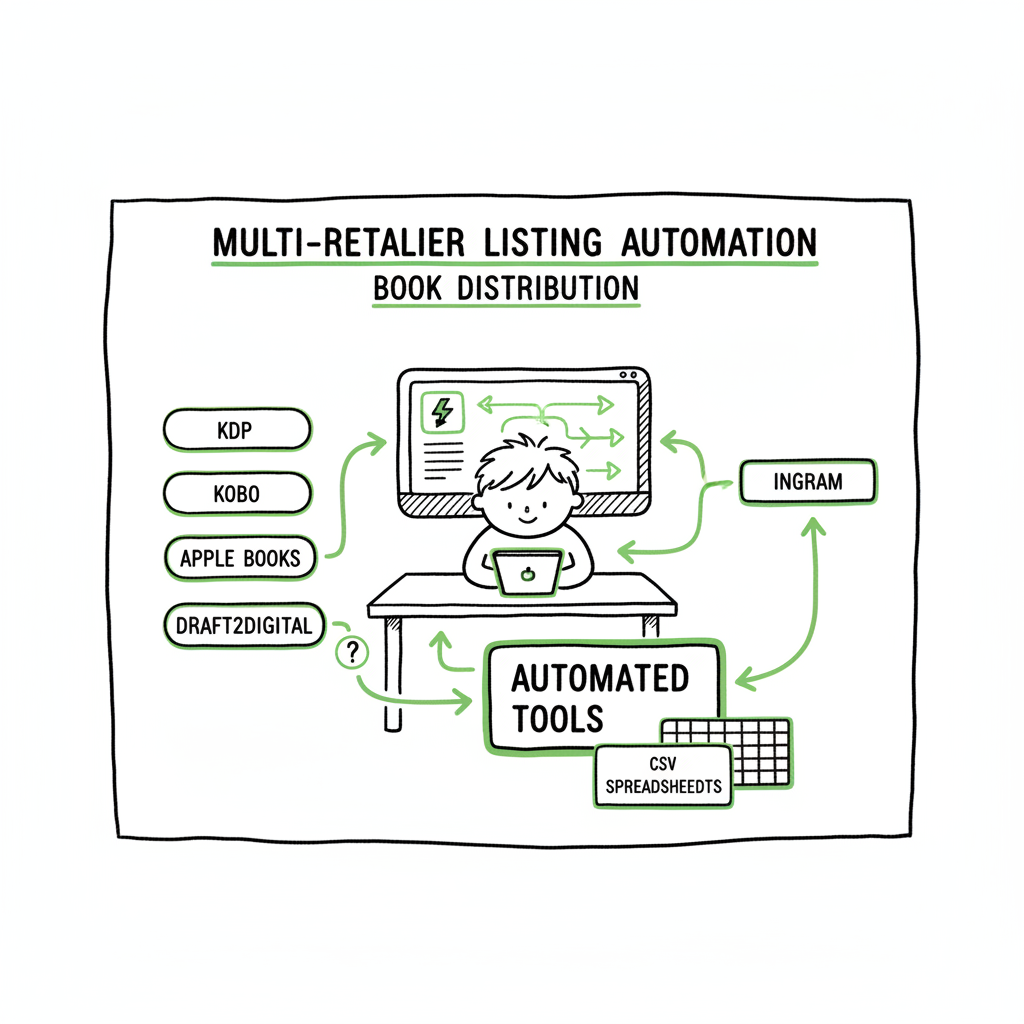
Multi-Retailer Listing Automation for Self-Publishing
Multi‑Retailer Listing Automation: A Practical Guide for Self‑Publishing Authors
Estimated reading time: 13 minutes
Key takeaways
- Multi‑retailer listing automation saves time and cuts errors when you publish the same book across KDP, Kobo, Apple Books, Draft2Digital, and Ingram.
- Good automation tools use CSV batch uploads, platform‑specific intelligence, and inventory/metadata sync to make wide distribution practical at scale.
- BookUploadPro automates repetitive uploads, reduces mistakes, and is an obvious upgrade once authors start publishing seriously.
Table of Contents
- Why this matters for self-publishing authors
- How multi-retailer listing automation works in a publishing workflow
- Implementing automation at scale: practical steps for authors
- FAQ
- Sources
Why this matters for self-publishing authors
If you publish more than one title, or plan to, multi‑retailer listing automation stops listing work from being the bottleneck. The phrase multi‑retailer listing automation describes tools that let you create, update, and synchronize a single catalog across multiple stores. For an author this means you enter metadata and files once, then push them to Amazon KDP, Kobo, Apple Books, Draft2Digital, and Ingram without repeating the same copy‑paste dance.
Most authors who try this manually hit three problems: inconsistent metadata across stores, time lost on repeated uploads, and avoidable errors that leave titles unpublished or incorrectly priced. Automation solves those by using a single control panel and bulk multi platform listings. When you’re ready to scale, many authors use services that Automate Wide Publishing All Platforms to move from one‑off uploads to predictable, repeatable distribution.
Beyond time savings, automation gives predictable quality. Consistent titles, descriptions, and cover files look better to readers and reduce customer confusion. If you sell print and ebook editions, consistent metadata also helps advertising and discoverability.
How multi‑retailer listing automation works in a publishing workflow
Overview of the flow
Automation tools work like a publishing control room. You maintain a master catalog—often a CSV or spreadsheet—with one row per edition. The tool reads that catalog and translates each row into platform‑specific listings. That translation handles differences in field names, file types, and metadata rules. The big wins are bulk multi platform listings and automatic updates: change price or description in the CSV, and the system pushes the change to every connected store.
Core capabilities to expect
- CSV batch uploads: Upload hundreds of listings at once from a spreadsheet. This is the fastest path to scale.
- Platform‑specific intelligence: Good tools understand KDP page counts, Apple Books file rules, and Ingram’s print settings so your upload won’t fail on a technicality.
- Error reporting and retry logic: When a store rejects a file, the tool highlights the problem and retries automatically when you fix it.
- Sync and scheduling: Update a field once and schedule when the change goes live across stores.
Why this matters for authors
When you manage multiple formats and channels—ebook, paperback, wide distribution—automation protects your time and attention. Instead of re‑typing metadata you can focus on writing, marketing, and building your backlist.
Formatting and asset handling (practical notes)
You still need clean files. For ebooks, converting to EPUB is a common step; using a reliable EPUB converter reduces rejections from Apple Books and Kobo. For print, generate a correct PDF interior and a print‑ready cover. If you prefer a hands‑off option for covers, many authors use a book cover generator to produce pixel‑perfect files that meet marketplace specs. These services take care of trim size, spine width, and bleed so your uploads won’t be rejected for technical reasons.
If you use a tool that supports CSV batch uploads and platform intelligence, you combine clean inputs with automation to get fast, repeatable publishing. That is the point: the software does the repetitive work so you can scale without hiring a process team.
Implementing automation at scale: practical steps for authors
- 1) Build a reliable master catalog
Start with a simple spreadsheet that includes every field you need: title, subtitle, series, edition, ISBN (if you use one), description, primary category, keywords, price per marketplace, file paths for ebook and cover, and print settings for paperbacks. Keep the sheet organized: one row per edition (ebook, paperback, large print), and columns for every store where the value differs.
A clean catalog is the foundation of bulk multi platform listings. If you build it well once, you minimize fixes later.
2) Standardize files before upload
Use established tools for file prep. Convert manuscripts to EPUB using a tested EPUB converter, and create print interiors and covers that follow marketplace templates. If you need help with covers or want an automated option, a book cover generator can speed production and lower rejection risk.
3) Choose the right automation tool for publishing
When you evaluate services, look for these features:
- Broad store coverage: KDP, Kobo, Apple Books, Draft2Digital, Ingram.
- CSV batch uploads and mapping templates so your spreadsheet fields match store fields.
- Platform‑specific intelligence that knows trim sizes, EPUB checks, and KDP categories.
- Clear error logs and retry mechanics.
- Pricing and scheduling controls for each marketplace.
BookUploadPro focuses on unified multi‑platform publishing, CSV batch uploads, and platform‑specific intelligence. It reduces repetitive uploads and errors so authors can publish more titles, faster. The service targets about ~90% time savings on listing tasks compared with manual uploads. Automate the upload. Own the distribution.
4) Map fields and test with a small batch
Before pushing your entire backlist, test the mapping with two or three titles. Fix any formatting issues, validate cover and interior files, and confirm that pricing and territory settings appear correctly on each platform. Testing shortens the feedback loop and prevents a larger set of mistakes.
5) Use scheduling and staging to control launches
A good automation tool lets you schedule when listings go live on each store. Use that to coordinate a wide launch or to stagger releases. Scheduling keeps you in control while the system does the repeating work.
6) Monitor and iterate
After the initial upload, treat automation as infrastructure, not a one‑time fix. Monitor reports, sync logs, and sales data. Cross‑store reporting turns raw sales numbers into decisions about price, promotions, or categories. This is where a cross store listing tool shows value: unified analytics let you test price and copy changes quickly.
7) Keep error handling simple
When a store rejects a listing, fix the issue in your master catalog, then let the automation push the corrected values. Good platforms surface the exact field that failed. Avoid manual fixes on each store—when you update in one place, the system should propagate the change.
Common questions about formats, covers, and ISBNs
- EPUB versus MOBI: Convert to EPUB as the universal ebook format. Stores accept EPUB or convert it internally; sticking to EPUB reduces conversion issues. For hands‑off quality, the EPUB converter step is essential.
- Covers for print and ebook: Create separate files for ebook (RGB) and print (CMYK, with spine). Tools like a book cover generator can create both variations from a single design.
- ISBNs: Use free ISBNs from some platforms if you don’t need a specific imprint. If you want full control, register your own ISBNs and manage them in your catalog.
FAQ
Q: Can automation handle different prices per store?
A: Yes. Most systems accept price columns per marketplace in the CSV so you can set store‑specific prices in one pass.
Q: Will automation break listings if marketplaces change their rules?
A: Good tools include platform‑specific intelligence and update their checks when stores change rules. Still, monitor error logs and update your files if a store introduces new requirements.
Q: Do I lose control over my listings when I automate?
A: No. You keep full control through the master catalog and scheduling. Automation replaces repetitive manual work but leaves decisions about price, description, and launch timing with you.
Q: Is automation expensive?
A: Pricing varies. Think of automation as infrastructure: it pays for itself in time saved once you publish multiple titles. BookUploadPro is positioned as an affordable upgrade with a free trial so you can validate the time savings before committing.
Q: Will automation support both ebooks and print?
A: Yes. Good platforms accept both ebook and paperback file paths in the same CSV. For print, ensure your PDFs match the trim size, spine, and bleed requirements for each distributor.
Final thoughts
Multi‑retailer listing automation is not a shortcut—it’s a tool for predictable, repeatable publishing. When you pair a clean master catalog and proper file preparation with a reliable tool, publishing across KDP, Kobo, Apple Books, Draft2Digital, and Ingram becomes a matter of a few clicks instead of hours of repetitive work. For authors who publish seriously, this is an obvious upgrade.
If you want to move from one‑off uploads to scalable distribution, consider testing a workflow that uses CSV batch uploads, platform‑aware checks, and centralized scheduling. That combination is where you save time and reduce errors at scale.
Automate Wide Publishing All Platforms is the approach that lets you publish more, faster, and with fewer mistakes. It’s also why many authors choose services that reduce listing time by roughly ~90% and handle the busywork of wide distribution.
Visit BookUploadPro.com and try the free trial to see how automated, unified multi‑platform publishing fits your process. Try the free trial.
Sources
- Pros and Cons of Multi‑channel Online Selling | Mintsoft
- Best Multi‑Channel Listing Tools for E‑commerce Success
- What Are Listing Tools, and Why Are They Important for Multi‑channel Sellers
- What’s the Best Multichannel Listing Software? – Sellercloud
- Why listing tools is a must for multichannel sellers? | VendorElite
- EPUB converter
- book cover generator
- book creation workflow
Multi‑Retailer Listing Automation: A Practical Guide for Self‑Publishing Authors Estimated reading time: 13 minutes Key takeaways Multi‑retailer listing automation saves time and cuts errors when you publish the same book across KDP, Kobo, Apple Books, Draft2Digital, and Ingram. Good automation tools use CSV batch uploads, platform‑specific intelligence, and inventory/metadata sync to make wide distribution practical…